

Cheap and 4K used to be a contradiction. Now you can get a 27-inch 4K panel with a 60Hz or 120Hz refresh rate for around $250-$350, which is genuinely usable for gaming if you understand what you’re trading away to hit that price. The short version: at the budget end, you’re giving up refresh rate, HDR quality, and sometimes panel uniformity. You’re not giving up resolution, and resolution is usually what people actually want when they say “4K.”
As an Amazon Associate we earn from qualifying purchases at no extra cost to you.

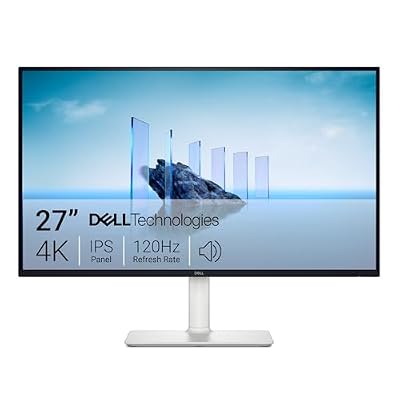
What “cheap” actually buys you right now
Budget 4K monitors fall into two camps. The first is 60Hz IPS or VA panels aimed at productivity and casual gaming, often priced under $300. The second is 120-144Hz panels, usually VA or budget IPS, in the $350-$500 range, which is where 4K gaming actually starts to feel good on PC. Below $300, you’re almost always capped at 60Hz, which is fine for story games and simulation titles but rough for anything competitive. A 60Hz panel means your frame pacing matches a 60fps cap, and if your GPU pushes more than that, you’re just burning frames with no benefit, so there’s no point pairing one with a high-end card expecting a payoff.
Panel type matters more than brand at this price point. VA panels dominate the cheap 4K space because they’re cheaper to manufacture at this size and resolution. They give you better contrast and deeper blacks than budget IPS, but they smear in dark scenes during fast motion — noticeable in horror games or anything with night levels. IPS panels cost more but have faster pixel response and better viewing angles, so colors don’t shift when you’re not dead center. If you sit close to a 27-inch screen, which most people do, IPS is worth the premium if your budget allows it.
Refresh rate: the real cost of 4K at a budget
Here’s the part that trips people up: 4K at high refresh rates needs serious GPU horsepower, and a cheap monitor doesn’t fix that. A 144Hz 4K panel is useless for competitive shooters unless you’re running at least an RTX 4070-class card, and even then you’ll be leaning on DLSS or FSR upscaling to hit triple-digit frame rates in demanding titles. If your GPU is a 3060 or weaker, you will not see 144 frames in anything modern at native 4K, full stop. In that case, paying extra for a 144Hz panel is wasted money — you’re better off buying a 60Hz 4K monitor and putting the savings toward a GPU upgrade later, or buying a 1440p 144Hz monitor instead, which is a legitimately better experience for the same budget.
If your card can actually push 90-120fps at 4K with upscaling, a 120Hz-or-higher budget panel is worth it, but confirm the panel does its stated refresh rate over HDMI, not just DisplayPort. Cheap monitors sometimes cap HDMI 2.0 ports at 60Hz for 4K and only unlock higher refresh over a lower resolution or DisplayPort 1.4. Check the actual spec sheet, not just the box headline number.
Three realistic budget tiers
| Tier | Price range | Panel/refresh | Best for | Weak point |
|---|---|---|---|---|
| Entry 4K | $220-$280 | 60Hz VA or IPS | Single-player, strategy, media | No headroom for fast games |
| Mid 4K | $300-$400 | 120-144Hz VA | Mixed gaming with a mid-range GPU | Dark scene smearing, mediocre HDR |
| Upper budget 4K | $400-$550 | 144Hz IPS/Fast VA | Competitive play with a strong GPU | Price creeping toward mid-range territory |
If you’re shopping in the entry and mid tiers, it’s worth browsing a full range of 4K gaming monitors under $300 side by side, since pricing shifts often and last month’s best deal isn’t always this month’s.
HDR on a budget: mostly marketing
Almost every cheap 4K monitor claims HDR support. Almost none of them deliver HDR that looks meaningfully different from SDR. True HDR needs high peak brightness (600 nits or more, ideally with local dimming zones) to create real contrast between bright and dark areas. Budget panels usually hit 300-400 nits with no local dimming, which means the “HDR” mode just remaps colors and often looks worse than SDR with a well-calibrated setting. Don’t pay a premium chasing an HDR badge on a sub-$400 monitor. If HDR quality matters to you, that money is better spent on a higher refresh rate or a better panel.
What goes wrong at this price
Backlight bleed is the most common complaint on cheap VA panels, especially visible as a glow in the corners during dark scenes. It’s worth checking return windows before buying rather than assuming every unit is uniform — panel lottery is real even within the same model line. Input lag is the other sneaky issue: some budget 4K panels have decent raw response times but add significant processing lag because of cheap scalers, which matters if you play anything twitchy. Look for monitors with a documented “game mode” that strips out post-processing, and don’t just trust the GtG number on the spec sheet, since manufacturers measure it under ideal conditions that don’t reflect real input lag.
When 1440p is the smarter cheap option
If your GPU is below an RTX 4060 or equivalent, a cheap 4K monitor is going to spend most of its life running games at lower-than-native resolution anyway, which defeats the point. In that case a 1440p 144Hz monitor in the same price bracket will look sharper in motion and feel more responsive than a 4K panel struggling to hit 60fps. 4K is worth prioritizing when you already have the GPU to drive it or you mainly use the monitor for slower-paced games, media, and desktop work where frame rate matters less. If you’re unsure which fits your rig, browse 1440p 144Hz gaming monitors for comparison before committing to 4K.
What to actually buy
Match the panel to your GPU, not your budget ceiling. A 60Hz 4K monitor paired with a capable card is a waste; a 144Hz 4K monitor paired with a weak card is also a waste. Buy the refresh rate your hardware can actually use, treat HDR claims under $400 with skepticism, and check return policies before trusting any single unit’s backlight uniformity.

















