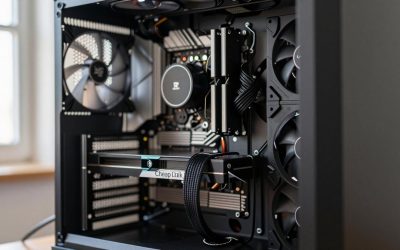
- Top Pick: CORSAIR 4000D RS ARGB Frame Customizable Mid-Tower PC Case – Black | 3x Pre-Installed Fans, High Airflow, Fully Modular, Easy InfiniRail Fan Mounting, GPU Anti-Sag, Reverse Motherboard Support
- Best Value: Corsair iCUE 4000D RGB Airflow Mid-Tower Case – 3X AF120 RGB Elite Fans – iCUE Lighting Node PRO Controller – High-Airflow Design – CORSAIR RapidRoute Cable Management System – True White
- Premium Choice: Corsair Frame 4000D Wood RS Modular Mid-Tower ATX PC Case – White/Oak
Each of these popular cases builds differently: the Lian Li O11 Dynamic is a dual-chamber showcase with generous radiator room, the Corsair 4000D Airflow is a straightforward mesh-front tower, the Corsair 5000D is its larger sibling, the NZXT H510 is a compact tower with a tight cable path, the NZXT H1 is a mini-ITX tower with a built-in power supply and cooler, and the Hyte Y60 mounts the graphics card vertically behind glass. This pc case build guide covers the clearance numbers that decide what fits, the order that works best in each, and the routing quirks that surprise first-time builders.
Specifications below come from manufacturer pages and independent reviews, and where sources disagree this article says so. Always check the exact variant you buy, because “Dynamic”, “Evo”, “Flow”, “RGB” and “Elite” versions of the same case can have different limits.
As an Amazon Associate we earn from qualifying purchases at no extra cost to you.


Quick answer
| Case | Best for | Max GPU length | Max CPU cooler height | Biggest build quirk |
|---|---|---|---|---|
| Lian Li O11 Dynamic (original) | Showcase builds with AIOs | 420 mm | 155 mm | Tall air coolers rarely fit; radiator and fan layout needs planning |
| Lian Li O11 Dynamic EVO | Showcase builds, flexible layouts | About 426 mm | 167 mm | Reversible layouts mean cables run on two sides |
| Corsair 4000D Airflow | Simple, cool, quiet builds | 360 mm (340 mm with a front AIO) | 170 mm | GPU length shrinks if you mount a front radiator |
| Corsair 5000D Airflow | Roomy builds, long cards | About 400 to 420 mm | 170 mm | Larger footprint on the desk |
| NZXT H510 | Compact, clean value builds | 381 mm (less with a front radiator) | 165 mm | Tight front radiator and PSU shroud limits |
| NZXT H1 (V2) | Small form factor | 324 mm, 58 mm thick | Built-in AIO supplied | Mini-ITX only; riser cable and a fixed PSU |
| Hyte Y60 | Display builds with a vertical GPU | 375 mm | 160 mm | Vertical GPU only; limited airflow |
The three clearance checks before any case build
Every case guide boils down to the same three checks. Do them against the manufacturer’s own specification sheet before you order parts, then again when parts arrive.
- Graphics card length and thickness. A front-mounted radiator or fan can reduce the usable length. Measure the card’s length from the bracket to the end of the shroud, and check how many slots it occupies.
- CPU cooler height. Measure the cooler from the top of the processor to the top of the fins, including any fan clips. Add a few millimetres of margin for the side panel.
- Radiator and fan positions. A radiator needs room for its thickness, the fans and the memory modules under it. Top radiators commonly collide with tall RAM heatsinks or the motherboard’s VRM heatsink.
A worked example: a card that is 355 mm long fits the 4000D Airflow only if you do not mount a front AIO, because Corsair’s own page says to expect room for cards under 340 mm with a front-mounted AIO and up to 360 mm with a top-mounted one. That one sentence in the spec sheet could save you from returning a card.
Lian Li O11 Dynamic family
What the specs say
The original O11 Dynamic lists a graphics card limit of 420 mm and a CPU cooler limit of 155 mm, with a maximum power supply length of 255 mm according to Lian Li’s page. The newer O11 Dynamic EVO lists 426 mm for graphics cards and 167 mm for CPU coolers according to retailer and review summaries, and the larger EVO RGB and EVO XL versions list more room. Radiator support is generous across the family, with 360 mm radiators in several positions, but retailer listings disagree on exact side and bottom limits for the original, so confirm against Lian Li’s page for your version.
How the case is laid out
These are dual-chamber cases. The motherboard sits in a main chamber behind glass on two sides, and the power supply and drives sit in a rear compartment. Fans are not included with the original, so budget for them.
Build order that works
- Decide the fan layout before installing the motherboard. Most O11 builds use bottom intake and top or side radiator layouts.
- Mount the radiator and fans on the bracket outside the case when possible, and leave the hoses loose to connect after the board is in.
- Install the power supply in the rear chamber and run the 24-pin, EPS and PCIe cables to the cut-outs near the board.
- Mount the motherboard on its standoffs and connect the front panel cables.
- Install the graphics card last. Because the front glass shows everything, tuck the PCIe cables in tidy lines.
Quirks
- With no rear compartment fan cover, loose cables are visible through the glass. Plan your route.
- A 155 mm cooler limit rules out many large dual-tower air coolers. An AIO or a shorter air cooler is the safer pick.
- A vertical GPU kit changes the clearance at the bottom. Lian Li states about 50 mm of clearance to the bottom in the lower position on the EVO, which affects bottom fans.
Corsair 4000D Airflow
What the specs say
Corsair’s page lists a maximum graphics card length of 360 mm and a CPU cooler height of 170 mm. The power supply may be up to 180 mm long, or 220 mm if the drive cage is removed. Radiator support includes up to 360 mm at the front, up to 280 mm at the top and 120 mm at the rear, though one UK retailer lists a 240 mm top limit; the manufacturer figure is the better reference. Cable space behind the motherboard tray is about 25 mm.
Build order that works
- Remove both side panels and the front panel for easier access.
- Install the power supply with the fan facing down (the case has a bottom dust filter), then pass its cables through the grommets.
- Install the motherboard, then connect the EPS and 24-pin cables first.
- Use the built-in routing channel and hook-and-loop straps to tame the thick cables.
- Connect the front panel and USB headers.
- Fit the graphics card, and then close the rear panel carefully, because 25 mm goes quickly with a bundle of cables.
Quirks
- The tray cut-outs are tidy but the PSU shroud area is tight, so a non-modular PSU can be hard to hide.
- A front AIO shortens the available GPU length. If you plan a long card, mount the radiator at the top.
- The base Airflow version ships with two fans; add a third at the front if you have a hot processor and graphics card.
Corsair 5000D Airflow
The 5000D family is larger than the 4000D and adds more space for long cards and thick radiators. Corsair and most reviewers list a graphics card length of about 420 mm, but some retailers and the marketing copy state about 400 mm, so treat 400 mm as the safe working number. The CPU cooler limit is 170 mm and radiators up to 360 mm are supported. Power supply length is given as 225 mm by one retailer and 250 mm by Corsair, so check your PSU’s length against the manufacturer’s sheet.
The build order is the same as in the 4000D, with more room to work. The extra width behind the tray helps with tidy cabling and makes the 5000D a forgiving first build. The cost is desk space; it is a large tower.
NZXT H510
What the specs say
NZXT’s H510 series page and retailer summaries list a CPU cooler limit of 165 mm and a graphics card limit of about 381 mm without a front radiator or fans. The H510 Flow lists 360 mm, and reviews of the H510 Elite give 338 to 368 mm. The front takes a 240 mm radiator (280 mm in some listings), the rear takes 120 mm, and front fan and radiator clearance is up to about 60 mm. The H510 is now end-of-life, so you may be building in one that is already owned or on the used market.
Build order that works
- Pre-route the PSU cables because the PSU shroud hides cables but limits slack.
- Install the motherboard, then the EPS and 24-pin cables, using the cable channel and tie-down points.
- Connect the front panel and USB headers before installing the graphics card.
- If using an AIO, mount the radiator at the front only after checking the GPU length against the reduced limit (one listing gives about 325 mm with a front liquid cooler).
Quirks
- The solid front panel on the standard H510 restricts intake, so cooling is weaker than in mesh-front cases. The H510 Flow variant addresses this.
- The case is compact. Use short cable ties and a modular PSU.
NZXT H1 (V2)
The H1 V2 is a mini-ITX tower that ships with an SFX power supply and a 140 mm AIO. NZXT’s listings and independent reviews give a maximum graphics card length of 324 mm and a thickness of 58 mm. SFFLabs lists a memory height limit of 46 mm and a 75 mm CPU cooler height if you do not use the included AIO. Some low-quality aggregator pages show 305 mm, which appears to describe the original H1, so verify the generation.
Build order that works
- Remove the panels and install the processor and memory on the mini-ITX board outside the case.
- Mount the AIO pump to the processor, then lower the board into the case with the radiator in its bracket.
- Connect the power cables already attached to the integrated PSU; they are short, so plan the route.
- Install the graphics card with the included riser, taking care to seat the riser connector fully.
Quirks
- Memory height is tightly limited. Low-profile modules avoid clearance problems with the AIO hoses.
- The graphics card must be two slots thick or less. A thick three-slot card will not fit.
- The integrated PSU wattage limits future upgrades.
Hyte Y60
The Y60 is a dual-chamber tower with panoramic glass and a vertically mounted graphics card on a riser. Hyte lists a graphics card length up to 375 mm, a maximum card height of 75 mm (60 mm or less recommended for best cooling) and a CPU cooler limit of 160 mm. A PCIe 4.0 riser cable is included. Radiator support, per Hyte, includes 120 to 280 mm at the side and 120 to 360 mm at the top, with a 120 mm option at the rear, although one retailer blog says the top cap is 280 mm; the manufacturer figure should be your starting point.
Build order that works
- Install the power supply and run its cables to the rear compartment.
- Mount the CPU cooler and fans before the board goes in, since access is limited by the glass.
- Install the motherboard and connect the EPS, 24-pin and front panel cables.
- Mount the graphics card vertically on the bracket and connect the riser carefully; the riser connection is the part most likely to cause a no-display problem.
Quirks
- The vertical card sits close to the glass, so cooling depends on fresh air reaching the intake. Reviewers have noted warmer results with fewer fans.
- Because the riser is PCIe 4.0 in the box, a PCIe 5.0 graphics card will run at PCIe 4.0 speed with this riser.
Which case should you build in?
| Your priority | Choose | Reason |
|---|---|---|
| Coolest temperatures and simple assembly | Corsair 4000D Airflow or 5000D Airflow | Mesh front, roomy cooler limits, tidy cable channels |
| Showpiece with a custom loop or several radiators | Lian Li O11 Dynamic family | Radiator support in many positions |
| Smallest desk footprint with strong parts | NZXT H1 V2 | Integrated PSU and AIO, small footprint |
| Vertical GPU display | Hyte Y60 | Built-in riser and glass |
| Used or already owned | NZXT H510 | Verify the front-panel variant and GPU clearance |
Common mistakes and fixes
| Mistake | Symptom | Fix |
|---|---|---|
| Cooler too tall | Side panel will not close | Measure fin height; pick a shorter air cooler or an AIO |
| Front radiator and long GPU | Card hits the radiator or fan | Move the radiator to the top or choose a shorter card |
| RAM clashes with the top radiator | Radiator will not sit flat | Use low-profile RAM or move the radiator |
| Unseated vertical-GPU riser | No display | Reseat both ends of the riser |
| Cables bulging the rear panel | Panel will not close | Flatten bundles, remove unused cables |
| Wrong case variant assumed | Parts do not fit | Check the exact model’s spec sheet |
Safety and troubleshooting
Switch off the PSU and unplug it before connecting or removing cables, and discharge static on bare metal. Avoid forcing connectors. If the system does not start after assembly, check these in order:
- RAM seating, since the board flexes when you tighten a heavy cooler.
- The 8-pin or 4+4 pin CPU power cable near the processor.
- The graphics card power connectors and the card seating, or the riser in vertical-GPU cases.
- The monitor cable, which must go to the graphics card, not the motherboard.
- The front panel power switch connector.
How we compared
We compared manufacturer manuals, specifications and independent guides named below. We did not build or benchmark these systems ourselves.
Sources
- Lian Li, O11 Dynamic and O11 Dynamic EVO product pages
- Guru3D, Lian Li O11 Dynamic EVO chassis review
- Corsair, 4000D Airflow and 5000D Airflow product pages
- PC Perspective and Bit-tech, Corsair case reviews
- NZXT, H510 series specifications support page
- PC Gamer, KitGuru and Windows Central, NZXT H1 V2 reviews
- SFFLabs, NZXT H1 V2 specifications database
- Hyte, Y60 product page, and Tom’s Hardware and Guru3D Y60 reviews
Frequently Asked Questions
Which case is easiest for a first build?
The Corsair 4000D Airflow and 5000D Airflow are commonly recommended because the layout is conventional, airflow is strong and the cable channels are straightforward.
Will a tall air cooler fit in an O11 Dynamic?
Not in the original, which has a 155 mm limit according to Lian Li. The EVO lists about 167 mm. Check your cooler’s height against the exact case variant.
Can I mount a radiator at the front of the 4000D Airflow?
Yes, up to 360 mm per Corsair, but the GPU length limit drops to about 340 mm when you do.
Does the NZXT H1 V2 support a large graphics card?
No. It supports cards up to about 324 mm long and 58 mm thick, so two-slot compact models are the target.
Is a vertical GPU bad for cooling?
It can be, because the card sits near the glass. Cases like the Y60 recommend a card height of 60 mm or less for best cooling, and good intake airflow helps.
Is the NZXT H510 still worth building in?
It is end-of-life, so it is mainly relevant if you already own one or find one used. Check the variant, because the Flow version has better airflow than the standard model.
Where do I find a case’s exact clearances?
On the manufacturer’s product or support page and in the manual. Retailer pages sometimes disagree, so use them only as a second source.
How much space do I need behind the motherboard tray?
Corsair lists about 25 mm on the 4000D family. If the rear panel will not close, flatten cable bundles and remove unused cables.