Best SSD for Loading Times in Gaming: What Actually Shortens the Wait
Nobody enjoys staring at a loading screen, and storage is one of the few parts of a gaming PC that can noticeably shorten that wait. A faster drive reads level data, textures and assets more quickly, which can cut load times in games that stream heavily from storage. However, the gain is not the same in every title, and it depends on the game engine, the processor and how the drive is connected. This guide explains where an SSD helps most, how to compare drives for loading performance and what to check before buying.
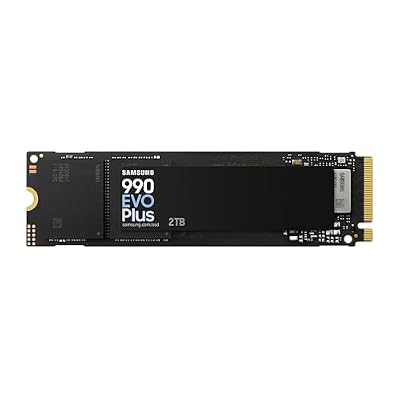
The hero listing was selected for the query “SSD loading times gaming” and may be a close match rather than the exact drive you pick. Confirm the model, interface, capacity and current price on the card, because similar names often hide different specifications. The alternatives are included for comparison. This is a buying guide for the product class, so the advice remains valid even if the specific listing changes.

Where a Faster SSD Shortens Loading Times
Loading in a modern game is a mix of reading data from storage, decompressing it and preparing it for the GPU. Storage speed matters most in the reading step, and it matters most when the game loads large amounts of data at once, such as a new open-world area or a level with many high-resolution assets. A drive that reads faster can reduce the wait, but the processor and memory also set the pace of decompression and setup.
For that reason, the gap between a fast NVMe drive and a slower SATA drive is often clear in large, asset-heavy titles and smaller in lighter games. Many players also notice that a system with enough memory and a good processor gets more benefit from a faster drive than a system that is already limited elsewhere.
Interface Matters More Than Brand
The interface sets the speed ceiling. NVMe drives connected over PCIe can read far faster than SATA drives, and that difference is the main source of load-time gains. Check the listing for the interface and the PCIe generation, because a Gen4 drive and a Gen3 drive can perform differently in the same slot.
Capacity and Free Space
A drive that is nearly full can slow down, and very large libraries can make the drive feel crowded. Leave some free space, and consider a capacity that fits your game collection without constant deletion. Our best SSD for gaming PC guide covers capacity choices across budgets.
Comparison Table: SSD Types for Loading Performance
The table compares the main drive types by how they tend to affect loading in games. Price ranges are broad, and the exact figure should be checked on the listing.
| Drive type | Loading benefit | Best for | Main trade-off | Typical price range |
|---|---|---|---|---|
| PCIe Gen4 NVMe | Strong gains over SATA in asset-heavy games | Main game drive on most current boards | Some drives run warm under heavy load | Check current price |
| PCIe Gen5 NVMe | Highest sequential speeds in its class | Builders with Gen5 board support | Higher cost, and gains in games are often modest | Check current price |
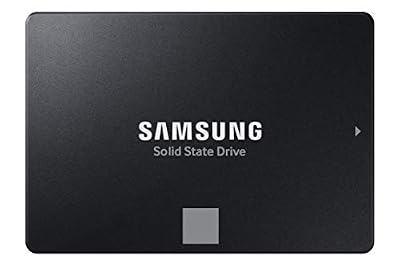
| SATA SSD | Clear gain over a hard drive, smaller gain than NVMe | Budget and secondary storage | Lower speed ceiling | Check current price |
| Portable SSD | Useful for moving games between systems | Consoles, laptops and backups | Connection speed limits performance | Check current price |
If you are deciding between generations, our PCIe Gen5 vs Gen4 SSD comparison explains where the extra bandwidth changes game loading and where it makes little difference. For a broader list of NVMe picks, see the best NVMe SSD for gaming 2026 guide.
Loading Times by Game Type
Open-World and Streaming Titles
Open-world games that stream large areas as the player moves are where a fast SSD is most likely to help. Faster reads can reduce hitches as new areas load, though the effect also depends on the game’s streaming design. Check whether reviewers measured load times and frame pacing on your target drive class.
Large Single-Player Campaigns
Campaign games with long level transitions often show clear gains on a fast NVMe drive. Load screens between chapters can shrink, and quick restarts after a failed attempt feel noticeably snappier. The gain is smaller if the game is limited by the processor during setup.
Competitive and Lighter Games
Esports titles and smaller games usually load quickly on any modern drive. Here the storage upgrade is more about convenience than speed. Spend your budget on a fast processor or a better monitor if competitive frame rates are the goal, and the best CPU for Counter-Strike 2 guide shows where that money works harder.
What Else Affects Load Times
Memory and Processor
Load times depend on more than storage. Enough system memory prevents the game from paging data out to the drive, and a capable processor speeds up decompression and setup. A fast SSD paired with a weak processor or limited memory will not reach its full potential. Our best RAM for gaming guide helps you size memory for a balanced system.
Driver and Game Updates
Game patches and driver updates sometimes change load behaviour, for better or worse. Keep your drivers current and check patch notes for performance changes. Compare results across updates rather than assuming a single number is fixed.
Placing Games on the Right Drive
Install your most-played, load-heavy titles on the fastest drive, and move rarely played games to a secondary SATA drive. This keeps the fastest storage for the games that benefit most. Our best gaming PC SSD article covers drive layouts for mixed libraries.
Buying Checklist
Before buying, confirm the interface, the PCIe generation supported by your motherboard slot, the capacity and the warranty. Check that your board’s M.2 slot supports the drive, and whether heatsinks are included or needed. If you play on a console, make sure the drive meets the console’s storage requirements, and our best PS5 compatible SSDs guide lists drives that meet those rules.
If you are building a whole system around a fast drive, the best gaming SSDs roundup gives a wider view of drive classes, and the best 2TB gaming SSDs guide helps if your library is large. Our complete gaming PC buying guide shows where storage fits into the overall budget.
Frequently Asked Questions
Will an NVMe SSD make every game load faster?
Not every game. Titles that stream large amounts of data benefit most, while lighter games may show little difference. Processor speed and memory also affect load times.
Is Gen5 worth it for loading times?
For most players, the gain over a good Gen4 drive is modest in games. Gen5 may suit builders who want the highest speeds on a compatible board, but check reviews for your target titles first.
Can a SATA SSD still give good loading times?
Yes, a SATA SSD is a large improvement over a hard drive, and it is a sensible budget choice. The gain over NVMe is smaller in most games.
Do I need a heatsink on my gaming SSD?
Some high-performance NVMe drives run warm under sustained load. A heatsink or a board with a built-in heatsink helps keep speeds steady, and the card or the board manual will show whether one is recommended.
Final Recommendation
For the shortest loading times in most games, a PCIe NVMe SSD with strong reviews and a clear warranty is the best choice, installed in the fastest slot your board supports. Start with the listing above, confirm the interface and capacity on the card, and pair the drive with enough memory and a capable processor so the storage upgrade actually shows. A SATA drive remains a sensible choice for secondary storage, and the best result comes from putting your most demanding games on the fastest drive you can afford.