

Fios is a fiber service, and that changes the router question for anyone shopping. With a copper or cable line, the modem is the bottleneck; with Fios, the gear you plug into the optical terminal decides whether a fast plan feels fast. Subscribers end up in one of two camps: keep a Verizon-style gateway such as the G3100 or older G1100, or swap in a third-party Wi-Fi 6 router or mesh node and let it do the wireless work.
This 2026 guide splits eight listings along that line. Four are Verizon gateway models, mostly renewed units, and four are third-party options from TP-Link, NETGEAR, eero, and a Wi-Fi 7 capable unit listed as CHR30A. The aim is to help a subscriber match the hardware to a home layout and a plan tier. Specs come from the product titles only, so anything not listed is flagged as something to confirm before checkout, including how the box works with Fios TV set-top boxes. Three of the Verizon listings share the G3100 name, so the write-up separates them by the only differences their titles give: renewed status, the 2021 label, and the tri-band wording.
Quick Picks
As an Amazon Associate we earn from qualifying purchases at no extra cost to you.
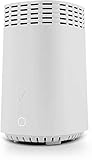


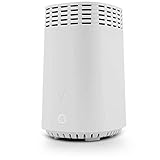


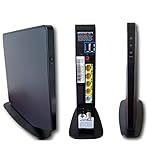
| Product | Best for | Key spec from the title |
|---|---|---|
| Verizon Fios G3100 (Renewed) | Staying on Verizon hardware | G3100 router, renewed |
| TP-Link Archer AX21 | Budget-tier Wi-Fi 6 | AX1800, dual band, EasyMesh, gigabit |
| Verizon G3100 Home Router (Renewed) | Second G3100 option | 2021 G3100, renewed |
| Verizon Fios G3100 Tri-Band | Many connected devices | G3100, tri band |
| NETGEAR Nighthawk R6700AX | Mid-size home | Up to 1,500 sq ft, AX1800, 4 gigabit ports |
| CHR30A Wi-Fi 7 Capable | Future-proofing | Wi-Fi 7 capable access point/router |
| eero 6 mesh | Easy mesh growth | Plans up to 900 Mbps, 1,500 sq. ft., 75+ devices |
| Verizon Fios G1100 (Renewed) | Older gateway replacement | AC1750, Quantum Gateway |
How to Choose
Decide: gateway or your own router
Fios subscribers usually have a Verizon gateway supplied by the provider. Replacing it with your own router puts the wireless choice in your hands, but Fios TV boxes can rely on the provider’s equipment, so confirm with Verizon what a TV setup requires before you remove it. Internet-only households have the most freedom, and many simply connect a third-party router to the gateway or terminal with an Ethernet cable.
Match Wi-Fi standard and plan speed
AX1800 means Wi-Fi 6 with a combined theoretical figure of 1.8 Gbps across bands, which is plenty for most apartments. A gigabit Fios plan needs gigabit Ethernet ports on the router, and wired devices such as a console or desktop benefit more than wireless ones. Check that a listing’s stated plan range, such as 900 Mbps on the eero 6, covers your tier; AC1750 hardware belongs to the older Wi-Fi 5 generation.
Coverage and device count
The NETGEAR and eero listings both mention 1,500 square feet. Larger homes need mesh nodes or a tri-band gateway. Device count matters too: listings mention 20, 75+, and more, but wall materials, floors, and layout shape real coverage far more than the printed number. Count every phone, TV, speaker, and camera before you decide.
Where budget and renewed models cut corners
Renewed gateways are previously owned units, and listings rarely say how long they were in service or whether a warranty applies. Older AC1750 hardware lacks Wi-Fi 6. Ignore the Alexa and app-management labels; they are conveniences, not performance specs. A single dual-band router also leaves no spare band when many devices compete for airtime.
The 8 Best Options
Verizon Fios G3100 (Renewed)
The simplest route for a subscriber who wants to remain on provider hardware. The title lists it as a renewed G3100 router, so it is a refurbished unit rather than a new retail box. It suits someone replacing a failed gateway with the same model, because nothing about the network setup has to change.
- Strength: a match for Verizon’s own current-generation naming.
- Strength: renewed status keeps the entry level low.
- Trade-off: the title carries no band, speed, or coverage details, so you rely on the model name alone.
Skip it if you want a documented feature list before buying or prefer a new unit.
TP-Link Archer AX21 (V5)
A Wi-Fi 6 AX1800 dual-band router with gigabit ports and EasyMesh support, plus Alexa compatibility in the title. It suits subscribers who want a budget-tier router of their own and are comfortable letting it handle the wireless side without any Verizon-specific features.
- Strength: Wi-Fi 6 and gigabit ports are named in the title.
- Strength: EasyMesh lets you expand later with compatible units.
- Trade-off: dual band only, with no extra tri-band capacity for crowded homes.
Skip it if your Fios TV service depends on provider equipment or you need a third band.
Verizon G3100 Home Router (Renewed, 2021)
Another renewed G3100, this listing calling out a 2021 home router. It targets the same buyer as the first G3100 listing, but the wording gives a hint about the hardware vintage, which can be useful if you are comparing two refurbished units side by side.
- Strength: provider-style hardware in a familiar model name.
- Strength: a renewed unit avoids a new-box commitment.
- Trade-off: the title is still thin on technical specifics.
Skip it if you need to compare against a full spec sheet before buying.
Verizon Fios G3100 Tri-Band
This listing describes the G3100 as a tri band router for Fios. A third band gives busy homes more room, which can help when phones, TVs, tablets, and consoles all connect at once. Unlike the other two G3100 listings, the title does not call it renewed.
- Strength: the tri-band design is stated in the title.
- Strength: Verizon branding keeps provider support straightforward.
- Trade-off: no condition appears in the title, so confirm whether the unit is new or used.
Skip it if you only have a handful of devices, because the extra band adds little there. A busy family home with several streaming screens is where the tri-band wording earns its place.
NETGEAR Nighthawk R6700AX
A Wi-Fi 6 dual-band AX1800 router that lists up to 1,500 sq ft coverage, 1.8 Gbps, 20 devices, and four gigabit Ethernet ports. It is a clean choice for a mid-size home where a console, a desktop, and a streaming box can all go on wires, leaving the wireless bands free for phones and laptops.
- Strength: four wired ports cover a small cluster of gaming gear.
- Strength: coverage and device figures set clear expectations.
- Trade-off: dual band only, and the 20-device figure is modest for a smart home.
Skip it if you have a large house or dozens of connected gadgets, since a single dual-band unit will be stretched.
CHR30A Wi-Fi 7 Capable Router
The title calls this a Wi-Fi 7 capable access point and router. It appeals to buyers who want to prepare for newer devices, though the title says little else about ports, bands, or coverage, so the buyer has to dig for details.
- Strength: Wi-Fi 7 capability is named in the title.
- Strength: it can serve as an access point or as a router.
- Trade-off: the brand is unspecified and spec detail is thin.
Skip it if you want a recognized router brand with published coverage figures, or if you need to verify wired port counts.
eero 6 Mesh (1-Pack)
This single mesh node supports plans up to 900 Mbps, covers up to 1,500 sq. ft., and connects 75+ devices. It grows by adding more nodes, which suits renters who may move and want a system that scales with the next floor plan.
- Strength: an easy mesh expansion path as a home grows.
- Strength: the 75+ device figure is the highest stated in the group.
- Trade-off: the 900 Mbps ceiling may sit below a gigabit-class plan.
Skip it if your Fios plan exceeds 900 Mbps or you want many wired ports.
Verizon Fios G1100 (Renewed)
The AC1750 Quantum Gateway listed here is an older, renewed model for Verizon Fios plans, with an updated 2019 version noted in the title. It suits someone replacing an identical unit, not someone chasing the newest wireless standard. Because it is a Verizon-built gateway, it tends to appeal to households that want the setup to look exactly as it did before.
- Strength: built specifically for Fios plans.
- Strength: a renewed unit keeps the entry level low.
- Trade-off: AC1750 predates Wi-Fi 6.
Skip it if you own new Wi-Fi 6 phones and laptops and want to use their full capability.
Which One Fits Your Situation
Fios TV is part of the package
Stay with a Verizon unit such as the Verizon Fios G3100 Tri-Band, since provider hardware is the safest match for TV boxes that expect it. Ask Verizon which gateway models its current TV equipment supports before ordering any renewed unit.
Internet only, mid-size home
The NETGEAR Nighthawk R6700AX or the TP-Link Archer AX21 give you Wi-Fi 6 and wired ports. The NETGEAR lists four gigabit ports, which helps a console and desktop setup, while the TP-Link adds EasyMesh so a second unit can be added later if a back bedroom turns out to be a dead zone.
Large house or growing needs
The eero 6 mesh can grow with extra nodes, provided your plan sits inside its stated 900 Mbps range. Pairing two or three nodes is the usual way mesh systems cover a two-story house, and the 1,500 sq. ft. figure helps you plan how many you will need.
An older gateway just died
Swap in a like-for-like renewed unit, the Verizon Fios G1100 or one of the G3100 listings, and keep the rest of the network as it was. This is the least disruptive path for households that never had trouble with the old hardware and simply need the same thing back.
Common Mistakes
- Removing the provider gateway before confirming how Fios TV service depends on it.
- Buying a router whose stated plan range sits below your internet speed tier.
- Assuming renewed units match new ones in condition, since listings seldom give a history.
- Ignoring Ethernet ports when a console, desktop, or media box needs a wired link.
- Hiding the router in a cabinet or basement corner, where walls and appliances cut the signal, then blaming the hardware for weak coverage.
Related guides
- Aio Liquid Coolers For High Performance Gaming
- How To Lower Input Delay In Competitive Shooters
- Wireless Gaming Headsets Under 100 For Pc
Frequently Asked Questions
Can I use my own router with Fios?
Often yes, particularly for internet-only service. If you have Fios TV, confirm with Verizon first, because some TV boxes rely on provider equipment.
Is Wi-Fi 7 necessary for Fios?
For most homes it is not. Wi-Fi 6 handles gigabit-class plans for the majority of phones and laptops, and Wi-Fi 7 mainly benefits newer devices, so the CHR30A is a forward-looking choice rather than a necessity.
What does tri-band mean?
It means the router has three radio bands instead of two. The extra band gives crowded households more room for simultaneous devices.
Is mesh better than a single router?
For larger or oddly shaped homes, yes, because several nodes spread the signal. In a small apartment a single router is usually enough, and it keeps the setup simpler to manage.















