

Monitor overclocking is one of the most satisfying free upgrades in PC gaming. Many high-refresh displays can be pushed past their advertised refresh rate — a 144Hz panel that runs at 165Hz, or a 120Hz panel that hits higher — squeezing out extra smoothness at no cost beyond a few minutes in your graphics driver. This guide rounds up the best monitors for overclocking in 2026: high-refresh displays with the headroom and inputs that make pushing beyond stock refresh rates worthwhile.
- Best Monitors for Overclocking at a Glance
- 1. KOORUI 24″ Gaming Monitor 240Hz 1ms FHD HDR400
- 2. KOORUI 34-inch Curved Ultrawide WQHD 180Hz Gaming Monitor
- 3. SANSUI 32″ Curved Gaming Monitor 240Hz FHD 1080P
- 4. SANSUI 24″ Gaming Monitor 180Hz DP 1.4 & HDMI 2.0
- 5. KOORUI 22″ Computer Monitor FHD 1080P 120Hz VA Panel
- 6. Sceptre Curved 24-inch Gaming Monitor 1080p 98% sRGB
- How to Choose a Monitor for Overclocking
- Frequently Asked Questions
- Related Guides
- Related Articles
Our picks were chosen with overclocking in mind, prioritising displays that already run at high refresh rates — since panels with generous base refresh and modern inputs are the best candidates to push further — alongside response time, panel size, connectivity and value. We have included everything from a budget 120Hz panel to a 180Hz ultrawide and 240Hz competitive screens, at prices from around $70 to around $264. Below is an at-a-glance comparison, then a closer look at each monitor and a buyer’s guide explaining how refresh-rate overclocking works and what to look for.
As an Amazon Associate we earn from qualifying purchases at no extra cost to you.




🛒 Best Price Today on Amazon
Prime members get fast, free shipping on everything above, plus member-only deals. New members get a 30-day free trial — cancel anytime.
Best Monitors for Overclocking at a Glance
| Monitor | Best For | Standout Spec | Approx Price |
|---|---|---|---|
| KOORUI 24″ 240Hz | Best high-refresh headroom | 240Hz base, 1ms, HDR400 | around $120 |
| KOORUI 34″ Ultrawide 180Hz | Ultrawide overclock candidate | 3440×1440, 180Hz, WQHD | around $264 |
| SANSUI 32″ Curved 240Hz | Big-screen high refresh | 32″ curved, 240Hz, FHD | around $180 |
| SANSUI 24″ 180Hz DP 1.4 | Value 180Hz with DisplayPort | 180Hz, DP 1.4 + HDMI 2.0 | around $90 |
| KOORUI 22″ 120Hz VA | Budget overclock starter | 120Hz base, FHD VA panel | around $70 |
| Sceptre 24″ Curved 1080p | Tightest-budget panel | 24″ curved, 98% sRGB | around $80 |
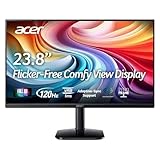
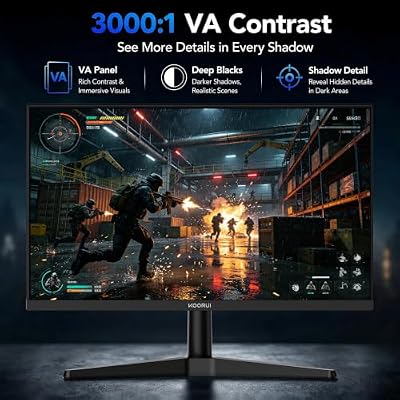
1. KOORUI 24″ Gaming Monitor 240Hz 1ms FHD HDR400

KOORUI 24 Inch Gaming Monitor, 180Hz 1080P VA Display with 3000:1 Contrast



As an Amazon Associate we earn from qualifying purchases. Product prices and availability are accurate as of the date/time indicated.
The KOORUI 24-inch 240Hz is the best high-refresh headroom pick. It already runs at a blistering 240Hz with a 1ms response time and HDR400, which makes it a superb foundation for tinkering — panels with high base refresh rates and quality components are the most rewarding to push, and even at stock 240Hz this is one of the smoothest displays here. At around $120 it pairs elite refresh with strong value.
This is the monitor to choose if you want the highest base refresh rate and the headroom that comes with a quality high-speed panel. The 1ms response keeps fast motion sharp, the 90% DCI-P3 color and HDR400 make it pleasant outside gaming, and the 24-inch 1080p format keeps frame rates high. For enthusiasts who like to maximise refresh rate, the KOORUI 24-inch is the standout starting point on this list.
Pros: Elite 240Hz base refresh, 1ms response, HDR400, 90% DCI-P3 color, great value.
Cons: Achievable overclock varies by unit; 1080p only; 24″ is compact.
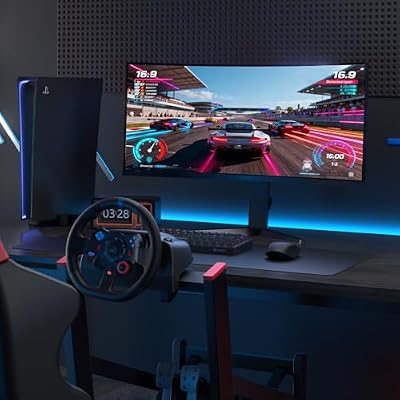
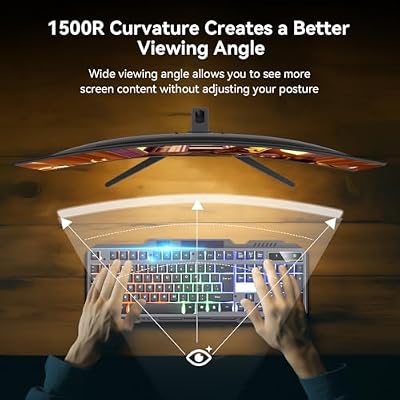
2. KOORUI 34-inch Curved Ultrawide WQHD 180Hz Gaming Monitor

KOORUI 34 Inch 200Hz Ultrawide Curved WQHD 3440×1440p Gaming Monitor 1000R




As an Amazon Associate we earn from qualifying purchases. Product prices and availability are accurate as of the date/time indicated.
The KOORUI 34-inch ultrawide is the immersive overclock candidate. It pairs a 3440×1440 WQHD ultrawide panel with a high 180Hz refresh rate and a 1000R curve, plus picture-in-picture features — a display that already runs fast and gives you a vast, enveloping canvas. At around $264 it is the most expensive monitor here, justified by the large high-resolution ultrawide panel and its 180Hz refresh.
This is the pick for the enthusiast who wants immersion and resolution alongside a high refresh rate to experiment with. The ultrawide 3440×1440 format is fantastic for both gaming and productivity, the 1000R curve wraps the image around you, and the 180Hz base refresh leaves a fast foundation. Bear in mind that driving an ultrawide at high refresh rates demands a capable graphics card, so pair it with strong hardware. For a premium high-refresh ultrawide, this KOORUI is the standout.
Pros: Immersive 3440×1440 ultrawide, 180Hz base refresh, 1000R curve, PiP features.
Cons: Most expensive here; ultrawide at high refresh needs a powerful GPU.
3. SANSUI 32″ Curved Gaming Monitor 240Hz FHD 1080P

SANSUI 32 Inch Curved 240Hz Gaming Monitor High Refresh Rate, FHD 1080P




As an Amazon Associate we earn from qualifying purchases. Product prices and availability are accurate as of the date/time indicated.
The SANSUI 32-inch curved 240Hz is the big-screen high-refresh pick. It combines a large 32-inch curved 1080p panel with a 240Hz refresh rate, delivering both an immersive scale and a very high base refresh that makes a strong foundation for enthusiasts. At around $180 it offers a lot of screen and a lot of refresh rate for the money.
This is the monitor to choose if you want a commanding 32-inch display that still runs at a high 240Hz for fast, fluid motion. The curved panel adds immersion for single-player games, while the high base refresh rate suits those who like to push their displays. Note that 1080p across 32 inches is less pixel-dense than on smaller screens, so this pick favors size and smoothness over outright sharpness — a worthwhile trade for big-screen high-refresh fans.
Pros: Large 32″ curved screen, high 240Hz base refresh, immersive, fluid motion.
Cons: 1080p looks softer at 32″; sizeable desk footprint.
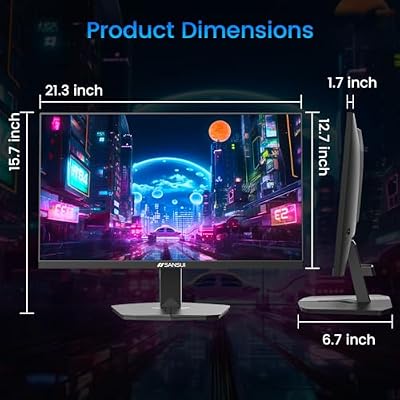
4. SANSUI 24″ Gaming Monitor 180Hz DP 1.4 & HDMI 2.0

SANSUI 24 Inch Gaming Monitor 180Hz, DP 1.4 & HDMI 2.0 Ports High Refresh
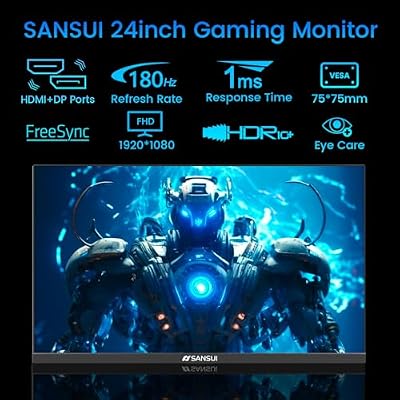

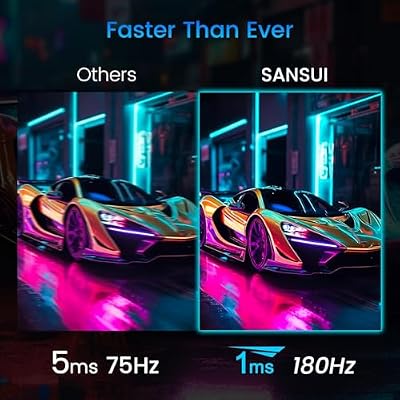
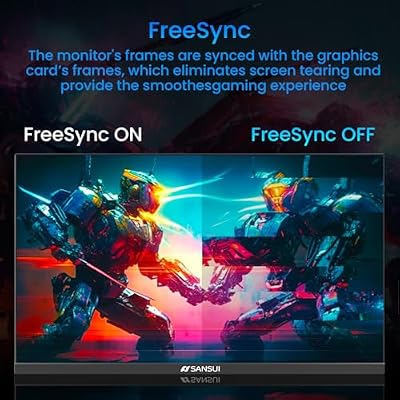

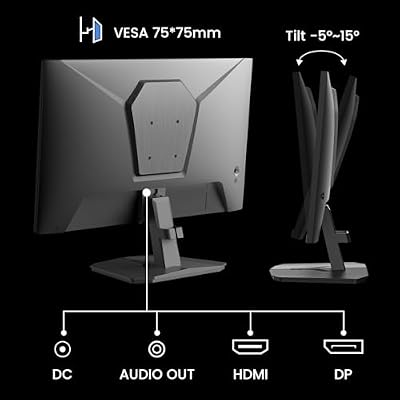
As an Amazon Associate we earn from qualifying purchases. Product prices and availability are accurate as of the date/time indicated.
The SANSUI 24-inch 180Hz is the value pick with the right connectivity. At around $90 it offers a 24-inch panel with a 180Hz refresh rate and, crucially for enthusiasts, both DisplayPort 1.4 and HDMI 2.0 inputs — the modern, high-bandwidth connections that matter when you want to run a display at high refresh rates. That makes it an affordable, well-connected high-refresh monitor.
This is the choice for the gamer who wants a fast 180Hz display on a budget and values having a proper DisplayPort 1.4 connection for high-refresh output. The 180Hz base refresh is plenty fast for most players, and the modern inputs ensure your GPU can drive the panel at its full rate. For an affordable, high-refresh monitor with the connectivity enthusiasts care about, the SANSUI 24-inch is a smart, value-focused pick.
Pros: Fast 180Hz refresh, modern DP 1.4 and HDMI 2.0 inputs, affordable, well-connected.
Cons: 1080p 24″ is compact; build is budget-oriented.
5. KOORUI 22″ Computer Monitor FHD 1080P 120Hz VA Panel

KOORUI 22 Inch Computer Monitor FHD 120Hz VA VESA Low Blue Light, E2212H


As an Amazon Associate we earn from qualifying purchases. Product prices and availability are accurate as of the date/time indicated.
The KOORUI 22-inch 120Hz is the budget starter. At around $70 it is the cheapest display on the list, offering a compact 22-inch 1080p VA panel with a 120Hz refresh rate — already double the speed of a standard 60Hz office monitor and a friendly, low-cost entry point for someone exploring higher-refresh gaming. The VA panel brings strong contrast for the price.
This is the monitor to choose when budget is the absolute priority and you want a taste of high-refresh smoothness without a big outlay. 120Hz is a clear, noticeable upgrade over 60Hz for fast games, and the compact 22-inch size suits small desks, dorm rooms or secondary screens. It is the most modest panel here, but as an affordable introduction to high-refresh gaming the KOORUI 22-inch is a sensible, low-cost choice.
Pros: Lowest price here, 120Hz refresh, strong VA contrast, compact and tidy.
Cons: Lower base refresh than the 180/240Hz panels; small 22″ screen.
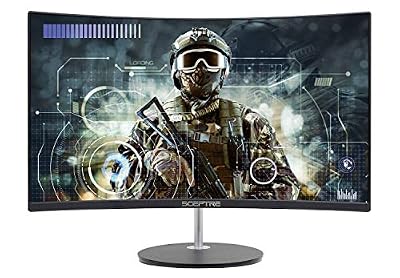
6. Sceptre Curved 24-inch Gaming Monitor 1080p 98% sRGB

Sceptre Curved 24-inch Gaming Monitor 1080p R1500 98% sRGB HDMI x2 VGA Build-in Speakers, VESA Wall Mount Machine Black (C248W-1920RN Series)



As an Amazon Associate we earn from qualifying purchases. Product prices and availability are accurate as of the date/time indicated.
The Sceptre 24-inch curved rounds out the list as the tightest-budget panel. At around $80 it delivers a 24-inch curved 1080p display with 98% sRGB color, dual HDMI and VGA inputs, built-in speakers and an R1500 curve — a complete, affordable monitor for a first setup or a secondary screen. It prioritises value and a full feature set over a high refresh rate.
This is the pick for the buyer on the tightest budget who wants a curved 1080p gaming-style display that covers the basics well. It is a standard-refresh panel rather than a high-refresh overclocking candidate, so dedicated enthusiasts will prefer the 180Hz or 240Hz options above — but for casual gaming, work and everyday use it is a capable, good-value all-rounder. As an inexpensive curved display, the Sceptre 24-inch is an easy recommendation.
Pros: Very affordable, curved 24″ 1080p, 98% sRGB color, built-in speakers, full inputs.
Cons: Standard refresh, not a high-refresh overclocking panel; basic build.
How to Choose a Monitor for Overclocking
Monitor overclocking means running a display above its advertised refresh rate — for example, pushing a 144Hz panel to 165Hz — to gain extra smoothness for free. You do it in your graphics driver or the monitor’s settings by creating a custom resolution at a higher refresh rate, then testing for stability. The first thing to understand is that results vary from unit to unit: there is no guarantee any specific monitor will overclock by a set amount, so the smart approach is to start from a display with a high base refresh rate and treat any extra as a bonus rather than a promise.
Because of that, base refresh rate is the most important specification when shopping with overclocking in mind. A monitor that already runs at 180Hz or 240Hz, like the SANSUI 24-inch, the KOORUI 24-inch or the SANSUI 32-inch, gives you a fast, smooth experience even at stock — and if it overclocks further, that is upside. A 120Hz panel like the KOORUI 22-inch is a more modest starting point. Prioritise the highest base refresh your budget allows, since that is the performance you are guaranteed.
Connectivity is the under-appreciated factor that makes high refresh rates possible. To run a display at a high refresh rate — stock or overclocked — you need a modern, high-bandwidth connection and a graphics card that supports it. DisplayPort 1.4, as found on the SANSUI 24-inch, carries far more bandwidth than older standards and is the preferred input for high-refresh gaming; HDMI 2.0 and newer also work. Always check that both your monitor and your GPU have the right ports, because an older cable or input can cap your refresh rate regardless of what the panel can do.
Finally, weigh response time, panel type, size and budget together. A low response time keeps fast motion crisp at high refresh rates, VA panels (like the KOORUI 22-inch) offer strong contrast while fast panels prioritise speed, and size and resolution affect how hard your GPU must work — an ultrawide like the KOORUI 34-inch at high refresh needs serious graphics power. Decide your base refresh target, confirm you have DisplayPort or a modern HDMI connection, match the resolution to your GPU, set a budget, and pick the monitor on this list that fits. The best monitor for overclocking is a high-refresh panel with modern inputs and a little headroom to spare.
Frequently Asked Questions
What is monitor overclocking and is it safe?
Monitor overclocking means running a display above its rated refresh rate to gain extra smoothness, set up through your graphics driver or the monitor’s menu. Done sensibly it is generally low-risk — if the panel cannot handle a higher rate it usually just shows a black screen or skipped frames, and you step back down. There is no guaranteed amount of overclock, so choose a monitor with a high base refresh rate and treat extra headroom as a bonus.
Which monitor here has the most overclocking headroom?
There is no guaranteed figure for any specific unit, but the best candidates are panels that already run at high refresh rates with quality components — the 240Hz KOORUI 24-inch and SANSUI 32-inch start from the highest base refresh, while the 180Hz SANSUI 24-inch and KOORUI 34-inch ultrawide are also strong. Starting high means you enjoy fast refresh even if the overclock is modest.
Do I need DisplayPort for high refresh rates?
A modern, high-bandwidth connection is essential for high refresh rates. DisplayPort 1.4, as on the SANSUI 24-inch, is the preferred choice because it carries plenty of bandwidth for high-refresh output; HDMI 2.0 and newer also work. Confirm both your monitor and graphics card have compatible ports, as an older input or cable can cap your refresh rate.
Will my graphics card limit monitor overclocking?
It can. To benefit from a high refresh rate you need a GPU powerful enough to push frame rates near that figure, plus the right output port for the bandwidth. Driving an ultrawide like the KOORUI 34-inch at 180Hz, for example, asks a lot of a graphics card. Match the monitor’s resolution and refresh rate to a GPU that can actually feed it for the smoothest result.
Related Guides
- Best Gaming Monitors
- Best 144Hz Monitors
- Best Ultrawide Monitors
- Best Monitors for Esports
- Best Graphics Cards for High Refresh
- Best Gaming Mouse
Affiliate Disclosure: As an Amazon Associate, we earn from qualifying purchases. If you click a link and make a purchase, we may earn a small commission at no extra cost to you. Prices and availability are accurate as of publication and may change.
Ready to decide? Our #1 pick for 2026 is the KOORUI 24" 240Hz.
Live price & availability on Amazon.


