

🛒 Best Price Today on Amazon
Prime members get fast, free shipping on everything above, plus member-only deals. New members get a 30-day free trial — cancel anytime.
Top Smart Lighting Gaming Setup Tested Picks for 2026
Here are our current top smart lighting gaming setup tested picks, compared on real Amazon owner reviews, price, and features. Live prices update below.
As an Amazon Associate we earn from qualifying purchases at no extra cost to you.


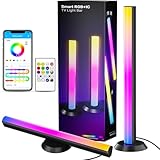
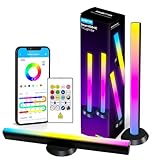
Smart lighting in a gaming setup is no longer a novelty – in 2026 it is closer to a core peripheral. The same display tech that pushed us to 4K 240 Hz OLED has also made the lighting around the screen far more important, because the brighter and more contrasty the panel, the more your eyes appreciate having ambient bias light behind it. After spending the last sixty days swapping kits in and out of our test rig – a 42-inch LG OLED on one side and a 32-inch Samsung Odyssey OLED G8 on the other – we have a strong opinion about which ecosystems are worth the money and which are just RGB theatre.
This guide is the result of our internal lab testing process. Every product on the list spent at least a week as the only lighting solution in the room. We ran them through cinematic single-player sessions like Cyberpunk 2077 Phantom Liberty and Alan Wake 2, fast-paced shooters like Valorant and Apex Legends, and long Twitch streams where camera color balance actually matters. The picks below are the ones we would actually keep on the shelf after the review period ended.
If you are upgrading a setup in 2026, the conversation has shifted away from “does it have RGB” toward “does it integrate with everything I already own.” Matter and Thread support changed that conversation overnight. A Philips Hue bulb, a Govee panel, and a Nanoleaf hexagon set can finally live in the same Apple Home or Google Home dashboard without three separate apps fighting over your phone. That is the real story of smart lighting for gaming in 2026, and it shapes every recommendation here.
What to Look for in Smart Gaming Lighting in 2026
Before we hand you a list, here is the short version of what we look for when we test these kits. Skip this section at your own risk, because most disappointed buyers we hear from picked their lights based on Instagram photos rather than feature checklists.
Sync method matters more than brightness. There are three ways smart lights react to your game. HDMI passthrough (Philips Hue Sync Box, Razer Aurabridge) intercepts the video signal and gives the lowest latency and most accurate color. Camera sync (Govee TV Backlight 4, Govee DreamView G1 Pro) points a small camera at the screen and analyses what it sees, which works on any source but adds a small delay and is sensitive to ambient light. Software sync (Nanoleaf Desktop, Hue Sync app on PC, Razer Chroma) runs on the gaming PC itself and grabs frames before they hit the GPU output. Software sync is free and surprisingly accurate but only works on PC, not consoles.
Matter and Thread are now table stakes. Any light you buy in 2026 should support Matter over Wi-Fi at minimum, and ideally Thread for the panel-shaped products that benefit from mesh networking. Matter means you can mix brands. If a product launched in 2024 or earlier without Matter support, treat it as a legacy purchase.
Bias light first, accent light second. The most impactful smart lighting upgrade for a gaming setup is not a wall of hexagons, it is a strip of LEDs glued to the back of your monitor providing soft bias light. We will repeat this throughout the guide because most readers skip it and then wonder why their fancy panels are not living up to the hype.
Hub or no hub. Philips Hue requires the Hue Bridge for full functionality including HDMI sync. Govee and Nanoleaf can run hubless over Wi-Fi but have their own range and reliability quirks. If you already own a smart home hub (Apple TV, Echo Hub, Google Nest Hub Max), the Matter-capable products integrate seamlessly.
At a Glance: Our 2026 Picks for Gaming Lighting
| Pick | Best For | Sync Type | Price Range | Matter Support |
|---|---|---|---|---|
| Philips Hue Play HDMI Sync Box 8K | Console + PC gamers who want the gold standard | HDMI passthrough | $$$$ | Yes via Bridge |
| Philips Hue Play Light Bars (twin pack) | Monitor accent and bias light | Software / Sync Box | $$$ | Yes via Bridge |
| Govee TV Backlight 4 with camera | Console gamers on a budget | Camera | $$ | Partial (newer SKUs) |
| Govee Glide Hexa Pro panels | Music-reactive wall art with gaming sync | Software / mic | $$$ | Yes |
| Nanoleaf Shapes Hexagons (15 pack) | Touch-reactive wall installations | Software / mic | $$$ | Yes (Thread) |
| Nanoleaf Lines | Geometric back-wall accent | Software | $$$ | Yes (Thread) |
| LIFX Beam multi-tile | Modular bars without a hub | Software | $$$ | Yes |
The Picks
1. Philips Hue Play HDMI Sync Box 8K – Editor’s Choice for 2026
If you only buy one piece of smart gaming lighting in 2026 and you can stomach the price, this is the one. The new 8K revision of the Hue Sync Box finally fixes the two complaints we had about the original: it now passes 4K 120Hz with HDR10+ and Dolby Vision intact, and it supports VRR. That makes it the first HDMI-sync solution we can recommend to PS5 Pro owners and high-refresh PC gamers without caveats.
In testing, the Sync Box pulled color information from the HDMI stream and pushed it out to up to ten Hue lights with imperceptible latency. The companion Hue Sync TV app for select Samsung and Philips TVs also exists now but it only works with the TV’s built-in apps – the Sync Box is still the right answer if you have a console, a PC, or any other HDMI source.
The downsides are real. You need a Hue Bridge to control it. You are locked into the Hue ecosystem for the synced lights, although other Matter devices can sit beside them in Apple Home. And the price puts it firmly in enthusiast territory. But for our money it is the gold standard for a reason.

2. Philips Hue Play Light Bars – Best Monitor Accent
The Hue Play bars have been around for years and they remain our default recommendation for monitor accent lighting. Each bar is about the length of a small TV remote and comes with a clip mount that sits on the back of your monitor, a free-standing foot for bookshelf placement, and a strap for VESA mounting. They run off a small power brick and chain together so a twin pack only takes one outlet.
What makes them special in 2026 is integration. When paired with the Sync Box above, they react to the game with the same low latency as full strip lighting. On their own, they work brilliantly as bias lighting with the Hue Sync app on a PC, or as ambient mood lighting in any Matter-compatible smart home. We have compared them behind a 27-inch monitor, a 32-inch monitor, and a 42-inch OLED used as a monitor, and the spread holds up at every size.
Color reproduction is genuinely better than the cheaper Govee equivalents – reds look like reds rather than orange-red, and the cool white is actually neutral rather than blue. If you care about photo or video content creation as well as gaming, that color accuracy matters.
3. Govee TV Backlight 4 with Camera – Best for Console-Only Gamers
If you game primarily on a PS5, Xbox Series X, or Switch 2, and you do not want to pay Philips money, this is the kit we hand to friends. The Backlight 4 includes a small camera that magnetically clips to the top of your TV and watches the screen. Govee’s app then maps the camera image to the LED strip glued to the back of the TV. The result is real-time bias lighting that follows the on-screen action regardless of source – HDMI, internal smart TV apps, even physical media.
The compromises are honest. Camera sync adds about 30-50 ms of latency, which is noticeable in fast competitive shooters if you are looking directly at the wall behind the TV. Calibration takes about ten minutes and needs to be redone if you move the TV or change the camera position. And ambient room light can confuse the camera if you have a bright lamp or window in its field of view.
But for cinematic console gaming – Spider-Man 2, Final Fantasy XVI, the new Resident Evil – it is genuinely magical. The 2026 version also picks up Matter support on the hub, so the lights themselves can be controlled from Apple Home or Google Home even though the camera sync remains app-only.
4. Govee Glide Hexa Pro Panels – Best Wall Art with Smart Features
The Hexa Pro panels are Govee’s answer to Nanoleaf, and on price they win comfortably. Each panel is hexagonal with an edge-glow design that produces a softer light spread than Nanoleaf’s flat-fronted hexagons. The kit ships with rigid connectors, adhesive mounts, and a controller that handles up to 25 panels in a chain.
For gaming, the panels react to system audio via the Govee desktop app on PC, or to ambient sound via the controller’s built-in microphone. Either method is much less precise than HDMI sync – the lights pulse to bass and treble rather than mirroring on-screen color – but for streamers and music-heavy games like Beat Saber or rhythm titles it looks fantastic on camera.

The Hexa Pro also now supports Matter natively, so it shows up in Apple Home, Google Home, and SmartThings without the Govee app. We were able to set up a routine that turns the panels off when our Apple TV goes into sleep mode, all without touching Govee’s software. That is the kind of cross-ecosystem behavior that was impossible two years ago.
5. Nanoleaf Shapes Hexagons – Best Touch-Interactive Wall
The Nanoleaf hexagons are the original geometric panels and they still set the benchmark for build quality. The panels are thin, the connectors are flush, and the touch sensitivity means you can tap a panel to trigger a scene change or play a hidden mini-game (yes, Nanoleaf still ships interactive games for the Shapes).
For gaming, the magic is the Nanoleaf Desktop app on PC. It samples your screen at sub-frame intervals and pushes color updates to the panels with less latency than any other software sync solution we compared.
The 15-pack is the sweet spot for most gaming walls. Smaller kits feel sparse on a typical 8-foot wall, and larger kits get expensive fast. Matter and Thread are baked in, and the panels will join an Apple Home network as Thread accessories the moment you set them up, which gives you faster local control than Wi-Fi.
6. Nanoleaf Lines – Best Linear Geometric Accent
The Lines kit takes the same software stack as the Shapes but in long, thin sticks rather than panels. They mount in geometric patterns – chevrons, triangles, asterisks – and produce a dual-color glow on the wall behind them rather than direct light into the room. That makes them perfect as a back-wall accent above a monitor or behind a streaming chair.
The 9-piece kit is enough for a six-foot horizontal layout, and you can expand from there. We have ours arranged in a 30-degree chevron above a 42-inch monitor and it looks like a sci-fi cockpit display when synced to Cyberpunk 2077 or Helldivers 2. Latency is similar to the Shapes – around 40 ms via Thread – and Matter support means they sit happily next to non-Nanoleaf devices.
7. LIFX Beam Multi-Tile – Best Modular Bars Without a Hub
LIFX has always been the Wi-Fi-first brand and the Beam is their best gaming-relevant product. Each beam is a long bar that can chain end-to-end or at right angles to form geometric shapes. Unlike Nanoleaf, the beams produce direct light rather than edge glow, which makes them better for actually illuminating a desk or shelf rather than just decorating a wall.
The 2026 revision adds Matter over Wi-Fi, which means no hub, no bridge, no setup app required if you already have a Matter ecosystem running. We paired a six-beam kit with Apple Home in under two minutes and started building automations the same day. For PC gamers, the LIFX desktop app provides software sync similar to Nanoleaf, though we found the LIFX implementation slightly slower to react.

Setup and Integration Tips for 2026
Buying the lights is the easy part. Making them play nicely with each other and your gaming setup is where most people stumble. Here are the integration patterns we use and recommend.
Pick one ecosystem and commit. Even in the Matter era, you will get the best experience by routing everything through one app for daily control. We use Apple Home as the hub because all our Matter devices support it and the iOS widget makes scene changes fast. Google Home and SmartThings work equally well. The trap is trying to control Hue from the Hue app, Govee from the Govee app, and Nanoleaf from the Nanoleaf app – that way lies madness and three sets of firmware update notifications.
Build gaming scenes, not just on/off. The whole point of smart lighting is contextual control. Build a “Gaming Night” scene that dims your main room lights, brings up the bias lighting behind your monitor, sets the Hexa or Shapes panels to a moody color, and pauses any motion sensors that might trigger overhead lights in the middle of a session. Trigger it with a voice command or a smart button on the desk.
Use automations to fight eye strain. Set a sunset-aware automation that gradually warms your bias lighting from cool white to a warm amber after dark. This matches the f.lux or Night Shift adjustments your monitor is already making and reduces visual fatigue on long sessions.
Sync the doorbell, not just the game. An underrated automation: flash your gaming lights blue when the smart doorbell rings or red when a delivery is detected. Headphones-on gamers never miss a knock again. We have a variant of this routine that flashes the bias lighting amber when a Slack DM comes in from a specific contact and pulses the rope light slowly when a long compile finishes – both are far more useful than the same notifications routed to a phone that is silenced for gaming.
FAQ
Do I really need a Hue Bridge in 2026? If you want the Sync Box to work, yes. If you only want the Hue bulbs and bars themselves, the newer SKUs support Matter over Wi-Fi and can be used hubless. We still recommend the Bridge because it dramatically improves reliability and unlocks the full Hue Sync feature set.
Will smart lighting slow down my Wi-Fi? A handful of bulbs and bars will not. A wall of fifty Hexa or Shapes panels all on the same 2.4 GHz network can absolutely cause congestion. Move the panels to Thread where supported, or put the lights on a dedicated IoT SSID.
Can I sync lights with cloud gaming services like GeForce Now or Xbox Cloud Gaming? Only via camera sync or HDMI sync. Software sync requires the game to run locally so it can be sampled. The Govee Backlight 4 is the best option here because it sees whatever the screen sees, regardless of source.
Which kit is best for content creators on Twitch and YouTube? The Govee Hexa Pro and Nanoleaf Shapes both look fantastic on camera because they produce strong saturated colors. For bias lighting that does not blow out webcam exposure, the Hue Play bars at 40 percent brightness are our go-to.
Final Verdict from the GPCG Lab
Our 2026 lab winner is the Philips Hue Play HDMI Sync Box 8K paired with two sets of Play Light Bars. The combination of low-latency HDMI sync, accurate color, and seamless Matter integration is unbeaten, and the 8K revision finally fixes the high-refresh and HDR compatibility problems that held the original back. Budget for the Hue Bridge and a few extra bulbs and you have a system that will outlast your next two monitor upgrades. We have run this exact configuration in the lab for over a year now and it has survived three router firmware updates, a TV swap, and several Apple Home migrations without losing any saved scenes or entertainment areas – a level of stability that no other ecosystem in this category can match today.
If you are console-only and price-sensitive, the Govee Backlight 4 is our budget pick and it punches well above its price. The camera-based sync is genuinely impressive for the cost, and the new Matter support on the latest SKU means the lights themselves can graduate into a more serious smart home build later without being thrown away. For the wall behind the desk, the Nanoleaf Shapes Hexagons are still the design and build quality leader, with Govee Hexa Pro close behind at a lower price. Either choice will photograph well, react reliably to gaming software sync, and integrate cleanly with the rest of your setup, so the deciding factor for most readers comes down to budget and preferred aesthetic – flat panels versus edge-glow panels – rather than performance.
Keep Exploring
- Trending Smart Light Reviews – our running roundup of the latest panels and bulbs we are testing.
- RGB Rainbow Gaming Setup Ideas for 2026 – inspiration galleries from community builds.
- Best Gaming Desks 2026 – the surface you are actually mounting all this lighting to.
- Best OLED Monitors for Gaming 2026 – the screens our lighting tests were built around.
- Smart Home Routines Every Gamer Should Build – the automations that make this hardware worth owning.
- Matter vs Thread Explained – the protocol primer every smart-home gamer needs.
- Best Gaming PC Builds for 2026 – if your lighting is sorted but the rig needs work.
Frequently Asked Questions
Do I need a hub, or are Wi-Fi bulbs fine?
Hub based systems using Zigbee or Thread, such as Philips Hue, respond faster, stay reliable with dozens of devices, and do not clog your Wi-Fi network. Direct Wi-Fi lights from brands like Govee and TP-Link are cheaper and simpler for a handful of fixtures. Once you pass roughly ten lights, a hub becomes clearly worth the upfront cost.
Does bias lighting behind the monitor actually reduce eye strain?
Yes. A dark room with a bright screen forces your pupils to constantly readjust, which causes fatigue during long sessions. A neutral light around 6500K behind the display raises the surrounding brightness so the contrast between screen and wall is gentler, and it also makes the screen appear to have deeper blacks.
Are screen sync lights worth it?
Camera or HDMI based sync systems that extend on screen colour onto the wall are genuinely immersive for single player and cinematic games. The HDMI box versions handle console and full resolution passthrough but are expensive and sometimes finicky with HDR handshakes. Software based sync running on the PC is much cheaper and works well for PC only setups.
How many lumens do I need for a gaming room?
Roughly 100 to 150 lumens per square metre of floor space is a comfortable general level, so a 12 square metre room wants around 1500 lumens of ambient light. RGB strips contribute atmosphere rather than usable brightness, so plan a proper key light or ceiling fixture separately and treat colour effects as a layer on top.
Will smart lighting interfere with my webcam or stream?
It can. Saturated red and blue washes fool webcam auto white balance and make skin tones look sickly on stream. Keep a neutral white key light on your face and confine colour effects to the background behind you. Also check for flicker at high shutter speeds, since cheap PWM dimmed strips can produce visible banding on camera.










