- Top Pick: SANDISK 512GB Extreme microSD Card + Adapter, Up to 190MB/s Read Speeds | UHS-I, V30, 5K & 4K UHD, U3, C10, A2, Up to 130MB/s Write Speeds, Ideal for Action Cams+Drones, Android- SDSQXAV-512G-GN6MA
- Best Value: SanDisk 512GB Extreme microSD UHS-I Card, Up to 245MB/s Read and 170MB/s Write, 5.3K Video, 4K UHD, High-Performance for Action Cams, Drones, Android Devices, SDSQXH9-512G-GZ6MA
- Premium Choice: SANDISK 512GB Ultra microSD UHS-I Card – Up to 195MB/s Read Speed, Full HD Video, V10, U1, C10, A3 – SDSQUJQ-512G-GZ6MA
The Steam Deck ships with limited internal storage for a modern library, and a microSD card is the quickest way to add room for more installs. The catch is that a card sold for action cameras or phones is not automatically a good fit for a game library. Game installs involve many small reads, load times depend on how the card handles them, and the capacity you pick decides how often you juggle what to delete. That makes the specs in a listing, not the logo, the thing to read.
This guide covers ten cards, nine of them at 512GB and one at 1TB, all drawn from what their titles state: read and write speeds, UHS bus, speed classes and application class. It is for owners who want a roomy library on the handheld without moving every save by hand. Look at the class markings first, then at capacity, and keep in mind that one entry here is a newer Express standard that deserves a compatibility check before you buy in 2026.
Quick Picks
As an Amazon Associate we earn from qualifying purchases at no extra cost to you.





| Product | Best for | Key spec from the title |
|---|---|---|
| SanDisk Extreme 512GB (190MB/s) | All-round game library | 190MB/s read, A2, V30, U3 |
| SanDisk Extreme 512GB (245MB/s) | Highest UHS-I figures | 245MB/s read, 170MB/s write |
| SanDisk Ultra 512GB (195MB/s) | Light-use storage | 195MB/s read, A3, V10, U1 |
| Basics 512GB microSDXC | Basic capacity on a tight budget | Up to 200MB/s read |
| SanDisk Ultra 512GB (150MB/s) | Entry SanDisk tier | 150MB/s read, A1, U1 |
| Samsung PRO Plus 512GB | Steam Deck and Switch use | 180MB/s, A2, V30, U3 |
| SanDisk microSD Express 512GB | Newer devices | 880MB/s read, 650MB/s write |
| Lexar Blue 512GB | Mid-range value | 160MB/s, A2, V30, U3 |
| Samsung PRO Plus 1TB | Largest library | 1TB, 180MB/s, A2 |
| PNY XLR8 Gaming 512GB | Gaming-labeled option | 100MB/s, A2, V30, U3 |
How to Choose
Capacity first
Modern games often run to tens of gigabytes each, so a 512GB card holds a modest library and a 1TB card holds a large one. Buying the largest card you can justify beats buying a faster small one, because swapping games on and off is the real time sink. Make sure the card is a microSDXC type, which is the standard for 64GB and above.
Reading the speed markings
Three markings matter. The UHS bus (UHS-I here) sets the interface. The U3 or V30 class guarantees a minimum sustained write speed suitable for video. The A1, A2 or A3 application class describes random read and write ability, which is what game loading uses. A2 and A3 are the safer picks for installs. Peak read numbers such as 190MB/s are best-case sequential values and rarely describe real load times.
What to ignore
Ignore camera and drone wording in titles. It describes video use, not game use. Be careful with slow write numbers if you plan to copy large libraries, because downloads onto the card are bound by write speed. The Express card in this group lists huge numbers, but a handheld must support that standard to use them, so confirm compatibility with the device you own.
Where budget cards cut corners
Entry cards often list high read speeds with weak application classes, leave out write numbers and skip the adapter. Look for a full set of markings: capacity, UHS bus, U or V class, and A class. A listing that gives only one big read figure is telling you very little.
Plan the first setup as well. A new card is normally formatted by the handheld itself before its first use, which erases anything already on it, so move any files off a card that came from another device. Keep the adapter that ships with the card, because copying a backup of your saves or screenshots to a PC is far easier with a full-size reader. If you buy more than one card, label them, since two identical-looking cards in a drawer are easy to mix up when one holds your main library.
Finally, think about how you travel. A handheld that lives on a desk can use a big card and rarely swap it. A handheld that goes in a bag benefits from a card that stays seated, so check how snugly it sits in the slot and avoid bending the card when you remove it.
The 10 Best Options
SanDisk Extreme 512GB (190MB/s)
This SanDisk Extreme includes an adapter and lists up to 190MB/s read, 130MB/s write, UHS-I, V30, U3, C10 and A2 markings. That is the full set of class marks a game library wants. It suits owners who want one dependable card for installs.
- Strength: A2 application class is stated.
- Strength: write speed of 130MB/s is listed, so large copies move along.
- Trade-off: the title focuses on action cams and drones, not handheld gaming.
Skip it if you want the highest UHS-I speeds or a gaming-branded listing.
SanDisk Extreme 512GB (245MB/s)
The newer Extreme model lists up to 245MB/s read and 170MB/s write on UHS-I, with 5.3K video support. These are the highest UHS-I figures in the group. It is the choice for buyers who want maximum bus speed from a standard card.
- Strength: top read and write numbers among UHS-I entries.
- Strength: 512GB capacity suits a decent library.
- Trade-off: the title omits the A-class marking, so check it on the full listing.
Skip it if you require a stated A2 class and want it confirmed in the title.
SanDisk Ultra 512GB (195MB/s)
This Ultra card lists up to 195MB/s read, Full HD, V10, U1, C10 and A3. The A3 mark is notable, though the V10 and U1 classes are lower than on Extreme cards. It is a budget-tier SanDisk for lighter use.
- Strength: A3 application class is stated.
- Strength: 195MB/s read is competitive for the tier.
- Trade-off: U1 and V10 mean lower sustained write guarantees.
Skip it if you plan to copy large libraries quickly or record video.
Basics 512GB microSDXC
The Basics card includes an adapter and lists up to 200MB/s read for tablets, phones, action cameras and drones. It is a plain 512GB option that pitches capacity first. The title does not state write speed or an application class.
- Strength: 200MB/s read figure is high for the tier.
- Strength: adapter is included.
- Trade-off: no write speed or A-class in the title.
Skip it if you need full class markings before spending.
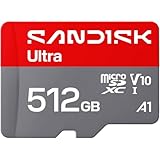
SanDisk Ultra 512GB (150MB/s)
This Ultra card lists up to 150MB/s read, UHS-I, Full HD, C10, U1 and A1, with an adapter. A1 is the lowest application class in the group, which suggests weaker random performance. It fits owners who want the cheapest SanDisk 512GB.
- Strength: recognizable brand at the entry tier.
- Strength: adapter included.
- Trade-off: A1 class is the weakest here for game loading.
Skip it if load times matter, since higher A-class cards are listed nearby.
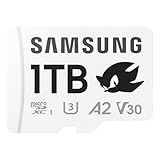
Samsung PRO Plus 512GB
Samsung’s Sonic edition lists up to 180MB/s, UHS-I, U3, V30, A2 and a 512GB capacity, and names Nintendo Switch and Steam Deck in the title. That is a direct match to the use case. It suits buyers who want a handheld-focused label.
- Strength: Steam Deck is named in the title.
- Strength: A2, V30 and U3 markings are complete.
- Trade-off: Sonic branding may be a cosmetic detail you do not need.
Skip it if you want the fastest UHS-I peak numbers.
SanDisk microSD Express 512GB
This card lists up to 880MB/s read and 650MB/s write and notes compatibility with Nintendo Switch 2. That is far beyond UHS-I numbers, but it is a different standard. It is for devices built to use Express.
- Strength: much higher listed speeds than any UHS-I card here.
- Strength: 512GB capacity with U3 and C10 markings.
- Trade-off: the title ties it to Switch 2, so Steam Deck support is not stated.
Skip it if you cannot confirm that your handheld takes Express cards.
Lexar Blue 512GB
The Lexar lists up to 160MB/s, UHS-I, C10, U3, A2 and V30 with an SD adapter. The marks are complete and the speed is middle of the pack. It is an alternative for buyers who want a non-SanDisk, non-Samsung brand.
- Strength: A2, U3 and V30 are all stated.
- Strength: 160MB/s read is solid for the class.
- Trade-off: no write speed is given in the title.
Skip it if you need a listed write number.
Samsung PRO Plus 1TB
This is the 1TB version of the Sonic edition, with 180MB/s, UHS-I, U3, V30 and A2, and Steam Deck named. Capacity is the draw: it holds roughly twice as much as the 512GB cards here. It suits large libraries and travel.
- Strength: 1TB capacity cuts the need to uninstall.
- Strength: full class markings and Steam Deck named.
- Trade-off: it sits in the premium tier because of capacity.
Skip it if 512GB covers your library.
PNY XLR8 Gaming 512GB
The PNY XLR8 lists 100MB/s, UHS-I, U3, V30 and A2, and names portable console gaming including the Steam Deck. The 100MB/s figure is the lowest here, but the class marks are complete. It is a gaming-labeled, modest-speed pick.
- Strength: A2, U3 and V30 stated, with Steam Deck named.
- Strength: gaming focus in the title.
- Trade-off: lowest listed speed of the group.
Skip it if you want the highest throughput.
Which One Fits Your Situation
A straightforward library upgrade
The Samsung PRO Plus 512GB lists Steam Deck, A2 and V30 together, which makes it the simplest match.
A very large library
The Samsung PRO Plus 1TB doubles capacity and keeps the same class markings.
Speed on UHS-I
The SanDisk Extreme 512GB (245MB/s) lists the top UHS-I read and write figures, while the 190MB/s Extreme adds a stated A2 class.
A tighter budget
The Lexar Blue 512GB or PNY XLR8 Gaming give complete class markings at the mid-range tier.
Common Mistakes
- Buying on peak read speed alone and ignoring the A-class and write figures.
- Choosing a lower-capacity card and then deleting games repeatedly.
- Assuming a microSD Express card works in every handheld without checking support.
- Skipping the adapter and then needing one to copy files from a PC.
- Treating action-camera wording in the title as a sign of gaming suitability.
Related guides
- Aio Liquid Coolers For High Performance Gaming
- Wireless Gaming Headsets Under 100 For Pc
- Ssds For Large Video And Raw Photo Files
Frequently Asked Questions
Is A2 necessary?
It is not mandatory, but A2 marks better random performance, which helps game loading. A1 cards still work, though they sit at the lower end.
Will a faster card reduce load times a lot?
Load times depend on the device, the game and the card. Peak numbers do not map neatly to real loads, so use them as a rough guide only.
Do I need an adapter?
Not for the handheld itself, but it helps for reading the card on a PC or laptop.
512GB or 1TB?
If you install many large games, 1TB reduces deletions. For a smaller library, 512GB is enough and sits in a lower tier. A common compromise is a 512GB card now, with a larger one added later once you know how much you really install.