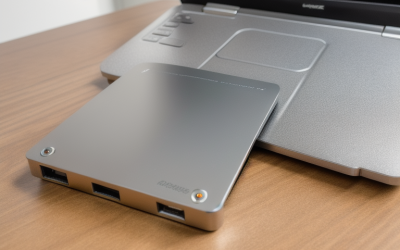
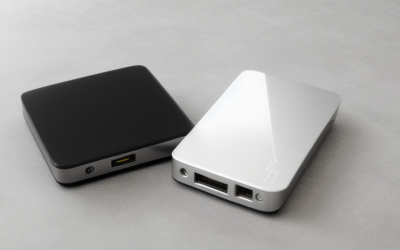
- Top Pick: SANDISK 1TB Extreme Portable SSD, Up to 2000MB/s Transfer Speeds-New Model | External Solid State Drive, IP65 Water & Dust Resistant, Up to 3M Drop Protection, 256-bit AES Encryption, USB-C 3.2 Gen 2
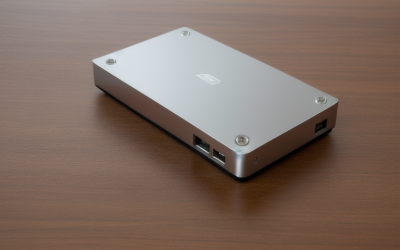
- Best Value: SANDISK 2TB Extreme Portable SSD, Up to 1050MB/s Read Speeds (Old Model) | External Solid State Drive, IP65 Water & Dust Resistance, Up to 3M Drop Protection, 256-bit AES Encryption, USB-C 3.2 Gen 2
- Premium Choice: WD 20TB Elements Desktop External Hard Drive, USB 3.0 drive for plug-and-play storage – WDBWLG0200HBK-NESN
Time Machine has one non-negotiable demand: a dedicated drive that stays plugged in or reconnects reliably, large enough to hold weeks of snapshots next to the first full backup. That sounds simple until you stand in front of a lineup that mixes rugged pocket SSDs, five-terabyte desktop HDDs, and a 20TB brick that needs its own wall adapter. The right answer depends on how much data your Mac holds and whether the drive lives on a desk or travels in a bag.
This 2026 guide covers ten drives, from a 500GB SanDisk SSD to a 20TB WD Elements desktop unit. Everything below is based on the specs printed in each listing: interface, stated speed, capacity, drop protection, encryption, and any Mac-specific wording. A drive that is not preformatted for macOS is not disqualified, because Time Machine offers to erase and set up a compatible volume when you select it.
Quick Picks
As an Amazon Associate we earn from qualifying purchases at no extra cost to you.





| Product | Best for | Key spec from the title |
|---|---|---|
| SanDisk Extreme Portable SSD 1TB | Fast portable backups | Up to 2000MB/s, IP65, USB-C 3.2 Gen 2 |
| SanDisk Extreme Portable SSD 2TB (older model) | Portable, mid-size backups | Up to 1050MB/s read, 256-bit AES |
| WD Elements Desktop 20TB | Massive archives | 20TB, USB 3.0, plug-and-play |
| Samsung T7 Portable SSD 2TB | Everyday Mac laptops | USB 3.2 Gen 2, up to 1,050MB/s |
| SanDisk Extreme Portable SSD 4TB | Large portable libraries | 4TB, up to 2000MB/s |
| Seagate One Touch 5TB | Bulk capacity on a desk | 5TB HDD, Rescue Data Recovery Services |
| SanDisk Extreme Portable SSD 2TB (new model) | Fast, mid-size backups | Up to 2000MB/s, IP65 |
| Samsung T7 Portable SSD 1TB | Light Mac backups | USB 3.2 Gen 2, up to 1,050MB/s |
| Seagate Backup Plus Slim for Mac 1TB | Mac-labeled HDD backup | Time Machine compatible, USB 3.0 |
| SanDisk Extreme Portable SSD 500GB | Small, secondary backups | 500GB, up to 2000MB/s, IP65 |
How to Choose
Size the drive against your Mac
Apple suggests a backup drive at least twice the size of the data you are protecting. A Mac using 400GB of internal storage should therefore look at a 1TB or larger drive, and a 1TB user should look at 2TB. Smaller drives push old snapshots out sooner, which shortens how far back you can restore. Time Machine keeps hourly copies for the past day, daily copies for the past month, and weekly copies after that until the space runs out, so every extra terabyte buys more history.
SSD or hard drive
Solid-state drives such as the SanDisk Extreme and Samsung T7 models finish the first full backup faster and tolerate being carried around. Hard drives like the Seagate and WD units deliver far more capacity per unit of budget and suit a desk where the drive rarely moves. Time Machine runs hourly, so extra speed matters mostly for that first pass and for large restores. After that, each backup only copies what changed, which a slow drive handles without trouble.
Match ports and cables
Modern Macs use USB-C or Thunderbolt ports. Drives listed as USB-C 3.2 Gen 2 plug in directly, while USB 3.0 models often ship with a USB-A cable that needs an adapter on newer laptops. Desktop drives like the 20TB WD Elements also need a wall outlet, which is worth knowing before you plan a cable route.
Look for protection that matters
Drop resistance, IP65 dust and water resistance, and 256-bit AES encryption protect the device and its contents when it travels. A desk drive gains more from recovery services than from drop protection. Skip any listing that lacks a clear capacity figure, and be wary of speed claims that never name the interface behind them. A stated speed only matters if your Mac port can carry it.
The 10 Best Options
SanDisk Extreme Portable SSD 1TB
The balanced starting point for a Mac with moderate storage use. The title states up to 2000MB/s, IP65 dust and water resistance, drop protection up to 3 meters, 256-bit AES encryption, and USB-C 3.2 Gen 2.
- Fast stated interface suits large initial backups
- Rugged build for backpack use
- Trade-off: 1TB leaves little room for long history on a full Mac
Skip it if your Mac stores more than roughly 500GB. The speed and ruggedness are appealing, but they cannot make up for a drive that runs out of space after a few weeks of snapshots.
SanDisk Extreme Portable SSD 2TB (Older Model)
For buyers who want the Extreme build without the faster new-model figure. The title lists up to 1050MB/s read, IP65, drop protection, AES encryption, and USB-C 3.2 Gen 2, and it labels itself as the old model.
- Same rugged feature set at a larger capacity
- Encryption helps if the drive travels
- Trade-off: the stated speed is lower than the new-model sibling
Skip it if you would rather have the newer 2000MB/s version at the same size. Read the listing closely, because the older and newer 2TB models look nearly identical at a glance.
WD Elements Desktop 20TB
Meant for anyone backing up several computers, or one Mac with an enormous media library. The title shows 20TB, USB 3.0, and plug-and-play storage.
- Capacity leaves room for years of snapshots
- Desktop format suits a permanent spot
- Trade-off: it is not portable and needs its own power
Skip it if you carry your backup between locations or only protect a single laptop. A unit this size is overkill for one machine, and the bulk makes it awkward to store.
Samsung T7 Portable SSD 2TB
A fit for laptop owners wanting a recognized portable SSD with room to spare. The title names USB 3.2 Gen 2, up to 1,050MB/s, and positions it for gaming, students and professionals.
- USB 3.2 Gen 2 interface with a stated 1,050MB/s
- 2TB suits a Mac using up to about 1TB
- Trade-off: the title mentions no water or drop resistance
Skip it if you need a rugged, weather-sealed drive. Pair it with a case if it will live in a bag with keys and chargers.
SanDisk Extreme Portable SSD 4TB
For heavy Mac users who want a portable drive that holds a deep snapshot history. The title lists 4TB, up to 2000MB/s, IP65, 3M drop protection, and 256-bit AES encryption.
- Large capacity in a portable body
- Encryption and IP65 protection for travel
- Trade-off: it sits in the premium tier of the lineup
Skip it if a 2TB drive already doubles your data. Buying headroom you never use is the most common way to overshoot on storage.
Seagate One Touch 5TB
Aimed at people who care more about space than speed. The title lists 5TB of hard drive storage, Rescue Data Recovery Services, and a black finish.
- Large capacity per unit of budget
- Recovery services add a safety net
- Trade-off: the title shows no interface or speed figures
Skip it if you want a drive that survives being dropped in a bag. Spinning hard drives are the more fragile format when they move around.
SanDisk Extreme Portable SSD 2TB (New Model)
The practical sweet spot for many Mac users. The title states up to 2000MB/s, IP65, up to 3M drop protection, 256-bit AES, and USB-C 3.2 Gen 2.
- Faster stated speed than the older 2TB model
- Enough room for a Mac using up to about 1TB
- Trade-off: portable SSD capacity sits in a higher budget tier than comparable hard drives
Skip it if you need more than 2TB. Mac users with large photo or video libraries should step up to the 4TB model.
Samsung T7 Portable SSD 1TB
Suited to a lightly used Mac or a secondary machine. The title lists USB 3.2 Gen 2, up to 1,050MB/s, and a Titan Gray finish.
- Compact, fast interface
- Reasonable size for a smaller internal drive
- Trade-off: 1TB fills quickly on a busy Mac
Skip it if your Mac uses more than 500GB. A busy machine will push this drive to capacity quickly and start deleting its oldest snapshots.
Seagate Backup Plus Slim for Mac 1TB
The only listing that says Time Machine compatible in its title. It is a USB 3.0 hard drive for Mac with a bundled Adobe CC Photography offer.
- Mac-oriented labeling removes doubt
- Slim hard drive format
- Trade-off: HDD technology and 1TB limit the useful history
Skip it if you want rugged construction or fast transfers. Its main selling point is the clear Mac labeling, not performance or durability.
SanDisk Extreme Portable SSD 500GB
Fits a small Mac or a second backup of key folders. The title lists 500GB, up to 2000MB/s, IP65, drop protection, and encryption.
- Fast and rugged in a small package
- Good for documents and project folders
- Trade-off: too small for a full Time Machine history on most Macs
Skip it if the Mac has a 512GB or larger drive that is mostly full. In that case it works better as a second copy of working folders than as the main backup.
Which One Fits Your Situation
A MacBook that travels
The SanDisk Extreme Portable SSD 2TB (new model) pairs rugged build with enough room for most laptop users. The Samsung T7 2TB is the simpler choice if you do not need IP65. Either one fits the same pocket and plugs in over USB-C without a hub.
A desk-bound iMac or Mac mini
The Seagate One Touch 5TB offers capacity with data recovery coverage, and the WD Elements 20TB handles a home with several computers.
Light use, secondary machine
The Samsung T7 1TB or the Seagate Backup Plus Slim for Mac covers modest storage, and the second is explicitly Mac-oriented. The SanDisk 500GB model fits only if you back up chosen folders rather than the whole system.
A library that keeps growing
The SanDisk Extreme Portable SSD 4TB gives portable headroom, while the WD Elements 20TB is the answer when growth is the main concern.
Common Mistakes
- Choosing a drive that matches your Mac’s internal size instead of twice its used space.
- Buying a USB-A drive for a USB-C-only laptop without planning for an adapter.
- Using the same drive for files and Time Machine, which shares capacity with snapshots.
- Skipping encryption on a portable drive that leaves the house.
- Treating one backup drive as a complete plan with no second copy elsewhere.
Related guides
- Battery Operated Smoke And Carbon Monoxide Detectors
- Combination Smoke And Carbon Monoxide Detectors
- Aio Liquid Coolers For High Performance Gaming
Frequently Asked Questions
Does the drive need to be formatted for Mac?
Not in advance. Time Machine offers to erase an unsupported drive and set it up in a Mac-friendly format. Back up anything already on it first, because the erase removes the contents, and do not plan to share the drive with a Windows PC afterward.
Is an SSD necessary for Time Machine?
No. A hard drive handles hourly backups without trouble, and the extra speed of an SSD matters mainly for the first full backup and large restores.
Can one drive hold Time Machine and regular files?
It can through a separate volume, but the shared capacity limits snapshot history and a failure takes both copies at once. A dedicated drive is simpler and safer, and it keeps the backup out of your everyday file clutter.
How large should the drive be?
Apple suggests at least double the data you are protecting. Going bigger extends how far back you can restore, and it leaves room as your photo, project, and app libraries grow over the next few years.