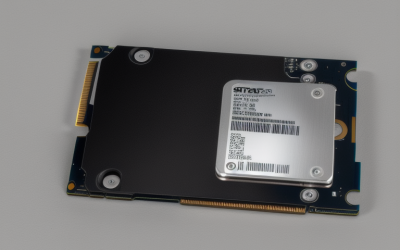
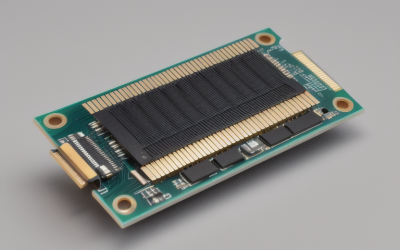
- Top Pick: SABRENT USB-C NVMe Enclosure & Reader, M.2 PCIe SSD, 10Gbps (EC-PNVO) | Tool-free M.2 PCIe case for 2230-2280; USB 3.2 Gen 2 10Gbps; aluminum cooling; external nvme enclosure; m.2 usb adapter
- Best Value: UGREEN USB-C M.2 NVMe SSD Enclosure, 10Gbps | Tool-Free Adapter/Reader Supports M and B&M Keys and Size 2230/2242 /2260/2280 SSDs, compatible with Mac Mini
- Premium Choice: SABRENT Tool-Free NVMe & SATA M.2 SSD Enclosure, USB 3.2 Type-C (EC-SNVE) | Enclosure only, SSD not included, M.2 NVMe & SATA, 2242/2260/2280, USB 3.2 Type-C 10Gbps, No heatsink clearance
An M.2 NVMe enclosure turns a bare SSD into a pocket-sized external drive, and for PC builders it usually begins with a leftover stick. Maybe you upgraded the boot drive and the old 1TB module is sitting in a drawer, or you want a fast game library that moves between a desktop and a laptop. The catch is that enclosures differ in interface speed, supported key types and module lengths, and a mismatch means the drive will not even seat.
This guide is for gamers, creators and builders who want a bridge between an M.2 drive and a USB-C port without buying a prebuilt external SSD. Every pick is judged only on what its listing title states: interface speed, key compatibility, module sizes, tool-free assembly, cooling and chipset. In 2026 the practical decision is 10Gbps versus 20Gbps, plus whether you want an NVMe-only case or one that also handles SATA drives.
Quick Picks
As an Amazon Associate we earn from qualifying purchases at no extra cost to you.


| Product | Best for | Key spec from the title |
|---|---|---|
| SABRENT EC-PNVO | Cooled 10Gbps NVMe | USB 3.2 Gen 2, aluminum cooling |
| UGREEN 10Gbps | Mac and PC owners | Tool-free, M and B+M keys |
| SABRENT EC-SNVE | Mixed NVMe and SATA drives | NVMe and SATA, SSD not included |
| FIDECO Sandwich Style | Simple tool-free build | 10Gbps, M and M+B key |
| UGREEN 20Gbps | Fastest USB-C transfers | 20Gbps, up to 8TB |
| Generic 10Gbps Enclosure | Basic budget bridge | USB 3.2 Gen 2, M-key and B+M |
| VCOM Enclosure | UASP and Trim support | 10Gbps, UASP, Trim |
| ASUS ROG Strix Arion | Gamer styling, two cables | Aluminum alloy, USB-C to C and C to A |
| Plugable Tool-Free | Known chipset | RTL9210 chipset, UASP, Trim |
| Lexar E300 | Lexar drive owners | 10Gbps, matched to NM790 and NM1090 PRO |
How to Choose
Interface Speed: 10Gbps or 20Gbps
Most enclosures use USB 3.2 Gen 2 at 10Gbps, enough for large file copies and game libraries on a fast drive. A 20Gbps model only helps if your computer has a matching USB 3.2 Gen 2×2 port, which is rare on older laptops and many motherboards. Check your port before paying for bandwidth it cannot use.
Key Type and Module Length
NVMe drives use an M key, while some SATA M.2 drives use B+M. Many listings state M and B+M support, but an NVMe-only design will not read a SATA stick, and the reverse is also true. Check lengths too: 2280 is the common size, with 2230 and 2242 covering compact drives such as those from handheld consoles.
Cooling and Assembly
Aluminum shells act as passive heat sinks, which helps sustained transfers. Tool-free clips save time but are only as solid as their latch design. Budget models often cut corners on thermal pads and cable length, so check which cables come in the box before you assume a C-to-A lead is included.
Chipset, UASP and Trim
Titles that name the bridge chipset, UASP or Trim give you something concrete to compare. UASP improves throughput on supported hosts, and Trim helps the drive keep its speed over time. If a listing states none of them, treat the support as unknown rather than assumed.
The 10 Best Options
SABRENT USB-C NVMe Enclosure and Reader (EC-PNVO)
A tool-free NVMe case for PCIe SSDs, listing 2230 through 2280 compatibility and aluminum cooling. The title positions it as both an enclosure and a reader, which fits permanent use as well as occasional drive swaps.
- Supports 2230-2280 modules in a tool-free case.
- USB 3.2 Gen 2 at 10Gbps with aluminum cooling is stated.
- Trade-off: it is described for NVMe PCIe drives, so a SATA M.2 stick is not part of the pitch.
Skip it if you own a SATA M.2 drive that you want to use externally, since another case on this list covers both types.
UGREEN USB-C M.2 NVMe SSD Enclosure, 10Gbps
A tool-free adapter and reader supporting M and B+M keys, sized for 2230, 2242, 2260 and 2280 drives. The title also notes Mac compatibility, which helps if you move a drive between systems.
- M and B+M key support covers more drive types.
- Four module lengths are listed in the title.
- Trade-off: 10Gbps is the ceiling, so it cannot match the 20Gbps model from the same brand.
Skip it if your computer has a fast 20Gbps USB port you want to use fully, or if you need an explicit chipset name.
SABRENT Tool-Free NVMe and SATA M.2 Enclosure (EC-SNVE)
The versatile choice for people with both NVMe and SATA M.2 drives, since the title states support for each. It ships as an enclosure only, so the SSD is a separate purchase or comes from your spare drawer.
- Handles NVMe and SATA drives in 2242, 2260 and 2280 sizes.
- Tool-free assembly with a USB 3.2 Type-C connection.
- Trade-off: the 2230 size is not listed, so compact handheld drives are not covered.
Skip it if you have a small 2230 module from a handheld console and nothing else to use it in.
FIDECO M.2 NVMe SSD Enclosure, USB 3.2 Gen 2
A sandwich-style design with tool-free installation, listing M and M+B key support at 10Gbps. The layout suggests a drive that sits between two panels instead of sliding into a tube.
- The sandwich-style layout is described in the title.
- Tool-free installation speeds up a drive swap.
- Trade-off: the title offers little about cooling, cable length or chipset.
Skip it if heat management is a priority for long, heavy transfers, or if you want a named bridge chip. Anyone planning daily use for a hot drive should compare it with the aluminum-bodied cases above.
UGREEN USB-C M.2 NVMe SSD Enclosure, 20Gbps
The faster option, rated at 20Gbps with M and B+M key support and drives up to 8TB in four sizes. It fits people with a modern laptop or a motherboard that offers a matching high-speed port.
- 20Gbps bandwidth is stated outright.
- Up to 8TB capacity and four lengths are listed.
- Trade-off: it only pays off on a computer with a matching USB 3.2 Gen 2×2 port.
Skip it if your machine tops out at 10Gbps, because you would pay for speed the port cannot deliver.
M.2 NVMe SSD Enclosure, USB 3.2 Gen 2 10Gbps
A generic high-speed case compatible with M-key and B+M key drives in 2230 through 2280 sizes. It is a plain, functional bridge for anyone who just needs the drive to show up as external storage.
- Four sizes and both key types are listed.
- 10Gbps USB 3.2 Gen 2 meets typical transfer needs.
- Trade-off: no brand, cooling or chipset detail appears in the title.
Skip it if you want a named chipset or a heat sink spelled out before you buy. Buyers who like to verify every detail will find the branded options above easier to research.
VCOM M.2 NVMe SSD Enclosure
A USB-C adapter that lists UASP and Trim support along with 10Gbps. Those two terms matter to people who plan to leave a drive attached for daily use instead of occasional copying.
- UASP and Trim are both named in the title.
- 2230, 2242, 2260 and 2280 sizes are supported.
- Trade-off: little detail is given about cooling or build material.
Skip it if you want a metal heat sink or a premium shell listed up front. Its appeal is the pair of protocol terms in the title, not the materials or finish.
ASUS ROG Strix Arion M.2 NVMe Enclosure
A gamer-styled aluminum alloy case that comes with both USB-C to C and USB-C to A cables. It suits a desk already built around ROG parts, or anyone who wants the drive to look like part of the rig.
- Two cables in the box suit both port types.
- Aluminum alloy build with USB 3.2 Gen 2 Type-C at 10Gbps.
- Trade-off: speed tops out at 10Gbps despite the premium look.
Skip it if styling does not matter to you and a plainer, cheaper case would do the same job.
Plugable USB-C M.2 NVMe SSD Enclosure
A tool-free aluminum case that names the RTL9210 chipset, which gives a concrete detail for anyone who checks compatibility before buying. UASP and Trim are listed too.
- RTL9210 chipset, UASP and Trim support are all listed.
- A tool-free aluminum body suits quick drive swaps.
- Trade-off: it is capped at the 10Gbps level of USB 3.2 Gen 2.
Skip it if you need 20Gbps for the fastest drives on a compatible port. Creators moving huge video files between workstations will feel that ceiling sooner than casual users.
Lexar E300 M.2 NVMe SSD Enclosure
Matched to Lexar drives such as the NM790 and NM1090 PRO, with 10Gbps and M and B+M key support. It makes the most sense for someone who already owns, or plans to buy, one of those drives.
- A named pairing with specific Lexar SSD models.
- 10Gbps USB-C transfers with M and B+M key support.
- Trade-off: the title leans on Lexar compatibility, which says less about other brands.
Skip it if your spare drive comes from a different manufacturer and you want broader assurance. A general-purpose case from another brand will say more about wider compatibility.
Which One Fits Your Situation
Old Boot Drive Becomes a Game Library
The SABRENT EC-PNVO or the UGREEN 10Gbps keeps things simple, with tool-free assembly and enough speed for a library of installed titles. Either one also makes a handy rescue tool when a desktop refuses to boot and you need to copy files off the drive.
You Own Both SATA and NVMe M.2 Drives
The SABRENT EC-SNVE is the one that states both types, so a single case covers everything in the drawer.
Fast New Laptop With a 20Gbps Port
The UGREEN 20Gbps model uses the extra bandwidth, and its 8TB ceiling leaves room for a large future drive.
Lexar Drive Owner or ROG Desk
The Lexar E300 is matched to the NM790 and NM1090 PRO, while the ASUS ROG Strix Arion suits a desk that already follows that styling. The Plugable listing is a fair middle path if a named chipset reassures you more than a logo does.
Common Mistakes
- Paying for 20Gbps on a computer with a 10Gbps port.
- Buying an NVMe-only case for a SATA M.2 drive, or the other way around.
- Forgetting the 2230 size when using a handheld drive.
- Assuming the SSD comes with the enclosure, when the title says it does not.
- Ignoring cooling for long transfers on a fast drive.
Related guides
- Aio Liquid Coolers For High Performance Gaming
- Wireless Gaming Headsets Under 100 For Pc
- Ssds For Large Video And Raw Photo Files
Frequently Asked Questions
Does the enclosure include an SSD?
No. The listings describe enclosures, and one title states outright that the SSD is not included. Plan to supply your own M.2 module, and match its key type and length to the case before ordering.
Can I use a SATA M.2 drive?
Only in models that state SATA support, such as the SABRENT EC-SNVE. Cases described only for NVMe will not read a SATA module.
Do I need 20Gbps?
Only if your computer has a matching high-speed USB port and you move very large files often. Otherwise 10Gbps already covers most use, from copying game installs to keeping a library of mods and recordings.
What does UASP do?
It improves transfer efficiency on supported hosts, and it is a useful term to look for alongside Trim support in the title. Listings that mention neither leave you guessing about how the bridge chip behaves under load.