

- Top Pick: Seagate IronWolf Pro, 16 TB, Enterprise NAS Internal HDD –CMR 3.5 Inch, SATA 6 Gb/s, 7,200 RPM, 256 MB Cache for RAID Network Attached Storage (ST16000NT001)
- Best Value: Seagate Enterprise Capacity | ST10000NM0016 | 10TB 7200 RPM SATA 6.0Gb/s 256MB Cache Hyperscale 512e 3.5" Hard Disk Drives (Renewed)
- Premium Choice: Toshiba 14TB SATA 512e 256MB Cache 7200RPM 3.5" SATA 6.0Gb/s Enterprise Hard Drive – MG07ACA14TE (Renewed)
The phrase enterprise hard drive covers a lot of ground. It can mean a 3.5-inch SATA disk built for a home NAS that runs around the clock, or a data-center model pulled from a server rack and resold. What unites them is a design for constant spinning, sustained workloads and vibration from neighboring bays. A shopper typing this keyword is usually filling a RAID array, expanding a media server or building a backup target, and wants capacity that will keep running for years.
This 2026 guide reads ten SATA listings from Seagate, Toshiba and Western Digital, from 6TB to 24TB. Most are labeled renewed, which changes how you shop: the model number tells you the design, but the seller decides the warranty and the condition. Everything below comes from the listing titles, so spec talk stays at the level of capacity, cache, spindle speed and sector format.
Quick Picks
As an Amazon Associate we earn from qualifying purchases at no extra cost to you.




| Product | Best for | Key spec from the title |
|---|---|---|
| Seagate IronWolf Pro 16TB | Home or small-office NAS | CMR, 7,200 RPM, 256MB cache |
| Seagate Enterprise Capacity 10TB | Mid-size array bays | Hyperscale 512e, 256MB cache, renewed |
| Toshiba MG07ACA14TE 14TB | Capacity step-up | 512e, 256MB cache, renewed |
| Seagate IronWolf Pro 20TB | Dense NAS builds | CMR, 7,200 RPM, 256MB cache |
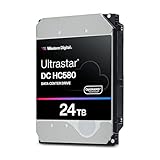
| WD Ultrastar DC HC580 24TB | Maximum bay density | 7.2K RPM, 512e, renewed |
| Seagate Exos X12 12TB | Balanced capacity | SATA 6Gb/s, 256MB cache, renewed |
| Seagate Exos 22TB | Large archives | 7200RPM, SATA 6Gb/s, renewed |
| Seagate Exos X24 24TB | Top capacity with big cache | 512MB cache, CMR, helium sealed |
| Seagate Exos 7E8 6TB | Small arrays and spares | 512e, 256MB cache, renewed |
| Seagate Enterprise Capacity 6TB | Replacing older members | 128MB cache, 7200 RPM, renewed |
How to Choose
Match the recording method to the job
CMR, conventional magnetic recording, writes tracks without overlap, so rebuilds and random writes stay predictable in RAID and ZFS pools. Only some titles here state CMR, so confirm it for any drive going into a parity array. Avoid shingled drives for arrays you plan to resilver often, and when a title says nothing about the recording method, ask the seller or check the manufacturer data sheet for the model number.
Capacity per bay versus rebuild time
A 24TB disk saves slots, but a failed member can take a day or more to rebuild. For arrays above four bays, many builders prefer RAID 6 or double parity once drives pass roughly 12TB. Smaller 6TB to 12TB disks rebuild faster and make sense for a first server, even though they use more bays and more power per terabyte stored.
Cache, spindle speed and sector format
Every listing here spins at 7,200 RPM. Cache runs from 128MB to 512MB, and larger buffers help bursty workloads but do not change sustained speed. If your workload is mostly large sequential reads, such as streaming media, cache size is a minor factor. The 512e label means a 4K physical sector that emulates 512-byte logical sectors, which is fine for modern operating systems and some older appliances.
Renewed drives: where shoppers get burned
Renewed enterprise disks can be a sound way to buy capacity, but the seller sets the warranty and the wear history. Ask for a stated return window, read SMART data on arrival, and run a full surface scan before trusting the disk. Budget sellers cut corners on warranty paperwork and packaging, not on the disk label itself. A seller that publishes return terms and uses proper anti-static packing is a better sign than a long list of adjectives.
The 10 Best Options
Seagate IronWolf Pro 16TB
Aimed at NAS owners who want a drive designed for always-on RAID duty. The title describes an enterprise NAS 3.5-inch HDD with CMR, SATA 6Gb/s, 7,200 RPM and 256MB cache. It is the safest starting point on the list for people who value clear labeling.
- CMR is stated outright, which suits parity arrays.
- It is branded for RAID network storage rather than loose desktop use.
- Trade-off: a single 16TB member makes rebuilds long.
Skip it if you need a drive for a server chassis with specific certifications, or if a smaller, quicker-to-rebuild disk suits your array better.
Seagate Enterprise Capacity 10TB (ST10000NM0016)
A renewed data-center style disk for builders who want 10TB without leaving the 3.5-inch SATA ecosystem. The title mentions hyperscale 512e, 7200 RPM and 256MB cache. That feature mix has been a common pick for builders filling rack-style arrays.
- Capacity sits in the sweet spot for mid-size arrays.
- The model number is printed, so matching a batch of drives is easy.
- Trade-off: it is renewed, so the seller sets the warranty and the history.
Skip it if you require factory-sealed drives for compliance reasons, or if a manufacturer warranty is a firm requirement.
Toshiba MG07ACA14TE 14TB
This is a way to step up to 14TB from an older array. The title lists SATA 6.0Gb/s, 512e, 256MB cache and 7200RPM in a 3.5-inch size, sold as renewed. It suits buyers who already own a similar Toshiba model and want matching spares.
- It comes from a different manufacturer than most of this list, which helps mixed-vendor spares.
- 256MB cache matches the larger Seagate drives.
- Trade-off: the title does not mention CMR, so check before using it in parity pools.
Skip it if you want a single-vendor fleet, or if you cannot confirm CMR from the seller before purchase.
Seagate IronWolf Pro 20TB
The bigger sibling of the 16TB model, for dense home servers and small offices that want fewer bays used. The title repeats the enterprise NAS positioning with CMR, 7,200 RPM and 256MB cache. If the 16TB fits your plan, the step up is mostly about packing more storage into the same chassis.
- 20TB cuts bay count in half compared with 10TB disks.
- CMR remains stated.
- Trade-off: one failed disk puts a lot of data at risk until the rebuild completes.
Skip it if your array has only two bays and no backup, since a single failure would then be very time-consuming to recover.
WD Ultrastar DC HC580 24TB
For builders chasing maximum capacity per slot. The title names the Ultrastar DC HC580 model with 24TB, 7.2K RPM, SATA 6Gb/s and 512e, sold as renewed. Home server owners with limited rack space tend to look at this class first.
- 24TB is the top of this list.
- The Ultrastar line is a data-center family.
- Trade-off: the title does not state cache size or CMR, so verify details before ordering.
Skip it if rebuild time worries you more than slot density, or if you need every spec spelled out in the title.
Seagate Exos X12 12TB
A middle-of-the-road option for shoppers who want 12TB and an enterprise label. The title lists SATA 6Gb/s, 256MB cache and a 3.5-inch size, renewed. Think of it as the compromise between slot count and recovery time.
- 12TB is a comfortable size for arrays that need faster rebuilds.
- The cache matches larger models.
- Trade-off: the title leaves out spindle speed and recording method.
Skip it if you want every key spec in the listing, or if you need to verify the spindle speed without asking the seller.
Seagate Exos 22TB
Targeted at archive-heavy users who want close to top capacity. The title lists 22TB, SATA 6Gb/s, 7200RPM and a 3.5-inch enterprise drive, renewed. It fits cold storage, media libraries and backup targets where bay count is the limit.
- 22TB reduces slot use sharply.
- It states spindle speed clearly.
- Trade-off: cache size and CMR are not stated in the title.
Skip it if you need to confirm recording technology without extra research, or if you would rather buy a drive described in more detail.
Seagate Exos X24 24TB
The most fully described large drive here. The title lists 24TB, SATA 6Gb/s, 512MB cache, 7200 RPM, 512e, CMR and a helium-sealed design, sold as renewed. For shoppers who like to see the full spec line before buying, this is the clearest listing in the set.
- 512MB cache is the largest on the list.
- CMR and helium sealing are both stated.
- Trade-off: one drive carries a lot of data, so redundancy is essential.
Skip it if your array cannot use 24TB members, or if a single large failure domain makes you uneasy.
Seagate Exos 7E8 6TB
A small-capacity choice for spares, boot arrays and modest servers. The title lists 512e, 256MB cache and a 3.5-inch SATA drive in the ST6000NM0115 model, renewed. It makes sense as a hot spare or as a pair for a small mirror.
- 6TB rebuilds finish quickly.
- 256MB cache is generous for the size.
- Trade-off: low capacity per slot.
Skip it if you plan to fill a large chassis with few bays free, because capacity per slot is its weak point.
Seagate Enterprise Capacity 6TB (ST6000NM0024)
Suited to matching or replacing members in an older array. The title lists 7200 RPM, 512e, SATA 6Gb/s and 128MB cache, renewed. It is a practical match for owners who already run the same model.
- The model number makes it easy to match existing drives.
- Smaller capacity is easy to fit into a spare slot.
- Trade-off: it has the smallest cache on this list.
Skip it if you need current-generation capacity or more cache.
Which One Fits Your Situation
You are building your first home NAS
Start with the Seagate IronWolf Pro 16TB. Its title states CMR and NAS positioning, which removes two common sources of confusion for a first array. Pair it with a second disk of the same size so a mirror is possible from day one.
You want the biggest drives available
The Seagate Exos X24 24TB lists the most detail, including CMR, 512MB cache and helium sealing. The WD Ultrastar DC HC580 24TB is the alternative if you prefer that family. Either way, plan for double parity and an off-site copy.
You are replacing a failed member
Match the model where you can. The Seagate Enterprise Capacity 6TB or 10TB entries let you stay within the same line, as long as the existing array uses those sizes. Check the sector format and cache of the current members first so the pool stays consistent.
You need fast rebuilds and modest capacity
The Seagate Exos 7E8 6TB or the Seagate Exos X12 12TB keep recovery windows shorter than the 20TB class and still carry enterprise labeling. They also free you from betting an entire pool on one very large disk.
Common Mistakes
- Pairing a very large drive with a single parity layer and no backup.
- Assuming every enterprise label means CMR, when only some titles say so.
- Skipping a SMART check and a full surface scan on a renewed disk.
- Ignoring noise and heat: enterprise 7,200 RPM disks run louder and warmer than desktop drives, so plan fan placement and a spot away from bedrooms.
- Mixing sector formats or unknown firmware in one pool without checking compatibility.
Related guides
- Aio Liquid Coolers For High Performance Gaming
- How To Lower Input Delay In Competitive Shooters
- External Hard Drives For Music Production
Frequently Asked Questions
What makes a hard drive enterprise class?
It is built for continuous operation, heavier workloads and vibration tolerance. Most are 7,200 RPM drives with larger caches and longer warranty terms than desktop models.
Are renewed enterprise drives safe to use?
They can be, with caution. Look for a stated warranty, check SMART data on arrival and keep a backup, since the previous history is unknown. Treat any renewed disk as unproven until a full scan passes.
Is 512e a problem?
Usually not. It presents 512-byte sectors while using 4K physical sectors, and current operating systems handle it well. Very old appliances may need a compatibility check.
Can I use these in a desktop PC?
Yes, via SATA, if you have power and cooling. Expect more noise than a desktop drive, and make sure the case airflow suits a 7,200 RPM disk.















