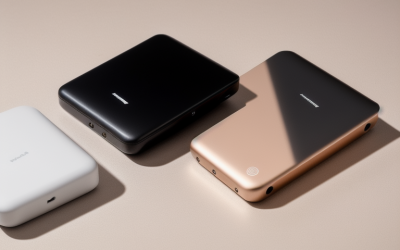
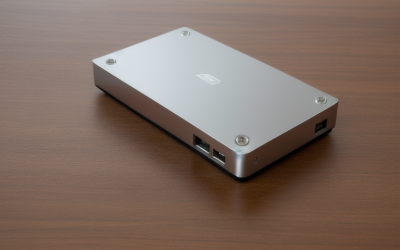
- Top Pick: Kosbees 500 GB External Hard Drives,Portable Hard Drive for Windows,Ultra Slim External HDD Store Compatible with PC, MAC,Laptop,PS4, Xbox one, Xbox 360;Plug and Play Ready
- Best Value: Sandisk 1TB Portable Drive, Up to 600MB/s Read Speeds – Black | External Drive, 4 x Faster than Portable HDD, Durable Design, Up to 2M Drop Protection, Pocket Sized, USB Type-C Ready
- Premium Choice: SANDISK 1TB Extreme Portable SSD, Up to 2000MB/s Transfer Speeds-New Model | External Solid State Drive, IP65 Water & Dust Resistant, Up to 3M Drop Protection, 256-bit AES Encryption, USB-C 3.2 Gen 2
A cap of under 100 dollars forces a real choice in external storage: spinning platters with plenty of terabytes, or flash drives with fewer gigabytes but far better speed and shock tolerance. Neither answer is right for everyone. A backup shelf for years of photos wants capacity, while a drive that rides in a laptop bag every day wants durability and quick transfers.
This guide is for buyers who set that cap first and want to know how to use it well in 2026: console owners who need extra game storage, students moving large project files, and anyone building a simple backup habit. The picks mix traditional portable hard drives and compact solid-state models. Because listings change, confirm that the exact capacity you want still sits within the cap before you order, and judge each model by the specs in its listing.
Quick Picks
As an Amazon Associate we earn from qualifying purchases at no extra cost to you.




| Product | Best for | Key spec from the title |
|---|---|---|
| Kosbees 500 GB External Hard Drive | Light backups and console space | Ultra slim HDD, PC, Mac, PS4, Xbox |
| Sandisk 1TB Portable Drive | Everyday carry | Up to 600MB/s read, 2M drop protection |
| SanDisk 1TB Extreme Portable SSD | Rugged fast storage | Up to 2000MB/s, IP65, AES encryption |
| Kosbees 1 TB External Hard Drive | Roomy backup | Ultra slim HDD, plug and play |
| Sandisk 500GB Portable Drive | Small, fast transfers | Up to 600MB/s read, USB Type-C ready |
| SanDisk 500GB Extreme Portable SSD | Fast and tough, low capacity | Up to 2000MB/s, 3M drop protection |
| SSK Portable SSD 250GB | Phones and cameras | USB 3.2 Gen2, up to 1050MB/s, OTG |
| PILCNLA 1TB Dual-Drive | Split storage for consoles | Two 500GB drives, USB 3.0 |
How to Choose
Decide between HDD and SSD first
Hard drives hold more terabytes within a tight cap but have moving parts, so a bump while the drive spins can corrupt data. Solid-state drives are smaller, quieter, and quicker, but each gigabyte tends to sit higher within a budget. A good rule: choose HDD if the drive stays on a desk and stores archives, and SSD if it travels. If you are unsure, remember that a drive you can afford to lose is a backup, and a drive you cannot is a single point of failure, so plan on two copies regardless of format.
Read the speed claim carefully
Listed speeds are best-case read numbers and need a matching port. The Extreme listings pair an up to 2000MB/s claim with USB 3.2 Gen 2 wording, yet a standard Gen 2 port carries up to 10 Gbps, around 1000MB/s, so treat the larger number as a ceiling that depends on the host port. For game-console storage, the console port limits speed anyway, so a faster drive adds little there.
Match capacity to the job
Photos and documents fit in 500GB for a long time, while video projects and game libraries fill 1TB quickly. Keep in mind that a drive shows slightly less usable space than its label. At this cap, buying two smaller drives for a primary and backup copy can be wiser than one large drive.
Durability and compatibility details
Look for a drop-protection figure in meters and an IP65 water and dust claim if the drive moves between places. Hardware encryption such as 256-bit AES matters for work files. Confirm the connector: USB-C cables are common, but older ports may need an adapter. Console and Mac compatibility should be named in the listing, and a bundled cable with the right connector saves a trip for an adapter.
The 8 Best Options
Kosbees 500 GB External Hard Drive
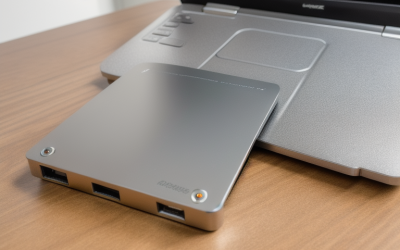
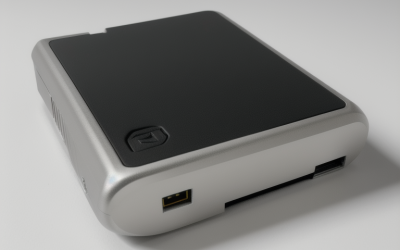
A slim portable HDD sold as plug and play, with compatibility listed for Windows PCs, Macs, laptops, PS4, Xbox One, and Xbox 360. At 500GB it fits as a first backup drive or a small game library for an older console. Because it is a basic spinning design, think of it as storage for files you open occasionally rather than a drive to edit from.
- Strength: Broad device compatibility is spelled out in the title.
- Strength: Ultra-slim body sits easily in a bag.
- Trade-off: As a spinning drive it is more sensitive to knocks than a solid-state model.
Skip it if you need speed or durability claims, since none appear in the title.
Sandisk 1TB Portable Drive
This pocket-sized drive lists speeds of up to 600MB/s for reads, a durable design with protection against drops of up to 2 meters, and a USB Type-C ready connection. SanDisk positions it as four times faster than a portable HDD. For students and remote workers, that speed shortens the wait when a folder of slides or footage needs to move between machines.
- Strength: Quick reads for moving photo and video folders.
- Strength: Drop protection is stated, a plus for a bag or pocket.
- Trade-off: Slower than the Extreme models, and no water or dust resistance is named.
Skip it if you need rugged weatherproofing or hardware encryption.
SanDisk 1TB Extreme Portable SSD
The faster Extreme tier, with up to 2000MB/s transfers, IP65 water and dust resistance, drops of up to 3 meters, and 256-bit AES encryption over USB-C 3.2 Gen 2. At 1TB it targets mobile workers who handle large files outdoors. The listing calls it a new model, so make sure you are viewing that version and not an older variant with slower speeds.
- Strength: IP65 plus 3-meter drop protection is the toughest spec set here.
- Strength: Encryption is built in for confidential projects.
- Trade-off: Its top speed needs a very capable port; it may be harder to fit under a strict cap.
Skip it if you only store files on a desk and want the largest capacity the cap allows.
Kosbees 1 TB External Hard Drive
The same slim HDD design as the 500GB version but with double the capacity. The title lists Windows, Mac, laptops, PS4, Xbox One, and Xbox 360, and it is described as plug and play. For a family computer or a shared console, that simplicity counts for more than raw speed.
- Strength: 1TB gives more room for a console library or a year of photos.
- Strength: The setup is simple, with no software step named.
- Trade-off: No speed, drop, or encryption features are listed.
Skip it if the drive will travel daily or if transfer speed matters.
Sandisk 500GB Portable Drive
The compact sibling of the 1TB model, with up to 600MB/s read speeds, a durable design, protection against drops of up to 2 meters, and USB Type-C readiness. It suits someone who wants speed without chasing capacity, such as a commuter who moves a handful of working documents between a home laptop and an office desktop.
- Strength: The same fast read claim as the larger model.
- Strength: Pocket-sized and ready for USB-C laptops and phones.
- Trade-off: 500GB fills up quickly with video.
Skip it if you are archiving a large library.
SanDisk 500GB Extreme Portable SSD
All of the Extreme features in the smaller capacity: up to 2000MB/s, IP65 dust and water protection, up to 3 meters of drop protection, 256-bit AES encryption, and USB-C. It makes the most sense as a working drive rather than an archive, ideal for a current project that you copy off once it is finished.
- Strength: A rugged shell and encryption in a small capacity.
- Strength: High speed for editing or copying project folders.
- Trade-off: Only 500GB of space, with no extra for long-term archives.
Skip it if you want one drive to hold everything.
SSK Portable SSD 250GB
An aluminum solid-state drive with USB-C and a USB 3.2 Gen2 A and C cable, listed at up to 1050MB/s, with SMART TRIM, an LED light, and OTG. The title also names iPhone 15 through 18 Pro compatibility and 4K HDR ProRes recording. The aluminum body and LED light give it a compact, gadget-like feel that suits a camera bag or a phone case pocket.
- Strength: Meant for phones, with OTG and ProRes recording called out.
- Strength: Both USB-A and USB-C cables are included.
- Trade-off: 250GB is the smallest capacity in this guide.
Skip it if you need to store a lot of data.
PILCNLA 1TB Dual-Drive
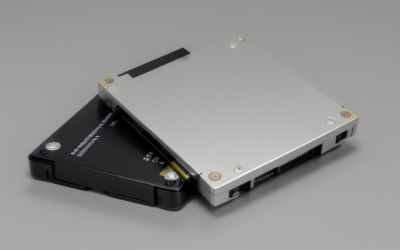
Two 500GB drives in one USB 3.0 product, aimed at Xbox One X and S, Xbox 360, PS4, PC, desktops, laptops, MacBooks, and Chromebooks. The split layout lets you keep two separate libraries or a backup partner. One half could hold games while the other holds school or work documents.
- Strength: Two drives in a single product helps separate games from files.
- Strength: A long compatibility list.
- Trade-off: The title gives no durability or speed details, and capacity is divided in two.
Skip it if you want one large volume or any water resistance.
Which One Fits Your Situation
A console owner who needs extra game space
The Kosbees 1 TB or the PILCNLA 1TB dual-drive both name PS4 and Xbox support, and neither depends on a fast connection, since the console port sets the pace.
A student who carries a drive every day
The Sandisk 1TB Portable Drive adds stated drop protection and quick reads in a pocket-sized body, so a slide deck or a video assignment copies over between classes without a long wait.
A traveling photographer or field worker
The SanDisk 1TB Extreme Portable SSD brings IP65 resistance and encryption, if it fits within the cap on the day you buy. If it does not, the 500GB Extreme model keeps the same ruggedness with less space, which suits a day-to-day working set.
Someone saving phone video
The SSK Portable SSD 250GB lists OTG and ProRes recording support, which fits a phone-centered workflow where footage needs to leave the handset quickly. Pair it with a second copy elsewhere, because 250GB leaves little room to keep older clips.
Common Mistakes
- Treating the up to 2000MB/s figure as a guaranteed speed without a matching port.
- Buying a spinning drive for a bag that gets tossed around.
- Counting a single drive as both storage and backup.
- Skipping the cap check on the live listing, since larger capacities can drift past it.
- Ignoring encryption for work or school files that would cause trouble if a lost drive were opened by a stranger.
Related guides
- Combination Smoke And Carbon Monoxide Detectors
- Aio Liquid Coolers For High Performance Gaming
- Graphics Cards For Low Wattage Power Supplies
Frequently Asked Questions
Is an SSD or HDD better for external storage under 100 dollars?
It depends on capacity. An HDD stretches further for archives, while an SSD at a smaller capacity is quicker and tougher. Match the format to how the drive will be used, and favor the smaller solid-state option if the drive will be handled often.
Will these work with a PS4 or Xbox?
The Kosbees and PILCNLA listings name PS4 and Xbox support. For others, check the listing and the console’s own storage rules.
Why is my drive slower than the listed speed?
The headline number is a best-case read under ideal conditions. The port, the cable, and the file type all limit real transfers. Many small files copy more slowly than one large file, even on a fast drive, so a folder of thousands of photos often feels slower than the headline suggests.
Do I need to format a new drive?
Most arrive ready for Windows. Mac users or console owners may need to reformat, which erases the drive, so do it before saving anything.