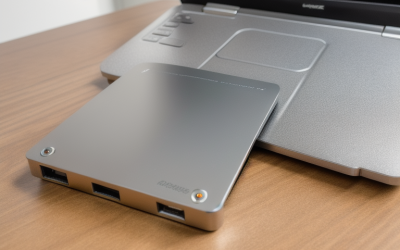
- Top Pick: Sandisk 1TB Portable Drive, Up to 600MB/s Read Speeds – Black | External Drive, 4 x Faster than Portable HDD, Durable Design, Up to 2M Drop Protection, Pocket Sized, USB Type-C Ready
- Best Value: Seagate One Touch 8TB External Hard Drive Desktop HDD – USB-C Compatible with Most Windows and macOS, Rescue Recovery (STNB8000400)
- Premium Choice: SANDISK 1TB Extreme Portable SSD, Up to 2000MB/s Transfer Speeds-New Model | External Solid State Drive, IP65 Water & Dust Resistant, Up to 3M Drop Protection, 256-bit AES Encryption, USB-C 3.2 Gen 2
The USB-C port on a laptop, tablet, or phone has changed what an external drive needs to be. Older drives shipped with a chunky micro-B cable and assumed a full-size USB-A socket; a modern ultrabook may have only USB-C, and a drive that needs an adapter adds one more thing to lose. Shopping for a USB-C external drive therefore starts with two choices: spinning hard disk or solid-state, and portable pocket drive or desktop-class storage.
This guide covers nine listings across those camps, from slim hard disks to rugged and solid-state models. Each is judged only on what its title states, which means speeds, capacities, and durability claims are the manufacturer’s listed figures, not measured results. Match the format to your use, whether game libraries, photo archives, or scheduled backups, and verify the port standard on the product page before buying in 2026.
Quick Picks
As an Amazon Associate we earn from qualifying purchases at no extra cost to you.





| Product | Best for | Key spec from the title |
|---|---|---|
| SanDisk 1TB Portable Drive | Pocket carry with faster transfers | Up to 600MB/s read, USB Type-C ready |
| Seagate One Touch 8TB | Big desktop archive | 8TB, USB-C compatible, Rescue Recovery |
| SanDisk 1TB Extreme Portable SSD | Fastest transfers here | Up to 2000MB/s, IP65, USB-C 3.2 Gen 2 |
| SanDisk Professional 5TB G-Drive ArmorATD | Rugged field backups | 5TB HDD, USB 3.2 Gen 1, rugged build |
| YOTUO 500GB | Light everyday storage | USB 3.0 and USB-C, console compatible |
| SanDisk 2TB Extreme Portable SSD (older model) | Rugged SSD capacity | Up to 1050MB/s, IP65, AES encryption |
| YOTUO 1TB | Middle-capacity portable HDD | 1TB, USB 3.0 and USB-C |
| YOTUO 1TB Multiport Hub | Drive plus card reader | 7-in-1 hub, SD/TF reader |
| YOTUO 750GB | Mid-small portable HDD | 750GB, USB 3.0 and USB-C |
How to Choose
Pick between HDD and SSD
Spinning hard drives offer far more capacity per drive and suit archives that you write once and read rarely. Solid-state models sit in a higher tier per terabyte but have no moving parts and list much higher transfer figures, such as the 2000MB/s on one SanDisk. Choose an SSD for working files you edit on the go, and an HDD for bulk storage.
Read the port standard, not just the connector
A USB-C connector can carry very different speeds. The titles here mention USB 3.2 Gen 2, USB 3.2 Gen 1, and USB 3.0, and each tier has a different ceiling. Your computer’s port must support the same standard to reach the listed speeds, so match both ends.
Look at durability claims
Drop protection figures (2M or 3M on the SanDisk titles), IP65 water and dust resistance, and rugged shells separate field drives from desk drives. If the drive goes in a camera bag, those ratings matter; for a shelf backup they do not. Treat marketing terms like durable design as unverified until the spec sheet backs them.
Where budget drives cut corners
Budget-tier portable drives skip encryption, software, and shock protection, and they often include a short cable. Hard disks in particular are sensitive to drops while spinning. Ignore headline capacity if the maker is unknown and no support or warranty details are shown.
The 9 Best Options
SanDisk 1TB Portable Drive
This pocket-sized black drive is described with up to 600MB/s read speeds and a claim of being 4 times faster than a portable HDD. The title adds a durable design and 2M drop protection, and labels it USB Type-C ready. It is the choice for someone who wants flash-style speeds without stepping up to the Extreme line, and the pocket size makes it easy to carry between a desk and a laptop bag. Copying a folder of photos or documents is where a faster read figure shows up most.
- Strength: listed read speed far above a typical portable hard disk.
- Strength: pocket size and drop protection are both mentioned.
- Trade-off: 1TB is modest if you store large video libraries.
Skip it if you need multiple terabytes in one drive.
Seagate One Touch 8TB
Seagate’s One Touch is a desktop HDD with 8TB of capacity, USB-C compatibility for Windows and macOS, and Rescue Recovery listed in the title. It is built for large archives, such as a full photo library or a backup of several computers, rather than for travel in a jacket pocket. Households that want one central place for family photos, scanned documents, and computer backups are the natural audience, since the capacity leaves plenty of headroom for years of additions.
- Strength: the largest capacity in this group.
- Strength: Rescue Recovery is named in the title.
- Trade-off: a desktop-class drive is less portable than a pocket model.
Skip it if you need a drive that fits in a pocket or travels often.
SanDisk 1TB Extreme Portable SSD
Marked as the new model, this SSD lists up to 2000MB/s transfer speeds, IP65 water and dust resistance, up to 3M drop protection, and 256-bit AES encryption over USB-C 3.2 Gen 2. It suits editors, photographers, and anyone moving large files between machines, and it carries the highest speed figure in the lineup. The encryption and rugged ratings also make it sensible for sensitive client files, which can be protected with a password if the included software supports it.
- Strength: highest listed speed plus 256-bit AES encryption.
- Strength: IP65 rating and 3M drop protection for travel.
- Trade-off: only 1TB, and SSD capacity sits in a higher tier.
Skip it if you want to store several terabytes of archive footage.
SanDisk Professional 5TB G-Drive ArmorATD
G-Drive ArmorATD is a rugged, durable portable hard drive holding 5TB, connecting over USB-C with USB 3.2 Gen 1. The title leads with its protective build, which suits field crews or travelers backing up large media where space matters more than speed. Because it is a spinning disk inside a protective shell, it pairs well with a habit of copying footage at the end of each shoot day rather than editing directly from the drive.
- Strength: 5TB in a rugged portable body.
- Strength: USB 3.2 Gen 1 over a USB-C port.
- Trade-off: as an HDD, it will not match SSD transfer speeds.
Skip it if you need SSD-class speed for working files.
YOTUO 500GB
This black portable hard drive supports USB 3.0 and USB-C, with a title that lists PC, Mac, desktop, laptop, smartphone, PS4, Xbox One, and Xbox 360. The 500GB capacity makes it a modest add-on for documents, a few games, or a dedicated console expansion. Students and light users who just need somewhere to park school files or a slim game collection are the target here, not archivists.
- Strength: broad device compatibility named.
- Strength: small capacity suits a light backup.
- Trade-off: 500GB runs out quickly with modern game files.
Skip it if you plan to store large libraries.
SanDisk 2TB Extreme Portable SSD
The title flags this as the old model, with up to 1050MB/s read speeds, IP65 water and dust resistance, up to 3M drop protection, and 256-bit AES encryption over USB-C 3.2 Gen 2. It offers double the capacity of the 1TB SanDisk SSD at a lower listed speed, which is a reasonable swap if capacity matters more than top speed.
- Strength: 2TB capacity with rugged ratings.
- Strength: AES encryption is named.
- Trade-off: marked as the older model with slower listed speeds.
Skip it if you want the newest model.
YOTUO 1TB
A step up in capacity, this 1TB portable HDD lists USB 3.0 and USB-C, and compatibility with PC, Mac, desktop, laptop, smartphone, PS4, Xbox One, and Xbox 360. The title also mentions office and game use, which fits a general-purpose backup drive. It is the simplest capacity-for-space option in this group for anyone who wants a single, plain drive to hold a laptop backup or a handful of large downloads.
- Strength: 1TB at a typical hard-disk tier.
- Strength: console and computer compatibility listed.
- Trade-off: no durability or encryption features are named.
Skip it if you need a rugged or encrypted drive.
YOTUO 1TB Multiport Hub
This variant combines a 1TB HDD with a 7-in-1 USB-C multiport hub, an SD/TF card reader, and docking station functions. It lists Windows, Mac, Android, TV, iPhone 15/16/17, laptop, desktop, and PC support, so it fits a user who wants storage and card reading in one device. Photographers offloading memory cards and travelers who plug into a TV are the easiest fits, since the hub removes the need for a separate reader.
- Strength: card reader and hub functions in a single unit.
- Strength: broad device list including phones and TV.
- Trade-off: multi-function devices add complexity and cables.
Skip it if you only need simple storage.
YOTUO 750GB
Sitting between the 500GB and 1TB siblings, this 750GB portable HDD offers USB 3.0 and USB-C along with the same device list. It is a reasonable fit for those who find 500GB too tight but do not need a full terabyte. It works as an in-between step that avoids buying more space than a modest library will fill.
- Strength: intermediate capacity.
- Strength: console and computer compatibility named.
- Trade-off: 750GB is an unusual size that may not scale with future needs.
Skip it if you would rather jump to 1TB.
Which One Fits Your Situation
You edit video or photos on the go
The SanDisk 1TB Extreme Portable SSD lists the highest speed, with IP65 and 3M drop protection for travel.
You need huge archive space
The Seagate One Touch 8TB and SanDisk G-Drive ArmorATD 5TB are the capacity leaders; pick Seagate for the desk and G-Drive for field use.
You want one device for storage and card reading
The YOTUO 1TB Multiport Hub combines both in one unit.
You use a console or want a basic drive
The YOTUO line lists PS4, Xbox One, and Xbox 360 compatibility across several capacities.
Common Mistakes
- Assuming a USB-C connector means fast USB 3.2 Gen 2 speeds.
- Choosing an HDD for working files that need quick access.
- Ignoring the cable included; a short or USB-A-only cable defeats the purpose.
- Skipping backups of the backup, since a single drive is a single point of failure.
- Insisting on rugged ratings you will never need, or skipping them when the drive travels daily.
Related guides
- Battery Operated Smoke And Carbon Monoxide Detectors
- Combination Smoke And Carbon Monoxide Detectors
- Aio Liquid Coolers For High Performance Gaming
Frequently Asked Questions
Is an SSD or HDD better for external storage?
An SSD suits speed and durability, while an HDD suits large, budget-tier capacity. Match the choice to how often you move or edit files.
Will a USB-C drive work with my older computer?
Often yes, if the drive includes or supports a USB-A cable. Check the product page for what is in the box.
What does the drop protection number mean?
The SanDisk titles list 2M and 3M figures, which describe the manufacturer’s stated drop height. Treat them as a guide, not a guarantee.
Can these drives be used with a game console?
The YOTUO titles name PS4 and Xbox models. Confirm format and size limits for your console before buying.