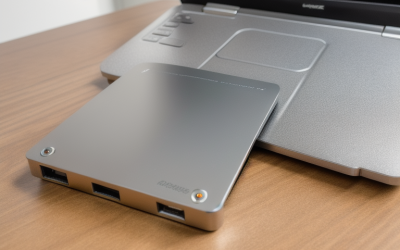
- Top Pick: OWC Envoy Ultra 2TB Thunderbolt 5 Portable NVMe SSD Storage Solution | Over 6000MB/s – Compatible with Thunderbolt 4/3 and USB4 – Integrated Thunderbolt 5 Cable – Weatherproof IP67 Protection
- Best Value: G-DRIVE 12TB Project, High-Capacity Hard Drive, Thunderbolt 3, USB (10Gbps), 7200RPM Ultrastar Hard Drive, Up to 250MB/s Read – SDPHG1H-012T
- Premium Choice: OWC 8TB Envoy Ultra Thunderbolt 5 Portable SSD Enclosure External Drive | Ultra Fast with TB5 Transfer Rates Over 6000MB/s, TB3, TB4 and USB4 Compatible, Works with Mac and PC
A Thunderbolt external drive earns its place when a normal USB drive becomes the slowest part of your workflow: copying a game library to a new machine, moving raw video off a laptop, or running a scratch disk for large projects. The keyword hides a real choice, though. Some Thunderbolt drives are rotating hard disks with big capacity and modest speeds, while others are NVMe solid-state units that move several gigabytes per second. Capacity, port generation and speed class all pull in different directions.
This guide is for gamers, creators and backup-minded buyers in 2026 who have a Thunderbolt or USB4 port and want to use it properly. Six drives made the cut because their titles actually name Thunderbolt; plain USB-C drives were left out, since the point here is the connection. Everything is judged from the listing text alone, with no invented speeds beyond what each title states.
One more point before the table: the SSD models and the hard disk models answer different questions. A buyer after raw speed will look at the three OWC drives and the Sabrent; a buyer after bulk space per unit will look at the two G-DRIVE models. Mixing the two goals into a single purchase is the most common way to end up disappointed.
Quick Picks
As an Amazon Associate we earn from qualifying purchases at no extra cost to you.


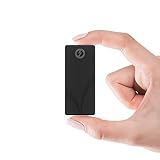
| Product | Best for | Key spec from the title |
|---|---|---|
| OWC Envoy Ultra 2TB | Fast, rugged working drive | Thunderbolt 5, over 6000MB/s, IP67 |
| OWC Envoy Ultra 4TB | Game library plus project files | Thunderbolt 5, over 6000MB/s, integrated cable |
| OWC Envoy Ultra 8TB | Largest fast portable capacity | Thunderbolt 5, TB3/TB4/USB4 compatible, Mac and PC |
| Sabrent Rocket Nano XTRM 4TB | Thunderbolt 3 speed in aluminum | 2700 MB/s, 900 MB/s over USB 3.2 Gen 2 |
| G-DRIVE 12TB Project | Bulk archive and backup | Thunderbolt 3, USB 10Gbps, 7200RPM, 250MB/s read |
| G-DRIVE 5TB ArmorATD | Rugged travel storage | Rugged portable HDD, up to 130MB/s, Thunderbolt 3 compatible |
How to Choose
Four checks narrow the field quickly, and each one maps to a detail that shows up in the listing text: the port on your computer, the type of storage inside, the capacity you will really fill and the protection the enclosure offers.
Know your port generation
Look at the symbol beside your computer’s USB-C port; a lightning bolt marks Thunderbolt, while a plain USB-C port will not give the speeds advertised here. Thunderbolt 5 drives are listed as compatible with Thunderbolt 4, Thunderbolt 3 and USB4, so they still work on older ports, but you only see the headline speed on a Thunderbolt 5 connection. A Thunderbolt 3 drive such as the Sabrent runs near its stated 2700 MB/s on a Thunderbolt 3 or 4 port and falls to 900 MB/s over USB 3.2 Gen 2.
SSD or hard disk
The NVMe drives here advertise speeds from 2700 MB/s up to over 6000MB/s. The hard disk models state 130MB/s and 250MB/s. If you edit video, run games from the drive or move huge folders daily, SSD speed is the whole reason to buy Thunderbolt. For cold backup, hard disk capacity is the smarter path.
Capacity thresholds
Budget-conscious buyers often pick the smallest size and regret it within a year, because game installs and camera files keep growing. For a modern game library, 2TB is a minimum and 4TB is comfortable. Camera and video archives call for 8TB or 12TB. Remember that a drive used for both backup and active work is usually better split into two drives than one oversized unit.
Durability and cables
A drive that lives on a desk needs less protection than one that rides in a camera bag, so match the build to the route it travels. Look for stated protection: IP67 weatherproofing on the OWC units, rugged construction on the ArmorATD, an aluminum shell on the Sabrent. Check whether a cable is built in or included, since Thunderbolt needs a proper cable to reach its advertised speeds. Budget enclosures often skip ruggedness and ship with a generic cord.
The 6 Best Options
OWC Envoy Ultra 2TB
The smallest capacity of the Envoy Ultra family, listed as a portable NVMe SSD with speeds over 6000MB/s, compatibility with Thunderbolt 4, Thunderbolt 3 and USB4, an integrated Thunderbolt 5 cable and weatherproof IP67 protection. It suits creators who want a fast scratch drive that can ride in a bag.
- Strength: Thunderbolt 5 speed class with an attached cable.
- Strength: IP67 protection for field work.
- Trade-off: 2TB fills quickly with video or a large game collection.
Skip it if you need to archive a lot of footage. A 2TB SSD suits a current project folder or a handful of large games, and buyers who copy full shoots every week will want to look at the larger sizes in the same family instead.
OWC Envoy Ultra 4TB
This is the same Envoy Ultra platform with 4TB of capacity: over 6000MB/s, an integrated Thunderbolt 5 cable, Thunderbolt 4 and 3 and USB4 compatibility, and IP67 weatherproofing. For most buyers it is the balanced size, big enough for a game library and project files at once.
- Strength: double the capacity of the 2TB model with the same listed speed.
- Strength: no cable to lose.
- Trade-off: it still sits at the top of the speed-and-capacity tier, so expect a premium level.
Skip it if your computer only has USB 3 ports. The drive would still connect through USB4 or Thunderbolt compatibility on supported hardware, but you would be buying a speed class that the port cannot show, which defeats the purpose.
OWC Envoy Ultra 8TB
The 8TB version is listed as a portable SSD enclosure with Thunderbolt 5 transfer rates over 6000MB/s, compatible with TB3, TB4 and USB4, and working with Mac and PC. It is for editors and archivists who want large capacity without moving to a desktop RAID box.
- Strength: the largest SSD capacity in this group.
- Strength: explicit Mac and PC support.
- Trade-off: its title does not state an integrated cable or IP67, unlike the smaller models.
Skip it if the shorter title leaves unanswered questions about durability. Anyone planning to carry it daily should confirm the cable arrangement and weather protection with the seller, since the smaller Envoy Ultra listings spell both out.
Sabrent Rocket Nano XTRM 4TB
A compact aluminum Thunderbolt 3 SSD listed at 2700 MB/s, or 900 MB/s over USB 3.2 Gen 2, with both cables included and support for Mac, PC and Linux. It fits owners of Thunderbolt 3 laptops who want a fast drive without moving to Thunderbolt 5.
- Strength: both cables are included.
- Strength: Linux support is named in the title.
- Trade-off: a lower ceiling than the Thunderbolt 5 OWC drives.
Skip it if you want waterproofing, which the title does not mention. Its appeal is a compact aluminum body, two cables and a speed class that matches the many Thunderbolt 3 laptops still in daily use today.
G-DRIVE 12TB Project
This high-capacity unit lists Thunderbolt 3, USB at 10Gbps, a 7200RPM Ultrastar hard drive and up to 250MB/s read. With 12TB it targets bulk storage: footage libraries, backups and game archives. It is a hard disk, so the speed figure is far below the SSDs in this list.
- Strength: 12TB of capacity, the most here.
- Strength: Thunderbolt 3 and a USB option for older machines.
- Trade-off: 250MB/s read is slow beside the NVMe options.
Skip it if you want a drive to run games or edit directly. Sequential reads of 250MB/s suit copying folders overnight, and the Thunderbolt 3 port is mostly a convenience for connecting to a modern laptop or dock rather than a promise of SSD-like speed.
G-DRIVE 5TB ArmorATD
A rugged portable hard drive listed at up to 130MB/s over USB-C and described as Thunderbolt 3 compatible. It is the travel-friendly archive option for photographers and anyone who moves between locations. The armored design is the whole point.
- Strength: rugged build intended for transport.
- Strength: 5TB of capacity in a portable format.
- Trade-off: 130MB/s is the slowest listed speed in this group.
Skip it if speed is your priority. A 130MB/s hard drive is a safe place to park finished work and photo archives, but moving a full library to it will take noticeably longer than on any of the solid-state options.
Which One Fits Your Situation
You edit video on a laptop
Choose the OWC Envoy Ultra 4TB. The integrated cable, over 6000MB/s speed and IP67 weatherproofing suit a working drive that travels.
You have an older Thunderbolt 3 machine
Many laptops from the last several years top out at Thunderbolt 3, which makes a Thunderbolt 5 drive an upgrade for later rather than a benefit today. The Sabrent Rocket Nano XTRM 4TB matches the port generation, includes both cables and avoids buying speed your port cannot deliver.
You need to archive terabytes
The G-DRIVE 12TB Project offers the most capacity here, with the OWC Envoy Ultra 8TB as the fast alternative. Choose the first for cold storage that rarely changes, and the second when you will open the files again and again and want them to load quickly.
You carry a drive between locations
Take the G-DRIVE 5TB ArmorATD for ruggedness and capacity, or the OWC Envoy Ultra 2TB for IP67 protection plus SSD speed. The first is better as a travel archive; the second is better as a travel working drive.
Common Mistakes
- Buying a Thunderbolt 5 drive and plugging it into a USB-only port, then expecting the headline speed.
- Choosing a hard disk for work that needs SSD speed, such as editing from the drive or launching games directly.
- Ignoring cable quality; a poor Thunderbolt cable can limit performance.
- Using one big drive for both backup and active projects instead of keeping a second copy.
- Reading a speed figure as a sustained rate; titles state peaks.
Related guides
- Battery Operated Smoke And Carbon Monoxide Detectors
- Combination Smoke And Carbon Monoxide Detectors
- Aio Liquid Coolers For High Performance Gaming
Frequently Asked Questions
Do Thunderbolt 5 drives work on older computers?
The OWC listings state compatibility with Thunderbolt 4, Thunderbolt 3 and USB4. They run on those ports, but at the speed of the older connection, so a Thunderbolt 5 drive on a Thunderbolt 3 laptop behaves like a Thunderbolt 3 drive. That is still a useful upgrade path if you plan to change computers later.
Is an SSD or a hard disk better?
SSDs suit active work and games; hard disks suit large backups. Choose by what the drive will do most often. If you do both, many buyers pair one fast SSD for current projects with a hard disk such as the G-DRIVE 12TB as a second copy.
Will a Thunderbolt 3 drive work with a Mac and a PC?
The Sabrent title names Mac, PC and Linux, while the OWC 8TB names Mac and PC. Confirm formatting for the second system.
How much capacity do I need?
Two terabytes suits light use, four is the balanced size, and eight or twelve are for archives and video libraries. Plan for growth, since capacity is the one spec you cannot change later without buying another drive.