

- Top Pick: Seagate Enterprise Capacity | ST10000NM0016 | 10TB 7200 RPM SATA 6.0Gb/s 256MB Cache Hyperscale 512e 3.5" Hard Disk Drives (Renewed)
- Best Value: Western Digital 10TB Elements Desktop External Hard Drive, USB 3.0 external hard drive for plug-and-play storage – WDBWLG0100HBK-NESN
- Premium Choice: Western Digital 10TB WD Red Plus NAS Internal Hard Drive HDD – 7200 RPM, SATA 6 GB/s, CMR, 512 MB Cache, 3.5" – WD100EFGX
Ten terabytes is the point where a hard drive stops being a simple upgrade and becomes a filing decision. One disk can hold a full Steam library, a few years of capture footage, and a household backup set at the same time, so the real question is not capacity but what job the drive will do. A drive sitting in a gaming tower has different needs than one spinning inside a four-bay NAS around the clock.
This guide is written for builders who already settled on 10TB and need to sort ten listings by role: bulk game storage, NAS duty, enterprise-class secondary disks, or a plug-in external. Everything below comes from what the product titles state, with 2026 shopping habits in mind, so confirm the exact model number at checkout.
Quick Picks
As an Amazon Associate we earn from qualifying purchases at no extra cost to you.


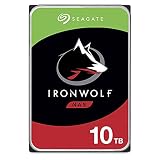
| Product | Best for | Key spec from the title |
|---|---|---|
| Seagate Enterprise Capacity ST10000NM0016 | Bulk internal storage | 7200 RPM, 256MB cache, Renewed |
| WD Elements Desktop 10TB | Plug-in external storage | USB 3.0 external drive |
| WD Red Plus WD100EFGX | Home NAS | CMR, 512MB cache |
| WD Blue WD100EAGZ | Desktop game library | 7200 RPM, 512MB cache |
| WD_Black WD102FZBX | Performance-minded desktops | 7200 RPM, 512MB cache |
| MDD MDD10TSATA25672NAS | Secondary NAS disk | 256MB cache, Renewed |
| Seagate IronWolf ST10000VNZ00 | RAID NAS arrays | CMR, RAID optimized |
| Seagate Exos X10 ST10000NM0126 | Enterprise-grade bulk disk | 512e, 256MB cache |
| MDD HGST DC HC510 HUH721010ALE604 | Server-class secondary disk | Enterprise drive, Renewed |
| Seagate IronWolf ST10000VN0008 | Multi-bay network storage | CMR, 256MB cache |
How to Choose
Internal, NAS, or external
An internal 3.5-inch SATA drive needs a free bay and a SATA data and power connection, and many compact cases have none. An external drive such as the WD Elements trades that bay for a USB 3.0 cable and a wall adapter. NAS-labeled models are tuned for always-on enclosures with several disks side by side, which matters less in a single-disk desktop.
CMR versus unspecified recording
Conventional magnetic recording keeps sustained writes steady, which is why RAID and NAS builders look for the letters CMR in the title. When a listing leaves the recording method out, read the manufacturer datasheet for that model number before it goes into an array, because rebuilds punish slow writers.
Speed, cache, and interface
Every internal drive here lists SATA 6Gb/s, so the interface is not a differentiator. Look for 7200 RPM and a cache of at least 256MB; a 512MB buffer is the upper tier in this group. Ignore the idea that a larger cache turns a hard drive into an SSD, because it only smooths small transfers.
Renewed, enterprise, and consumer lines
Renewed listings are refurbished units, so check what warranty the seller states and run a full SMART scan on arrival. Enterprise models such as the Exos X10 are built for server racks and can be louder than consumer lines. Budget buyers usually give up warranty clarity before they give up capacity.
The 10 Best Options
Seagate Enterprise Capacity ST10000NM0016
This one is aimed at buyers who want server-class lineage in a desktop bay. The title lists 7200 RPM, SATA 6.0Gb/s, a 256MB cache, 512e formatting, and the 3.5-inch form factor. That combination reads like a capacity-first disk for an archive pool, a media server, or a second drive that mostly stores finished projects rather than hosting the OS.
- Strength: the enterprise-class naming points to a design meant for continuous operation.
- Strength: 7200 RPM with a 256MB cache fits bulk storage and archives.
- Trade-off: the listing says Renewed, so warranty terms depend on the seller.
Skip it if you want a factory-sealed drive with a clear manufacturer warranty.
WD Elements Desktop 10TB
The Elements is the no-installation route: an external desktop drive with USB 3.0 and plug-and-play storage in the title. It suits console owners, laptop users, and anyone whose tower has no open bay. It also works as an offline copy that stays unplugged between backup sessions, which keeps it away from malware that hits connected disks.
- Strength: no screws, cables, or BIOS visits are needed.
- Strength: it moves between a PC, a laptop, and other USB-capable devices.
- Trade-off: it needs wall power and sits on the desk, and USB 3.0 caps transfer speed below what a bare SATA disk can reach.
Skip it if the drive has to live inside a NAS or a case.
WD Red Plus WD100EFGX
Made for network storage, this internal model lists 7200 RPM, CMR, a 512MB cache, and SATA 6 GB/s. It fits a home NAS that holds photos, media libraries, and backups. Pairing two or more of the same model is the usual route for a mirrored or parity array, since identical capacity and cache keep the pool simple to manage.
- Strength: CMR is stated outright, which simplifies RAID planning.
- Strength: the 512MB cache is the largest tier in this roundup.
- Trade-off: NAS tuning adds little for a single-disk gaming desktop.
Skip it if the plan is one disk in one tower, where a Blue or Black line suits better.
WD Blue WD100EAGZ
The Blue line targets everyday desktops. The title shows 7200 RPM, SATA 6 Gb/s, a 512MB cache, and a 3.5-inch body, which covers a large game library on a spare bay. It is the plain, mainstream answer for someone who just wants a lot of room for installers, mods, and recorded clips without needing a specialty feature set.
- Strength: 7200 RPM and a 512MB cache suit a games-and-media drive.
- Strength: it is a conventional internal SATA drive that drops into most towers.
- Trade-off: the title does not mention CMR or NAS use, so confirm the recording method before putting it in an array.
Skip it if the build is a multi-bay NAS.
WD_Black WD102FZBX
The WD_Black name signals a performance positioning among WD lines. The title lists 7200 RPM, SATA 6 Gb/s, a 512MB cache, and the Performance Internal label. It is meant for the buyer who wants the top of the WD desktop family for a workstation that also stores large project files, video edits, or a sprawling game collection.
- Strength: the performance branding targets gaming desktops and workstations.
- Strength: it matches the 512MB cache of the Blue and Red Plus.
- Trade-off: spec-for-spec it looks close to the Blue in the title, so the premium line should be weighed against the plain one.
Skip it if a NAS enclosure is the destination.
MDD MDD10TSATA25672NAS
A refurbished entry sold under the MAXDIGITALDATA name, listed as a 10TB, 7200RPM, 256MB cache, SATA 6.0Gb/s internal NAS drive. It targets buyers who want maximum capacity at the budget tier. Think of it as a warehouse shelf for secondary data, such as an extra media library or a rotating copy of a main backup.
- Strength: NAS wording and 7200RPM suit a secondary storage role.
- Strength: the 3.5-inch SATA format fits any standard bay.
- Trade-off: Renewed status and a lesser-known label mean warranty details need a close read.
Skip it for irreplaceable data without a second copy.
Seagate IronWolf ST10000VNZ00
This IronWolf is written for NAS systems: CMR, RAID optimized, and IronWolf Health Management appear in the title along with SATA 6Gb/s and 7200 RPM. It is the model for a multi-bay enclosure that stays powered on for weeks, where the buyer wants the array to flag trouble early instead of failing quietly.
- Strength: CMR and RAID optimization are both listed.
- Strength: the health-monitoring feature suits unattended enclosures.
- Trade-off: it is a NAS part first, so a lone gaming drive gains little from the extras.
Skip it if no NAS or RAID box is in your plan.
Seagate Exos X10 ST10000NM0126
A data-center line for bulk capacity. The title lists 7200 RPM, SATA 6Gb/s, 512e, a 256MB cache, and the 3.5in enterprise form. The model number is specific enough to cross-check against the manufacturer datasheet, which appeals to buyers who like to verify every line before ordering.
- Strength: enterprise positioning signals continuous-duty intent.
- Strength: it is a plain SATA disk that works in standard desktop bays.
- Trade-off: the title does not state a noise figure, and enterprise disks are often louder in quiet rooms.
Skip it for a bedroom or streaming-room build where silence matters.
MDD HGST DC HC510 HUH721010ALE604
This is a renewed data-center model carrying the HGST DC HC510 name, with 7200RPM, a 256MB cache, SATA 6.0Gb/s, and 3.5-inch size in the title. It appeals to home-lab builders who already know the HC510 family and want a familiar part number for a bulk pool, a spare, or a rebuild target.
- Strength: server-class heritage and a defined part number make verification easy.
- Strength: the cache and spin speed match other bulk-storage picks.
- Trade-off: it is Renewed, so a SMART check and a spare copy of the data are sensible.
Skip it if you only buy new drives.
Seagate IronWolf ST10000VN0008
The second IronWolf entry lists CMR, 3.5 inch, SATA 6Gb/s, 7200 RPM, and a 256MB cache for RAID network-attached storage. The title carries three part numbers, so match the exact one you want. It makes sense for a buyer expanding an existing IronWolf array who wants the same family and the same capacity in every bay.
- Strength: it is explicitly written for RAID and NAS use.
- Strength: CMR is stated in the title.
- Trade-off: cache is half of what the WD lines list, though the NAS role rarely depends on it.
Skip it if you need a quiet single drive for a desktop.
Which One Fits Your Situation
A four-bay home NAS
The Seagate IronWolf ST10000VNZ00 or the WD Red Plus WD100EFGX are the natural matches, because both list CMR and are written for network storage. Buy matching drives for the array.
One extra bay in a gaming tower
The WD Blue WD100EAGZ covers a growing library with 7200 RPM and a 512MB cache. Step up to the WD_Black if you prefer the performance branding.
A laptop or console with no bay
The WD Elements Desktop skips installation completely. Plug it in, format it, and move games over USB 3.0.
A tight budget with a backup plan
Renewed options such as the Seagate Enterprise Capacity ST10000NM0016 or the MDD HGST DC HC510 make sense only if a second copy of your files exists elsewhere.
Common Mistakes
- Putting a drive with unspecified recording technology into a RAID array without checking the datasheet.
- Treating a Renewed listing like a new retail drive and skipping the SMART scan.
- Forgetting that a 3.5-inch drive needs a free bay, not just a free SATA port.
- Using one big disk as the only copy of important files.
- Ignoring noise when placing an enterprise-class drive in a bedroom PC.
Related guides
- Combination Smoke And Carbon Monoxide Detectors
- Aio Liquid Coolers For High Performance Gaming
- Graphics Cards For Low Wattage Power Supplies
Frequently Asked Questions
Is a 10TB hard drive good for game storage?
Yes, for bulk libraries where load times are not critical. Keep a few active titles on an SSD and use the hard drive for the rest of the collection.
Do I need a NAS drive in a desktop?
Not required. NAS lines are tuned for always-on, multi-disk enclosures, so a desktop owner can choose a Blue or Black model unless RAID is involved.
What does Renewed mean on a hard drive listing?
It means the unit was refurbished and resold. Read the seller warranty and run a full SMART scan when it arrives.
Does 512e matter?
It means 512-byte logical sectors emulated on a larger physical layout. Current OS releases handle it, so it matters mainly for older controllers and specialized setups.















