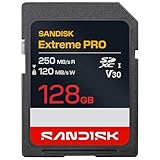
- Top Pick: SanDisk 128GB Extreme PRO SD UHS-I Card, Up to 250MB/s Read and 120MB/s Write, 4K UHD, Full HD, U3, V30, SDSDXXJ-128G-GSCIN
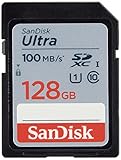
- Best Value: SanDisk 128GB Ultra SDXC UHS-I Memory Card, Up to 140MB/s, C10, U1, Full HD, SD Card, SDSDUNB-128G-GN6IN
- Premium Choice: SANDISK 64GB Extreme PRO SDXC UHS-I Memory Card – C10, U3, V30, 4K UHD, SD Card – SDSDXXU-064G-GN4IN
Choosing a memory card for a Canon camera is mostly a question of matching the card to what the camera asks of it. A body that shoots bursts of large still files needs steady write speed, a body that records 4K video needs a rated minimum sustained speed, and an older body may not accept the largest capacities at all. The card with the highest number on the label is not automatically the right one; the right card is the one that clears your camera’s requirement with a small margin.
This guide is for photographers and video shooters comparing ten SD cards in 2026, from compact 32GB options to 256GB high-speed cards. None of the listings names Canon, so everything below is based on the card specs in the titles: capacity, card type, speed class, video class and stated read and write speeds. Before buying, open your camera manual, find the supported card types and the recommended speed class for video, and use that as the filter.
Quick Picks
As an Amazon Associate we earn from qualifying purchases at no extra cost to you.




| Product | Best for | Key spec from the title |
|---|---|---|
| SanDisk 128GB Extreme PRO (SDSDXXJ) | 4K video, bursts | 250MB/s read, 120MB/s write, V30 |
| SanDisk 128GB Ultra (140MB/s) | Full HD and stills | 140MB/s read, U1, Class 10 |
| SanDisk 64GB Extreme PRO (GN4IN) | Compact 4K option | U3, V30, C10, 4K UHD |
| SanDisk 32GB Ultra | Light shooters, spare card | 100MB/s read, SDHC, water-resistant |
| SanDisk 64GB Ultra | General stills | 100MB/s, C10, U1 |
| SanDisk 256GB Extreme PRO | Long shoots, big files | 250MB/s read, 170MB/s write |
| SanDisk 128GB Ultra (100MB/s) | Everyday photography | 100MB/s, C10, U1, SDXC |
| GIGASTONE 128GB 4K Camera Pro | 4K from a third-party brand | 150MB/s, A1, V30, U3 |
| SanDisk 64GB Extreme PRO (GSCIN) | Video with app backup | 200MB/s read, 90MB/s write |
| GIGASTONE 32GB 5-Pack | Multiple cameras | Up to 80MB/s, U1, 5 cases |
How to Choose
Read the three speed labels separately
Listings stack several numbers. The “up to” figure is the maximum read speed and mostly affects how fast you copy files to a computer. The write speed, when listed, matters for bursts and video. Class labels describe a guaranteed minimum: U1 means 10MB/s sustained, U3 means 30MB/s, and V30 means 30MB/s for video. For 4K recording, look for U3 or V30 on the label. U1 cards are fine for Full HD video and general still photography. If you shoot long continuous bursts of large files, a higher write speed keeps the buffer clearing faster, so prefer a card with a stated write figure over one that lists only a read speed.
Match capacity and card type to the camera
SDHC cards go up to 32GB, SDXC cards cover larger capacities, and older cameras sometimes cannot read SDXC at all. Your manual lists what the body supports. For capacity, think in files: a 64GB card holds a day of casual stills, while 256GB suits a long video project or a trip with no chance to offload.
Know when UHS-I is enough
Every card here is UHS-I. A camera with a faster UHS-II slot can still use a UHS-I card, but it will not reach the faster mode. If your camera only supports UHS-I, a card that lists 250MB/s read gives you faster copy times without unlocking extra in-camera performance.
What to ignore and where budget cards cut corners
Marketing words like “pro” and “ultra” are brand tiers, not standards. Ignore them unless a speed class backs them up. Lower-tier cards usually cut the write speed, sustained speed class or both, while extras such as protective cases or data-recovery offers are nice but never a replacement for the speed spec. Treat the water-resistant and impact-resistant wording as a durability note, not a performance one, and remember that no listing here claims a performance number beyond what the title states.
The 10 Best Options
SanDisk Extreme PRO 128GB (SDSDXXJ-128G)
A UHS-I card with up to 250MB/s read and 120MB/s write, U3, V30 and 4K UHD support. It is the all-round performer for shooters who record video and fire bursts. A 128GB capacity also gives enough room for a full day of mixed stills and clips, which makes it the logical default for a camera body that supports faster cards.
- Strength: the 120MB/s write figure is stated, unlike many listings.
- Strength: V30 and U3 cover 4K recording.
- Trade-off: it sits at the premium tier of the group.
Skip it if you only shoot occasional stills.
SanDisk Ultra 128GB (140MB/s)
An SDXC UHS-I card with up to 140MB/s, Class 10 and U1, labeled for Full HD. A lot of capacity with a moderate speed label, which suits a shooter who wants room for thousands of stills and some Full HD clips without moving up to a 4K-class card.
- Strength: 128GB capacity with a higher read speed than the other Ultra cards.
- Strength: U1 is enough for Full HD recording.
- Trade-off: no V30 or U3 label, so it is not a 4K card.
Skip it if you record 4K video.
SanDisk Extreme PRO 64GB (SDSDXXU-064G-GN4IN)
A 64GB SDXC UHS-I card with Class 10, U3, V30 and 4K UHD on the label. A compact way to get 4K-class performance. It suits someone who records short clips, shoots events in segments and offloads often, so the smaller capacity is never a problem.
- Strength: V30 and U3 are both listed.
- Strength: 64GB is manageable for a single outing.
- Trade-off: the title gives no read or write figure.
Skip it if you need stated speeds or a high-capacity card.
SanDisk Ultra 32GB (100MB/s)
An SDHC card with up to 100MB/s read speed and a water-resistant, impact-resistant build. It is the smallest capacity here and suits older cameras limited to SDHC. As a spare card kept in a camera bag, the compact size and the rugged build make it a sensible backup for any body.
- Strength: SDHC format works with cameras that cannot read SDXC.
- Strength: a rugged build is stated.
- Trade-off: 32GB fills quickly with large files.
Skip it if you shoot video or large burst series.
SanDisk Ultra 64GB (100MB/s)
An SDXC UHS-I card with 100MB/s, Class 10, U1 and Full HD. A middle-size option for stills and casual video. It is a sensible fit for a hobbyist who edits photos weekly and clears the card after each outing.
- Strength: 64GB covers a day of ordinary photography.
- Strength: U1 is stated for sustained writes.
- Trade-off: no 4K label.
Skip it if your camera records 4K.
SanDisk Extreme PRO 256GB (SDSDXXJ-256G)
The largest card, with up to 250MB/s read, 170MB/s write, U3, V30 and 4K UHD. It is aimed at long video days, such as weddings, travel and multi-hour events where changing cards mid-shoot is awkward and the camera runs for extended stretches.
- Strength: the 170MB/s write figure is the highest in the group.
- Strength: 256GB leaves room for a full trip.
- Trade-off: putting that much footage on one card means one failure affects everything.
Skip it if you prefer several smaller cards.
SanDisk Ultra 128GB (100MB/s)
An SDXC card with 100MB/s, Class 10, U1 and Full HD. It matches the other Ultra cards in speed but offers more room. A shooter who already owns one 100MB/s Ultra card will find the same behavior here, simply with a longer runway.
- Strength: 128GB for stills and Full HD clips.
- Strength: a familiar, conventional spec set.
- Trade-off: the 140MB/s Ultra offers a higher read speed in the same capacity.
Skip it if you want V30 or U3.
GIGASTONE 128GB 4K Camera Pro
A UHS-I SDXC card with 150MB/s read, A1, V30, U3 and Class 10, plus a five-year data recovery offer and a mini case. A third-party alternative to SanDisk. The A1 mark refers to app performance, which is more relevant to phones and tablets than to cameras, so the V30 and U3 labels carry the weight here.
- Strength: V30 and U3 are listed for 4K video.
- Strength: the recovery offer and case are included.
- Trade-off: no write speed is stated.
Skip it if you want a name-brand card.
SanDisk Extreme PRO 64GB (SDSDXXU-064G-GSCIN)
A 64GB UHS-I card with up to 200MB/s read and 90MB/s write, V30, U3, C10 and 4K UHD, with access to the SanDisk app for backup and transfer. It is a fit for a video shooter who wants a small card with a high read speed for fast copying to a computer.
- Strength: both read and write speeds are stated.
- Strength: app support helps with backups.
- Trade-off: 64GB limits capacity for long video.
Skip it if you need a bigger card.
GIGASTONE 32GB 5-Pack
Five 32GB SDHC UHS-I U1 Class 10 cards, up to 80MB/s, Full HD, each with a mini case. The title lists digital and trail cameras. The pack suits someone who maintains several devices and wants a card ready for each, with no need to wait on an offload before the next outing.
- Strength: five cards let you rotate between cameras or shoots.
- Strength: cases are included.
- Trade-off: 80MB/s and U1 rule out 4K.
Skip it if you need speed or large capacity.
Which One Fits Your Situation
You record 4K video
Choose the SanDisk Extreme PRO 128GB or 256GB for stated write speeds, or the GIGASTONE 128GB if you prefer its V30 label and recovery offer. Anything with only U1 on the label belongs in the Full HD group.
You shoot stills on a modest setup
The SanDisk Ultra 64GB or 128GB handle everyday photography without reaching for 4K-class speeds. If you want the faster copy times, the 140MB/s Ultra 128GB is the pick of that family.
You have an older camera
The SanDisk Ultra 32GB uses SDHC, the format older bodies are most likely to accept.
You run several cameras
The GIGASTONE 5-pack gives you spare cards for Full HD work.
Common Mistakes
- Buying on the headline read speed without checking the write speed or class.
- Putting an SDXC card in a camera that only reads SDHC.
- Using a U1 card for 4K video.
- Filling one huge card instead of spreading shots over several, so a single failure takes the whole trip with it.
- Skipping the manual’s card requirements, then discovering a limit on capacity or video mode after the card arrives.
Related guides
- Aio Liquid Coolers For High Performance Gaming
- How To Lower Input Delay In Competitive Shooters
- Wireless Gaming Headsets Under 100 For Pc
Frequently Asked Questions
Does it matter that none of these titles says Canon?
No. SD cards follow standards, so what matters is the card type, class and capacity your camera supports. Brand pairing is not a requirement; the manual’s list of supported formats is the document to follow.
Is V30 the same as U3?
Both mean 30MB/s sustained, but V30 is the video speed class and U3 is the UHS speed class. Cards often list both.
Will a UHS-I card work in a UHS-II camera?
Generally yes, at UHS-I speeds. The card still works; the camera just cannot use the faster bus that a UHS-II card would offer. Check the manual if you are unsure which bus your slot supports.
Should I buy one big card or several small ones?
Several smaller cards spread the risk of losing a shoot. A 64GB or 128GB card is a comfortable middle ground for most outings, and a spare in the bag takes almost no room.