

- Top Pick: Seagate 8TB BarraCuda Internal Hard Drive | SATA 6 Gb/s (ST8000DM004) | Desktop HDD for everyday PC storage, gaming, & computing. Trusted reliability with 2-Year Warranty + 2-Year Rescue
- Best Value: Seagate BarraCuda 2TB Internal Hard Drive HDD – 3.5 Inch SATA 6Gb/s 7200 RPM 256MB Cache – Frustration Free Packaging (ST2000DM008/ST2000DMZ08)
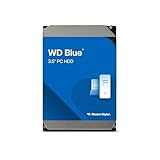
- Premium Choice: Western Digital 8TB WD Blue PC Internal Hard Drive HDD – 5640 RPM, SATA 6 Gb/s, 256 MB Cache, 3.5" – WD80EAAZ
Solid-state drives get the headlines, yet a spinning internal hard drive still wins on one thing: bulk capacity. If you are building out a desktop with a game library that keeps growing, a media archive, or a second disk for backups, a 3.5-inch SATA HDD is the quickest way to add terabytes. The catch is that the product pages are packed with abbreviations such as RPM, cache size, and SATA revision, and they do not all point the same direction.
This 2026 guide sorts eight internal drives by what the listed specs actually tell a buyer. It is written for people adding storage to a desktop tower, with notes on the two renewed budget-tier models and the one 2.5-inch notebook drive in the group, since those behave differently from a standard desktop disk. Nothing here relies on invented numbers: capacities, speeds, cache sizes, and interface revisions are taken from the titles.
Quick Picks
As an Amazon Associate we earn from qualifying purchases at no extra cost to you.




| Product | Best for | Key spec from the title |
|---|---|---|
| Seagate BarraCuda 8TB | Maximum desktop capacity | 8TB, SATA 6 Gb/s, 2-year warranty plus 2-year rescue |
| Seagate BarraCuda 2TB | Fastest spindle here | 2TB, 7200 RPM, 256MB cache |
| WD Blue 8TB | Large archive drive | 8TB, 5640 RPM, 256 MB cache |
| WD Blue 4TB | Mid-size storage | 4TB, 5400 RPM, 128 MB cache |
| MDD MAXDIGITALDATA 500GB | Spare or legacy build | 500GB, 5900RPM, SATA 3Gb/s, renewed |
| Seagate BarraCuda 4TB | Everyday bulk storage | 4TB, 5400 RPM, 256MB cache |
| Seagate Pipeline HD 500GB | DVR and RAID builds | 500GB, SATA II, renewed, 1-year warranty |
| Toshiba 1TB Notebook Drive | Laptop upgrades | 1TB, 2.5 inch, 5400RPM, 1-year warranty |
How to Choose
Capacity versus speed
For a mechanical drive, spindle speed matters most for responsiveness. A 7200 RPM disk generally moves data faster than a 5400 RPM one, but the larger 5400 and 5640 RPM models are fine for libraries that are read in long, sequential chunks, such as video files. If the drive will hold a game installation that you launch often, lean toward the 7200 RPM option; if it is a vault for files you rarely touch, capacity wins.
Cache and interface
Cache sizes in this group run from 8MB on older units to 256MB on current designs. A bigger buffer helps smooth bursts of reads and writes. On the interface side, SATA 6 Gb/s is the current standard; a SATA 3Gb/s drive still works on a modern motherboard, but you are accepting the older limit. Every modern board has SATA 6 ports, so there is no compatibility worry going either direction. Do not pay attention to cache figures alone, though, since a large buffer does not rescue a slow spindle.
Form factor
Desktop towers use 3.5-inch drives. A 2.5-inch notebook drive will connect over SATA but needs a mounting bracket to sit in a 3.5-inch bay. Check how many drive bays and SATA ports your case and board actually offer before ordering. Small-form-factor cases often have only one or two 3.5-inch slots, which makes the highest-capacity single drive the sensible route.
Where budget models cut corners
Renewed drives are the usual shortcut. They tend to carry short warranties and small capacities, and the 500GB units here are old designs with only 8MB of cache. Ignore marketing language and read the warranty line. A 2-year warranty with a rescue program, as listed on the 8TB BarraCuda, signals more manufacturer confidence than a 1-year line on a refurbished disk. Also confirm that the drive is described as an internal model, because several look-alike external enclosures share similar capacity names.
The 8 Best Options
Seagate BarraCuda 8TB (ST8000DM004)
The top-capacity pick for a desktop. The title describes a SATA 6 Gb/s desktop HDD intended for everyday PC storage, gaming, and computing, with a 2-year warranty plus a 2-year rescue plan. It suits builders who want one big drive for a game library or media vault. Seagate also describes it as trusted for reliability, which is marketing language rather than a measurable spec, so lean on the warranty terms instead.
- Strength: 8TB means one drive can replace several smaller ones.
- Strength: the warranty and rescue terms are the longest in this group.
- Trade-off: the title does not list RPM or cache, so check the spec sheet if speed matters.
Skip it if you need a boot disk or fast loading, which belongs to an SSD. Anyone with a tight case should also confirm that a full-size 3.5-inch bay is free.
Seagate BarraCuda 2TB (ST2000DM008)
A 3.5-inch SATA 6Gb/s drive running at 7200 RPM with a 256MB cache, according to the title. It is the only 7200 RPM model here, which makes it the choice for a primary data disk in a gaming desktop where larger files load frequently. The ST2000DM008 and ST2000DMZ08 codes in the title point to packaging variants of the same drive, so either listing should describe the same hardware.
- Strength: 7200 RPM spindle speed.
- Strength: 256MB cache pairs with a modern SATA interface.
- Trade-off: 2TB fills quickly if you keep many large game installs.
Skip it if capacity is a higher priority than responsiveness.
WD Blue 8TB (WD80EAAZ)
Western Digital lists this 3.5-inch PC drive at 5640 RPM with a 256 MB cache and a SATA 6 Gb/s connection. It is a large, general-purpose internal disk aimed at archives, backups, and bulk media. With the 8TB capacity, a single bay is enough to hold a sizable photo collection, a film library, and a full set of system image backups side by side.
- Strength: 8TB capacity with a large cache.
- Strength: the WD Blue line is positioned for ordinary PCs.
- Trade-off: the 5640 RPM spindle is slower than the 7200 RPM models.
Skip it if you plan to run installed programs from this drive and want speed.
WD Blue 4TB (WD40EZZX)
A middle-capacity version of the Blue family: 4TB, 5400 RPM, 128 MB cache, SATA 6 Gb/s, 3.5-inch. It sits comfortably between the small and the very large options and suits a general-use second drive. It also leaves room to add a second disk later without having to replace this one.
- Strength: 4TB is a practical sweet spot for a secondary disk.
- Strength: the SATA 6 interface fits current motherboards.
- Trade-off: cache is half that of the 8TB Blue.
Skip it if you need the speed of a 7200 RPM disk.
MDD MAXDIGITALDATA 500GB (Renewed)
This is a renewed 500GB desktop drive with 8MB of cache, 5900RPM, and a SATA 3Gb/s interface. It is a stopgap for an older build, a spare rig, or an extra data disk where capacity hardly matters. The Renewed tag in the title means a previously owned drive that has been refurbished, so expect some wear compared with a new unit.
- Strength: a very low-commitment way to add a little storage.
- Strength: standard 3.5-inch desktop form factor.
- Trade-off: renewed status and a small buffer make it the weakest long-term choice.
Skip it if the drive will hold anything you cannot afford to lose.
Seagate BarraCuda 4TB (ST4000DMZ04)
Seagate lists a 3.5-inch SATA 6Gb/s drive with 5400 RPM and 256MB cache, branded for computer desktops. It is the 4TB counterpart to the WD Blue and keeps the larger cache of its siblings. The dual model numbers in the title indicate that the drive ships under slightly different part codes, so it is worth confirming the exact code on the listing page.
- Strength: 256MB cache at the 4TB tier.
- Strength: aimed squarely at desktop PCs.
- Trade-off: the 5400 RPM spindle trails the 2TB BarraCuda.
Skip it if you want a drive that performs closer to a boot disk.
Seagate Pipeline HD (ST3500312CS)
The title calls out PC, RAID, NAS, and CCTV DVR uses. This is a renewed 500GB drive at 5900RPM with an 8MB cache and SATA II 3.0Gb/s, backed by a 1-year warranty. Its pitch is stable, always-on storage for recorders and arrays, not raw speed.
- Strength: the listing explicitly covers DVR and NAS applications.
- Strength: a warranty term is stated even though it is renewed.
- Trade-off: SATA II and an 8MB cache date this design.
Skip it if you want a drive for a fresh gaming build.
Toshiba 1TB Notebook Drive (MQ01ABD100V)
This 2.5-inch drive is built for laptops rather than towers. The title lists 1TB, 5400RPM, 8MB cache, and a SATA 3.0Gb/s interface with a 1-year warranty. The title also carries a stray USB mention, which makes the exact packaging unclear; treat it as an internal SATA laptop drive.
- Strength: compact format for a notebook upgrade.
- Strength: 1TB in a small package.
- Trade-off: a desktop needs a bracket and the interface is the older SATA revision.
Skip it if you are building or expanding a regular desktop.
Which One Fits Your Situation
You are building a media server or archive
Take the Seagate BarraCuda 8TB or the WD Blue 8TB. Both give bulk space and a 256MB buffer, and the Seagate adds the longest warranty and rescue terms in the group, which suits data you would hate to rebuild.
You want better responsiveness for a gaming library
The Seagate BarraCuda 2TB is the only 7200 RPM option here. Pair it with an SSD for the OS and keep this disk for games and data.
You need a solid middle ground
The WD Blue 4TB or the Seagate BarraCuda 4TB are balanced picks for a general second drive. The Seagate carries the bigger 256MB buffer, while the WD Blue lists a 128 MB cache; both list 5400 RPM and both are sensible for photos, documents, and a modest game collection.
You are repairing an old machine or camera system
The Seagate Pipeline HD fits DVR and RAID setups, while the MDD MAXDIGITALDATA 500GB covers a bare-bones spare. Choose the Toshiba only for a laptop.
Common Mistakes
- Buying a 2.5-inch notebook drive for a desktop tower without a mounting bracket.
- Using a hard drive as the boot disk and then blaming the drive for long boot times.
- Ignoring the SATA revision and cache size when comparing two drives of similar capacity.
- Storing the only copy of important files on a single disk, new or renewed.
- Forgetting to count free SATA ports and power connectors on the motherboard and power supply.
Related guides
- Aio Liquid Coolers For High Performance Gaming
- How To Lower Input Delay In Competitive Shooters
- Wireless Gaming Headsets Under 100 For Pc
Frequently Asked Questions
Is a 5400 RPM drive too slow for a PC?
Not for storage. It handles archives, media, and backups well, since those workloads read and write large files in long runs, but a boot drive or frequently launched applications benefit from an SSD or a 7200 RPM disk.
Are renewed hard drives worth it?
They suit throwaway or secondary roles. Warranty terms are short, so pair them with a backup.
Does SATA 3Gb/s work on a modern board?
Yes. SATA is backward compatible, and the drive simply runs at its own supported speed.
Can I use more than one internal drive?
Absolutely, as long as your case has free bays and the board has open SATA ports. Many builders pair one SSD with one or two large HDDs, using the solid-state disk for the system and everyday programs and the hard drives for everything bulky.















