

- Top Pick: Kosbees 500 GB External Hard Drives,Portable Hard Drive for Windows,Ultra Slim External HDD Store Compatible with PC, MAC,Laptop,PS4, Xbox one, Xbox 360;Plug and Play Ready
- Best Value: SANDISK 2TB Extreme Portable SSD, Up to 1050MB/s Read Speeds (Old Model) | External Solid State Drive, IP65 Water & Dust Resistance, Up to 3M Drop Protection, 256-bit AES Encryption, USB-C 3.2 Gen 2
- Premium Choice: SANDISK 4TB Extreme Portable SSD, Up to 2000MB/s Transfer Speeds-New Model | External Solid State Drive, IP65 Water & Dust Resistant, Up to 3M Drop Protection, 256-bit AES Encryption, USB-C 3.2 Gen 2
A business drive does a different job than a gaming or travel drive. It holds client files, accounting exports, project archives, and the nightly backup that gets you back to work after a failed laptop. The choice comes down to a few practical questions: how much data has to live on it, whether it travels between offices, and whether it needs encryption or a rugged shell to survive a courier bag.
This guide covers ten external drives for small offices, freelancers, and field teams in 2026. It leans on the details printed in each listing title: capacity, interface, quoted speeds, drop protection, encryption, and compatibility. There is one 20TB desktop HDD for bulk archives, one slim portable HDD, and eight portable SSDs, so the real question is whether you need capacity, speed, or protection first.
Quick Picks
As an Amazon Associate we earn from qualifying purchases at no extra cost to you.



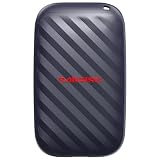


| Product | Best for | Key spec from the title |
|---|---|---|
| Kosbees 500GB Portable HDD | Light document backup | 500GB, ultra slim, plug and play |
| SanDisk Extreme 2TB (Old Model) | Rugged field storage | Up to 1050MB/s, IP65, AES 256-bit |
| SanDisk Extreme 4TB | Large project libraries | Up to 2000MB/s, IP65, AES 256-bit |
| SanDisk 500GB Portable | Pocket-sized transfers | Up to 600MB/s, 2M drop protection |
| WD Elements 20TB Desktop | Office archives | 20TB, USB 3.0 |
| OSCOO 1TB SSD | Creative teams | Up to 2100MB/s, USB 3.2 Gen 2 |
| MOVE SPEED 1TB SSD | Phone and ProRes video | USB 3.2 Gen 2×2, up to 1000MB/s |
| SanDisk Extreme 500GB | Encrypted daily carry | Up to 2000MB/s, IP65, AES 256-bit |
| Samsung T9 1TB | Mixed Mac and PC offices | USB 3.2 Gen 2×2, up to 2,000 MB/s |
| SanDisk Extreme 2TB | Balanced capacity and speed | Up to 2000MB/s, IP65, AES 256-bit |
How to Choose
Size the drive to your archive, not your laptop
Count the data you must keep, then double it so versions and growth fit. A one-person consultancy often fits in 1TB, a small design studio may want 2TB to 4TB, and a shared office archive is where a 20TB desktop unit makes sense. Remember that a drive holding your only copy is not a backup. Pair it with a second copy elsewhere, ideally kept off-site or in a cloud folder, so a fire, theft, or spilled coffee cannot take both at once. Many small firms follow a simple rule of three copies on two kinds of media with one stored away from the office.
Portable SSD or desktop HDD
Portable SSDs list far higher speeds, tolerate bumps better, and fit in a pocket. Desktop HDDs offer the largest capacity per unit and plug into a wall adapter, so they stay put on a shelf. If files move between sites, choose SSD. If the drive will sit beside a workstation and run overnight backups, a large HDD handles the job. Speed matters less for overnight jobs, because nobody is waiting on the copy, while a courier-style handoff of a project folder benefits from every extra megabyte per second.
Match the interface to your ports
USB 3.2 Gen 2 and USB-C cover most modern laptops. Gen 2×2 reaches higher speeds but needs a matching port to hit them, and it falls back to slower speeds otherwise. USB 3.0, which the WD desktop lists, works almost everywhere. Quoted maximums like 2000MB/s are best-case figures, so treat them as a ceiling.
Look for protection that fits your risk
For client data, 256-bit AES encryption in the title is a meaningful feature. IP65 means dust-tight and resistant to water jets, and a stated drop figure, such as 2M or 3M, speaks to bag and desk accidents. Skip titles that say nothing about protection if the drive carries confidential files. Also think about what happens if the drive goes missing: a password-protected, encrypted unit turns a lost bag into an inconvenience instead of a data breach, which matters for clients under confidentiality agreements.
The 10 Best Options
Kosbees 500GB Portable HDD
A slim 500GB portable hard drive with plug-and-play setup for Windows, Mac, laptops, and consoles. Its title leans on broad compatibility rather than business features, which makes it a basic holding place for working files and a simple second copy of documents.
- Plug-and-play setup with both PC and Mac, so there is no software to install.
- Ultra-slim shape slips into a laptop sleeve or desk drawer.
- Trade-off: the title gives no encryption, speed figure, or drop protection.
Skip it for confidential client files or anything that moves in a rough bag.
SanDisk Extreme 2TB (Old Model)
A 2TB portable SSD with up to 1050MB/s read, IP65 dust and water resistance, 3M drop protection, 256-bit AES encryption, and USB-C 3.2 Gen 2. The title itself labels it the older model, so it fills the gap between small and large capacities.
- Encryption and rugged specs suit client files that travel between offices.
- 2TB covers a mid-sized project library without a second drive.
- Trade-off: the quoted speed is about half that of the newer 2000MB/s siblings.
Skip it if the newer 2TB is available and transfer speed matters to your team.
SanDisk Extreme 4TB
The largest portable SSD in the group, listed at up to 2000MB/s with IP65, 3M drop protection, 256-bit AES, and USB-C 3.2 Gen 2. It is aimed at teams that want a full archive in one pocket-sized unit.
- 4TB in a portable body reduces how many separate drives you juggle.
- Encryption, dust and water resistance, and drop protection appear together.
- Trade-off: keeping that much data on one device raises the stakes if it is lost or damaged.
Skip it if you only back up documents, spreadsheets, and a few presentations.
SanDisk 500GB Portable Drive
A pocket-sized 500GB SSD, listed at up to 600MB/s, described as four times faster than a portable HDD, with 2M drop protection and USB Type-C readiness. It is a modest, sturdy choice for day-to-day carrying between desk and client site.
- Compact and better suited to bag travel than a spinning disk.
- Quick enough for routine document and photo transfers.
- Trade-off: no encryption or water resistance appears in the title.
Skip it if client confidentiality requires built-in encryption.
WD Elements 20TB Desktop
A 20TB desktop external hard drive with USB 3.0 and plug-and-play use. It is the only bulk-capacity option here and belongs on a desk or shelf, where it can run scheduled backups for a whole team without ever being carried anywhere.
- 20TB of space for archives, footage libraries, and server-style backups.
- Simple USB 3.0 connection works with most computers in an office.
- Trade-off: it is a desktop unit, so it is not built to travel.
Skip it if you carry the drive between locations or need encryption stated in the title.
OSCOO 1TB SSD
A 1TB portable SSD listed at up to 2100MB/s on USB 3.2 Gen 2, with compatibility for Mac, Windows PC, laptops, gaming, and iPhone. The title mentions file backup, content creators, and videographers, so it leans toward media-heavy work rather than records.
- The highest quoted speed in the lineup, useful for large media files.
- Wide device compatibility, including iPhone.
- Trade-off: the title mentions no encryption or drop protection.
Skip it for sensitive client data or heavy field use.
MOVE SPEED 1TB SSD
A 1TB SSD on USB 3.2 Gen 2×2 listed at up to 1000MB/s, with a magnetic design, a Type-C cable, and ProRes 4K video use in the title. It works with iPhone, Android, Windows, and Mac, so it bridges phones and desktops in a mixed office.
- Magnetic design is aimed at phone-based video work.
- Type-C cable included for modern devices.
- Trade-off: the title lists no encryption or ruggedness details.
Skip it if you want a drive built around security features.
SanDisk Extreme 500GB
A 500GB portable SSD at up to 2000MB/s with IP65, 3M drop protection, 256-bit AES, and USB-C. It is the smaller version of the Extreme family, and it keeps the protection features that matter for client work on a compact footprint.
- Encryption and ruggedness at a small capacity.
- Fast enough for contracts, scans, and presentations.
- Trade-off: 500GB fills quickly with media-heavy projects.
Skip it if you keep large video or image libraries on the same drive.
Samsung T9 1TB
A 1TB portable SSD on USB 3.2 Gen 2×2 at up to 2,000 MB/s, described as suited to gaming, students, and professionals. It carries a well-known brand name and a model number that makes warranty and driver lookups easy in a mixed office.
- Fast quoted speed with a recognizable maker.
- Suits Windows and Mac setups side by side.
- Trade-off: the title does not mention encryption or drop protection.
Skip it if confidential data requires a stated encryption feature.
SanDisk Extreme 2TB
A newer 2TB portable SSD at up to 2000MB/s, with IP65, 3M drop protection, 256-bit AES, and USB-C 3.2 Gen 2. It sits between the 500GB and 4TB models in the same family and doubles the old-model 2TB speed claim.
- Roughly double the quoted speed of the old-model 2TB.
- Protection details and encryption in a single listing.
- Trade-off: the 4TB version offers more room for growing archives.
Skip it if you need desktop-class capacity for a shared archive.
Which One Fits Your Situation
You carry client files between sites
The SanDisk Extreme 2TB pairs encryption, IP65, and 3M drop protection, so it handles loss, rain, and bag knocks better than the unprotected options. The 4TB version suits agencies that carry whole project folders, while the 500GB version is enough for contracts and scans.
You run office archives
The WD Elements 20TB Desktop fits a shared shelf and nightly backups. Add a second drive for off-site copies, since a single desktop unit sitting in the office shares the same risks as the computers it protects. A SanDisk Extreme 4TB could serve as the carry-home copy.
You edit video with a phone or camera
The MOVE SPEED 1TB SSD or the OSCOO 1TB SSD, both aimed at content work. Pick the MOVE SPEED for ProRes 4K and phone workflows.
You only back up documents
The Kosbees 500GB or the SanDisk 500GB Portable covers spreadsheets and PDFs. Choose the SanDisk for sturdier build and speed, and keep the Kosbees as a secondary copy of the same files kept in a different place.
Common Mistakes
- Treating a single external drive as a complete backup.
- Buying on quoted speed while ignoring encryption for client data.
- Assuming a Gen 2×2 drive reaches top speed on a plain USB-C port.
- Choosing a portable HDD for daily travel instead of an SSD with listed drop protection.
- Skipping a second copy kept in a different location.
Related guides
- Combination Smoke And Carbon Monoxide Detectors
- Aio Liquid Coolers For High Performance Gaming
- Graphics Cards For Low Wattage Power Supplies
Frequently Asked Questions
Is an SSD or HDD better for business backups?
An SSD travels and transfers faster, while an HDD stores far more per unit. Pick based on whether the drive moves or stays on a desk.
Does 256-bit AES encryption protect my files automatically?
It is a listed feature, but you usually need to enable it with the drive’s software and a password. Check the manufacturer’s instructions after setup.
How much capacity does a small business need?
Estimate your data, then double it. Documents fit in 500GB, media-heavy teams want 2TB or more, and shared archives justify a desktop drive.
Will these drives work with Mac and Windows?
Most titles list both, but formats differ. Reformat to exFAT if you share between systems.














