

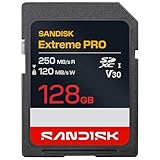
- Top Pick: SanDisk 128GB Extreme PRO SD UHS-I Card, Up to 250MB/s Read and 120MB/s Write, 4K UHD, Full HD, U3, V30, SDSDXXJ-128G-GSCIN
- Best Value: SanDisk 128GB Ultra SDXC UHS-I Memory Card, Up to 140MB/s, C10, U1, Full HD, SD Card, SDSDUNB-128G-GN6IN
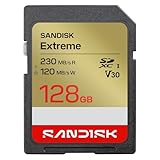
- Premium Choice: SANDISK 128GB Extreme SD Memory Card, Up to 230MB/s Read Speeds, UHS-I | V30, U3, C10, 4K UHD Video Recording, Up to 120MB/s Write Speed, Compatible with Cameras & Camcorders – SDSDXV9-128G-GUCIN
A 128GB card sits in a sweet spot: roomy enough to hold a full weekend of 4K clips or several thousand RAW stills, yet small enough that losing one in a camera bag is not a disaster. The real decision is not capacity, since every card here shares it. The decision is speed class, because a card meant for light photo work and a card built for sustained 4K video look nearly identical on the shelf while behaving very differently inside a camera.
This guide is written for photographers, hobby videographers, and anyone refreshing a camera, camcorder, or drone kit in 2026. It compares eight 128GB options using only the details printed in each listing title: read and write figures, UHS speed class, video class, and bundle size. Work through the spec thresholds first, then match one of the cards to the way you shoot. Capacity, bus standard, and sustained write class all pull in different directions, and the right balance depends on whether you chase action, landscapes, travel footage, or simple family snapshots.
Quick Picks
As an Amazon Associate we earn from qualifying purchases at no extra cost to you.




| Product | Best for | Key spec from the title |
|---|---|---|
| SanDisk Extreme PRO (SDSDXXJ) | Fast 4K shooting | Up to 250MB/s read, 120MB/s write, U3, V30 |
| SanDisk Ultra SDXC (SDSDUNB) | Everyday photos | Up to 140MB/s, C10, U1 |
| SanDisk Extreme (SDSDXV9) | Cameras and camcorders | Up to 230MB/s read, 120MB/s write, V30 |
| PNY Elite-X 2-Pack | Two-card kits | Up to 100MB/s read, U3, V30 |
| SanDisk Ultra SDXC (SDSDUNR) | Basic Full HD use | 100MB/s, C10, U1 |
| SanDisk Ultra SD (SDSDUVQ) | Compact cameras, app backup | Up to 195MB/s read, U1 |
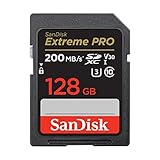
| SanDisk Extreme PRO (SDSDXXD) | Burst and 4K capture | Up to 200MB/s read, 90MB/s write, V30 |
| Gigastone microSD 2-Pack | Dash cams and drones | 95MB/s, A1, V30, two SD adapters |
Two listings from the original shortlist were set aside: a pair of SanDisk Ultra microSD cards that ship without any full-size adapter mentioned in the title. They suit phones and handheld consoles better than the SD slot this guide is built around.
How to Choose
Match the video class to your footage
The V30 marking means the card is designed to sustain at least 30MB/s of writing, which is the usual floor for 4K recording. U3 describes the same minimum in the older UHS scale. Cards that list only C10 and U1 promise 10MB/s sustained, which handles Full HD clips and stills but can stall when a camera records dense 4K. If your camera body shoots 4K, treat V30 or U3 as a requirement rather than a bonus.
Read the headline speed with caution
Figures such as 250MB/s or 230MB/s are best-case read speeds, and they matter mostly when you copy files to a computer. In the camera, the write number governs how quickly a burst clears. Several listings state only a read figure, so the written class marking (U1, U3, V30) is the safer guide to recording behavior. Also remember that every UHS-I card is limited by the bus inside the camera, so a very high read figure only shows up when the card sits in a fast reader on your computer.
Decide between a single card and a multi-pack
A two-pack makes sense if you rotate cards on long shoots or keep one in a spare body. It also limits the damage from a single failure, because footage can be split across two cards. Single cards are tidier if you shoot one camera and offload nightly. Compare capacity across the pack carefully: a pack title that lists 128GB refers to each card, so a two-pack gives you 256GB in total split across two physical cards. That split also means a lost or damaged card takes only half of a trip with it.
Check the form factor and host device
Full-size SDXC cards fit cameras, camcorders, and many laptop readers. MicroSD cards need an adapter for those slots, so buy one only if the title says an adapter is included. Dash cams, drones, and security cameras usually want microSD plus an A1 marking for app-style workloads. Older cameras can reject SDXC altogether, so confirm your body supports 128GB and the exFAT format before you buy. Camera manuals usually list the largest supported capacity and the file system the body expects, and a minute spent there prevents a card that refuses to format.
The 8 Best Options
SanDisk Extreme PRO 250MB/s (SDSDXXJ)
This is the fastest-listed card in the group, with up to 250MB/s read and 120MB/s write plus U3 and V30 markings. That combination points to a card built for 4K video and quick offloading to a computer.
- The highest read and write figures in this comparison.
- U3 and V30 together cover demanding 4K capture.
- Trade-off: the title does not mention extras like a case or app, so the appeal here is speed and nothing else.
Skip it if your camera only records Full HD, because the extra bandwidth will go unused and a simpler card covers the same workload.
SanDisk Ultra SDXC 140MB/s (SDSDUNB)
A straightforward everyday card with up to 140MB/s, Class 10, and U1. The listing positions it for Full HD, which fits casual photography, holiday snapshots, and family video where nobody is chasing the last bit of bandwidth.
- Class 10 and U1 are enough for Full HD clips and stills.
- A higher read figure than the plain Ultra cards in this group, so offloads to a laptop should move along.
- Trade-off: no U3 or V30 marking, so it is not specified for 4K recording.
Skip it if you shoot 4K video or long continuous bursts, because nothing in the title promises sustained writing beyond the Class 10 baseline.
SanDisk Extreme 230MB/s (SDSDXV9)
The title lists up to 230MB/s read and 120MB/s write with V30, U3, and C10, and it names cameras and camcorders as the target devices. It is the near-match to the Extreme PRO at the top of the list.
- 120MB/s write figure matches the top card’s listed write speed.
- 4K UHD video recording is stated outright.
- Trade-off: the read figure sits a notch below the flagship, which matters only during large file copies.
Skip it if you want a bundled pair or a card meant for a drone or dash cam. Its listing is aimed squarely at cameras and camcorders, which is a narrower brief than the microSD pack.
PNY Elite-X 2-Pack
Two 128GB SDXC cards in one listing, each marked C10, U3, and V30 with up to 100MB/s read. The title points to DSLR, point-and-shoot, and video cameras.
- Two cards let you rotate media or keep a spare ready.
- U3 and V30 support 4K video despite the modest read speed.
- Trade-off: the read ceiling is lower than the SanDisk Extreme family, so copying large folders takes longer.
Skip it if you only own one camera and never need a second card, or if your workflow depends on the higher read ceiling of the Extreme family for quick offloads between shoots.
SanDisk Ultra SDXC 100MB/s (SDSDUNR)
The plainest card here: 100MB/s, Class 10, U1, Full HD. It suits a point-and-shoot, a basic camcorder, or backup storage where speed is not the priority and the goal is simply a roomy, familiar card.
- Meets Class 10 and U1 for dependable Full HD recording.
- Simple, single-card purchase that works as a spare for a second camera body or a backup slot.
- Trade-off: no 4K markings, and the read figure is the lowest among the SanDisk listings.
Skip it if you plan to move to 4K video or a faster camera body soon, since a card that fits today’s Full HD needs may become the bottleneck after an upgrade.
SanDisk Ultra SD 195MB/s (SDSDUVQ)
This Ultra variant advertises up to 195MB/s read with U1 and C10, and the title mentions backup and transfer through the SanDisk app. It targets compact to mid-range cameras and camcorders.
- High read speed for an Ultra-tier card, helpful when offloading photos to a computer or tablet.
- App-based backup is named in the listing.
- Trade-off: U1 only, so it is positioned for Full HD rather than 4K.
Skip it if your priority is sustained 4K write performance, because the listing offers no V30 or U3 marking to back that use.
SanDisk Extreme PRO 200MB/s (SDSDXXD)
Listed with up to 200MB/s read and 90MB/s write, V30, U3, C10, 4K UHD, and SanDisk QuickFlow Technology. It sits just under the faster PRO in the same lineup, aimed at shooters who want V30-level behavior without chasing the top figure.
- V30 and U3 cover 4K capture comfortably.
- QuickFlow Technology is called out in the title as part of the design, a detail the plain Ultra cards do not mention.
- Trade-off: the 90MB/s write figure is lower than the 120MB/s cards above.
Skip it if you want the highest write number in the group or a bundle with a second card.
Gigastone microSD 2-Pack with SD Adapters
A 128GB microSDXC two-pack with A1, V30, Class 10, UHS-I, 95MB/s, and two SD adapters. The title lists security cameras, dash cams, and drones, so it covers gadgets as well as cameras, and the two-card bundle lets you keep one loaded and one ready.
- Adapters are included, so it also fits full-size SD slots on cameras and card readers.
- V30 and 4K video support suit drones and action gear.
- Trade-off: it is a microSD card, so the adapter adds a connection point compared with a native SD card.
Skip it if your only device is a camera with a single SD slot and you want a native card.
Which One Fits Your Situation
You shoot 4K video on a mirrorless camera
Go with the SanDisk Extreme PRO 250MB/s or the SanDisk Extreme 230MB/s. Both list a 120MB/s write figure alongside V30 and U3, which is the most direct match for sustained 4K recording. The first leans toward raw read speed, while the second adds the camera-and-camcorder wording in its title.
You want a spare card without extra shopping
The PNY Elite-X 2-Pack hands you two cards with U3 and V30 in one purchase. That is handy when a long trip means one card in the camera and one in the bag.
You photograph family events and snapshots
Choose the SanDisk Ultra SDXC 140MB/s. Class 10 and U1 are plenty for stills and Full HD clips, and the higher read speed trims offload time.
You run a drone or a dash cam
Pick the Gigastone microSD 2-Pack. Its title names those devices directly, lists A1 and V30, and includes SD adapters for when you need to read footage on a laptop.
Common Mistakes
- Buying on the biggest read number alone and ignoring the U3 or V30 marking that governs recording.
- Using a U1 card for 4K video and then blaming the camera when clips drop out.
- Ordering a microSD card for a full-size slot without confirming an adapter is included.
- Forgetting that older cameras may not accept SDXC capacity or exFAT formatting.
- Filling a single card with an entire trip instead of splitting footage across two cards.
Frequently Asked Questions
Is 128GB enough for 4K video?
It holds a respectable amount, though the hours depend on your camera’s bitrate. Higher bitrates fill a card faster, so check your camera’s recording menu for the data rate it uses.
What does V30 mean on a card?
V30 is a video speed class guaranteeing a minimum sustained write of 30MB/s. It is the usual baseline for 4K recording on cameras that support it.
Can I use a microSD card in an SD slot?
Yes, with a full-size adapter, and the Gigastone pack listed here includes two. Make sure the adapter’s lock switch is set correctly if your reader has one.
Do I need the fastest read speed?
Not for recording. Read speed mostly shortens file transfers to your computer, while the write class decides whether the camera keeps up during 4K video or long bursts.















