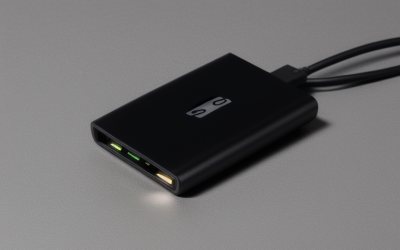
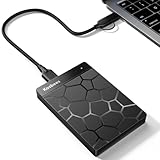
- Top Pick: Kosbees 500 GB External Hard Drives,Portable Hard Drive for Windows,Ultra Slim External HDD Store Compatible with PC, MAC,Laptop,PS4, Xbox one, Xbox 360;Plug and Play Ready
- Best Value: OWC 8TB Envoy Ultra Thunderbolt 5 Portable SSD Enclosure External Drive | Ultra Fast with TB5 Transfer Rates Over 6000MB/s, TB3, TB4 and USB4 Compatible, Works with Mac and PC
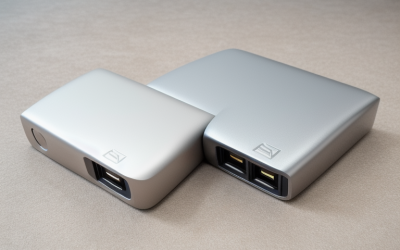
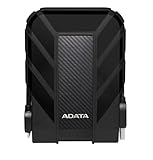
- Premium Choice: ADATA HD710 Pro – 2 TB External Hard Drive – Shockproof, Waterproof & Dustproof – Durable Storage – For Gamers, Students & Professionals – Mac, PC & Linux Compatible – Black – AHD710P-2TU31-CBK
A Surface Pro is thin, light and short on ports, which is exactly why external storage becomes a real purchase decision rather than an afterthought. Its internal drive fills quickly once game installers, project folders and photo libraries pile up, and there is no spare bay to fix it. The keyword here is specific: you need a drive that plugs into a tablet-style Windows machine with one or two connectors, runs without a separate power brick and travels in a bag without drama.
This 2026 roundup sorts seven drives by what their listings actually state: capacity, interface, quoted speed, durability claims and the kind of connector on the cable. It separates spinning portable drives from solid-state ones, flags where a title leaves out important details, and leaves out a laptop drive holder that appeared in the same search because it holds a drive rather than storing data. Treat every speed as a ceiling the maker quotes, not a guarantee of what your Surface will achieve, and read the compatibility line on the product page before you commit.
Quick Picks
As an Amazon Associate we earn from qualifying purchases at no extra cost to you.



| Product | Best for | Key spec from the title |
|---|---|---|
| Kosbees 500 GB portable HDD | Light document backups | 500 GB, ultra slim, plug and play |
| OWC Envoy Ultra 8TB | Professional-scale libraries | Thunderbolt 5, over 6000MB/s, USB4 compatible |
| ADATA HD710 Pro 2 TB | Rough handling and travel | Shockproof, waterproof and dustproof, 2 TB |
| Aiibe 1TB portable SSD | Fast everyday transfers | USB 3.2 Gen 2, up to 1050MB/s |
| Gigastone 1TB portable SSD | Mixed USB-A and USB-C use | USB-C+A, up to 500MB/s, 3-year warranty |
| LaCie Mobile Drive 1TB | Creative backups with services | USB-C 3.2, Adobe plan, rescue services |
| 2TB portable SSD (Gold) | Large capacity in a small body | 2TB, USB3.1, for PC, Mac, Chromebook |
How to Choose
Check the port on your Surface first
Older Surface Pro generations include a full-size USB-A socket, while newer ones lean on USB-C. A USB-C drive needs no adapter on the newer models, and a dual-connector drive covers both cases. Whatever you pick, confirm that the cable in the box matches your port, because a tablet with a single free port makes an adapter dangling off the side a nuisance in a bag or on a lap. If you also use a dock or keyboard accessory, count how many ports remain free.
Choose capacity by what you will store
A 500 GB drive handles documents and a few projects. One terabyte is the practical floor for a game library or video archive, and 2 TB or more makes sense if the drive doubles as a backup of the entire machine. Skip anything whose title does not state a capacity clearly, and be wary of unusual labels buried in a long keyword string. Leave yourself growth room of at least 30 percent beyond what you copy on day one.
Match interface speed to your habits
USB 3.2 Gen 2 is a 10Gbps interface, which is where the 1050MB/s class claims come from, while a drive quoting 500MB/s will be slower on large copies. Thunderbolt 5 and USB4 pages like the OWC listing promise far more, but they only matter if your Surface offers a matching port. For documents, speed is almost irrelevant; for large video files or game installs, a solid-state design finishes much sooner than a spinning one.
Weigh durability and warranty
Spinning drives contain moving parts, so a shock-resistance claim or a rugged shell is worth reading about if the drive rides in a backpack. Solid-state drives have no platters, which helps in transit. Budget-tier models tend to trim warranty length and bundled software, so note the term the title lists, and ignore marketing words such as “ultra” that carry no measurable meaning. A named manufacturer usually makes support easier to find, while an unbranded listing leaves you relying on the seller if something goes wrong.
The 7 Best Options
Kosbees 500 GB Portable HDD
The Kosbees listing describes an ultra slim portable hard drive with plug and play use across Windows, Mac, PS4 and Xbox. It suits someone who wants a basic home for documents and photos without chasing speed, or a spare drive that can double for a console in the living room.
- Strength: slim body is easy to slide into a tablet sleeve.
- Strength: broad compatibility, including consoles, is named in the title.
- Trade-off: 500 GB fills fast, and no interface or speed is stated.
Skip it if you plan to store game libraries or video, or if you need a stated USB generation.
OWC Envoy Ultra 8TB Thunderbolt 5
This is the outlier of the group: an 8TB portable SSD with Thunderbolt 5 transfer rates quoted over 6000MB/s, also described as compatible with Thunderbolt 3, Thunderbolt 4 and USB4. The title says it works with Mac and PC, so it fits a mixed studio where one drive moves between machines.
- Strength: 8TB of solid-state capacity in one portable unit.
- Strength: backward compatibility with Thunderbolt 3, Thunderbolt 4 and USB4.
- Trade-off: the top speed needs a matching Thunderbolt 5 port that most tablets lack.
Skip it if you just need casual backup space; this is premium-tier hardware.
ADATA HD710 Pro 2 TB
The HD710 Pro is a 2 TB external hard drive whose title stresses shockproof, waterproof and dustproof construction. It targets gamers, students and professionals who carry storage everywhere, and the listing adds Mac, PC and Linux compatibility for people who switch between platforms.
- Strength: ruggedness claims suit bag-and-backpack travel.
- Strength: 2 TB capacity at a mid-range tier for a drive with that protection.
- Trade-off: a spinning drive will move large files slower than the solid-state options here.
Skip it if you want the quickest transfers or the thinnest possible body.
Aiibe 1TB External SSD
Aiibe pairs a 1TB capacity with USB 3.2 Gen 2 and a quoted speed of up to 1050MB/s over USB-C. The title also lists use with recent iPhones and laptops, which suggests a small, flexible drive that can serve a phone, a laptop and a Surface in the same week.
- Strength: the highest quoted speed among the mainstream solid-state picks.
- Strength: a USB-C connection suits newer Surface models directly.
- Trade-off: the title lists no warranty term or durability claim.
Skip it if your Surface only has USB-A, or if you need documented ruggedness.
Gigastone 1TB Portable SSD
Gigastone includes both USB-C and USB-A connectors on the same 1TB drive, which is its main selling point for a mixed household of devices. The title quotes up to 500MB/s and a 3-year warranty, and mentions 4K ProRes recording, PS5 and Android use as well.
- Strength: dual connector covers older and newer Surface ports.
- Strength: a 3-year warranty is stated.
- Trade-off: 500MB/s is lower than the Gen 2 maximum other drives quote.
Skip it if raw speed is the priority.
LaCie Mobile Drive 1TB
LaCie sells a 1TB portable hard drive over USB-C 3.2, in a recycled-material casing, with an Adobe plan and rescue services mentioned in the title. It leans toward creative professionals who want bundled extras alongside a clearly labeled model number.
- Strength: bundled Adobe plan and rescue services appear in the listing.
- Strength: a recognized brand with a model code, easing support lookups.
- Trade-off: it is a spinning drive, so large copies take longer than on a solid-state model.
Skip it if you do not use Adobe tools and want a lighter design.
2TB Portable SSD (Gold)
This unbranded listing offers 2TB of solid-state storage on USB3.1, designed for PC, Mac, desktop and Chromebook. It appeals to someone wanting capacity first and brand second, such as a student archiving coursework from several devices.
- Strength: 2TB solid-state capacity for large libraries.
- Strength: works across several platforms per the title.
- Trade-off: no brand, warranty or speed figure is stated.
Skip it if you want a named manufacturer behind support.
Which One Fits Your Situation
You carry your Surface Pro everywhere
The ADATA HD710 Pro makes sense for rough travel thanks to its durability claims. If you prefer no moving parts, the Aiibe 1TB gives a compact solid-state option with USB-C. Either way, store the drive in a padded pocket rather than loose beside keys, since a listed protection claim is not a license to drop it.
You own both new and old computers
The Gigastone 1TB with USB-C and USB-A ends the adapter problem, so one drive can move between an older Surface and a newer machine without extra accessories. That flexibility also helps when a friend or coworker needs to copy files from you on a computer with a different socket layout.
You edit video or run large archives
The OWC Envoy Ultra 8TB is the capacity and speed ceiling, provided your device has a compatible Thunderbolt or USB4 port. For lighter workloads, the 2TB Gold SSD gives a middle path.
You just need a simple backup
The Kosbees 500 GB covers documents and photos, while the LaCie Mobile Drive adds a bundled creative software angle for 1TB of backups. Either one works as an occasional copy of a working folder that you refresh at the end of each week.
Common Mistakes
- Buying a drive without checking whether your Surface has USB-A or only USB-C, then discovering the cable ends in the wrong connector.
- Expecting the quoted maximum speed from a port that cannot support it; a 10Gbps drive in a slower socket simply runs at the slower rate.
- Treating a holder, dock or stand as storage because it appears in search results.
- Choosing too little capacity, then having to repeat the whole migration when the first drive fills within a few months.
- Ignoring the warranty term and brand when the listing leaves them out.
Related guides
- Battery Operated Smoke And Carbon Monoxide Detectors
- Combination Smoke And Carbon Monoxide Detectors
- Aio Liquid Coolers For High Performance Gaming
Frequently Asked Questions
Do external drives need extra power with a Surface Pro?
Portable drives of this size are normally powered through the cable they connect with, but the listings here do not all say so. Confirm the power arrangement on the product page, especially for the large OWC enclosure, since a tablet’s port supplies only limited current and an under-supplied drive may disconnect during long copies.
Is a solid-state drive better than a hard drive here?
For speed and shock tolerance, usually yes. A hard drive offers more capacity for the same budget tier, which is why it still appears in this list.
Will a Thunderbolt 5 drive work on my Surface?
The OWC listing says it is compatible with Thunderbolt 3, Thunderbolt 4 and USB4, so it can connect on those ports, though the top speed needs a matching Thunderbolt 5 port.
Can I use the same drive with a console or a Mac?
Several titles name Mac, PC and even console support. Formatting may need to change when switching between systems, so keep a second copy of anything important before reformatting. A drive that serves as your only copy of a project is a risk regardless of how rugged its shell looks.