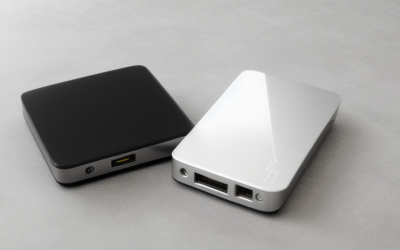
- Top Pick: WD 4TB My Passport, Portable External Hard Drive, Black, Backup Software with Defense Against ransomware, and Password Protection, USB 3.1/USB 3.0 Compatible – WDBPKJ0040BBK-WESN
- Best Value: Seagate Portable 4TB External Hard Drive HDD – USB 3.0, 1-Year Rescue | Everyday HDD storage. Plug-and-play backup. Windows & macOS. Adobe CC trial included. 1-Year Warranty
- Premium Choice: Seagate Portable 5TB External Hard Drive HDD – USB 3.0 for PC, Mac, PS4, & Xbox – 1-Year Rescue Service (STGX5000400), Black
Four terabytes is the point where an external drive stops being a thumb-drive substitute and becomes a real library: a full game collection, a few years of raw photos, or a complete system backup with room to spare. It is also the capacity where the choice splits in two. You can take a spinning hard drive that holds a lot for a modest outlay, or move to a solid-state model that is far faster and tougher but sits in a higher tier. This guide is for anyone who has already settled on 4TB and needs to pick the format, port, and build that fit their desk or bag.
The six drives below all list a 4TB capacity in their titles, so the comparison stays honest. A few listings in the same search results are 5TB or 6TB models, and those are left out on purpose, since a different capacity changes the whole value equation. For 2026 shoppers the practical questions are simple: does it need to be pocketable, does it need to survive a fall, and will you ever move a big folder often enough that transfer speed matters?
Quick Picks
As an Amazon Associate we earn from qualifying purchases at no extra cost to you.



| Product | Best for | Key spec from the title |
|---|---|---|
| WD My Passport 4TB | Password-protected backups | Backup software, ransomware defense, USB 3.1/3.0 |
| Seagate Portable 4TB | Plug-and-play Windows and Mac storage | USB 3.0, 1-year Rescue service |
| SanDisk Extreme Portable SSD 4TB (2000MB/s model) | Fastest transfers in a rugged shell | Up to 2000MB/s, IP65, USB-C 3.2 Gen 2 |
| SanDisk Extreme Portable SSD 4TB (1050MB/s model) | Fast SSD storage on a smaller outlay | Up to 1050MB/s read, 256-bit AES |
| LaCie Rugged USB-C 4TB | Field work and travel | Drop, shock, dust, and rain resistant |
| Seagate Expansion Desktop 4TB | A fixed spot on the desk | Desktop drive, USB 3.0 |
How to Choose
Hard drive or solid state
Two of the six here are SSDs, and the rest are spinning drives. The SSD listings quote up to 1050MB/s and up to 2000MB/s, while a hard drive on USB 3.0 is held to the interface limit of 5Gbps and, in practice, to the speed of its platters. If you copy a 100GB game library once a month, a hard drive finishes while you make coffee. If you edit video straight from the drive, or move large folders daily, the SSD tier earns its place.
Interface and cable
Start with the socket on your computer, since that decides how much of a drive’s headline speed you can use. USB 3.0 and USB 3.1 Gen 1 both top out at 5Gbps, which is plenty for any spinning disk. USB-C 3.2 Gen 2 runs at 10Gbps and is the only one of these that can let an SSD stretch its legs. Check that your computer has a matching port, or budget for an adapter. A USB-C drive plugged into an old USB-A socket with an adapter will still work, just not at the quoted headline speed.
Build and protection
Look at the wording in the title. The LaCie lists drop, shock, dust, and rain resistance, and both SanDisk models list IP65 dust and water resistance plus 3M drop protection. The WD and Seagate portables list none of that, so treat them as desk-and-backpack drives. A spinning drive is the more fragile format when moved while powered, which is why the rugged label matters more on a hard drive than on an SSD.
Software, security, and what to ignore
Password protection and AES encryption matter if the drive carries client files or personal documents. Bundled backup software is a convenience, not a reason to buy. Ignore marketing about Adobe trials and rescue plans unless you would actually use them; a 1-year Rescue term is useful only if you expect to need recovery. Where budget models cut corners: plastic shells, no encryption, and cables that are short or fixed to one port type. Also look at the model code in the title, such as the WDBPKJ0040BBK-WESN or STFR4000800 strings, because it lets you match a listing to the manufacturer’s spec sheet and avoid mixing up capacities that sit side by side in search results.
The 6 Best Options
WD My Passport 4TB
This is the pick for someone who wants a pocketable backup target with some protection built in. The title lists backup software, defense against ransomware, and password protection, so it is aimed at people who treat the drive as the second copy of their important files rather than a scratch disk.
- Strength: password protection is listed, which suits a drive that travels between home and work.
- Strength: USB 3.1/USB 3.0 compatibility means it connects to nearly any recent laptop or desktop.
- Trade-off: it is a spinning hard drive with no rugged or water-resistance claim in the title, so it needs a padded sleeve in a bag.
Skip it if you plan to run games or editing projects directly off the drive, or if you want a shell that shrugs off bumps.
Seagate Portable 4TB
A straightforward everyday drive for buyers who just want space on both Windows and macOS. The title promises plug-and-play backup, a 1-year Rescue service, and an Adobe CC trial, which makes it attractive to students and hobbyists who might need recovery help once.
- Strength: Windows and macOS support is stated up front, so no reformatting guesswork for mixed households.
- Strength: the 1-year Rescue service and 1-year warranty give a safety net on the listing.
- Trade-off: USB 3.0 and a hard drive mechanism mean ordinary speeds and no drop-resistance wording.
Skip it if you need hardware encryption, because the title does not list any.
SanDisk Extreme Portable SSD 4TB (2000MB/s model)
The headline model for people who move large files all day: video editors, photographers on a deadline, or anyone who wants a game library that loads quickly from a portable drive. The title lists up to 2000MB/s transfer speeds, IP65 water and dust resistance, up to 3M drop protection, 256-bit AES encryption, and USB-C 3.2 Gen 2.
- Strength: the quoted speed ceiling is the highest of the six, and it comes with AES encryption.
- Strength: IP65 resistance and drop protection make it the most travel-ready SSD in the group.
- Trade-off: it sits in the premium tier, and the speed is only reachable on a matching high-speed USB-C port.
Skip it if your computer only has older USB-A sockets, since you would never see the speed you paid for.
SanDisk Extreme Portable SSD 4TB (1050MB/s model)
The listing labels this the old model, and it quotes up to 1050MB/s read speeds. The rest of the title matches its sibling: IP65 water and dust resistance, up to 3M drop protection, 256-bit AES encryption, and USB-C 3.2 Gen 2. That makes it a sensible step down for buyers who want solid-state durability without chasing the top speed figure.
- Strength: the same protection and encryption list as the newer model.
- Strength: a still-substantial read speed that is a large jump over any hard drive here.
- Trade-off: it is an older generation, so the speed ceiling is roughly half of the newer model.
Skip it if you regularly copy folders of raw video and want every bit of the faster interface.
LaCie Rugged USB-C 4TB
This one is built for field work. The title lists drop, shock, dust, and rain resistance, USB-C connectivity, and compatibility with Mac and PC, which fits location photographers, drone pilots, and travelers who offload cards every evening and cannot babysit the drive.
- Strength: the broadest set of durability terms among the hard drives in this group.
- Strength: the USB-C connection pairs well with modern laptops and tablets.
- Trade-off: the title names no speed figure or encryption, so it is about protection rather than performance.
Skip it if the drive will live on a desk and never leave, because the rugged shell is wasted there.
Seagate Expansion Desktop 4TB
This is the only desktop-class drive on the list, aimed at a fixed spot beside a monitor or console. It lists 4TB and USB 3.0 with the model code STKP4000400, and the title keeps things simple without extra bundles.
- Strength: a desktop form is a natural fit for an always-on archive or media library.
- Strength: USB 3.0 compatibility keeps setup uncomplicated across PCs.
- Trade-off: it is not described as portable, so it does not suit a bag or a commute.
Skip it if you need to carry your files between locations or want a bus-powered design.
Which One Fits Your Situation
You back up a laptop once a week
The WD My Passport 4TB makes sense: backup software and password protection are in the title, and weekly jobs do not need SSD speeds.
You shoot photos or video on location
Choose the LaCie Rugged USB-C 4TB for the stated drop, shock, dust, and rain resistance. If your workflow includes editing straight from the drive, the SanDisk 2000MB/s model is the step up.
You want the quickest drive for a big library
The SanDisk Extreme Portable SSD 4TB (2000MB/s model) lists the highest speed and the encryption you want for work files. The 1050MB/s model is the sensible alternative if the extra headroom would go unused.
You need a home archive and nothing else
The Seagate Expansion Desktop 4TB or the Seagate Portable 4TB covers it. Pick the desktop unit if it never moves, and the portable one if you want Windows and macOS support in a smaller package.
Common Mistakes
- Buying a USB-C SSD without checking that your computer can feed it a 10Gbps port.
- Treating a single external drive as a backup; keep a second copy of anything irreplaceable.
- Assuming every portable drive is rugged; only some titles list drop or water resistance.
- Skipping the power question; a desktop-class unit may need its own supply, while portable models are normally bus-powered, so read the box contents before you commit.
- Ignoring the format; a drive set up for one operating system may need reformatting for another.
- Picking a 5TB or 6TB listing when the project plan needs a specific 4TB model, then wondering why the numbers differ.
Related guides
- Combination Smoke And Carbon Monoxide Detectors
- Aio Liquid Coolers For High Performance Gaming
- Graphics Cards For Low Wattage Power Supplies
Frequently Asked Questions
Is 4TB enough for a game library?
For most players, yes. Four terabytes holds dozens of large modern titles alongside a media collection. If you install and uninstall often, an SSD model loads and copies noticeably faster than a hard drive.
Do I need an SSD or is a hard drive fine?
A hard drive is fine for backups and archives that you write once and read rarely. Choose an SSD when you edit from the drive, move big folders daily, or expect the drive to be bumped while connected.
What does IP65 mean on a drive listing?
IP65 is an ingress-protection class meaning dust-tight and resistant to water jets, which is why the SanDisk titles mention it. It covers splashes and dust, not full submersion, so keep it out of the sink.
Will these work with a console?
None of the six titles here promise console support, and the LaCie and WD listings name only Mac, PC, or backup use. If a console is the goal, read your console maker’s storage rules before buying, because support depends on the console, the drive type, and how the drive is formatted. Expect to confirm this yourself rather than assume it.