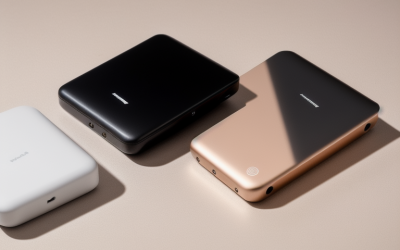
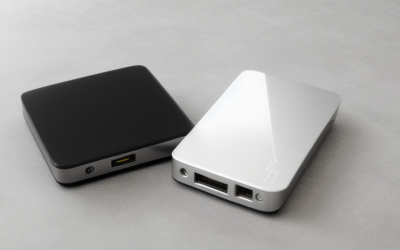
- Top Pick: M.2 Heatsink SSD Cooler for PS5 PCIE NVME or SATA m2 2280 SSD Cooling(Black 2 Pieces)
- Best Value: be quiet! MC1 M.2 SSD Cooler Heatsink, Single and Double Sided 2280 modules | Compatible with M.2 SSD Slot of Playstation, Allows Maximum read/write Speed for an Extended Lifespan, All Black Elegant Look
- Premium Choice: M.2 Heatsink Cooler 2280 SSD Double-Sided Heat Sink with Thermal Silicone pad for PS5/PC PCIE NVME M2 SSD(Black))
An NVMe drive that sprints through a game install and then crawls halfway through is almost always a heat problem. The controller on a fast M.2 stick runs hot, and when it reaches its thermal limit it slows itself down to survive. A heatsink is the cheapest fix, but the category is crowded with near-identical aluminum strips, and the one that fits a PlayStation bay may not clear the graphics card in your tower.
This guide is for builders and console owners adding a heatsink to a 2280 drive. The choices below split into three groups: slim sleeves for a PS5 or tight board, double-sided designs for drives with chips on both faces, and taller heatpipe or fin designs for open desktop slots. What matters is clearance, fit with your drive layout, and what the listing actually says about the pad and clamp.
Quick Picks
As an Amazon Associate we earn from qualifying purchases at no extra cost to you.
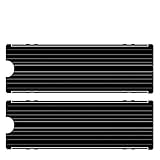


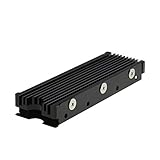


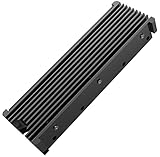
| Product | Best for | Key spec from the title |
|---|---|---|
| Generic PS5 Heatsink, 2 Pieces | Two-drive households | Black, 2 pieces, NVMe or SATA 2280 |
| be quiet! MC1 | Single or double sided drives | 2280, PlayStation M.2 slot compatible |
| Generic Double-Sided Cooler | Pad-included simplicity | Thermal silicone pad, PS5 or PC |
| GLOTRENDS Low-Profile | Tight desktop boards | 5-20 degree cooling claim, tool-free clasps |
| MHQJRH Heatpipe | Heatpipe curiosity | Heatpipe heatsink, dual-sided |
| SABRENT SB-PSHS | PS5 only | Model made for PS5 NVMe |
| be quiet! MC1 Pro | Extended lifespan focus | Fits both-sided M.2 modules |
| Thermalright TR-M.2 Type A B | Desktop high performance | Aluminum, 2280 |
| Bestoss Double Surface | Aluminum alloy value | Double surface dissipation, silicone pad |
| Named-Drive PS5 Heatsink | Samsung or WD drive owners | Lists 990, 980 Pro, SN850, Firecuda 530 |
How to Choose
Check the height before the cooling claim
The most common failure is a heatsink that physically will not fit. Inside a PlayStation 5 the bay lid leaves only a small vertical gap, and Sony publishes the maximum combined height of drive plus cooler, and anything taller keeps the cover from closing. On a PC, tall fin stacks can touch a graphics card that sits just above the top M.2 slot. Find the cooler height in the full listing and compare it with the space you actually have. A slim sleeve that fits is better than a tall tower that does not.
Match the design to the drive’s chip layout
Some SSDs carry memory chips on only one face, others on both. A single-sided heatsink that wraps the top will leave the underside bare on a double-sided drive. Titles marked double-sided, or those that mention both sides, include a pad for each face. If your drive is single-sided, a simple top plate is enough and keeps the profile low.
What the numbers can and cannot tell you
One listing quotes a 5-20 degree cooling range. Treat such a range as an upper-bound marketing claim, since the result depends on case airflow, the drive, and ambient temperature. Controllers commonly begin throttling somewhere in the 70s Celsius, so the practical goal is staying clear of that range during long transfers. Compare materials instead: aluminum is standard, and a heatpipe adds complexity for a part this small.
Where budget models cut corners
Generic units tend to ship with thin pads, weak clips, and no instructions. A pad that is too thin leaves an air gap, and an air gap defeats the whole idea. Tool-free clasps, a named pad thickness, and a clean mounting method are worth more than extra fins. Ignore decorative red, blue, or RGB finishes unless color matching is a goal in itself.
One last check concerns the pad itself. Peel the protective film, press the pad flat against the chips with no trapped bubbles, and avoid reusing a pad that has already been compressed once. If the drive is brand new, leave any factory sticker that is part of the warranty alone and mount the cooler around it, since a few vendors void coverage when a label is removed.
The 10 Best Options
Generic PS5 Heatsink, 2 Pieces
This black set includes two pieces and targets PS5 PCIe NVMe or SATA M.2 2280 drives. It suits someone adding coolers to a console drive and a spare in a PC. A pair also makes sense for a household that keeps one drive in the console and swaps a second between machines.
- Strength: two heatsinks in one pack.
- Strength: listed for both NVMe and SATA 2280 drives.
- Trade-off: there is no brand or clearance figure in the visible text.
Skip it if you want clear height and pad details before purchase.
be quiet! MC1
be quiet! describes the MC1 as a cooler for single and double-sided 2280 modules, compatible with the PlayStation M.2 slot, and designed to preserve maximum read and write speeds. The brand pitch is simple: keep the controller from throttling during long copies, which is the moment a game library move turns slow.
- Strength: handles both drive layouts.
- Strength: PlayStation slot compatibility is stated.
- Trade-off: the visible title gives no height figure.
Skip it if you want a heatpipe or tall fin design.
Generic Double-Sided Cooler
A double-sided 2280 aluminum-style cooler with a thermal silicone pad, aimed at PS5 or PC PCIe NVMe drives. It is the sort of part that suits a first-time builder who wants one pad-and-plate package and no extra shopping.
- Strength: the pad is part of the package.
- Strength: dual-purpose for console and PC.
- Trade-off: unbranded, so support and quality control are unknown.
Skip it if you need a named manufacturer behind the part.
GLOTRENDS Low-Profile
GLOTRENDS describes a low-profile heatsink for 2280 NVMe and SATA drives. The title says it fits desktop PCs and PS5 or PS5 Slim, but not laptops, and highlights tool-free clasps. Clasp mounting means no screws near a drive, which is a relief in a cramped console bay.
- Strength: low profile helps with tight clearance.
- Strength: tool-free clasps simplify installation.
- Trade-off: it is explicitly not for laptops.
Skip it if the drive lives in a laptop.
MHQJRH Heatpipe
MHQJRH offers a heatpipe heatsink for 2280 NVMe, dual-sided compatible, working for PC or PS5 drives. It is the unusual design on this list, so it appeals to buyers who like a bit of engineering behind a small part.
- Strength: the heatpipe adds a different route for moving heat.
- Strength: dual-sided compatibility.
- Trade-off: added height may be a problem in tight bays, and the title lists no figure.
Skip it if your PS5 bay or GPU clearance is tight.
SABRENT SB-PSHS
SABRENT sells this as an M.2 NVMe PS5 heatsink under model SB-PSHS. It is the most narrowly targeted pick here, which is a plus when the console is the only place the drive will live.
- Strength: a named brand focused on the console use case.
- Strength: the model number makes lookup and support easy.
- Trade-off: the title lists no cooling or material detail.
Skip it if you also want a PC option listed in the title.
be quiet! MC1 Pro
The MC1 Pro handles single and double-sided 2280 modules and aims to support maximum read and write speeds over an extended lifespan. Think of it as the step-up sibling for buyers who want the same brand with a stronger endurance pitch.
- Strength: fits both-sided M.2 modules.
- Strength: brand support and a clear design purpose.
- Trade-off: the listing gives no height number in the visible text.
Skip it if budget is your first priority.
Thermalright TR-M.2 Type A B
Thermalright lists an aluminum 2280 heatsink for desktop high performance, with a stated thermal conductivity value that is cut off in the visible text. The Type A B naming suggests more than one variant, so match the exact version to your slot before you order.
- Strength: aluminum construction from a cooling-focused brand.
- Strength: aimed at desktop use where clearance is generous.
- Trade-off: no PS5 mention in the title.
Skip it if the drive goes into a console.
Bestoss Double Surface
Bestoss pairs an aluminum alloy body with double-surface dissipation and a thermal silicone pad for 2280 drives in a PC or PS5. The double-surface wording means both faces of the drive can be covered, which fits SSDs with memory on each side.
- Strength: aluminum alloy with pad included.
- Strength: PC and PS5 both named.
- Trade-off: an unfamiliar brand name, so support is unclear.
Skip it if you need published thickness numbers.
Named-Drive PS5 Heatsink
This listing names Samsung 990, 980 Pro, 970 EVO Plus, SN570, SN750, SN850, and Firecuda 530 drives, in black, for NVMe or SATA 2280. This is the pick for owners who want a quick reassurance that their exact drive is on the list.
- Strength: the compatibility list reassures owners of those drives.
- Strength: black finish suits a PS5 bay.
- Trade-off: a name list is not a clearance guarantee.
Skip it if your drive is not on the list and you want a branded part.
Which One Fits Your Situation
You own a PS5 and a Samsung or WD Black drive
The named-drive PS5 heatsink or the SABRENT SB-PSHS are the safest console picks, since both are framed around that use.
You have a tight desktop board
Pick the GLOTRENDS low-profile heatsink, which states desktop fit and clasps for fast installation. Measure the gap under your graphics card first, because a low profile only helps if the board layout leaves room for even a slim part.
Your SSD has chips on both sides
The be quiet! MC1 and MC1 Pro both state single and double-sided compatibility. The Bestoss double-surface model is a lower-cost alternative.
You want more cooling hardware on an open slot
The Thermalright aluminum unit or the MHQJRH heatpipe suit desktops with space above the slot. Both are the ones to consider when airflow from a case fan already crosses the board and extra surface area can make use of it.
Common Mistakes
- Fitting a heatsink onto a drive that already has a built-in heat spreader.
- Leaving the plastic film on the thermal pad.
- Ignoring height limits in the PS5 bay or beneath a GPU.
- Choosing a single-sided cooler for a double-sided drive.
- Believing a cooling range claim is a guarantee in your case.
Related guides
- Aio Liquid Coolers For High Performance Gaming
- Wireless Gaming Headsets Under 100 For Pc
- Ssds For Large Video And Raw Photo Files
Frequently Asked Questions
Do I need a heatsink on every NVMe drive?
Not always. Many motherboards ship with their own M.2 covers. A separate heatsink matters most in a console bay, a board without a cover, or for drives that move large files often.
Can I stack a heatsink on a drive that already has one?
No. Adding a second cooler over a factory spreader traps heat and may block the lid or slot from closing.
Are SATA M.2 drives helped too?
Several listings cover SATA 2280 drives. SATA models run cooler than fast NVMe ones, so the benefit is smaller, though the part still fits.
Is a heatpipe design worth it in 2026?
Only when clearance allows. For most builds a slim aluminum design with a good pad gives the sensible balance between cooling and fit.