

- Top Pick: Seagate Expansion 24TB External Hard Drive HDD – USB 3.0, with Rescue Data Recovery Services (STKP24000400)
- Best Value: WD 20TB Elements Desktop External Hard Drive, USB 3.0 drive for plug-and-play storage – WDBWLG0200HBK-NESN
- Premium Choice: Western Digital 8TB Elements Desktop External Hard Drive, USB 3.0 external hard drive for plug-and-play storage – Western DigitalBWLG0080HBK-NESN, Black
Once a drive passes 8TB, the questions change. Nobody asks about load times for a single game; they ask where a decade of footage, a full media server library or an entire game archive will live, and what happens when one disk holds that much. The search for “best high capacity hard drives” is really a choice between two paths: a sealed external box you plug in and forget, or a bare internal drive you install in a case or a storage server yourself.
This guide is for hoarders of game installers, video editors, home server builders and anyone consolidating scattered old disks. Ten drives from 8TB to 26TB are compared using only their listing details: capacity, connection, drive class, cache, warranty wording and whether the unit is new or renewed. Capacity is only half of the story, because the stakes of a failure grow with every terabyte you add. Several are enterprise-class drives sold as Renewed, which suits a particular kind of buyer and deserves extra planning for backups.
Quick Picks
As an Amazon Associate we earn from qualifying purchases at no extra cost to you.




| Product | Best for | Key spec from the title |
|---|---|---|
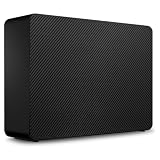
| Seagate Expansion 24TB | Largest plug-in external | 24TB, USB 3.0, Rescue data recovery |
| WD Elements 20TB | Big desktop archive | 20TB, USB 3.0 |
| WD Elements 16TB | Mid-large archive | 16TB, USB 3.0 |
| WD Elements 14TB | Photo and video library | 14TB, USB 3.0 |
| WD Elements 10TB | Compact bulk backup | 10TB, USB 3.0 |
| WD Elements 8TB | Entry bulk external | 8TB, USB 3.0 |
| Seagate BarraCuda 8TB | Desktop internal bay | SATA 6Gb/s, 2-year warranty plus Rescue |
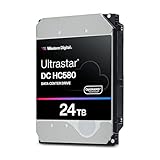
| WD Ultrastar HC580 24TB | Renewed enterprise bay | 24TB, 7.2K RPM, SATA 6Gb/s |
| Seagate Exos 22TB | Renewed server storage | 22TB, 7200RPM, SATA 6Gb/s |
| Seagate Exos 26TB | Largest internal drive | 26TB, CMR, 512MB cache |
How to Choose
External or internal
External Elements and Expansion units plug in over USB 3.0 and need no tools, which suits laptops and consoles. Internal drives need an open 3.5 inch bay, a SATA data cable and a power connector, but can be built into a case or server. If your computer has no free bay, an external is the practical path.
Consumer versus enterprise class
Desktop drives like the BarraCuda are designed for typical daily use. Enterprise-class drives such as the Exos and Ultrastar models are built for constant operation and, as the Exos 26TB title notes, a 2.5M MTBF figure. Enterprise drives are often louder and run warmer, so think about where the machine sits.
Read the sector format and cache
Labels such as 512e and 512n describe sector emulation and matter mainly for older systems, so confirm that your controller or operating system supports the one you choose. A larger cache, like the 512MB on the Exos 26TB, helps with mixed workloads but matters less for sequential archive writes.
Plan for failure at this size
A single 20TB disk is a very large basket. Renewed drives especially come with no clear history, and recovery tools only help so much. Budget for a second drive or a mirror, and treat any single large disk as the home of data you could rebuild or have copied elsewhere.
The 10 Best Options
Seagate Expansion 24TB
The largest plug-in external in the group lists 24TB, a USB 3.0 connection and Rescue Data Recovery Services bundled into the package, a rare extra in this category. It is aimed at buyers who want maximum capacity in one sealed box, with no case to open and no cables beyond the ones supplied. Think of it as the single destination for a decade of scattered disks.
- Strength: 24TB in a single external consolidates years of older drives.
- Strength: The listing includes a data recovery service, which is useful for a drive holding this much.
- Trade-off: USB 3.0 is a modest interface for moving that much data.
Skip it if you need a bare internal drive for a server bay.
WD Elements 20TB Desktop
Western Digital’s 20TB Elements is a desktop external drive that connects over USB 3.0 and advertises plug-and-play storage. The model number is printed in the title, which helps when you want to match it against support pages. It suits a household that wants one very large archive for photos, recordings and installers sitting on a shelf beside the computer.
- Strength: Plug-and-play setup means it is ready within minutes.
- Strength: 20TB leaves room for several generations of backups.
- Trade-off: As a desktop unit it belongs on a shelf, not in a bag.
Skip it if you travel with your storage.
WD Elements 16TB Desktop
The 16TB model repeats the Elements formula at a middle capacity: USB 3.0, a desktop enclosure and the same plug-and-play use. It is the sensible landing spot for someone whose library has outgrown a smaller external drive, yet who does not expect to fill 20TB in the next few years.
- Strength: 16TB sits comfortably between the biggest and smallest WD options in this guide.
- Strength: The connection and design are identical to its larger sibling, so swapping later is painless.
- Trade-off: No encryption, software or recovery service appears in the title.
Skip it if you want bundled recovery coverage.
WD Elements 14TB Desktop
This 14TB version uses the same USB 3.0 desktop casing as its siblings and fits a growing photo or video collection. For a hobbyist who shoots large RAW files or keeps lengthy game captures, it is a quiet spot to move finished projects and free up the internal drive in the main computer.
- Strength: 14TB holds a sizable media library without reaching for server hardware.
- Strength: The Elements naming makes it simple to compare against the other capacities.
- Trade-off: The title offers no durability or warranty wording.
Skip it if you plan to place the drive inside a case.
WD Elements 10TB Desktop
The 10TB option brings the same USB 3.0 desktop design at a more modest size. It works as a full-system backup target for a single main computer, with enough room for a few historical copies plus a pile of video and music on the side. For many home users this is the capacity where the drive stops being a worry and starts being a routine part of the weekly backup habit.
- Strength: 10TB is ample for one person’s complete system and media backup.
- Strength: The external design requires no installation or tools.
- Trade-off: It will not stretch to server-size archives.
Skip it if your collection already exceeds 10TB.
WD Elements 8TB Desktop
The smallest Elements here offers 8TB in a USB 3.0 desktop box, working as a clean upgrade from an older, smaller external. It is the easiest on-ramp into bulk storage for someone whose needs grew faster than their last drive, and its black enclosure matches the rest of the line.
- Strength: It is the most approachable entry into high-capacity external storage.
- Strength: Setup is the same as every other Elements model, so there is nothing new to learn.
- Trade-off: Capacity is the lowest in this guide, so headroom is limited.
Skip it if you want years of growth room or expect your library to double soon.
Seagate BarraCuda 8TB Internal
The only new internal drive here is a SATA 6Gb/s desktop HDD described as suitable for everyday PC storage, gaming and computing. The listing highlights a two-year warranty plus two-year Rescue coverage, which gives a home builder a clearer safety net than the renewed enterprise models, and an 8TB internal disk is still a roomy home for a whole Steam library.
- Strength: New stock with warranty and recovery coverage stated in the title.
- Strength: A desktop design suited to a gaming PC rather than a server rack.
- Trade-off: 8TB is modest next to the enterprise capacities listed below it.
Skip it if you need more than 20TB of space.
WD Ultrastar DC HC580 24TB (Renewed)
An enterprise 3.5 inch SATA drive at 7.2K RPM with 512e formatting, labeled Renewed, meaning it has been refurbished and resold. The number string in the title is long, so copy it exactly when checking compatibility. It appeals to server builders who want maximum capacity per bay and are comfortable managing risk with backups and mirrored copies.
- Strength: 24TB of enterprise-class capacity packed into one 3.5 inch bay.
- Strength: SATA 6Gb/s fits ordinary motherboards and host adapters.
- Trade-off: Renewed status, with no warranty wording in the title.
Skip it if you want new hardware with clear coverage.
Seagate Exos 22TB (Renewed)
Another renewed enterprise drive: 22TB, 7200RPM, SATA 6Gb/s in a 3.5 inch body, with the ST22000NM000C model number included. It sits just below the largest capacities, which suits builders who want large bays without chasing the very top of the range. Because the title lists no cache figure, check the manufacturer data sheet for that detail.
- Strength: 22TB handles heavy archive and media server duty.
- Strength: The Exos line is positioned for constant operation.
- Trade-off: Renewed stock with no warranty detail shown.
Skip it if you prefer the convenience of a sealed external.
Seagate Exos 26TB (Renewed)
The biggest drive in the guide lists 26TB, CMR recording, 512MB of cache, 7200 RPM and a 2.5M MTBF figure, all in a renewed 3.5 inch SATA unit. It is the spec-sheet leader for anyone building a large array who cares about recording method and capacity per slot.
- Strength: 26TB is the highest capacity listed anywhere in this roundup.
- Strength: CMR recording and 512MB of cache are spelled out in the title.
- Trade-off: Renewed, and enterprise drives are often louder than desktop models.
Skip it if quiet operation or brand-new stock matters most.
Which One Fits Your Situation
You want plug-in simplicity
Pick the Seagate Expansion 24TB or one of the WD Elements drives, scaling capacity from 8TB to 20TB to match your library. Starting with the 10TB or 14TB models leaves a clean upgrade path later.
You are building a home server
The Seagate Exos 26TB or WD Ultrastar 24TB fit bare-drive bays, provided you accept renewed stock and plan backups.
You want new internal storage
The Seagate BarraCuda 8TB is the one new internal drive with a listed warranty. Pair two of them in a mirror if the files matter, rather than stretching to a single enormous renewed unit.
You edit video or archive photos
The WD Elements 14TB or 16TB give a spacious scratch and archive area that you can unplug and store when a project is finished.
Common Mistakes
- Putting years of irreplaceable data on one drive.
- Expecting USB 3.0 to move 20TB quickly.
- Installing an enterprise drive in a quiet bedroom PC.
- Forgetting the SATA power connector for an internal drive.
- Ignoring the Renewed label and assuming it carries the same warranty as new stock.
- Choosing a capacity based on today’s library instead of a two-year growth estimate.
Related guides
- Aio Liquid Coolers For High Performance Gaming
- How To Lower Input Delay In Competitive Shooters
- External Hard Drives For Music Production
Frequently Asked Questions
Are renewed drives safe?
They can be reliable, but their earlier use is unknown and the listing may not describe warranty terms. Pair them with backups or a mirrored second drive, and treat the first weeks as a burn-in period where you watch for errors.
Do I need a special cable?
Externals ship ready to use with their own cable. Internals need a SATA data cable, a power connector from the supply and a free 3.5 inch bay, so check your case before buying.
Is 2026 a good time to buy 20TB drives?
Capacity tiers keep climbing, so decide by need rather than waiting. If your library is already close to the limit of your current disks, a larger drive now saves a messy migration later.
Can I use these in a NAS?
Internal enterprise drives can fit a NAS bay if the enclosure supports their capacity, so confirm the maximum drive size in the manual. Desktop externals are USB boxes and are not meant to be pulled apart for a NAS.















