

- Top Pick: SanDisk 256GB Extreme PRO SD UHS-I Card, Up to 250MB/s Read and 170MB/s Write, 4K UHD, Full HD, U3, V30, SDSDXXJ-256G-GSCIN
- Best Value: SanDisk 128GB Ultra SDXC UHS-I Memory Card, Up to 140MB/s, C10, U1, Full HD, SD Card, SDSDUNB-128G-GN6IN
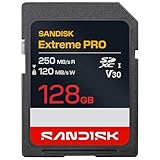
- Premium Choice: SanDisk 128GB Extreme PRO SD UHS-I Card, Up to 250MB/s Read and 120MB/s Write, 4K UHD, Full HD, U3, V30, SDSDXXJ-128G-GSCIN
A DSLR does not care how pretty a card’s label looks; it cares how fast the card can swallow a burst of RAW files and how steadily it can write a long video clip. Pick a card with too little write speed and the buffer light stays on while the shot you wanted passes by. Pick one with far more speed than the camera body can use and you carry capacity or performance the camera never touches.
This guide is for shooters moving from a kit-lens starter DSLR to events, family sports, or weekend video, and for anyone replacing a card that finally gave up. Ten SD cards are compared here for 2026, mostly from SanDisk with a PNY multipack and a Gigastone alternative, judged only by the figures printed in their titles. Each entry says what the title promises and what it leaves unsaid.
Quick Picks
As an Amazon Associate we earn from qualifying purchases at no extra cost to you.




| Product | Best for | Key spec from the title |
|---|---|---|
| SanDisk Extreme PRO 256GB | Fast bursts and 4K video | 250MB/s read, 170MB/s write, V30 |
| SanDisk Extreme PRO 128GB | All-round action shooting | 250MB/s read, 120MB/s write, V30 |
| SanDisk Extreme PRO 1TB | Heavy video archives | 200MB/s read, 140MB/s write |
| SanDisk Extreme PRO 64GB (200MB/s) | Event photography | 200MB/s read, 90MB/s write, app support |
| SanDisk Extreme PRO 64GB SDXC | Compact 4K-ready card | C10, U3, V30 |
| GIGASTONE 128GB 4K Camera Pro | Alternative brand with recovery coverage | 150MB/s read, A1, V30, U3 |
| SanDisk Ultra 128GB | Casual photography | 140MB/s, C10, U1 |
| SanDisk Ultra 64GB | Basic Full HD shooting | 100MB/s, C10, U1 |
| SanDisk Ultra 32GB SDHC | Weather-conscious light use | 100MB/s, water-resistant |
| PNY Elite 32GB 5-Pack | Multi-card workflows | C10, U1, V10, five cards |
How to Choose
Match Write Speed to What You Shoot
For stills of landscapes or portraits, a U1 card with a 10MB/s minimum write is fine. Burst shooting and RAW files push you toward U3 cards, since a faster write lets the camera empty its buffer sooner. For 4K video, look for V30 or U3 labels, which promise at least 30MB/s sustained writing. Ignore the largest “up to” read number when judging a shooting card; write speed does the work in camera.
Check What Your Camera Body Supports
Cards of 32GB and under are SDHC, while 64GB and above are SDXC, and 1TB uses the exFAT file system. Older DSLRs sometimes cannot read SDXC at all, and many only use the UHS-I bus, so any extra interface speed is wasted. Check the manual before buying a very large or very fast card.
Choose Capacity by Workflow
A 64GB card holds a day of RAW stills for most shooters. A 128GB or 256GB card makes sense for video or multi-day trips. A 1TB card concentrates a lot of footage on one piece of plastic, so plan for regular offloads. Several smaller cards in a multipack spread the risk and help you rotate between shoots.
Look at Durability and Recovery Terms
Some titles mention water resistance, impact resistance, or data-recovery coverage. Those details matter on location and for client work, where a damaged card can ruin a shoot. Ignore marketing language that stands in for real specifications, and keep the original model number for warranty claims.
The 10 Best Options
SanDisk Extreme PRO 256GB (SDSDXXJ-256G-GSCIN)
This is the top performer in the group, built for shooters who record 4K video or long bursts. The title lists up to 250MB/s read, up to 170MB/s write, UHS-I, U3, V30, and 4K UHD support.
- Highest listed write speed here
- 256GB suits long events and video work
- Trade-off: it carries the biggest listed speeds, which basic cameras may not be able to use
Skip it if your DSLR is an older entry-level body that cannot use the extra speed. A card like this earns its place in a camera that shoots long bursts or 4K, where the buffer and the sustained write rate set the pace. In a basic body, most of the headroom goes unused, and a smaller U3 card does the same job.
SanDisk Extreme PRO 128GB (SDSDXXJ-128G-GSCIN)
The 128GB version lists the same 250MB/s read figure and a 120MB/s write number, with U3, V30, and 4K UHD. It fits sports and wildlife photographers who want fast buffer clearing without paying for the largest size.
- V30 and U3 for sustained writing
- Room for a full day of RAW files
- Trade-off: lower write speed than the 256GB sibling
Skip it if you shoot only casual snapshots. The lower write figure than the 256GB version is the main difference, so weigh capacity against speed. For most action photographers, 120MB/s of listed write speed is already generous, and the saved capacity tier is easy to justify.
SanDisk Extreme PRO 1TB (SDSDXXD-1T00-GN4IN)
A massive card for multi-day video shoots. The title lists up to 200MB/s read, up to 140MB/s write, V30, U3, C10, 4K UHD, and QuickFlow technology.
- 1TB of capacity on a single card
- V30 and U3 classes for video recording
- Trade-off: putting that much footage on one card raises the stakes if it fails
Skip it if your camera is old enough not to support exFAT, or if you prefer rotating several smaller cards. The QuickFlow wording in the title refers to a manufacturer feature, so treat it as a bonus rather than a reason to buy. Video shooters who offload to a laptop every evening will get the most from the size.
SanDisk Extreme PRO 64GB (200MB/s, SDSDXXU-064G-GSCIN)
The title lists up to 200MB/s read and up to 90MB/s write, with V30, U3, C10, and a SanDisk app for backup and transfer. It is a compact choice for event photographers who rotate cards.
- V30 and U3 labels
- App-based backup and transfer mentioned
- Trade-off: 64GB goes quickly when you shoot RAW and video together
Skip it if you want a bigger single card. Because the title pairs a lower write number with fast read, it favors quick offloading to a computer over sustained recording, so it suits stills better than long video. The app mention is a small convenience for backing up files.
SanDisk Extreme PRO 64GB SDXC (SDSDXXU-064G-GN4IN)
A more modest Extreme PRO listing, with C10, U3, V30, and 4K UHD in the title but no read or write figures. It suits shooters who value the label tier more than a headline speed.
- U3 and V30 for 4K-ready recording
- SDXC capacity
- Trade-off: the title gives no speed numbers to compare
Skip it if you want listed MB/s figures to compare cards. This listing is a good fit when the camera is the limit and the label tier is what you need. Compare it with the other 64GB Extreme PRO listing by reading the model numbers in each title before you order.
GIGASTONE 128GB 4K Camera Pro
The only non-SanDisk single card here besides the PNY multipack. The title lists 150MB/s read, A1, V30, U3, Class 10, a 5-year data recovery offer, and a mini case.
- V30 and U3 labels at 128GB
- Data recovery coverage and a case are mentioned
- Trade-off: no write speed figure in the title
Skip it if you want a brand with a longer track record in professional cameras. The recovery offer is a useful extra, but it does not replace regular backups. It is worth considering when you want V30 and U3 labels from a different maker than the rest of the group.
SanDisk Ultra 128GB (SDSDUNB-128G-GN6IN)
A mainstream Ultra card for family snapshots and casual video. The title lists up to 140MB/s, C10, U1, and Full HD, with no 4K label.
- 128GB of space for photos and 1080p clips
- U1 is fine for most still photography
- Trade-off: no U3 or V30 label for 4K video
Skip it if you shoot bursts of RAW images or 4K clips. It suits relatives borrowing a DSLR for holidays, where the camera mostly shoots JPEG at normal speed. The 128GB size means you can go a long time before offloading, which suits casual users who forget.
SanDisk Ultra 64GB
Titled with 100MB/s, C10, U1, and Full HD, this is a simple card for a weekend shooter. It covers JPEG photography and basic 1080p video.
- Reliable U1 class for stills
- 64GB is enough for a day out
- Trade-off: slower buffer clearing during RAW bursts
Skip it if your DSLR shoots long RAW sequences. It is the simplest way to keep a beginner kit supplied with storage. If you later move up to burst shooting or 4K, you can step up to one of the Extreme PRO cards and keep this one as a spare.
SanDisk Ultra 32GB SDHC
The title highlights 100MB/s read, water resistance, and impact resistance. At 32GB it is meant for lighter use, such as a backup card or a beginner kit.
- SDHC format works in older cameras
- Water- and impact-resistant design is listed
- Trade-off: only 32GB, and no U3 label
Skip it if you want 4K video capability. The water- and impact-resistance wording is helpful for outdoor shoots, though no card is a substitute for careful handling. It makes the most sense as a spare in the camera bag or a card for a child’s first camera.
PNY Elite 32GB SDHC 5-Pack
Five 32GB cards in one pack, listing C10, U1, V10, UHS-I, up to 100MB/s read, and compatibility with DSLR and video cameras. It suits classes, small studios, or multi-camera shoots that need many cards.
- Five cards for rotating through a long shoot
- Full HD video quality listed
- Trade-off: each card is 32GB and V10 only
Skip it if you need one large fast card for 4K. The V10 label is a 10MB/s video class, which is enough for Full HD but not for 4K. Multi-card shooters can tag each card to a photographer or a day, which keeps files organized and spreads the risk.
Which One Fits Your Situation
You Shoot Sports or Wildlife Bursts
The SanDisk Extreme PRO 256GB or 128GB gives the strongest listed write numbers for clearing a RAW buffer quickly.
You Record 4K Video on a DSLR
Choose an Extreme PRO with V30, such as the 1TB for long takes or the 128GB for shorter projects.
You Shoot Casual Family Photos
The SanDisk Ultra 64GB or 128GB is enough, since U1 handles still photography.
You Run a Group or Classroom
The PNY 5-pack puts a card in every camera, which simplifies lending.
Common Mistakes
- Choosing by the largest “up to” read figure instead of write class.
- Buying SDXC for a camera that only supports SDHC.
- Putting a whole trip of footage on one large card with no backup.
- Pulling a card out mid-write instead of powering the camera down.
- Skipping a format in the camera before the first shoot.
Related guides
- Aio Liquid Coolers For High Performance Gaming
- How To Lower Input Delay In Competitive Shooters
- Wireless Gaming Headsets Under 100 For Pc
Frequently Asked Questions
Do I need a UHS-II card?
Not for these listings, which are UHS-I. A UHS-II card in a UHS-I camera runs at the slower interface anyway.
What does V30 mean?
V30 promises at least 30MB/s of sustained writing, which is the usual minimum for 4K video recording.
Should I format the card in the camera?
Yes. Formatting in the camera sets up the file structure the camera expects and clears old data.
Is a bigger card always better?
No. A larger card holds more but concentrates risk. Many photographers prefer a few mid-size cards.















