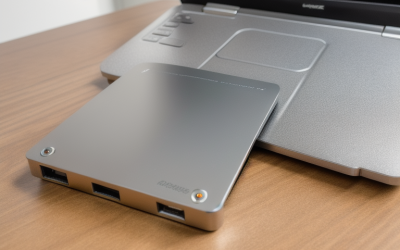
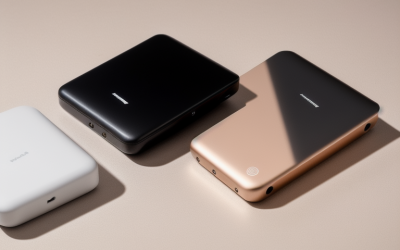
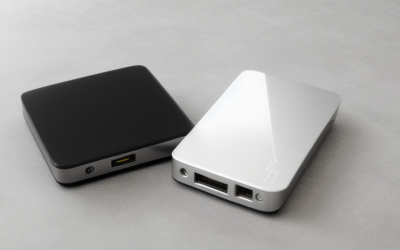
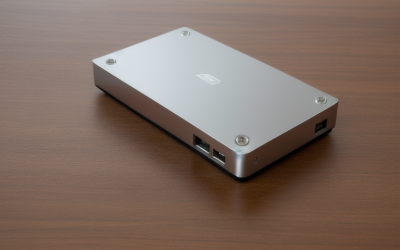
- Top Pick: OSCOO 1TB Touchscreen Encrypted External SSD Hard Drive, Up to 2000MB/s | Magnetic Portable SSD,Password Protection, Smart Display, Compatible with MagSafe, iPhone, MacBook, Laptop & Gaming Consoles
- Best Value: Seagate 2TB Portable Hard Drive | USB 3.0 (STGX2000400) | Everyday HDD storage. Plug-and-play backup. Windows & macOS. Adobe CC trial included. 1-Year Warranty
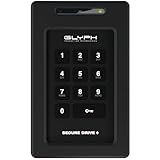
- Premium Choice: Glyph SecureDrive+ 1TB 360 MB/s Encrypted USB-C Portable SSD With Keypad | USB 2.0/3.0 & Thunderbolt 3 Compatible, Hardware Encryption With Keypad Authentication, Rugged Production-Grade Reliability
An encrypted external drive answers a narrower question than a plain backup disk: what happens if the drive is lost, left on a train or picked up by someone else? Anyone can copy files to a portable disk, but only some models scramble the contents so that a found drive stays unreadable. For game saves and mod folders that hardly matters. For tax records, client work, family photos or a streaming library of unreleased footage, it matters a great deal.
Think of two separate jobs: keeping the data away from strangers, and keeping it alive if the hardware fails. Encryption handles the first job only, so every drive here still needs a second copy of anything you cannot replace.
This 2026 roundup is for buyers who want protection built into the drive itself rather than relying only on operating-system tools. The listings below span a keypad-protected portable SSD, a hardened rugged HDD, password-protected My Passport drives in three capacities, and two 256-bit AES portable SSDs. Two plain Seagate drives from the same search were dropped because their titles describe storage and backup, not encryption or password protection.
Quick Picks
As an Amazon Associate we earn from qualifying purchases at no extra cost to you.





| Product | Best for | Key spec from the title |
|---|---|---|
| OSCOO 1TB Touchscreen | Phone and laptop users who like a display | Up to 2000 MB/s, password protection, magnetic |
| Glyph SecureDrive+ 1TB | Locking the drive without any software | Hardware encryption with keypad, USB-C |
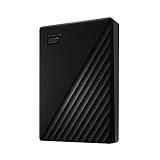
| WD My Passport 5TB | Big backups with password protection | 5 TB, USB 3.1/3.0, password protection |
| WD My Passport 4TB | Mid-size backup archive | 4 TB, ransomware-defense backup software |
| WD My Passport 2TB | Everyday portable backup | 2 TB, password protection |
| iStorage diskAshur2 5TB | Sensitive records and field use | Hardware encryption, dust/water-resistant |
| SanDisk Extreme 2TB (Old Model) | Rugged portable SSD with AES | Up to 1050 MB/s, 256-bit AES, IP65 |
| SanDisk Extreme 1TB (New Model) | Fast, rugged and compact | Up to 2000 MB/s, 256-bit AES, IP65 |
How to Choose
Know which kind of protection you are buying
Hardware encryption means the drive itself encrypts data with a key that a keypad or password unlocks, so the computer needs no special program. Software password protection depends on a utility installed on each machine. Read titles for phrases such as hardware encryption or 256-bit AES rather than the vague word secure. Also check whether unlocking happens on the drive (keypad or touchscreen) or on the computer, because on-drive unlocking keeps the password away from a possibly infected host.
Pick the capacity by what you protect
Documents and photos fit comfortably in 1 TB. Full system images or multi-year backups push you to 4 TB or 5 TB. Remember that an encrypted drive does not make a backup: keep the files on at least one other disk. If you plan to image a whole laptop, add up the used space first and leave room for the next two years of growth.
Choose SSD or HDD by how you move the drive
Solid-state models have no moving parts, a point if the drive travels in a bag. Spinning drives give far more capacity per unit of budget but dislike drops. Spinning disks also take longer to spin up and are slower with many small files. Look for IP65 dust and water resistance or a stated drop-protection figure if the drive leaves the house.
Check ports and operating systems
USB-C 3.2 Gen 2 suits recent laptops and phones, while USB 3.0 and 3.1 are fine for older machines. A keypad drive that works without drivers is easier to share between Windows, Mac and consoles. Budget models often cut corners on included cables and on speed once the drive warms up, and some skip a protective sleeve or a USB-C to USB-A adapter, so confirm what ships in the box.
The 8 Best Options
OSCOO 1TB Touchscreen Encrypted SSD
A 1 TB portable SSD that adds a touchscreen and a smart display, with password protection and speeds listed up to 2000 MB/s. The magnetic design and MagSafe wording point at iPhone owners who want to attach it to the back of a phone.
- Strength: Password entry happens on the drive’s own display.
- Strength: Listed as compatible with iPhone, MacBook, laptops and gaming consoles.
- Trade-off: The title names password protection but not a specific encryption standard.
Skip it if you need a published AES level for compliance reasons, or if typing a code on a small screen in public does not appeal to you.
Glyph SecureDrive+ 1TB
This 1 TB USB-C portable SSD carries hardware encryption with keypad authentication, so you type a code on the drive before it mounts. Transfer speed is listed at 360 MB/s, and the listing mentions Thunderbolt 3 compatibility.
- Strength: Keypad unlock requires no software on the host computer.
- Strength: Rugged, production-grade build as stated.
- Trade-off: 360 MB/s is slower than the fastest SSDs here.
Skip it if raw transfer speed matters more than hardware-level locking, for example when moving a whole video project every day.
WD My Passport 5TB
The largest My Passport entry, at 5 TB with USB 3.1 and 3.0 compatibility. The listing mentions backup software with defense against ransomware and password protection.
- Strength: Huge capacity for a full machine backup.
- Strength: Password protection is part of the stated feature set.
- Trade-off: As a spinning HDD it is more sensitive to knocks than an SSD.
Skip it if you travel frequently with the drive in a loose bag, since a shock-resistant SSD suits that habit better.
WD My Passport 4TB
The same family at 4 TB, with the same USB 3.1/3.0 connection and password protection wording. It sits in the middle for people who have outgrown 2 TB but do not need 5 TB.
- Strength: Capacity covers years of photos and project files, a sensible middle step between the 2 TB and 5 TB models.
- Strength: Backup software is included according to the listing.
- Trade-off: The title does not state hardware encryption or an AES level.
Skip it if you need to prove a specific encryption standard, or if you want the drive to unlock without any program on the computer.
WD My Passport 2TB
The entry My Passport option, listing password protection, ransomware-defense backup software and USB 3.1/3.0 support at 2 TB. Its simplicity suits a household backup disk kept on a shelf.
- Strength: Smallest capacity in the family, suited to documents and photos.
- Strength: Works with USB 3.0 ports on older computers.
- Trade-off: Same HDD mechanics, so it is not built for rough handling.
Skip it if you want a drive that unlocks without a computer, or if you need something sized for a whole decade of footage.
iStorage diskAshur2 HDD 5TB
Aimed at buyers handling sensitive data. The title lists hardware encryption, password protection and dust and water resistance on a 5 TB portable hard drive.
- Strength: Hardware encryption with password protection.
- Strength: Dust and water resistance for fieldwork, such as a site visit where the drive sits on a dusty table.
- Trade-off: It is a hard drive, so there is no SSD speed or shock resistance.
Skip it if you want fast transfers of large video files, because a mechanical disk will lag behind every SSD in this guide.
SanDisk Extreme Portable SSD 2TB (Old Model)
This 2 TB version lists up to 1050 MB/s over USB-C 3.2 Gen 2, with 256-bit AES encryption, IP65 water and dust resistance and up to 3M drop protection. The listing flags it as the older model.
- Strength: Capacity doubles the 1 TB sibling.
- Strength: AES 256-bit, IP65 and drop protection together.
- Trade-off: Speed is half that of the newer model listed beside it.
Skip it if you want the faster current generation, or if you would rather not buy a model that the seller labels as older.
SanDisk Extreme Portable SSD 1TB (New Model)
The newer generation, with speeds up to 2000 MB/s on USB-C 3.2 Gen 2 and the same 256-bit AES, IP65 and 3M drop protection wording. It is the compact, fast pick of the group.
- Strength: Fastest speed claim from a mainstream brand here.
- Strength: Rugged shell with stated drop protection.
- Trade-off: Only 1 TB, so large libraries will outgrow it.
Skip it if you need multiple terabytes in one drive, in which case the 2 TB sibling or a My Passport is the roomier choice.
Which One Fits Your Situation
You carry client files between sites
The Glyph SecureDrive+ or the iStorage diskAshur2 lock with their own controls, so the unlock step never touches the host machine. The Glyph suits a shared Windows and Mac workflow; the iStorage adds weather resistance and far more space.
You back up a family computer
The WD My Passport 4TB or 5TB offers room for photos and documents, with password protection for the drive. Pick 4 TB if you want a cushion, and 5 TB if you plan to keep several computers’ worth of history on one disk.
You edit footage or move big folders
The SanDisk Extreme 1TB (new model) pairs the fastest listed speed with 256-bit AES and a rugged body. Its 1 TB capacity also keeps the file count manageable, which suits a focused set of working folders.
You use an iPhone and a MacBook
The OSCOO touchscreen drive is the one whose title names MagSafe, iPhone and MacBook compatibility. Pair it with a second copy on a WD My Passport so a single loss does not erase the footage.
Common Mistakes
- Treating password protection and hardware encryption as the same thing, when only the second keeps data locked inside the drive itself.
- Counting an encrypted drive as the only copy of important files.
- Storing the unlock code or password in a note taped to the drive.
- Choosing an HDD for a drive that will be carried daily, when a solid-state model handles bumps better.
- Skipping the cable check: a USB-C drive plugged into a slow port will not hit its listed speed.
Related guides
- Battery Operated Smoke And Carbon Monoxide Detectors
- Combination Smoke And Carbon Monoxide Detectors
- Aio Liquid Coolers For High Performance Gaming
Frequently Asked Questions
Is 256-bit AES enough for personal files?
It is the encryption level widely used for sensitive data and is far beyond what a casual thief could break; the listings for both SanDisk Extreme SSDs name it directly. The stronger risk is a weak or reused password, so choose a long one.
What if I forget the password or code?
On true hardware-encrypted drives the data is generally unrecoverable, which is the point, and a reset usually wipes the drive so it can be reused. Keep the code somewhere safe and separate from the drive.
Does an encrypted drive slow down transfers?
Drives with a dedicated encryption controller handle it in hardware, so the speed in the title is the number to compare. Software-based protection can add some overhead.
Do these work with game consoles?
The OSCOO title names gaming consoles. For the others, check the console maker’s storage rules, since encryption and formatting can limit compatibility. The SanDisk, WD, Glyph and iStorage titles do not name consoles, so confirm console support before ordering.