

- Top Pick: SanDisk 32GB Ultra 100MBs SDHC Memory Card | Up to 100MB/s read, Water-resistant design, Impact-resistant build
- Best Value: SANDISK 64GB Extreme PRO SD Memory Card, Up to 200MB/s Read Speeds, UHS-I | V30, U3, C10, 4K UHD, Full HD, Up to 90MB/s Write Speeds, Backup + Transfer with SANDISK App – SDSDXXU-064G-GSCIN
- Premium Choice: SANDISK 128GB Ultra SD Memory Card, Up to 195MB/s Read Speeds, UHS-I | U1, C10, Full HD, Ideal for Compact to Mid Range Cameras & Camcorders, Backup & Transfer with SANDISK App -SDSDUVQ-128G-GN6IN
Panasonic Lumix cameras span a huge range, from pocket compacts and superzooms to mirrorless bodies that record 4K video, and the card that suits one can hold another back. The decision behind a list of the best SD cards for Panasonic Lumix cameras starts with two limits: the capacity class your camera accepts (SDHC up to 32GB or SDXC beyond that) and the video mode you plan to shoot, because 4K recording asks for a faster write class than Full HD stills and clips.
This guide is for Lumix owners who want a short, honest list of nine cards, from basic 32GB SDHC cards to 4K-rated SDXC cards in larger sizes. Specs come only from the product titles, so match them to your camera manual before buying. The advice applies to 2026 shopping, and it focuses on speed class markings, capacity and extras rather than any brand loyalty.
Quick Picks
As an Amazon Associate we earn from qualifying purchases at no extra cost to you.




| Product | Best for | Key spec from the title |
|---|---|---|
| SanDisk 32GB Ultra SDHC | Older compacts and stills | Up to 100MB/s read, water-resistant |
| SanDisk 64GB Extreme PRO | 4K video on a Lumix | V30, U3, up to 90MB/s write |
| SanDisk 128GB Ultra (195MB/s) | Full HD with more room | Up to 195MB/s read, U1, C10 |
| SanDisk 32GB Ultra (120MB/s) | Rugged-conditions shooting | Temperature, water and shock proof |
| SanDisk 128GB Ultra SDXC | High-capacity stills | 100MB/s, C10, U1, Full HD |
| BigBuild 32GB | Lumix DMC-FZ72 owners | 90MB/s SDHC named for that camera |
| GIGASTONE 32GB 2-Pack | Two spare cards | U1, Class 10, two cases |
| GIGASTONE 256GB 4K Camera Pro | Large 4K shooting capacity | V30, A1, up to 170MB/s |
| GIGASTONE 128GB 4K Camera Pro | 4K-rated mid capacity | 150MB/s read, U3, V30, A1 |
How to Choose
Check SDHC versus SDXC support first
Cards up to 32GB are SDHC, and 64GB and above are SDXC. Some older Lumix compacts accept only SDHC, so a 128GB card could be unreadable. Confirm your camera’s supported capacity in the manual, then shop only within that range. This step prevents the most common compatibility mistake.
Read the speed class symbols
Class 10 and U1 mark a 10MB/s minimum write speed, which suits Full HD video and stills. U3 and V30 mark a 30MB/s minimum, which is the level typically asked for with 4K recording. Read speeds like 195MB/s help when copying files to a computer but do not guarantee write speed in camera, so ignore the biggest headline number.
Pick capacity by how you shoot
Thirty-two gigabytes holds thousands of compact-camera JPEGs but fills quickly with 4K video. A 64GB or 128GB card gives breathing room for travel, while 256GB suits long events. Carrying two smaller cards reduces the risk of losing everything if one fails, and the two-pack here supports that approach.
Consider durability and extras
Some titles mention water, temperature and shock resistance, and others add data recovery coverage and a mini case. These are helpful extras for outdoor shooters. Budget models cut corners on support and extras, so read the listing details carefully, and avoid cards whose titles omit speed class entirely. A mini case is more useful than it sounds, since loose cards are easy to lose in a camera bag, and a card reader that matches the UHS-I format will speed up copying files to your computer afterward.
Because several cards share the same Ultra branding, the table of speed classes above matters more than the name. Match the class to your shooting mode and the capacity to your camera, and the list shrinks to two or three cards.
The 9 Best Options
SanDisk 32GB Ultra SDHC (100MB/s)
A basic SDHC card for simple cameras. The title lists up to 100MB/s read speed, a water-resistant design and an impact-resistant build.
- Strength: SDHC format works with cameras limited to 32GB.
- Strength: Water-resistant and impact-resistant per the title.
- Trade-off: No U1 or U3 class is listed, and 32GB fills quickly.
It is aimed at casual photographers with an older Lumix compact who mostly shoot stills on trips and family days, and who value a tough, simple card. Skip it if you shoot 4K video or long Full HD clips, because the title lists no U or V class and the capacity is small.
SanDisk 64GB Extreme PRO
The performance card of the group. The listing mentions up to 200MB/s read speeds, UHS-I, V30, U3, Class 10, 4K UHD support, up to 90MB/s write and an app for backup and transfer.
- Strength: V30 and U3 markings suit 4K recording.
- Strength: Up to 90MB/s write speed is the highest write figure stated here.
- Trade-off: 64GB capacity fills quickly with 4K footage.
It suits hybrid shooters with mirrorless Lumix bodies who record 4K clips and want the backup app the title mentions. Skip it if you only take stills on an old compact, since you would carry the speed markings without using them, and a larger Ultra card gives more room.
SanDisk 128GB Ultra (195MB/s)
A larger Ultra card. The title lists up to 195MB/s read, UHS-I, U1, Class 10, Full HD and a fit for compact to mid-range cameras and camcorders.
- Strength: Generous 128GB capacity for stills and Full HD.
- Strength: Positioned for compact to mid-range cameras.
- Trade-off: U1 class, not U3, so it is not aimed at 4K.
It fits travelers filling a compact Lumix with photos and Full HD clips on a long trip without swapping cards. Skip it if your camera supports only 32GB cards or if you record 4K, since this card is not marked V30 or U3.
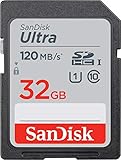
SanDisk 32GB Ultra (120MB/s)
A tougher 32GB card. The listing mentions up to 120MB/s read, UHS-I, U1, Class 10, Full HD, and temperature, water and shock proof construction.
- Strength: Weather and shock resistance named in the title.
- Strength: U1 class suits Full HD recording.
- Trade-off: Only 32GB of space.
It suits hikers and outdoor shooters with a compact Lumix who want a card built for rough conditions and simple Full HD use. Skip it if you need space for long clips or 4K, as 32GB runs out fast and the class is only U1.
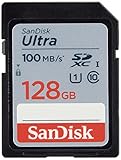
SanDisk 128GB Ultra SDXC
A straightforward high-capacity card. The title lists 100MB/s, Class 10, U1, Full HD and the SDXC format.
- Strength: 128GB capacity with U1 and Class 10.
- Strength: Simple, clearly labeled speed classes.
- Trade-off: Not marked V30 or U3 for 4K.
It is for stills-focused shooters who rarely change cards and want plenty of room for RAW and JPEG files from a compact or mid-range Lumix. Skip it if your camera cannot read SDXC, or if you plan to record 4K and need a V30 marking.
BigBuild 32GB Ultra Fast 90MB/s
A 32GB SDHC card whose title names the Lumix DMC-FZ72EB-K camera. It lists a 90MB/s speed claim.
- Strength: Title targets a specific Lumix model.
- Strength: SDHC format suits cameras limited to 32GB.
- Trade-off: No U-class or Class 10 marking in the title.
It fits FZ72 owners wanting a spare card that is named for their camera and stays within the SDHC limit. Skip it if you want a speed class stated up front, a larger capacity, or 4K support, none of which the title offers.
GIGASTONE 32GB SD Card 2-Pack
Two SDHC cards in one package. The listing mentions UHS-I, U1, Class 10, Full HD video, up to 100MB/s and two mini cases.
- Strength: Two cards give you a spare.
- Strength: Mini cases protect them in a bag.
- Trade-off: Only 32GB each.
It suits travelers who prefer splitting shots across cards, so one failure does not take a whole trip with it, and who like having cases for both. Skip it if you record 4K video, because U1 is the class stated here and capacity is limited to 32GB each.
GIGASTONE 256GB 4K Camera Pro
The largest card here. The title lists UHS-I, A1, V30, SDXC, 4K UHD video, up to 170MB/s, a 5-year data recovery offer and one mini case.
- Strength: 256GB capacity with V30 for 4K.
- Strength: Data recovery coverage stated in the title.
- Trade-off: Large capacity puts many files on a single card.
It suits event and travel shooters who want to avoid card swaps during long 4K sessions. Skip it if your camera cannot read SDXC, or if you prefer spreading footage across smaller cards, since one 256GB card holds everything in one place.
GIGASTONE 128GB 4K Camera Pro
A mid-size 4K-rated card. The listing mentions 150MB/s read, UHS-I, A1, V30, U3, Class 10, SDXC, 5-year data recovery and one mini case.
- Strength: U3 and V30 marked for 4K.
- Strength: 128GB is a practical capacity.
- Trade-off: Write speed is not stated, only read.
It fits mirrorless Lumix shooters wanting a balance of room and speed for 4K clips on a weekend shoot. Skip it if you want a stated write figure, because the title gives only the read speed and the V30 and U3 markings.
Which One Fits Your Situation
You shoot 4K video
The SanDisk 64GB Extreme PRO states 90MB/s write and V30. The GIGASTONE 128GB and 256GB 4K Camera Pro cards add capacity.
You use an older compact
The SanDisk 32GB Ultra and GIGASTONE 32GB 2-pack stay inside SDHC limits.
You shoot outdoors
The SanDisk 32GB Ultra (120MB/s) lists temperature, water and shock proof construction.
You own a Lumix FZ72
The BigBuild 32GB card is named for that camera and is a spare-card option.
If you remain unsure, start with the camera manual, then choose the smallest class that covers your video mode. Picking capacity afterward keeps you from choosing more speed than a basic compact needs. Many Lumix owners end up with two modest cards instead of one large, fast one, and that setup works well for everyday travel and family photos.
Common Mistakes
- Buying SDXC cards for a camera that supports only SDHC.
- Judging by read speed instead of write speed and class.
- Using U1 cards for 4K recording, then wondering why clips stop early.
- Storing everything on one large card without backups.
- Ignoring the camera manual’s card guidance.
Related guides
- Aio Liquid Coolers For High Performance Gaming
- How To Lower Input Delay In Competitive Shooters
- Wireless Gaming Headsets Under 100 For Pc
Frequently Asked Questions
Which speed class do I need for 4K on a Lumix?
U3 and V30 are the markings usually asked for with 4K recording. Confirm in your manual, since the exact requirement varies by model and by the recording mode you choose.
Can I use a 256GB card?
Only if your camera supports SDXC at that capacity. Check the manual first, because many older Lumix models stop at 32GB or 64GB and may not read a larger card at all.
Does a higher read speed mean faster recording?
Not necessarily. Read speed shows how fast files copy to a computer, while write speed and speed class matter for recording. A card with a modest read figure and a V30 mark can serve 4K better than a faster-reading U1 card.
Is a two-pack useful?
Yes, a spare card prevents a full card from ending a shoot, and splitting a trip across two cards limits the damage if one fails. The 32GB two-pack here is built around that idea.















