

- Top Pick: WD 2TB My Passport, Portable External Hard Drive, Black, backup software with defense against ransomware, and password protection, USB 3.1/USB 3.0 compatible – WDBYVG0020BBK-WESN
- Best Value: LaCie Rugged USB-C 2TB HDD AES Encryption Drop Crush/Resistant STFR2000800 | Up to 5TB portable storage with 25% recycled materials and USB 3.2 Gen 2, compatible with USB4 and Thunderbolt 3/4/5.
- Premium Choice: SANDISK 2TB Extreme Portable SSD, Up to 1050MB/s Read Speeds (Old Model) | External Solid State Drive, IP65 Water & Dust Resistance, Up to 3M Drop Protection, 256-bit AES Encryption, USB-C 3.2 Gen 2
Two terabytes is the capacity where an external drive stops being a spare and becomes a plan. It holds a sizable console library, a year of photo shoots, or a full laptop image plus months of incremental backups. Because the search names the size, the real decision sits around it: spinning platters or flash storage, a slim pocket drive or a rugged one, and whether encryption and backup software come along for the ride.
This guide is for students, gamers and home users who want one 2TB drive to carry in a bag or park beside a desktop in 2026. Seven listings fit the size. Three more from the original set were dropped because their titles say 1TB or 5TB, and capacity is the whole point of this search. Every comment below comes from what each listing states, so treat the notes as a reading of the spec sheet rather than measured results. Where a title is silent on a feature, the write-up says so instead of guessing.
Quick Picks
As an Amazon Associate we earn from qualifying purchases at no extra cost to you.





| Product | Best for | Key spec from the title |
|---|---|---|
| WD My Passport 2TB | Everyday backups | Backup software and password protection |
| LaCie Rugged USB-C 2TB | Rough travel | AES encryption, drop and crush resistant |
| SanDisk Extreme Portable SSD 2TB | Fast, sturdy flash | Up to 1050MB/s read, IP65, USB-C 3.2 Gen 2 |
| Toshiba Canvio Basics 2TB | Plain, no-frills storage | USB 3.0 portable hard drive |
| UnionSine 2TB Ultra Slim | Console and PC sharing | USB 3.0, listed for PS4 and Xbox |
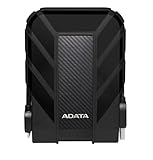
| ADATA HD710 Pro 2TB | Outdoor-minded users | Shockproof, waterproof, dustproof |
| Samsung T7 Portable SSD 2TB | Fast transfers | USB 3.2 Gen 2, up to 1,050MB/s |
How to Choose
Hard drive or solid state
A portable hard drive stores the most capacity per unit and suits cold storage: finished video projects, an archived photo library, a folder of installers you open now and then. A solid state drive suits anything you launch or edit directly. The two SSDs here list reads up to 1,050MB/s, roughly two to three times what a portable spinning drive manages through a 5Gbps port. If you only copy files overnight, speed matters far less than reliability, and a hard drive is the sensible fit. Mixed use is common, too: many buyers keep a flash drive for active projects and a spinning one as the slow, roomy vault.
Port, cable and bandwidth
USB 3.0 is a 5Gbps link, which is plenty for a hard drive but caps a fast SSD. USB 3.2 Gen 2 is a 10Gbps link, and that is the label to look for if you are buying flash storage for its speed. A USB-C connector on the drive helps only if your computer has a matching port or you own an adapter, so check the side of your laptop and the back of your desktop before ordering anything. Also look at the cable in the box, and whether a USB-C to USB-A adapter is included: a short, thin cable can limit a drive that is otherwise capable of faster transfers.
Durability and protection
Spinning drives dislike drops while running. Listings that mention drop resistance, shock resistance or an IP code deserve a closer look if the drive rides in a backpack. An IP65 label means dust-tight and resistant to water jets, not submersion. Desk-bound drives can skip rugged shells, though a rubber bumper is a small safeguard against a tipped monitor stand or a coffee-table knock. If the drive will live in a bag, favor a listing that states drop protection over one that stays silent on the subject.
Software, encryption and corner-cutting
Password protection and AES encryption matter if the drive carries work files or tax records. Bundled backup software is convenient but optional, since built-in operating system tools do the same job. Budget models usually cut corners on bundled software, protective rubber and cable length, not capacity. Ignore headline speed claims on hard drives, because the platters, not the port, set the ceiling there. Also be wary of capacity labels on unfamiliar brands, and make sure the title shows 2TB rather than a 1TB or 5TB sibling.
The 7 Best Options
WD My Passport 2TB
The sensible default for someone who wants a recognizable name, a simple black chassis and a backup routine without extra shopping or setup.
- The title lists backup software with defense against ransomware.
- Password protection is stated, which suits a drive that moves between home and office.
- Trade-off: it is a spinning drive on USB 3.1/3.0, so large game libraries load slower than from flash.
Skip it if you plan to edit video straight from the drive, or if you need explicit rugged claims for a travel-heavy life.
LaCie Rugged USB-C 2TB
Built for people who toss a drive into a camera bag. The title stresses drop and crush resistance and AES encryption, and adds that the family scales up to 5TB with 25% recycled materials.
- USB 3.2 Gen 2 compatibility and a USB-C connector suit current laptops.
- It is listed as compatible with USB4 and Thunderbolt 3/4/5 ports.
- Trade-off: it is a hard disk, so the fast interface will not make it behave like an SSD.
Skip it if you want the lightest possible pocket drive or need flash-level loading speed.
SanDisk Extreme Portable SSD 2TB
A fit for photographers and gamers who want flash speed with weather resistance. The listing shows reads up to 1050MB/s, IP65 dust and water resistance, up to 3M drop protection and 256-bit AES encryption.
- USB-C 3.2 Gen 2 gives it a fast link to a modern laptop.
- Hardware encryption is stated right in the title.
- Trade-off: the title marks it as an old model, so confirm which version ships.
Skip it if you only archive files and never open them again, since a hard drive covers that job.
Toshiba Canvio Basics 2TB
The name says it: a plain portable hard drive for people who want 2TB and little else. The title gives only the essentials, USB 3.0 and a black finish, which keeps expectations simple.
- A short feature list means almost nothing to configure.
- USB 3.0 is widely supported by older laptops and consoles.
- Trade-off: the title lists no bundled software, encryption or rugged claims.
Skip it if you need password protection or plan to carry the drive every day.
UnionSine 2TB Ultra Slim
Aimed at households that share one drive across a laptop and a console. The title names PC, Mac, laptop, PS4, Xbox One and Xbox 360 compatibility on USB 3.0.
- The ultra slim shape is made for pockets and bag sleeves.
- The wide compatibility list reaches back to older consoles.
- Trade-off: it comes from a lesser-known brand, and the title offers no encryption or rugged details.
Skip it if brand support and bundled software weigh heavily in your decision.
ADATA HD710 Pro 2TB
Meant for anyone whose drive will meet rain, dust or dorm-room chaos. The title calls it shockproof, waterproof and dustproof, and lists Mac, PC and Linux compatibility.
- Its protection claims are the broadest on this list for a hard drive.
- Linux support is stated outright, which many titles omit.
- Trade-off: tougher shells usually mean a thicker body than ultra slim drives.
Skip it if you want the smallest possible form factor or flash-class speed.
Samsung T7 Portable SSD 2TB
A good match for creators moving large files between machines. The title shows USB 3.2 Gen 2 and reads up to 1,050MB/s in a Titan Gray body, aimed at gaming, students and professionals.
- Flash storage shortens big copy jobs and project loads.
- The model number is printed in the title, which makes it easy to match against any retailer listing and avoid look-alike capacities.
- Trade-off: the title gives no water or drop resistance details, so it needs careful handling.
Skip it if you want a rough-use shell or only intend to leave the drive on a shelf.
Which One Fits Your Situation
You carry a drive to class or the office every day
The Samsung T7 Portable SSD 2TB or the WD My Passport 2TB both fit a daily commute. Choose the T7 if you move large files often, and the My Passport if password protection and a backup routine come first.
You shoot photos or video outdoors
The SanDisk Extreme Portable SSD 2TB combines fast reads with an IP65 label and drop protection, which is a rare mix on one drive, and it makes the pick useful for hiking trips, job sites and festival weekends. If you prefer a hard drive in a rugged shell, the LaCie Rugged USB-C 2TB is the alternative to weigh. Either way, the title details give you a clear checklist.
You need one drive for a PC and a console
The UnionSine 2TB Ultra Slim lists PS4 and Xbox compatibility directly in the title. It is a straightforward way to extend a console library while keeping the option to move files from a laptop. Reformat the drive for whichever device you use most.
You want storage without extras
The Toshiba Canvio Basics 2TB keeps things plain. Pair it with the backup tools already inside your operating system, and treat it as a second copy rather than your only one. Storage is only as safe as the number of copies you keep.
Common Mistakes
- Buying a fast SSD and plugging it into a slow USB 3.0 port, then wondering why speeds are capped.
- Treating one external drive as a complete backup instead of keeping a second copy elsewhere.
- Ignoring the cable: a USB-C drive on a USB-A host needs the right adapter or cable.
- Assuming every 2TB drive is formatted for your console or Mac, when reformatting is often required.
- Choosing by capacity alone and skipping encryption on a drive that carries sensitive documents.
Related guides
- Aio Liquid Coolers For High Performance Gaming
- How To Lower Input Delay In Competitive Shooters
- External Hard Drives For Music Production
Frequently Asked Questions
Is 2TB enough for a console library?
For most players, yes. A 2TB drive holds dozens of modern games, though a few very large titles can take a big share each. Check your console’s rules for external storage before buying. Some consoles accept external drives only for storage and require the internal drive for playing certain titles.
Should I pick an SSD or a hard drive?
Pick an SSD if you edit from the drive or launch games from it. Pick a hard drive for backups and archives, where capacity per unit matters more than speed. Budget-minded buyers often split the difference by choosing a 2TB hard drive now and adding flash later.
Do I need to format a new drive?
Often, yes. Windows, macOS and consoles prefer different file systems, so expect to reformat for the main device you will use. Back up anything already on the drive first, because formatting erases it. Modern operating systems walk you through the process in a few minutes.
Will these work with older computers?
USB 3.0 drives generally work on USB 2.0 ports, only at much lower speeds. Read the listing for operating system support, and use the supplied cable for the most reliable link. Expect slower copies, but the files themselves remain readable, which is what matters for an archive.















