- Top Pick: SanDisk 128GB Ultra SDXC UHS-I Memory Card – 100MB/s, C10, U1, Full HD, SD Card – SDSDUNR-128G-GN6IN
- Best Value: SanDisk 32GB Ultra 100MBs SDHC Memory Card | Up to 100MB/s read, Water-resistant design, Impact-resistant build
- Premium Choice: 【5-Years Data Recovery】GIGASTONE 128GB SD Card 4K Camera Pro, 150MB/s Read | UHS-I A1 V30 U3 Class 10 SDXC Memory Card 4K UHD Video Compatible with Digital Camera, Full-Sized SD Card, with 1 Mini Case
A camcorder is less forgiving than a phone when it comes to memory. It writes a continuous stream of video to the card for minutes or hours, so the number that matters most is sustained write speed, not the big “up to” read figure on the front of the package. A card with a flashy read speed but a low speed class can still drop frames or stop recording on a camcorder that expects steady throughput. The first job when picking a card is to match the speed class to the video format your camera records.
This roundup is for parents recording school events on an older Full HD camcorder, hobbyists upgrading to 4K, and anyone who needs spare cards for a trail camera or a compact video setup. Ten SD cards from the 2026 listings are compared using only their titles: capacity, card type, speed class, read-speed claims, and pack size. Where a title makes a claim that does not line up with its own speed class, the review says so, so you can double-check before buying.
Quick Picks
As an Amazon Associate we earn from qualifying purchases at no extra cost to you.


| Product | Best for | Key spec from the title |
|---|---|---|
| SanDisk Ultra 128GB SDXC | Long Full HD sessions | 128GB, UHS-I, C10, U1, 100MB/s |
| SanDisk Ultra 32GB (100MB/s) | Small, simple Full HD use | SDHC, water-resistant and impact-resistant |
| GIGASTONE 128GB 4K Camera Pro | 4K camcorders | UHS-I A1 V30 U3, 150MB/s read |
| SanDisk Ultra 64GB (140MB/s) | Mid-range camcorders | U1, C10, temperature, water, and shock proof |
| GIGASTONE 32GB 2-Pack | Spare cards for two cameras | SDHC, U1, Class 10, 2 mini cases |
| SanDisk Ultra 64GB (145MB/s) | Backup and transfer workflows | U1, C10, SanDisk app support |
| 16GB C10 UHS-I SDHC | Short clips on older gear | U1, up to 90MB/s, SDHC |
| GIGASTONE 256GB 4K Camera Pro | Long 4K shoots | 256GB, A1 V30, up to 170MB/s |
| GIGASTONE 32GB 5-Pack | Trail cameras and multiple devices | 5 cards, U1, Class 10, up to 80MB/s |
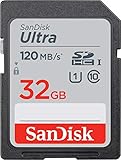
| SanDisk Ultra 32GB (120MB/s) | Compact camcorder backup card | U1, C10, 120MB/s, shock proof |
How to Choose
Match the speed class to the video format
Class 10 and U1 both guarantee a minimum sustained write speed of 10MB/s, which covers standard Full HD recording at typical camcorder bitrates. U3 and V30 raise that minimum to 30MB/s, which is what 4K recording usually asks for. If your camcorder records 4K, look for V30 or U3 in the title. If it records Full HD only, U1 is enough and the faster tiers add nothing you can use. Many camcorders also print the supported card types on the battery door or in the first pages of the manual, which removes most of the guessing.
Check SDHC versus SDXC support
SDHC cards run up to 32GB; SDXC cards start above that. Some older camcorders can only read SDHC, so a 128GB card could be rejected outright. Check the camera manual for the largest supported capacity before buying anything in the 64GB to 256GB range. Capacity also sets recording time: at a typical 4K bitrate, a card fills far faster than at Full HD, so a 32GB card that feels roomy for school plays can fill in well under an hour of 4K.
Treat read speeds as secondary
Titles quote “up to” read speeds like 100MB/s or 170MB/s because they look impressive. Read speed helps when you copy footage to a computer, but it does not make a camcorder record any better. Ignore it when comparing cards for recording, and use the speed class instead. Be wary of listings that name 4K video without a U3 or V30 marking.
Capacity, durability, and pack size
Larger cards reduce card swaps during a long event but put more footage on a single card, so back up often. Look for durability notes such as water, shock, and temperature resistance if the camera travels, and keep cards in a case when they are not in the camera. Multi-packs suit people who own several devices or want spares, and a small kit of matching cards makes it easier to rotate them, but individual cards from unknown brands may skip the extras that a major brand adds, such as recovery software.
The 10 Best Options
SanDisk Ultra 128GB SDXC
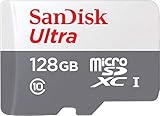
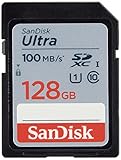
This SDXC UHS-I card is listed at 100MB/s with C10 and U1 markings for Full HD video. The model number is printed in the title, which makes it easy to match against a camera’s compatibility list. For a family camcorder that records birthdays and school plays in Full HD, this is the straightforward large-capacity choice.
- Strength: 128GB leaves plenty of room for long Full HD events.
- Strength: a major brand name and a specific model number.
- Trade-off: U1 only, so it is not suited to 4K recording.
Skip it if your camcorder shoots 4K or supports only SDHC.
SanDisk Ultra 32GB (100MB/s)
A 32GB SDHC card with up to 100MB/s read speed, plus water-resistant and impact-resistant construction listed in the title. It reads as a no-nonsense spare for a modest camcorder or a camera bag side pocket.
- Strength: SDHC format works in older camcorders.
- Strength: durability notes suit a camera that gets carried around.
- Trade-off: 32GB fills quickly.
Skip it if you want long recording sessions without a swap. A spare for a modest camcorder is its natural job.
GIGASTONE 128GB 4K Camera Pro
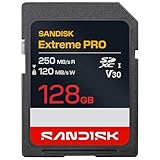
An SDXC UHS-I card marked A1, V30, U3, and Class 10, with 150MB/s read speed, a five-year data recovery offer, and a mini case. Among the cards here it is the first one that matches the speed markings 4K video normally asks for.
- Strength: V30 and U3 markings fit 4K recording.
- Strength: recovery coverage and a case are included.
- Trade-off: the brand is less established in camcorder circles than SanDisk.
Skip it if your camera does not accept SDXC.
SanDisk Ultra 64GB (140MB/s)
A 64GB UHS-I card with U1 and Class 10, up to 140MB/s read, aimed at compact to mid-range cameras and camcorders, and described as temperature, water, and shock proof. It targets buyers who film outdoors, such as at a ballgame or a campsite.
- Strength: the title names camcorders directly.
- Strength: the protection language suits outdoor shooting.
- Trade-off: U1 means Full HD only.
Skip it if you shoot 4K. A Full HD family camcorder is the match, and the camera-friendly wording in the title helps when you are hunting for a card the manual would approve.
GIGASTONE 32GB 2-Pack
Two 32GB SDHC cards, U1 and Class 10, with up to 100MB/s read speeds and two mini cases. The pairing makes sense for someone who swaps a full card for a fresh one in the middle of an event.
- Strength: a second card ready for a swap mid-event.
- Strength: SDHC compatibility with older camcorders.
- Trade-off: Full HD speed class only.
Skip it if you need a single large card for long, continuous shoots. Two small cards simply split the recording across two files.
SanDisk Ultra 64GB (145MB/s)
This 64GB UHS-I card lists U1 and Class 10 with up to 145MB/s read, and mentions the SanDisk app for backup and transfer. That app angle appeals to people who like to copy clips off the card on a regular schedule.
- Strength: the app supports a backup routine.
- Strength: it names compact to mid-range cameras and camcorders.
- Trade-off: U1 means no 4K recording.
Skip it if you do not plan to use an app. The card works as a regular Full HD option either way, but the extra is the selling point.
16GB C10 UHS-I SDHC
A small 16GB SDHC card with up to 90MB/s read speed, U1, and Class 10, described as compatible with point-and-shoot cameras, HD camcorders, DSLRs, and PCs. As the smallest card in the group, it is a stopgap or a dedicated card for short clips.
- Strength: small capacity suits short clips.
- Strength: SDHC fits older gear.
- Trade-off: the title mentions 4K HD video, but the card lists only U1.
Skip it if you need a verified 4K card. Treat the 4K wording in the title with caution, since U1 is the only speed class stated alongside it.
GIGASTONE 256GB 4K Camera Pro
A 256GB SDXC UHS-I card with A1 and V30 markings, up to 170MB/s read, a free five-year data recovery offer, and a mini case. It is the card for someone who films whole ceremonies or travel days in 4K and does not want to swap mid-shot.
- Strength: the biggest capacity here, suited to long 4K shoots.
- Strength: V30 marks a sustained write class for video.
- Trade-off: a large card holds a lot of footage, so back it up regularly.
Skip it if your camera does not support SDXC capacity at this size.
GIGASTONE 32GB 5-Pack
Five 32GB SDHC cards, U1 and Class 10, up to 80MB/s read, with five mini cases and mentions of trail cameras and similar gear. The multi-pack format is the draw, not raw speed, so it suits low-bitrate cameras left running for long periods.
- Strength: five cards cover multiple devices.
- Strength: individual cases keep the spares organized.
- Trade-off: the lowest read figure in the group and Full HD only.
Skip it if you only own one camera. Beyond a few spares, the extra cards in a five-pack will sit unused.
SanDisk Ultra 32GB (120MB/s)
A 32GB UHS-I card with U1 and Class 10 listed, up to 120MB/s read, aimed at compact to mid-range cameras and camcorders, and described as temperature, water, and shock proof. It slots in as a backup card that shares the family look of the other SanDisk entries.
- Strength: named camcorder use with a major brand.
- Strength: protection language for rougher shooting.
- Trade-off: only 32GB.
Skip it if you want more capacity per card. It works best as a backup in the camera bag while a larger card does the main recording.
Which One Fits Your Situation
You shoot 4K
Start with the GIGASTONE 128GB 4K Camera Pro, or the 256GB version if you record long events. Both list V30, the marking that matters for 4K.
You shoot Full HD on an older camcorder
The SanDisk Ultra 32GB or 64GB cards stay in SDHC or small SDXC territory, which older cameras usually accept. The 32GB models are SDHC, the safest format for gear from a decade ago, while the 64GB options give longer recording if the camera allows SDXC.
You own several cameras
The GIGASTONE 32GB 5-Pack or 2-Pack gives you spares that stay organized in their cases. Label each card by camera so footage does not get mixed up when everything lands on one computer.
You want long Full HD recordings without swapping
The SanDisk Ultra 128GB SDXC works if your camcorder supports that capacity. Confirm SDXC support first, then enjoy a card that can hold a whole day of short Full HD clips.
Common Mistakes
- Choosing by read speed and ignoring U1, U3, or V30.
- Buying an SDXC card for a camera that supports only SDHC.
- Trusting a 4K label on a card marked only U1.
- Keeping one huge card and no backup routine.
- Forgetting to format the card in the camera before the first recording, which also clears errors left by a computer.
Related guides
- Aio Liquid Coolers For High Performance Gaming
- How To Lower Input Delay In Competitive Shooters
- Wireless Gaming Headsets Under 100 For Pc
Frequently Asked Questions
Can I use a 128GB card in any camcorder?
No. Older camcorders may support only SDHC cards up to 32GB, so check the manual.
Is U1 fast enough for Full HD?
Generally yes. U1 guarantees a minimum sustained write speed of 10MB/s, which covers most Full HD recording at the bitrates camcorders typically use. Higher-bitrate Full HD modes can ask for more, so check the manual.
What does V30 mean?
It means a minimum sustained write speed of 30MB/s, which is the usual starting point for 4K video.
Do I need a card with data recovery software?
It is optional. It adds a safety net, but regular backups protect footage better.