
- Top Pick: MDD 2TB PS4 Hard Drive Upgrade Kit Bundle with Toshiba 2TB 5400RPM 16MB Cache SATA 6Gb/s 2.5in Internal Hard Drive (Works for PS4 Game Console)
- Best Value: Seagate 2TB 5400RPM 128MB Cache SATA 6.0Gb/s (7mm) 2.5in PS4 Internal Gaming Hard Drive (Renewed)
- Premium Choice: Seagate BarraCuda 2TB Internal Hard Drive HDD – 3.5 Inch SATA 6Gb/s 7200 RPM 256MB Cache – Frustration Free Packaging (ST2000DM008/ST2000DMZ08)
The stock drive in a PlayStation 4 fills up fast. A single big download plus a few patches, and the console starts asking which games to delete. Swapping in a larger internal drive is the classic fix, but the shopping trap is obvious once the search results appear: desktop drives, external drives and laptop drives all show up side by side, and only one family physically fits the console bay.
This guide is for owners planning a 2026 upgrade on a PS4, whether the target is a bigger hard drive or a faster solid-state option. Six listings below are 2.5-inch internal SATA drives, which is the format the console uses. They span two capacities, one solid-state option, two renewed units and a bundle. The sections ahead explain the thickness, speed and condition details to confirm, and why 3.5-inch desktop drives and external enclosures were left out of the picks.
Quick Picks
As an Amazon Associate we earn from qualifying purchases at no extra cost to you.




| Product | Best for | Key spec from the title |
|---|---|---|
| MDD 2TB PS4 Upgrade Kit with Toshiba | First-time upgraders wanting a bundle | 2TB, 5400RPM, 16MB cache, 2.5in |
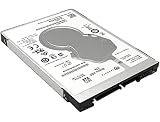
| Seagate 2TB PS4 Internal Gaming Drive (Renewed) | High capacity at a budget tier | 2TB, 5400RPM, 128MB cache, 7mm |
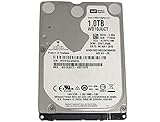
| WD AV-25 1TB (Renewed) | Plain 1TB 2.5-inch replacement | 1TB, SATA, 2.5 drive |
| Seagate 1TB Mobile HDD ST1000LM035 | Bare-drive swap at 1TB | 1TB, 128MB cache, 2.5″ |
| Toshiba 1TB Gaming PS3/PS4 Drive | Warranty-backed 1TB | 5400RPM, 7mm, 3 Year Warranty |
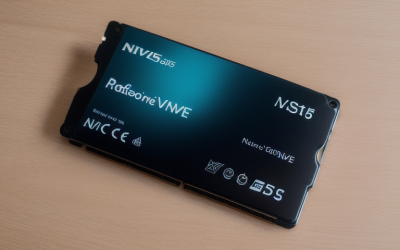
| Gigastone 2TB SATA SSD | Faster loading from solid state | 530MB/s, 3D NAND, SLC cache |
How to Choose
Get the Physical Format Right
The PS4 uses a 2.5-inch SATA drive. Listings that say 3.5 inch are desktop drives and do not fit the console bay, and external USB drives cannot replace the internal one. Several titles here also state 7mm thickness, which is a safe height for the bay; if thickness is not listed, check the manufacturer page before buying. Thicker laptop drives, sometimes 9.5mm or more, can be a tight squeeze, which is why the 7mm labels in several titles are reassuring. The metal bracket and four screws from the original drive usually transfer to the new one.
Capacity Versus Speed
Capacity is the main reason to upgrade. A 1TB drive roughly doubles the storage of a typical stock drive, and a 2TB drive makes room for a large library. A 5400RPM hard drive is the standard speed for this class. A SATA SSD like the Gigastone model loads data faster, though the console’s own interface limits how much of its 530MB/s headline speed shows up in practice. Games that stream large levels benefit most; menus and downloads change little.
New, Renewed and Bare Drives
Two listings are marked Renewed, which means a refurbished drive. That can be a budget-friendly route, but it deserves a closer look at the seller warranty and return terms. A bare drive, like the Seagate mobile HDD, ships without a kit, so the install needs a screwdriver and a separate system software reinstall from a USB stick. The console walks through that process after the new drive is installed, but it needs a computer and a drive formatted correctly to prepare the file.
What to Ignore, and Where Budget Drives Cut Corners
Cache size and interface speed look impressive in a title, but the console cannot use the full extent of either. Budget drives usually cut warranty length and ship as bare or refurbished units. Mid-range options add warranty coverage or a kit, and premium choices move to solid state. Weigh format, capacity and return terms ahead of cache size. A second look at the seller’s return window is worth more than any spec on this list.
Plan the swap before ordering. Back up saved data to cloud storage or a USB drive, download the console system software to a USB stick from the official support page, and set aside a clean workspace. Most owners finish the physical swap in minutes; the system software reinstall and game re-downloads take the rest of the evening, so start early. Re-downloading a large library over a slow connection can take longer than the install itself, which is a good reason to prioritize capacity for the games that matter most.
The 6 Best Options
MDD 2TB PS4 Upgrade Kit with Toshiba
A bundle pairing a Toshiba 2TB 5400RPM, 16MB cache, SATA 6Gb/s, 2.5-inch internal drive with an upgrade kit, with the title stating that it works for the PS4 console.
- Strength: bundled kit for a first-time upgrade, with the console named in the title, so there is less to source separately.
- Strength: 2TB capacity from a known drive maker.
- Trade-off: 16MB of cache is the lowest figure among the hard drives listed, though the console makes little use of cache.
Skip it if the plan is a bare-drive swap with a drive already on hand, since the kit adds items that may not be needed. Buyers should still confirm the exact contents on the listing page. The bundle approach makes the most sense for someone who has never opened a console before and wants fewer decisions.
Seagate 2TB PS4 Internal Gaming Drive (Renewed)
A 7mm, 2.5-inch, 5400RPM drive with 128MB of cache and a SATA 6.0Gb/s interface, labeled for PS4 use and sold as Renewed.
- Strength: 2TB capacity with 128MB of cache and a slim 7mm body.
- Strength: gaming-oriented label specific to the console.
- Trade-off: renewed condition means a refurbished unit, so return terms matter.
Skip it if only brand-new stock will do, or if the seller warranty is unclear. It suits upgraders who value capacity and accept the refurbished route. The slim 7mm profile and large cache make it one of the more complete listings in this group, with the usual caveat on condition.
WD AV-25 1TB (Renewed)
A 1TB Western Digital AV-25 WD10JUCT, listed as a SATA 2.5-inch internal drive and sold as Renewed. The title shows SATA/300, the older interface generation.
- Strength: 2.5-inch format with a respected drive maker behind it.
- Strength: 1TB is a clear step up from many stock drives.
- Trade-off: the title does not mention PS4, thickness or cache, so buyers must verify fit.
Skip it if a drive labeled for the console is preferred, or if detailed specs in the title matter. Treat it as a basic 2.5-inch option rather than a specialist product. The AV in the name suggests an audio-video design, which is a different job from running console games, so extra research is justified.
Seagate 1TB Mobile HDD ST1000LM035
A bare 2.5-inch internal Seagate mobile hard drive with 1TB, SATA 6Gb/s and 128MB of cache.
- Strength: 128MB of cache and SATA 6Gb/s at a modest capacity.
- Strength: bare drive suits buyers who already own tools and a system software stick.
- Trade-off: the title does not mention the console or thickness, so the manufacturer page becomes required reading.
Skip it if a kit or console-specific labeling would make the swap feel safer. It is best for people comfortable verifying fit on the manufacturer page. A mobile drive is built for laptops, so the 2.5-inch form matches the console bay, but the details deserve a check.
Toshiba 1TB Gaming PS3/PS4 Drive
A 7mm, 2.5-inch, 5400RPM drive with 128MB of cache, a SATA 6Gb/s interface and a 3 year warranty. The title states it is a gaming drive for PS3 and PS4.
- Strength: the only hard drive here with a stated 3 year warranty.
- Strength: console named in the title, 7mm height and 128MB cache listed.
- Trade-off: 1TB is half the capacity of the 2TB options, so a growing library may fill it sooner.
Skip it if the goal is a large library with room to grow. It is a tidy choice for a modest upgrade backed by coverage. The PS3 mention in the title adds flexibility for anyone with an older console that also needs a drive.
Gigastone 2TB SATA SSD
A 2.5-inch SATA III solid-state drive with 2TB capacity, 530MB/s, SLC cache and 3D NAND, with PS4 hard drive replacement named in the title.
- Strength: solid state means faster loading than a spinning hard drive, plus no moving parts to wear.
- Strength: 2TB capacity with a console replacement use named.
- Trade-off: it sits in the premium tier, and the console’s interface keeps the headline speed from being fully used.
Skip it if the most capacity for the least outlay is the only concern. It suits buyers who want shorter loading screens and quieter operation. With no spinning platters, there is also no motor noise, which is noticeable in a quiet room.
Which One Fits Your Situation
The right pick depends less on raw specs than on how the console is used day to day.
A First Upgrade With No Spare Parts
The MDD 2TB kit bundles what is needed and names the console, so it removes the guesswork of sourcing a drive and accessories separately. Pair it with a screwdriver and a USB stick, and the swap is a short afternoon job.
Maximum Space on a Budget
The Seagate 2TB Renewed drive delivers 2TB in a 7mm body, with the caveat of refurbished condition. Buyers with a large digital library tend to run out of room last with this one.
Warranty Matters Most
The Toshiba 1TB Gaming drive is the one hard drive listing a 3 year warranty. That coverage makes it a calmer option for owners who dislike swapping parts twice.
Chasing Faster Loading
The Gigastone 2TB SATA SSD offers solid-state speed, which suits players tired of long loading screens. It is also the quietest choice in the group.
Anyone undecided between capacity and speed can think of it this way: a 2TB hard drive stores more games per slot, while the SSD cuts waiting time for the games already installed. Players who rotate through a few titles lean toward speed, and collectors lean toward space.
Common Mistakes
- Buying a 3.5-inch desktop drive, which does not fit the console bay.
- Choosing an external drive when an internal replacement was the goal.
- Ignoring the Renewed label and the seller’s return terms, then discovering a problem after the window has closed.
- Expecting an SSD to reach its full headline speed inside the console.
- Forgetting to back up saves and prepare the system software file before the swap, which leaves the console unable to finish setup with a blank drive.
Related guides
- Aio Liquid Coolers For High Performance Gaming
- How To Lower Input Delay In Competitive Shooters
- Wireless Gaming Headsets Under 100 For Pc
Frequently Asked Questions
Can a PS4 use a 3.5-inch drive?
No. The console bay is designed for 2.5-inch drives, so desktop drives in the 3.5-inch format will not fit. That is why the Barracuda desktop models that appeared in the same search results were left out of this list, along with a portable external drive that cannot replace the internal one.
Is an SSD worth it in a PS4?
It loads data faster than a hard drive, which many players notice, but the console interface limits the top speed. It is an upgrade in feel more than in raw speed figures.
What does Renewed mean?
The drive was previously owned or returned and then refurbished. Check the warranty and return window before buying, and run a quick health check after installation. A drive that behaves oddly in the first days should go back while the return window is open.
Is an upgrade kit required?
Not always. A bare drive works if a screwdriver and a USB stick with the system software are on hand, while a kit like the MDD bundle simplifies the job.