

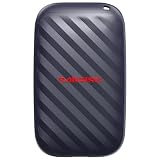
- Top Pick: Sandisk 1TB Portable Drive, Up to 600MB/s Read Speeds – Black | External Drive, 4 x Faster than Portable HDD, Durable Design, Up to 2M Drop Protection, Pocket Sized, USB Type-C Ready
- Best Value: Kosbees 500 GB External Hard Drives,Portable Hard Drive for Windows,Ultra Slim External HDD Store Compatible with PC, MAC,Laptop,PS4, Xbox one, Xbox 360;Plug and Play Ready
- Premium Choice: SANDISK 2TB Extreme Portable SSD, Up to 1050MB/s Read Speeds (Old Model) | External Solid State Drive, IP65 Water & Dust Resistance, Up to 3M Drop Protection, 256-bit AES Encryption, USB-C 3.2 Gen 2
A photographer’s external drive does two jobs at once: it is a field wallet that holds raw files between the card slot and the editing desk, and it is the second copy that keeps a shoot alive if a laptop dies. Those jobs pull in different directions. Field work rewards a small, sealed, fast drive that offloads a full card quickly. Archive work rewards sheer capacity and a plug-in-and-forget design. Most buyers end up wanting one of each, and this guide sorts ten listings along that split.
Capacity is the first filter, because raw files add up faster than most people plan for. A weekend wedding or a week of travel can fill a drive that felt generous in the store. Interface comes second, since a fast drive on a slow port wastes its speed. The ten drives below range from a 500GB pocket drive to a 20TB desktop unit, and the notes under each one stick to what the listing itself states, so you can match a drive to your workflow in 2026 without guessing.
Quick Picks
As an Amazon Associate we earn from qualifying purchases at no extra cost to you.





| Product | Best for | Key spec from the title |
|---|---|---|
| SanDisk 1TB Portable Drive | Budget field backup | Up to 600MB/s read, 2M drop protection |
| Kosbees 500GB HDD | Light backup duty | Ultra slim, plug and play |
| SanDisk 2TB Extreme SSD (older model) | Mid-size rugged storage | 1050MB/s read, IP65, 256-bit AES |
| SanDisk 1TB Extreme SSD | Everyday fast offloads | 2000MB/s, IP65, USB-C 3.2 Gen 2 |
| SanDisk 500GB Portable Drive | Smallest budget carry | Up to 600MB/s read, pocket sized |
| WD 20TB Elements Desktop | Studio archive | 20TB, USB 3.0, plug and play |
| Samsung T7 Shield 1TB | Rugged travel work | 1,050MB/s, USB 3.2 Gen 2, IP65 |
| SanDisk 4TB Extreme SSD | Long shoots, big libraries | 4TB, 2000MB/s, 256-bit AES |
| OSCOO 1TB SSD | Mac and iPhone users | Up to 2100MB/s, USB 3.2 Gen 2 |
| SanDisk 500GB Extreme SSD | Compact fast carry | 2000MB/s, IP65, 3M drop protection |
How to Choose
Capacity for raw files
Estimate your heaviest single trip, then double it. If a trip fills two 128GB cards, a 500GB drive holds the originals but leaves no room for a second copy. For a working library, 1TB is the practical floor, 2TB to 4TB suits people who shoot weekly, and the 20TB desktop class suits an archive that stays on a shelf. Buy for the next two years rather than this month. Remember that cameras keep getting denser: a body upgrade or a switch to video can double file sizes overnight, and a drive that was roomy for a 24-megapixel body can feel tight with a higher-resolution one.
Speed and the port behind it
Listed speeds such as 600MB/s, 1050MB/s or 2000MB/s are ceilings reached only when the computer’s port supports them. A USB 3.2 Gen 2 port is the usual match for the faster portable SSDs, while a USB 3.0 desktop drive is limited by both the port and its spinning platter. Check your laptop’s port label before counting on speed it cannot deliver. A good habit is to read the cable and port markings together: the cable in the box matters as much as the drive, and a USB-C connector alone does not guarantee a fast link.
Durability and encryption
Field drives take drops, dust and rain. Look for an IP65 rule of thumb for splash and dust protection, a stated drop height such as 2M or 3M, and a rubberized shell. Client work adds another angle: a drive with 256-bit AES encryption keeps a lost drive from becoming a privacy problem. Desktop drives skip all of this because they never leave the desk, but that also means they should sit on a surge-protected outlet and away from where coffee gets poured.
Where budget drives cut corners
Ultra-slim spinning drives trade shock tolerance for thickness, and unbranded listings often say little beyond plug-and-play compatibility. That is fine for a cold copy kept at home. It is a poor fit for the only copy of a job. Ignore gaming-console compatibility lists unless you actually share the drive with a console. Also ignore marketing phrases without a number behind them, such as lag-free or high performance, and weigh the figures the listing actually states: capacity, interface, drop height and enclosure protection.
The 10 Best Options
SanDisk 1TB Portable Drive
This pocket-sized drive lists up to 600MB/s read speeds and a claim of four times the speed of a portable HDD, with up to 2M drop protection and USB Type-C readiness. It suits a photographer who wants a small, quick second copy without stepping up to the rugged tier.
- Strength: the listed read speed sits well above a spinning portable drive.
- Strength: the durable design and drop-height claim suit a camera bag.
- Trade-off: no water or dust protection is listed, unlike the Extreme line.
Skip it if you shoot in rain or sand and want a sealed enclosure.
Kosbees 500GB External Hard Drive
The Kosbees is an ultra-slim spinning drive that lists compatibility with PC, Mac, laptops and consoles, with plug-and-play setup. It fits a hobbyist who wants a simple home copy of finished exports.
- Strength: slim body slips into a laptop sleeve.
- Strength: broad compatibility with Windows and Mac systems.
- Trade-off: 500GB fills quickly with raw files, and the listing gives no speed or durability figures.
Skip it if you shoot raw video or travel with your only backup.
SanDisk 2TB Extreme Portable SSD (Old Model)
This older Extreme model lists up to 1050MB/s read speeds, IP65 water and dust resistance, 3M drop protection and 256-bit AES encryption over USB-C 3.2 Gen 2. It is a sensible mid-capacity choice for travel work.
- Strength: 2TB gives room for several shoots.
- Strength: sealed design plus hardware encryption for client files.
- Trade-off: the title itself flags it as the old model, and the newer listings state higher speeds.
Skip it if you want the quickest offloads available.
SanDisk 1TB Extreme Portable SSD (New Model)
The newer 1TB Extreme lists up to 2000MB/s transfer speeds with the same IP65 resistance, 3M drop protection and 256-bit AES encryption. It targets photographers who copy full cards often and want the wait kept short.
- Strength: the 2000MB/s ceiling roughly doubles the older Extreme’s listed figure.
- Strength: rugged, encrypted and USB-C 3.2 Gen 2.
- Trade-off: 1TB is a modest ceiling for a multi-week trip.
Skip it if you need long-term archive space rather than a working drive.
SanDisk 500GB Portable Drive
The smallest of the budget SanDisk pair lists the same 600MB/s read speed, durable design and 2M drop protection in a pocket-sized body with USB Type-C readiness. It works as a day-trip offload drive.
- Strength: tiny and light enough to forget in a jacket pocket.
- Strength: speed claim well above a portable HDD.
- Trade-off: capacity runs out fast once raw bursts and video enter the picture.
Skip it if your shoots regularly exceed a few hundred gigabytes.
WD 20TB Elements Desktop External Hard Drive
This desktop unit lists 20TB over USB 3.0 with plug-and-play storage. It belongs on a studio shelf as the long-term home for finished jobs, not in a camera bag.
- Strength: 20TB holds a decade of work for many photographers.
- Strength: simple setup with no software to configure.
- Trade-off: a desktop enclosure is not designed for travel, and the USB 3.0 interface caps transfers.
Skip it if you edit on location or need a portable drive.
Samsung T7 Shield 1TB Portable SSD
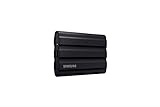
The T7 Shield lists USB 3.2 Gen 2, up to 1,050MB/s and an IP65 water-resistant rugged build, and the title explicitly names photographers and content creators. It is a natural pick for travel shoots.
- Strength: rugged shell with IP65 resistance.
- Strength: 1,050MB/s covers most card-offload workflows.
- Trade-off: the listed speed trails the 2000MB/s drives in this group.
Skip it if you want the highest listed transfer speed.
SanDisk 4TB Extreme Portable SSD
The 4TB version of the new Extreme lists up to 2000MB/s, IP65 dust and water resistance, 3M drop protection and 256-bit AES encryption. It is the capacity pick for photographers who carry an entire library on the road.
- Strength: 4TB keeps working files and a copy on one drive.
- Strength: fast, sealed and encrypted in one shell.
- Trade-off: all that data on one drive means you still need a second backup elsewhere.
Skip it if 1TB or 2TB already covers your trips.
OSCOO 1TB External SSD
The OSCOO lists up to 2100MB/s over USB 3.2 Gen 2 and names Mac, Windows PC, laptops, gaming and iPhone, with content creators and videographers in its pitch. It suits people who move files between a phone and a laptop.
- Strength: the highest listed speed in this group.
- Strength: wide device compatibility, including iPhone.
- Trade-off: the title gives no water or drop-height claim.
Skip it if you shoot outdoors in rough weather.
SanDisk 500GB Extreme Portable SSD
This compact Extreme lists up to 2000MB/s, IP65 dust and water protection, 3M drop protection, 256-bit AES encryption and USB-C. It is the small, rugged option for fast offloads on short shoots.
- Strength: rugged build and encryption at the smallest capacity.
- Strength: 2000MB/s ceiling keeps offloads short.
- Trade-off: 500GB leaves little headroom for video.
Skip it if you need storage for more than a couple of shoots.
Which One Fits Your Situation
Weddings and multi-day events
Take the SanDisk 4TB Extreme. Large capacity, fast offloads and a sealed shell make it a safe travel companion, with a second copy kept elsewhere.
Landscape trips in rough weather
The Samsung T7 Shield 1TB pairs an IP65 build with a photographer-focused pitch, and works well when rain and dust are the main risks.
Mac and iPhone workflows
The OSCOO 1TB lists Mac, Windows and iPhone compatibility with the highest speed figure here, which helps if files move between devices.
A studio archive on a shelf
The WD 20TB Elements Desktop gives you the most space for finished work, as long as it stays at a desk.
Common Mistakes
- Treating one drive as a backup, when a single copy is just a second place for files to fail.
- Buying for speed while plugging into a port that cannot deliver it.
- Choosing 500GB because it looks sufficient today, then running out mid-trip.
- Using a slim spinning drive in a bag that gets knocked around.
- Skipping encryption when the drive carries client portraits or private commissions.
- Filling a drive to the last gigabyte, which leaves no room to work and no room to copy.
Related guides
- Aio Liquid Coolers For High Performance Gaming
- How To Lower Input Delay In Competitive Shooters
- Wireless Gaming Headsets Under 100 For Pc
Frequently Asked Questions
Is an SSD or a hard drive better for photographers?
An SSD suits field work because it has no moving parts and offloads faster. A hard drive suits a shelf archive where capacity matters more than speed.
How much capacity do I need?
Plan for twice your biggest trip. For most working photographers that means 1TB to 4TB for a travel drive and far more for the archive.
Does the listed speed apply to my laptop?
Only if the port matches. A USB 3.2 Gen 2 port is needed to approach the faster figures, while older ports cap the result.
What does IP65 mean for a drive?
It indicates resistance to dust and water jets, which helps in splashes and dusty locations. It does not mean the drive is meant to be submerged.














