The hard decision here is not whether a laptop can run your games, because almost any current RTX machine manages that. It is whether the same laptop stays pleasant for the hours before gaming starts: fans that stay quiet while you browse, a screen you can read all afternoon, a battery that survives a café session, and a weight you do not resent carrying. Plenty of gaming laptops are tuned purely for benchmark runs and fail exactly those everyday tests.
This guide is for students, remote workers and home users who need one machine to cover both halves of the day. Every pick was chosen from the model names and specifications printed on its Amazon product page, and each entry states the exact configuration, the GPU power limit where the listing gives one, and what you can upgrade later.
Quick Picks
As an Amazon Associate we earn from qualifying purchases.
| Product | Best for | Key spec from title |
|---|---|---|
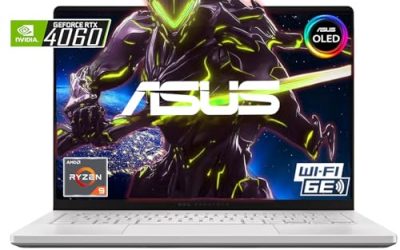
| ASUS ROG Zephyrus G14 (2025) | Daily commuters who still play demanding games at night | RTX 5070 Ti 12GB, 32GB LPDDR5X, 3K OLED 120Hz |
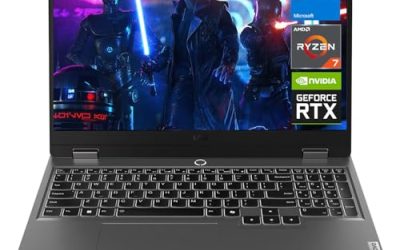
| Lenovo Legion 5 (2025) | Home users who want an OLED screen and RAM that can grow | RTX 5060 8GB, 15.1″ 2.5K OLED 165Hz |
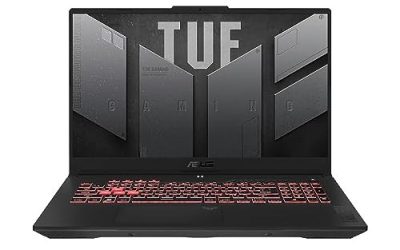
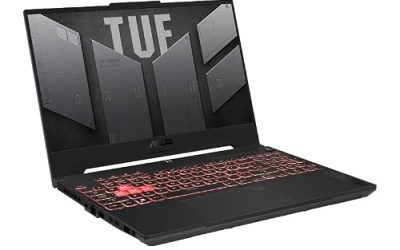
| ASUS TUF Gaming A14 (2025) | Students carrying a laptop all day that can take knocks | RTX 5060, Ryzen AI 7 350, 14″ WQXGA 165Hz |
| Alienware 16 Aurora | Desk-based users who browse on a big screen and game in place | Core 7 240H, RTX 5060, 16″ WQXGA 120Hz, 32GB DDR5 |
| Lenovo LOQ 15 (2025) | First-time buyers who want current RTX graphics for less | Ryzen 7 250, RTX 5060, 15.6″ FHD 144Hz |
How to Choose
Match the GPU and its wattage to your games
An RTX 5060 is the sensible floor for this brief: it handles esports titles easily and plays heavier games at 1080p or 1600p with DLSS doing some of the lifting. Step up to an RTX 5070 Ti if you want native-resolution play on a 1600p or 3K panel. The wattage behind the badge matters as much as the badge itself. The Legion 5 below runs its RTX 5060 at a 115W TGP, near the top of that chip’s range, while slim machines often cap the same GPU far lower. Check the TGP in the listing before assuming two RTX 5060 laptops perform alike.
Pick a display and battery that suit the daytime hours
You will stare at this screen far longer for browsing and documents than for games, so panel quality is a daytime feature, not a gaming extra. A 16:10 resolution such as 2560 x 1600 gives vertical room for web pages, and OLED panels like those on the Zephyrus G14 and Legion 5 keep text contrast high at low brightness. Battery size separates the travellers from the desk machines here: the picks below range from 73Wh to 96Wh. USB-C charging, offered on the TUF A14, also means one small charger can cover laptop and phone on trips.
Check RAM, SSD and what you can upgrade later
Browsing with dozens of tabs open is a memory workload before it is anything else, so treat 16GB as the minimum and 32GB as the comfortable target. The catch is how that memory is fitted. The two 14-inch ASUS models use soldered LPDDR5X, which can never be changed, while the Legion 5, Alienware 16 Aurora and LOQ 15 use SO-DIMM slots you can upgrade yourself. Storage follows the same pattern, so check for a second M.2 slot before buying a small SSD. If your workload leans further toward coding than gaming, compare these picks with our guide to the best laptops for programming and web development before deciding.
Weigh the chassis, ports and warranty
Weight decides whether a gaming laptop actually leaves the house. The TUF Gaming A14 weighs 3.22 lb and the Zephyrus G14 1.57 kg, while the 16-inch Alienware Aurora is 5.6 lb and effectively lives on a desk. Ports matter for the browsing half of the brief too: HDMI for a TV or monitor, USB4 for docks, and an RJ-45 Ethernet socket, which the Legion 5 includes and the slim 14-inch models drop. Finally, read the warranty line on the exact listing, because several Amazon configurations are sold by third-party sellers whose cover differs from the manufacturer’s.
The 5 Best Options
ASUS ROG Zephyrus G14 (2025)
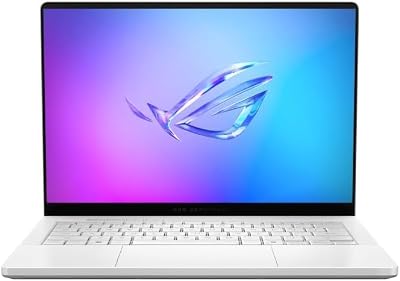
This is the pick for someone who carries a laptop daily but refuses to give up high settings at night. The Ryzen AI 9 HX 370 and RTX 5070 Ti are strong hardware for a 1.57 kg chassis, and the 3K OLED panel is as good for reading and photo work as it is for games. The trade-off is permanence: the 32GB of LPDDR5X is soldered, and storage expansion means replacing the single M.2 SSD rather than adding a second drive, so buy the capacity you need now.
Specs
- Processor: AMD Ryzen AI 9 HX 370 (12 cores, up to 5.1 GHz)
- Graphics: NVIDIA GeForce RTX 5070 Ti 12GB GDDR7, 110W TGP
- Display: 14″ 3K (2880 x 1800) OLED, 120Hz, 500 nits, 100% DCI-P3
- Memory: 32GB LPDDR5X
- Storage: 1TB PCIe SSD
- Wireless: Wi-Fi 7
- Keyboard: RGB backlit
- Weight: 1.57 kg
- Operating system: Windows 11
Best for: commuters and students who want one light laptop for work, browsing and demanding games.
Watch out for: the model number. G14 listings mix RTX 5060, 5070 and 5070 Ti builds, so confirm GA403WR and the 5070 Ti on the exact listing before ordering.
ASIN: B0FC4T1R3K
Lenovo Legion 5 (2025)

The Legion 5 is the balanced option for a machine that mostly lives at home but moves between desk, sofa and kitchen table. Its RTX 5060 runs at a full 115W TGP, the 15.1-inch OLED screen pairs 165Hz gaming with comfortable all-day reading, and the port set is the most complete here, including Ethernet for a wired desk setup. Memory is the flexible part: this configuration ships with 16GB, but the SO-DIMM slots accept up to 64GB, so a cheap upgrade in a year or two is a realistic plan rather than a hope.
Specs
- Processor: AMD Ryzen 7 260 (8 cores, 16 threads, up to 5.1 GHz)
- Graphics: NVIDIA GeForce RTX 5060 8GB GDDR7, TGP 115W
- Display: 15.1″ WQXGA (2560 x 1600) OLED, 165Hz, G-SYNC, 100% DCI-P3
- Memory: 16GB DDR5
- Storage: 1TB SSD
- Ports: 3x USB-A 3.2, 1x USB-C 3.2, 1x USB-C (USB4), HDMI 2.1, RJ-45 Ethernet
- Webcam: 5MP
- Battery: 80Wh
- Weight: 4.19 lb
- Warranty: 1-year manufacturer
Best for: home users who want an OLED all-rounder with a real upgrade path.
Watch out for: this listing is sold by a third-party seller, so confirm the 1-year manufacturer warranty is honoured and registered before the return window closes.
ASIN: B0FPFP4T1R
ASUS TUF Gaming A14 (2025)

The TUF A14 suits students and travellers who are rough on their gear and need battery-friendly hardware for long days away from a desk. At 3.22 lb it is the lightest pick here, the Ryzen AI 7 350 sips power during browsing, and the RTX 5060 runs at up to 110W in this chassis, which is strong for a 14-inch machine. The 73Wh battery supports 100W USB-C charging, so a compact charger tops it up between classes. Memory is the fixed point: the 16GB of LPDDR5X is onboard, although a second M.2 slot leaves storage room to grow.
Specs
- Processor: AMD Ryzen AI 7 350 (8 cores, 16 threads, up to 5.0 GHz)
- Graphics: NVIDIA GeForce RTX 5060 8GB GDDR7
- Display: 14″ WQXGA (2560 x 1600), 165Hz, G-SYNC
- Memory: 16GB LPDDR5X 7500 (onboard)
- Storage: 1TB PCIe 4.0 NVMe SSD
- Battery: 73Wh, 100W USB-C charging
- Weight: 3.22 lb (1.46 kg)
- Operating system: Windows 11 Home
- Warranty: 1-year ASUS USA warranty
Best for: students and frequent travellers who want a light, durable laptop that still games properly.
Watch out for: the 16GB of memory is soldered and is the lifetime ceiling, so heavy tab users should be sure that figure is enough before choosing it over the 32GB picks.
ASIN: B0FMXR26MR
Alienware 16 Aurora

Choose the Aurora if your laptop rarely leaves one desk and screen size is the priority. The 16-inch WQXGA panel gives browsing and documents genuine room to breathe, 32GB of DDR5 is fitted as standard, and the 96Wh battery is the largest in this guide for the occasional unplugged session. The RTX 5060 and Core 7 240H are a sensible pairing for 1600p play at this size. Both memory slots are SO-DIMM and the listing rates memory up to 64GB, so upgrades stay open. At 5.6 lb, though, this is a machine you move between rooms, not one you commute with.
Specs
- Processor: Intel Core 7 240H (10 cores, up to 5.2 GHz)
- Graphics: NVIDIA GeForce RTX 5060 8GB GDDR7
- Display: 16″ WQXGA (2560 x 1600), 120Hz
- Memory: 32GB DDR5 5600 (up to 64GB)
- Storage: 1TB PCIe NVMe SSD
- Wireless: Wi-Fi 7
- Battery: 96Wh
- Keyboard: backlit
- Weight: 5.6 lb
- Operating system: Windows 11 Pro
Best for: desk-based users who want the biggest screen and the most memory out of the box.
Watch out for: many Amazon Aurora listings are reseller-upgraded configurations with the factory seal opened, so check the seller name and whether the warranty comes from Dell or the seller.
ASIN: B0G4GH3D3V
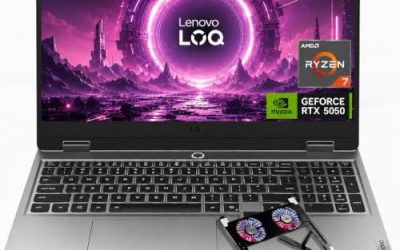
Lenovo LOQ 15 (2025)

The LOQ 15 is the value route into current-generation graphics for a first gaming laptop that also has to handle school or office browsing. You get the same RTX 5060 name as the Legion 5, a 144Hz screen that suits fast games, and a Ryzen 7 250 that is untroubled by everyday work. The compromises are visible and honest: a Full HD rather than 1600p panel, Wi-Fi 6 instead of 7, and a 512GB SSD that modern game installs will fill quickly. Two SO-DIMM slots and replaceable M.2 storage mean both shortcomings can be fixed later.
Specs
- Processor: AMD Ryzen 7 250
- Graphics: NVIDIA GeForce RTX 5060
- Display: 15.6″ FHD (1920 x 1080), 144Hz
- Memory: 16GB DDR5 RAM
- Storage: 512GB SSD
- Wireless: Wi-Fi 6
- Keyboard: backlit
- Weight: 2.4 kg
- Operating system: Windows 11 Home
Best for: first-time buyers and students who want RTX 5060 gaming on a firm budget.
Watch out for: the 512GB SSD. Price up a larger drive before ordering, and note this listing is a seller bundle, so check exactly which accessories and warranty terms are included.
ASIN: B0GLN1C5PD
Which One Fits Your Situation
You carry the laptop every day
Pick between the two 14-inch ASUS models. The Zephyrus G14 is the stronger machine, with an RTX 5070 Ti, 32GB of memory and the better screen, while the TUF Gaming A14 counters with a lower-key design, a slightly lighter bag feel in practice and USB-C charging. Both have soldered memory, so choose the configuration carefully.
One machine for a home desk and the sofa
The Legion 5 fits this pattern best. Its OLED screen works for reading and video, the full-power RTX 5060 covers evening gaming, Ethernet is there when you dock at a desk, and the memory slots mean a 16GB start is not a dead end. It is the least specialised and most forgiving pick in the guide.
You want a big screen and rarely unplug
The Alienware 16 Aurora is built for a fixed spot. The 16-inch 1600p display is the most comfortable here for long browsing sessions and split-screen work, 32GB of memory is already fitted, and the large battery covers the odd trip to another room. Accept the weight as the price of that screen.
Your budget is firm but you still want current graphics
The LOQ 15 keeps the part that matters most, the RTX 5060, and trims the screen resolution, storage and wireless instead. For a first machine or a student laptop that is the right order of priorities, especially as the memory and SSD can both be upgraded when money allows. That open upgrade path is what makes the compromises safe to accept.
Common Mistakes
- Comparing GPU names without checking the wattage, then wondering why a slim laptop runs slower than a thicker one with the same badge.
- Buying a soldered 16GB configuration for a machine you plan to keep five years, when browser tabs alone already strain that amount.
- Choosing purely on refresh rate and ending up with a dim, washed-out screen for the daytime work the laptop mostly does.
- Assuming every Amazon listing is a factory configuration, when reseller-upgraded machines can carry different warranty terms.
- Ordering a 512GB SSD without counting your current game library, then paying more for an external drive within months.
Frequently Asked Questions
Is 16GB of RAM enough for gaming and web browsing?
For now, mostly yes. Sixteen gigabytes handles current games alongside a browser and chat apps, and every pick here starts at that level or above. The risk is time rather than today: tab counts and game requirements creep upward, so a slotted machine you can upgrade, or a 32GB configuration bought once, ages more gracefully.
Does GPU wattage really change frame rates?
Yes, measurably. A laptop RTX 5060 allowed 115W, as in the Legion 5, sustains higher clock speeds than the same chip capped for a thinner chassis, and the gap widens in long sessions as heat builds. Wattage is not the whole story, since cooling design matters too, but two listings with identical GPU names and different TGP figures will not perform identically.
Which of these laptops can I upgrade later?
The Legion 5, Alienware 16 Aurora and LOQ 15 all use SO-DIMM memory slots, and their SSDs are standard replaceable M.2 drives. The Zephyrus G14 and TUF Gaming A14 solder their LPDDR5X memory, so only storage can change after purchase. Whatever you buy, confirm the slot layout for the exact model number, because configurations vary within a range.
Is an OLED screen a problem for all-day browsing?
Not for most people. The OLED picks here, the Zephyrus G14 and Legion 5, hold contrast well at the low brightness levels used for reading, and both vary their pixel behaviour to limit wear. If your day is one static spreadsheet at maximum brightness for years, an IPS model such as the Alienware Aurora is the safer long-term choice.