Most life sims run on almost anything. inZOI, from KRAFTON’s inZOI Studio, is the exception. Built on Unreal Engine 5 with realistic lighting and densely simulated neighborhoods, it launched into Early Access in March 2025 with some of the heaviest published system requirements in its genre — and the developer unusually published four full hardware tiers instead of the usual two. That makes choosing a laptop for inZOI refreshingly mechanical: match the machine to the tier you actually want to play at, and pay attention to RAM and SSD capacity, because this game leans on both harder than most.
Disclosure: As an Amazon Associate we earn from qualifying purchases.
What inZOI Actually Asks For
These are the developer’s published tiers, as shared by inZOI Studio ahead of the Early Access launch:
| Tier | CPU | GPU | RAM | Storage |
|---|---|---|---|---|
| Minimum | Intel i5-10400 / Ryzen 5 3600 | RTX 2060 (6GB) / RX 5600 XT | 12GB | 40GB |
| Medium | Intel i5-11700 / Ryzen 7 5800X3D | RTX 3060 (8GB) / RX 6600 | 16GB | — |
| Recommended | Intel i7-12700K / Ryzen 7 7800X3D | RTX 3070 (8GB) / RX 6800 XT | 16GB | 60GB |
| High | Intel i7-14700K / Ryzen 7 9800X3D | RTX 4080 (16GB) / RX 7900 XTX | 32GB | 75GB |
Three things stand out. First, the minimum RAM is 12GB, so any laptop shipping with 8GB is below the floor as configured, no matter how good its GPU is. Second, the High tier doubles RAM to 32GB and names a desktop RTX 4080 — on a laptop, the RTX 4080 Laptop GPU with 12GB is the closest mobile equivalent. Third, the desktop GPUs in the table do not map one-to-one onto laptop GPUs: a laptop card’s power limit (TGP) decides how close it gets, which is why every pick below lists its GPU power figure where the maker publishes one. Simulation-heavy scenes also reward strong CPUs, and if you are comparing AMD platforms specifically, our breakdown of the best gaming laptop AMD Ryzen options covers how the Ryzen ranges stack up.
Every laptop below is sold on Amazon US and clears at least the Medium tier on published specs. They are ordered by the tier they suit, not by preference.
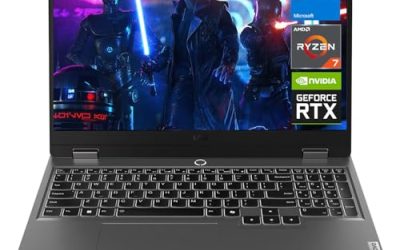
1. Lenovo LOQ 15IRX9 — The Medium-Tier Starting Point

The LOQ 15IRX9 pairs an HX-series Intel processor with a full-power RTX 4060 Laptop GPU, which puts it comfortably past the developer’s Medium tier (a desktop RTX 3060 and 16GB of RAM) at 1080p. The 144Hz G-SYNC panel suits the game’s camera pans across its open neighborhoods, and the two memory slots mean the 16GB it ships with is a floor, not a ceiling — both slots were populated on the configuration Notebookcheck examined, so a later move to 32GB is a module swap rather than a dead end.
Specs
- CPU: Intel Core i7-13650HX (14 cores, 20 threads, up to 4.9GHz)
- GPU: NVIDIA GeForce RTX 4060 Laptop GPU, 8GB GDDR6, up to 115W
- RAM: 16GB DDR5, two SO-DIMM slots
- Storage: 1TB PCIe M.2 SSD
- Display: 15.6-inch FHD IPS, 144Hz, G-SYNC
- Ports: 3x USB-A 3.2 Gen 1, 1x USB-C 3.2 Gen 2 (DisplayPort, Power Delivery), HDMI, RJ-45 Ethernet, 3.5mm combo jack
- OS: Windows 11 Home
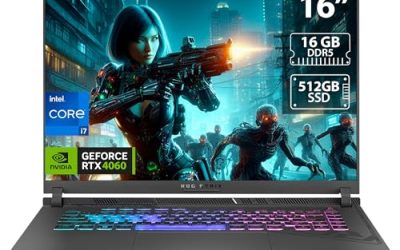
2. Lenovo Legion Pro 5i Gen 8 — Built for the Recommended Tier

The developer’s Recommended tier asks for a desktop RTX 3070 and 16GB of RAM. This Legion Pro 5i answers with an RTX 4070 Laptop GPU running at 140W — the full-power version of the chip — and doubles the memory to 32GB, which is the High tier’s RAM figure. The 16-inch WQXGA (2560×1600) screen gives the game’s detailed interiors more room than a 1080p panel, and Lenovo’s listing notes memory support up to 64GB, so the machine has headroom as the Early Access build grows.
Specs
- CPU: Intel Core i7-13700HX (16 cores, 24 threads, up to 5.0GHz)
- GPU: NVIDIA GeForce RTX 4070 Laptop GPU, 8GB GDDR6, 140W
- RAM: 32GB DDR5 (supports up to 64GB per the listing)
- Storage: 1TB PCIe NVMe SSD
- Display: 16-inch WQXGA (2560×1600), 165Hz
- Connectivity: Wi-Fi 6, RGB backlit keyboard
- OS: Windows 11 Home
3. Acer Nitro V 16S AI (ANV16S-41-R2AJ) — Current-Generation GPU, 32GB Standard

The Nitro V 16S AI is the only pick here with an RTX 50-series GPU, which matters for inZOI specifically: published coverage of the game’s requirements notes that its highest settings and NVIDIA’s Smart Zoi AI features reach into RTX 50-series laptop territory. Its RTX 5060 Laptop GPU is a Blackwell part with DLSS 4 support, the Ryzen 7 260 clears every CPU in the developer’s table below the High tier, and 32GB of DDR5 comes standard — the High tier’s memory figure in a mid-range chassis. Comparison coverage of this model also notes dual M.2 2280 slots, so storage can grow alongside the game. The 16-inch WUXGA (1920×1200) IPS panel runs at 180Hz, faster than inZOI needs but welcome for everything else you play.
Specs
- CPU: AMD Ryzen 7 260
- GPU: NVIDIA GeForce RTX 5060 Laptop GPU, 8GB GDDR7, 572 AI TOPS per the listing
- RAM: 32GB DDR5
- Storage: 1TB Gen 4 SSD, dual M.2 2280 slots per model coverage
- Display: 16-inch WUXGA (1920×1200) IPS, 180Hz
- Connectivity: Wi-Fi 6
- OS: Windows 11 Home
4. Lenovo Legion 5 15IRX10 — High Settings With an OLED Screen

The Legion 5 15IRX10 takes a different route upward: instead of a bigger GPU, it pairs the RTX 5070 Laptop GPU at a 115W TGP with the strongest CPU in this guide and a 15.1-inch WQXGA OLED panel. For inZOI that trade makes sense — the simulation side scales with the Core i9-14900HX, DLSS 4 helps the RTX 5070 at the panel’s 2560×1600 resolution, and the OLED’s contrast flatters the game’s realistic lighting. It ships with 32GB of DDR5 and a 1TB SSD, so it meets the High tier’s memory figure out of the box, and Wi-Fi 7 plus Gigabit Ethernet cover both ways of connecting.
Specs
- CPU: Intel Core i9-14900HX
- GPU: NVIDIA GeForce RTX 5070 Laptop GPU, 8GB GDDR7, 115W TGP, 798 AI TOPS per the listing
- RAM: 32GB DDR5
- Storage: 1TB NVMe M.2 SSD
- Display: 15.1-inch WQXGA (2560×1600) OLED, 165Hz
- Connectivity: Wi-Fi 7, Gigabit Ethernet
- OS: Windows 11 Home
5. Razer Blade 16 (2023) — The High-Tier Match in a Slim Chassis
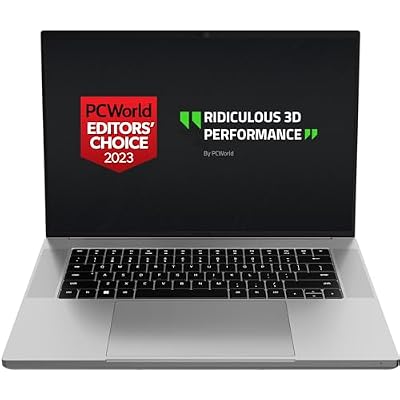
This is the configuration that lines up with the developer’s High tier almost line for line: an RTX 4080 Laptop GPU with 12GB of GDDR6, 32GB of RAM, and a 24-core Core i9-13950HX. What sets the Blade 16 apart from the desktop-replacement crowd is the packaging — Razer fits that hardware into a CNC-milled aluminum chassis with a dual-mode Mini LED display that switches between UHD+ at 120Hz for detail work and FHD+ at 240Hz for fast games. For inZOI, the UHD+ mode is the one that shows off the game’s neighborhoods. Storage is a 1TB SSD, which covers the High tier’s 75GB ask many times over alongside a normal game library.
Specs
- CPU: Intel Core i9-13950HX (24 cores)
- GPU: NVIDIA GeForce RTX 4080 Laptop GPU, 12GB GDDR6
- RAM: 32GB DDR5
- Storage: 1TB SSD
- Display: 16-inch Dual Mode Mini LED, UHD+ 120Hz / FHD+ 240Hz
- OS: Windows 11
How to Choose a Laptop for inZOI
Start with the GPU tier, then check its power limit. The same GPU name can ship at very different wattages in different chassis, and inZOI’s detailed lighting punishes low-power variants. Several picks above run their GPUs at 115W and 140W — at or near the top of each chip’s mobile range.
Treat 16GB of RAM as the practical minimum and 32GB as the comfortable target. The developer’s floor is 12GB, which rules out 8GB configurations entirely, and the High tier’s 32GB figure reflects how much the simulation holds in memory. If you buy a 16GB machine, prefer one with two SO-DIMM slots — the LOQ above qualifies — so the upgrade stays open.
Give the game SSD room. The High tier wants 75GB free, the install will grow through Early Access updates, and inZOI loads large neighborhood data from storage. A 1TB NVMe drive is the sensible starting point; a second M.2 slot, as on the Acer Nitro above, is the cleanest expansion path.
Do not skimp on the CPU. Life sims simulate every character in the neighborhood, and the developer’s tiers climb from a six-core i5 to a 14700K-class part for a reason. The HX-series Intel chips and AMD Ryzen parts in the picks above are desktop-class silicon and age better for this workload than thin-and-light processors.
Check the warranty on the exact listing. Gaming laptops are sold on Amazon US by both makers and third-party sellers, and warranty terms can differ between them. Confirm the term stated on the listing and on the maker’s product page for the exact model number, and register the machine when it arrives so the coverage is active.