Disclosure: As an Amazon Associate we earn from qualifying purchases.
A laptop that earns its place on a writer’s desk has to do two jobs that pull in opposite directions. For writing, you want a keyboard you can stay on for hours, a sharp screen that keeps text crisp at sensible scaling, fans that stay quiet while you draft, and enough battery to work away from the desk. For gaming, you want a real discrete GPU with a healthy power limit, fast memory and storage, and cooling that holds up in long sessions. The four machines below are all currently sold on Amazon US and all pair a proper NVIDIA RTX graphics chip with a chassis light enough to carry daily. They differ in how they trade screen size, keyboard feel and upgrade room, so read the per-model notes before you pick.
The picks at a glance
| Model | CPU | GPU | Display | Weight |
|---|---|---|---|---|
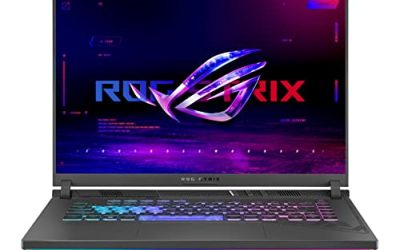
| ASUS ROG Zephyrus G14 (GA403UV) | Ryzen 9 8945HS | RTX 4060 8GB | 14″ OLED 2880 x 1800, 120Hz | 3.31 lb |
| Lenovo Legion Slim 5 14APH8 | Ryzen 7 7840HS | RTX 4060 8GB | 14.5″ OLED 2880 x 1800, 120Hz | about 1.75 kg |
| Razer Blade 14 (2024) | Ryzen 9 8945HS | RTX 4070 8GB | 14″ QHD+ 2560 x 1600, 240Hz | about 1.84 kg |
| ASUS ProArt PX13 (HN7306) | Ryzen AI 9 HX 370 | RTX 4050 6GB | 13.3″ OLED 2880 x 1800 touch | about 1.38 kg |
1. ASUS ROG Zephyrus G14 (GA403UV) — the balanced writer’s pick

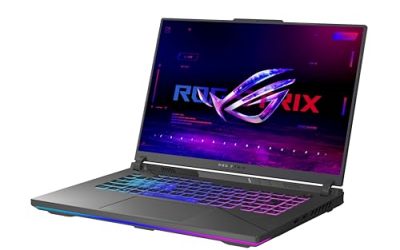
The 2024 Zephyrus G14 is the easiest recommendation here for someone whose day is mostly documents. It weighs 3.31 pounds per the Amazon listing, so it disappears into a bag, and its 14-inch OLED panel runs at 2880 x 1800, which keeps text edges clean at 125–150% scaling during long drafting sessions. The chiclet keyboard is backlit, and the Ryzen 9 8945HS has more than enough headroom for a writing app, a browser full of research tabs and a reference library open at once. When the workday ends, the RTX 4060 with 8GB of GDDR6 and a MUX switch handles modern games at the panel’s native resolution with sensible settings, and the 1TB SSD leaves room for both a manuscript archive and a game library.
Specs
- CPU: AMD Ryzen 9 8945HS (8 cores, up to 5.2 GHz)
- GPU: NVIDIA GeForce RTX 4060, 8GB GDDR6, MUX switch
- Display: 14-inch OLED, 2880 x 1800, 120Hz
- Memory: 16GB LPDDR5X (soldered)
- Storage: 1TB PCIe SSD
- Battery: 73 Wh (maker specification)
- Ports: USB4 Type-C, USB 3.2 Type-C, 2x USB 3.2 Type-A, HDMI 2.1, microSD reader, audio combo jack
- Wireless: Wi-Fi 6E, Bluetooth 5.3
- Weight: 3.31 lb
- Warranty: 1-year manufacturer warranty per the listing
Upgrade notes: the listing lists 16GB as both the installed and the maximum memory, so treat the RAM as fixed for the life of the machine and choose the memory size carefully at checkout. If you regularly keep very large projects open alongside a game, that fixed 16GB is the main reason to look at the Razer or the ProArt below instead.
2. Lenovo Legion Slim 5 14APH8 — bigger OLED, expandable storage

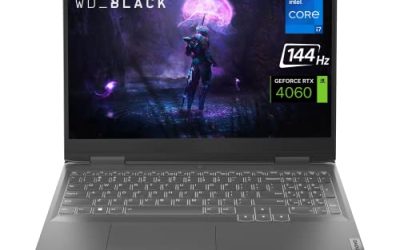
Lenovo’s Legion Slim 5 14APH8 gives you a slightly larger 14.5-inch OLED at the same 2880 x 1800 resolution and 120Hz, with 400 nits of brightness and full DCI-P3 coverage per Lenovo’s published specification — comfortable for text work in bright rooms. The Ryzen 7 7840HS and RTX 4060 (105W TGP in Lenovo’s specification for this family) are a step behind the Zephyrus on CPU but equal on graphics, and the white-backlit keyboard uses Lenovo’s familiar deep-travel layout that many touch-typists prefer. At roughly 1.75 kg it is the heaviest of the 14-inch picks here, though the 73.6 Wh battery is also the joint-largest in this group.
Specs
- CPU: AMD Ryzen 7 7840HS (8 cores, up to 5.1 GHz)
- GPU: NVIDIA GeForce RTX 4060, 8GB GDDR6, up to 105W TGP per Lenovo specification
- Display: 14.5-inch OLED, 2880 x 1800, 120Hz, 400 nits, 100% DCI-P3
- Memory: 16GB LPDDR5X-6400 (soldered)
- Storage: 1TB M.2 2280 PCIe 4.0 SSD
- Battery: 73.6 Wh
- Ports: 2x USB 3.2 Gen 2 Type-A, 2x USB-C 3.2 Gen 2, HDMI 2.1, SD card reader, audio combo jack
- Wireless: Wi-Fi 6 / 6E depending on SKU, Bluetooth
- Weight: about 1.75 kg
Upgrade notes: memory is soldered on the 14APH8, so it cannot be changed later. Storage is the flexible part — the model carries two M.2 2280 slots, so a second SSD can be added for a growing game library or media archive without replacing the factory drive. One caution from reviews of this model: fan noise rises noticeably under full gaming load, so it is better suited to writing in shared spaces than to gaming in them.
3. Razer Blade 14 (2024) — the strongest GPU and keyboard deck

The Blade 14 is the premium option. Razer’s Amazon listing pairs the Ryzen 9 8945HS with an RTX 4070 running at up to 140W TGP — the highest graphics power limit in this roundup — behind a 14-inch QHD+ 2560 x 1600 matte display at 240Hz. The matte finish is a genuine writing advantage: it cuts reflections under office lighting during long text sessions. The aluminum unibody is rigid, the per-key Chroma RGB keyboard sits in a deck with no noticeable flex, and at about 1.84 kg it stays travel-friendly. The 32GB of DDR5 in this configuration also removes the memory ceiling that limits the two machines above.
Specs
- CPU: AMD Ryzen 9 8945HS (8 cores, up to 5.2 GHz)
- GPU: NVIDIA GeForce RTX 4070, 8GB GDDR6, up to 140W TGP
- Display: 14-inch QHD+, 2560 x 1600, 240Hz, matte anti-glare
- Memory: 32GB DDR5
- Storage: 1TB SSD
- Cooling: vapor chamber
- Build: CNC aluminum unibody, Classic Black
- Weight: about 1.84 kg (4.05 lb)
Upgrade notes: Razer sells the Blade 14 in fixed retail configurations, and the listing above is the 32GB/1TB build. Because configurations differ by region and production run, confirm the memory and storage layout of the exact unit with the seller before ordering if future upgrades matter to you.
4. ASUS ProArt PX13 (HN7306) — the convertible for writers who annotate

The ProArt PX13 takes a different angle: it is a 13.3-inch convertible with a 360-degree hinge and a touch OLED, so it folds into a tablet-like posture for annotating drafts, marking up PDFs or sketching between writing sessions. At about 1.38 kg it is the lightest machine here. The trade-off is graphics: this Amazon configuration pairs the Ryzen AI 9 HX 370 with an RTX 4050 6GB, which is a real discrete GPU that plays modern titles at reduced settings and 1080p-class output, but it is a clear step below the RTX 4060 and 4070 picks above. In exchange you get 32GB of LPDDR5X memory as standard, Windows 11 Pro, and Wi-Fi 7.
Specs
- CPU: AMD Ryzen AI 9 HX 370 (12 cores, up to 5.1 GHz)
- GPU: NVIDIA GeForce RTX 4050, 6GB GDDR6
- Display: 13.3-inch OLED, 2880 x 1800, touch, convertible 360-degree hinge
- Memory: 32GB LPDDR5X
- Storage: 1TB PCIe SSD
- Operating system: Windows 11 Pro
- Wireless: Wi-Fi 7, Bluetooth 5.4
- Keyboard: backlit
- Weight: about 1.38 kg
Upgrade notes: the PX13’s LPDDR5X memory is part of the mainboard design, so buy the 32GB configuration — as listed here — rather than planning a later memory upgrade.
How to choose
Keyboard first. For writing, key travel and deck stability matter more than lighting effects. All four picks use full-size chiclet layouts without a number pad; the Legion’s deeper-travel keys and the Blade’s rigid deck are the two that long-form typists tend to single out, while the Zephyrus and ProArt favour a lighter, shorter keystroke.
Screen comfort for text. Every pick here uses a 2880 x 1800-class OLED except the Blade, whose 2560 x 1600 matte IPS-style panel trades a little sharpness for far fewer reflections. On the OLED models, run Windows scaling at 125–150% for comfortable body text, and use dark mode during long static sessions as basic panel hygiene.
Noise while you draft. All four machines can keep their fans near idle during typing and browsing because their CPUs sip power at light load; the difference appears in games, where the Legion is the loudest of this group under full load and the vapor-chamber Blade spreads heat across the whole chassis. If your writing happens in libraries or shared offices, any of these works — just game elsewhere or with headphones.
Battery expectations. The Zephyrus (73 Wh) and Legion (73.6 Wh) carry the largest batteries here, and AMD’s HS-series chips are efficient at idle, so a writing day away from the charger is realistic at moderate brightness. Gaming on battery shortens that dramatically on every model and also caps GPU power, so treat the charger as part of the gaming setup.
Ports and warranty. Writers who dock at a desk should note the Zephyrus’s USB4 port and microSD reader, and the Legion’s full-size SD reader for camera cards. Warranty terms vary by seller and region — the Zephyrus listing states a 1-year manufacturer warranty; check the equivalent line on whichever listing you buy from, and confirm the exact model code (for example GA403UV or 14APH8) matches the specification you read, because these families ship in several configurations.
CPU platform. Three of these four picks are built on AMD Ryzen chips, which is no accident for battery-friendly writing machines. If you want to compare the wider field before deciding, our guide to the best gaming laptop AMD Ryzen models lines up the current Ryzen options side by side.
Verdict
For most writers who game, the ASUS ROG Zephyrus G14 is the best balance: the lightest full-power chassis here, a superb text screen, and an RTX 4060 that does not ask you to compromise much after hours. Choose the Lenovo Legion Slim 5 14APH8 if you want the larger OLED and a second SSD slot for storage growth. Choose the Razer Blade 14 if keyboard feel and the strongest GPU matter most and the budget stretches. Choose the ASUS ProArt PX13 only if the convertible touch screen genuinely fits how you annotate and draft — its RTX 4050 is the weakest gaming chip in this group, and it earns its place on flexibility, not frame rates.