If you are searching for the best graphics card for laptop gaming or creative work, start with the framing. Laptop graphics hardware is not sold as a standalone card, the way a desktop card is. In almost every modern laptop, the GPU is soldered or built into the chassis, with cooling and power delivery matched to that machine.
The honest way to shop is therefore to choose a laptop for its graphics hardware. Every pick below is a complete laptop currently sold on Amazon US, selected for its NVIDIA GeForce RTX laptop GPU, its power limit, and the system around it. An external GPU option is covered separately.
As an Amazon Associate we earn from qualifying purchases.
How Laptop Graphics Actually Work
A GPU name such as RTX 4060 or RTX 4070 is only part of the story. Two laptops with the same GPU can perform differently because manufacturers set different power limits, often described as TGP or MGP. A higher limit, with adequate cooling, generally lets the GPU sustain higher clock speeds for longer. A lower limit in a thin chassis is more portable, but it will not match a full-power version in demanding games.
Video memory matters too. The GPUs here both list 8 GB of GDDR6, which suits 1080p and 1600p gaming, especially with DLSS where a game supports it. A native 2560 x 1600 panel still pushes more pixels than 1920 x 1080.
The GPU also does not work alone. A capable CPU keeps frame rates consistent, enough RAM prevents stutter, and a fast SSD shortens load times. Documented RAM and SSD upgradeability can extend the machine’s life — even though the GPU itself cannot be upgraded.
For a broader look at current graphics tiers, see our guide to the best graphics card for 2026.
Comparison Table
| Laptop | GPU | GPU power noted in listing | CPU | Display | RAM / SSD |
|---|---|---|---|---|---|
| ASUS ROG Strix G16 (G614JV-AS74) | RTX 4060 Laptop GPU | 140W Max TGP | Intel Core i7-13650HX | 16-inch FHD, 165Hz | 16GB DDR5 / 1TB PCIe Gen4 SSD |
| Acer Predator Helios 16 (PH16-71-74UU) | RTX 4060 Laptop GPU | 140W MGP noted | Intel Core i7-13700HX | 16-inch 2560 x 1600, 165Hz, G-SYNC | 16GB DDR5 / 1TB Gen 4 SSD |
| Lenovo Legion Pro 5i Gen 8 | RTX 4070, 8GB GDDR6 | Not stated in listing excerpt | Intel Core i7-13700HX | 16-inch WQXGA, 165Hz | 32GB DDR5 / 1TB SSD |
| Dell G16 7630 | RTX 4070, 8GB GDDR6 | Not stated in listing excerpt | Intel Core i9-13900HX | 16-inch QHD+ (2560 x 1600) | 16GB DDR5 / 1TB SSD |
Use the table as a shortlist, not a ranking by GPU name alone. For the RTX 4070 machines, check the full listing for power limits, which vary by sub-model.
The Picks
1. ASUS ROG Strix G16 (G614JV-AS74) — Full-Power RTX 4060 for 1080p

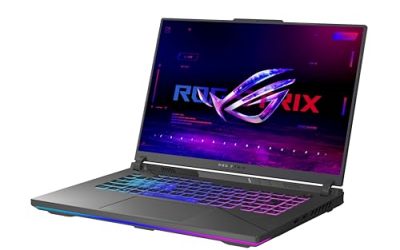
The Strix G16 shows why the power limit matters as much as the GPU name. Its listing states an NVIDIA GeForce RTX 4060 Laptop GPU at 140W Max TGP, paired with a 13th Gen Intel Core i7-13650HX. That combination is aimed at high-refresh 1080p gaming, and the display matches: a 16-inch FHD 165Hz panel with 100% sRGB coverage noted in the listing.
Memory and storage are 16GB of DDR5-4800MHz memory and a 1TB PCIe Gen4 SSD, with Wi-Fi 6E and Windows 11 Home also listed. The listing highlights ROG Intelligent Cooling, including liquid metal on the CPU and a third intake fan.
Choose this model for a documented full-power RTX 4060 and mainly 1080p play. Check model G614JV-AS74 and the warranty terms, because Strix G16 listings vary.
2. Acer Predator Helios 16 (PH16-71-74UU) — RTX 4060 With a 1600p Panel
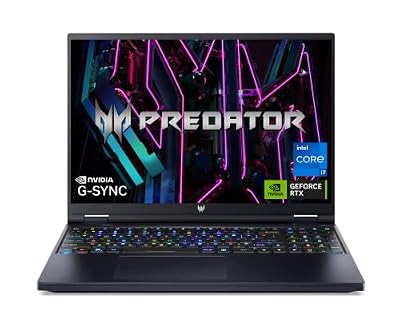
The Predator Helios 16 pairs the RTX 4060 with a higher-resolution display than most RTX 4060 laptops offer. The listing names a 13th Gen Intel Core i7-13700HX, a 16-inch 2560 x 1600 display at 165Hz with G-SYNC, 16GB of DDR5 memory, and a 1TB Gen 4 SSD. It also states the machine is fully optimised for maximum 140W MGP usage, giving you a concrete power figure to compare.
Upgradeability is documented: 16GB DDR5 across 2 slots, maximum 32GB, and storage across 2 PCIe M.2 slots. The GPU remains fixed, but RAM and storage can grow.
This fits buyers who want a sharper 1600p panel for work as well as gaming, and who are comfortable using DLSS or adjusting settings at native resolution. Killer Wi-Fi 6E is listed. Confirm model PH16-71-74UU, because this range is also sold with other GPUs.
3. Lenovo Legion Pro 5i Gen 8 — RTX 4070 With 32GB of RAM

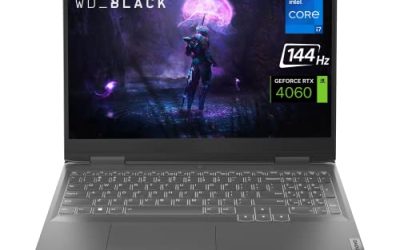
The Legion Pro 5i Gen 8 steps up to the RTX 4070 with 8GB of GDDR6, alongside an Intel Core i7-13700HX described as 16 cores and 24 threads, boosting up to 5.0 GHz. This configuration lists 32GB of DDR5 RAM and a 1TB PCIe NVMe M.2 SSD — more headroom than the 16GB models here, for gaming alongside streaming tools or heavier creative work.
The display is a 16-inch WQXGA panel at 165Hz. Ports listed are 4 x USB-A 3.2 Gen 1, 2 x USB-C 3.2 Gen 2, RJ-45 Ethernet, HDMI, and a headphone and microphone combo jack, plus Wi-Fi 6 and Bluetooth 5 — well suited to a desk setup without a dock.
Pick this model if you want the RTX 4070 tier and 32GB of RAM from the start. The listing excerpt does not state a GPU power limit, so check the full product page and Lenovo documentation for the exact configuration and warranty cover before ordering.
4. Dell G16 7630 — RTX 4070 With a Core i9 Processor

The Dell G16 7630 pairs an RTX 4070 with 8GB of GDDR6 with an Intel Core i9-13900HX, 16GB of DDR5 RAM, and a 1TB SSD. The display is a 16-inch QHD+ panel at 2560 x 1600. It targets buyers who want the stronger GPU tier and a high-end HX processor in one chassis, for 1600p gaming with upscaling and for CPU-heavy tasks such as video editing.
Because this configuration lists 16GB of RAM, check Dell’s documentation for the memory upgrade path and storage slots, and check the listing for the current warranty terms.
Choose the G16 if the Core i9 and RTX 4070 pairing is your priority. Match model G7630 and the full specification on the product page before buying, since G16 listings also cover RTX 4060 versions.
What About an External Graphics Card for a Laptop?
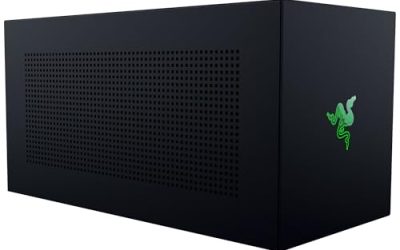
An eGPU enclosure is the one genuine way to add graphics power to a laptop you already own, typically via Thunderbolt, USB4, or OCuLink, using an enclosure with its own GPU and power supply. It can make sense if your laptop has a strong CPU and the right port, but a weak integrated GPU.
It also has limits: bandwidth over a cable is lower than an internal connection, compatibility is not guaranteed, and you lose portability while docked. If a laptop lacks Thunderbolt, USB4, or OCuLink, a laptop with the right internal GPU is usually simpler. Verify your port, the enclosure’s connection, power supply, and return terms first.
How to Choose
Start with GPU tier and power limit
For 1080p high-refresh play, a full-power RTX 4060 is a balanced choice. For 1600p or more headroom, the RTX 4070 is the step up. Then look for the power limit in watts; if it is not stated, treat that as a question to answer before buying.
Match the CPU, RAM, SSD, and display
Look for a modern HX processor, at least 16GB of DDR5 RAM, and at least a 1TB SSD. All four picks meet that baseline, and the Legion Pro 5i lists 32GB. Check RAM slots and a second M.2 slot if upgrades matter. Match the display too: a 165Hz FHD panel suits fast 1080p play, while 2560 x 1600 is sharper but asks more of the GPU. G-SYNC, where listed, helps smooth frame pacing.
Check ports, warranty, and upgradeability
Count the ports you use: USB-A and USB-C, HDMI, Ethernet, and Thunderbolt or USB4 if you may use docks or an eGPU later. Read the warranty length and who provides it, especially on seller-configured listings. Documented RAM and SSD upgradeability, such as in the Predator Helios 16 listing, is a long-term advantage, even though the GPU stays fixed.
FAQ
Can I upgrade the graphics card in my laptop later?
In almost all modern laptops, no. The GPU is soldered or integrated into the main board design and cannot be swapped like a desktop card. RAM and SSD upgrades are often possible and are sometimes documented in the listing, but buy the GPU tier you need at purchase.
Is the RTX 4070 laptop GPU much better than the RTX 4060?
It is the higher tier here and is better suited to 1600p gaming and heavier settings, especially with a strong CPU. The exact gap depends on power limits, cooling, the game, and the resolution, so compare the full configuration rather than the GPU name alone.
How much video memory do I need?
The models here list 8GB of GDDR6, a practical amount for 1080p and 1600p gaming with upscaling. Higher resolutions put more pressure on video memory, so match the GPU to the display.
Should I buy an eGPU instead of a new gaming laptop?
Only if your laptop has a strong CPU, enough RAM, and a compatible Thunderbolt, USB4, or OCuLink port. Without those foundations, a laptop chosen for its internal GPU is usually cleaner.
Conclusion
The best graphics card for laptop use is not a card you buy on its own — it is the GPU inside the laptop you choose, at the power limit that laptop allows, matched to its display. For focused 1080p gaming, the ASUS ROG Strix G16 and Acer Predator Helios 16 show what a documented 140W RTX 4060 configuration looks like, with the Acer adding a sharper 1600p panel and documented RAM and storage slots. For the RTX 4070 tier, the Lenovo Legion Pro 5i Gen 8 stands out for 32GB of RAM and its port selection, while the Dell G16 7630 pairs the same GPU tier with a Core i9 processor.
Verify the exact model number, GPU, power limit, display, RAM, SSD, ports, and warranty on the listing before you order. With a laptop GPU, the configuration you buy is the configuration you keep.