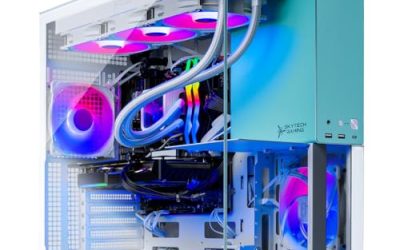
The GeForce RTX 4060 does not need a flagship processor. It is an efficient graphics card aimed mainly at 1080p gaming, with enough headroom for 1440p in many titles when settings and upscaling are chosen sensibly. The best CPU for a 4060 is therefore a modern, fast six-core chip — or a closely related value option — that keeps frame times steady without forcing you to spend the rest of the build budget on the processor alone.
As an Amazon Associate we earn from qualifying purchases.
That balance is the whole decision. Spend too little and the CPU can hold the card back at 1080p, especially in esports and simulation games. Spend far too much and, at 1440p, the graphics card becomes the limit first. The five picks below cover the sensible middle ground: new AM5 builds, a low-cost AM4 upgrade, and two Intel LGA1700 choices.
See also the best CPU for gaming in 2026.
Quick Comparison
| CPU | Platform / Socket | Cores / Threads | Memory | Base Power | Best For |
|---|---|---|---|---|---|
| AMD Ryzen 5 7600 | AM5 | 6 / 12 | DDR5 | 65W | Best overall new build |
| AMD Ryzen 5 7600X | AM5 | 6 / 12 | DDR5 | Higher than 7600 | AM5 step-up, high refresh |
| AMD Ryzen 5 5600 | AM4 | 6 / 12 | DDR4 | 65W | Existing AM4 owners |
| Intel Core i5-12400F | LGA1700 | 6 / 12 | DDR4 or DDR5 | 65W | Low-cost Intel build |
| Intel Core i5-13400F | LGA1700 | 10 / 16 | DDR4 or DDR5 | 65W | Gaming plus multitasking |
All five support PCIe 4.0 or newer on suitable motherboards, which matters because the RTX 4060 uses eight PCIe lanes. On an older PCIe 3.0 board the card can lose a little performance in some games, a point noted in published pairing guides for this card, so a PCIe 4.0 platform is the safer match where possible.
How to Choose the Best CPU for a 4060
Match the CPU to Your Resolution
At 1080p, the processor matters most. Lower resolution and lower settings raise frame rates, which means the CPU has to prepare more frames per second. That is why competitive players chasing very high refresh rates in titles such as Counter-Strike 2 and Valorant benefit from the faster AM5 chips below, even with a mid-range graphics card.
At 1440p, the picture changes. The graphics card does more work per frame, so it usually becomes the limiting factor. Published pairing guides for the RTX 4060 consistently make this point: any modern six-core in this class keeps the card fed at 1440p, and moving to a much more expensive processor brings little visible gain. If you game at 1440p on a 60Hz to 144Hz monitor, prioritise the platform and total build cost over chasing the fastest chip.
Platform and Socket Decide the Real Cost
The processor price is only part of the story. Motherboard and memory often decide which pick is actually cheapest overall.
- AM5 (Ryzen 5 7600 and 7600X): Requires a B650-class or newer AM5 motherboard and DDR5 memory. The upfront cost is higher, but AM5 offers the clearest upgrade path, so a later processor or graphics card upgrade does not require a new board.
- AM4 (Ryzen 5 5600): Uses widely available AM4 boards and DDR4 memory. It is the cheapest route if you already own that platform, but it is a mature platform with no new generation of processors planned for it.
- LGA1700 (Core i5-12400F and 13400F): Works with 600 and 700 series boards, and uniquely lets you choose DDR4 or DDR5 depending on the motherboard. A DDR4 board keeps costs down; a DDR5 board leaves memory reusable later, though the socket itself has been succeeded by newer Intel platforms.
Power, Cooling, and Core Count
The 65W options — the Ryzen 5 7600, Ryzen 5 5600, Core i5-12400F, and Core i5-13400F — are easy to cool and suit smaller cases. The Ryzen 5 7600X runs in a higher power class and includes no cooler, so budget for a tower cooler. For pure gaming, six fast cores are enough; extra cores help more with streaming and multitasking than with frame rates.
The Best CPUs for a 4060
1. AMD Ryzen 5 7600 — Best Overall for a New Build

The Ryzen 5 7600 is the default recommendation for most new RTX 4060 builds. Its Amazon listing describes it as a 6-core, 12-thread unlocked desktop processor on the AM5 platform. Published specifications for the chip list a boost clock up to 5.1 GHz, 32MB of L3 cache, and a 65W power rating, and retail boxes include a stock cooler, which removes one extra purchase.
With an RTX 4060, that gives strong 1080p performance and comfortable 1440p play, while AM5 keeps the door open to a future upgrade on the same motherboard.
2. AMD Ryzen 5 7600X — Best AM5 Step-Up

The Ryzen 5 7600X is the faster sibling in the same family. Its Amazon listing describes it as a 6-core, 12-thread unlocked desktop processor, also on AM5 with DDR5 memory. It is aimed at builders who want a little more clock headroom for high-refresh 1080p play and who already plan to buy a separate cooler.
The trade-off is clear: with an RTX 4060, the gap to the regular 7600 will be small in many games, because the graphics card is often the limit. Choose the 7600X when its price is close to the 7600, when you play CPU-heavy esports titles, or when you expect a later graphics card upgrade.
3. AMD Ryzen 5 5600 — Best for Existing AM4 Owners

If you already own an AM4 motherboard and DDR4 memory, the Ryzen 5 5600 is usually the smartest pairing of all. Its Amazon listing describes a 6-core, 12-thread unlocked processor with a Wraith Stealth cooler, a max boost of 4.4 GHz, 65W power rating, and DDR4-3200 support on Socket AM4.
That is more than enough for an RTX 4060 at 1080p, and it avoids buying a new board and memory kit. The limitation is the future: AM4 is a finished platform, so this extends a current system rather than founding the next one.
4. Intel Core i5-12400F — Best Low-Cost Intel Option

The Core i5-12400F remains a proven budget pairing for this card. Its Amazon listing describes a 12th generation processor with 6 cores and 12 threads, up to 4.4 GHz, 18MB of cache, a 65W processor base power, support for both DDR5 and DDR4 depending on the motherboard, and the LGA1700 socket, with a stock cooler included in the box and no integrated graphics — the F suffix means a discrete graphics card is required, which an RTX 4060 build has by definition.
Paired with an inexpensive DDR4 LGA1700 board, it is one of the lowest-cost complete platforms here while still keeping the RTX 4060 fed at 1080p and 1440p.
5. Intel Core i5-13400F — Best for Gaming Plus Multitasking

The Core i5-13400F adds cores for builders who do more than game. Its Amazon listing describes a desktop processor with 10 cores — 6 performance cores plus 4 efficiency cores — and 16 threads, 20MB of cache, up to 4.6 GHz, a 65W base power rating, and the LGA1700 socket with DDR4 and DDR5 support depending on the board.
In games, expect performance broadly in the same class as the 12400F, since the graphics card sets the ceiling in most titles. The benefit shows up alongside the game: streaming, voice chat, and background work have more threads to share. If you only game, choose the 12400F or the Ryzen 5 7600 instead.
What About Benchmark Figures?
This guide deliberately avoids quoting a single frames-per-second number per chip. Published results vary by game, settings, memory speed, and driver version, and pairing guides that survey this card — including TechVerio’s RTX 4060 pairing guide and BottleneckCalculator’s balanced pairing guide, both based on official AMD, Intel, and NVIDIA specifications — reach the same qualitative conclusion: a modern six-core keeps the RTX 4060 busy at 1080p and 1440p, and the graphics card becomes the limit first at 1440p.
Frequently Asked Questions
Is a Ryzen 5 7600 enough for an RTX 4060?
Yes. It is the balanced pick for a new build: six fast cores, a 65W power rating, an included cooler in retail boxes, and the AM5 upgrade path. It keeps the RTX 4060 fed at 1080p and 1440p.
Will an older CPU bottleneck an RTX 4060?
It can at 1080p. Older quad-core processors and early low-end chips can limit frame rates and worsen frame times, especially in esports and simulation games. Any of the five processors in this guide avoids that problem in normal use.
Should I choose AM4, AM5, or LGA1700?
Choose AM4 only if you already own the board and DDR4 memory. Choose AM5 for a new build you want to upgrade later. Choose LGA1700 if a DDR4 Intel build works out cheapest overall, or if you want the extra cores of the 13400F for multitasking.
Do I need an X3D processor for an RTX 4060?
For most builders, no. Cache-heavy X3D chips can help at very high frame rates in competitive games, but with an RTX 4060 the graphics card is usually the limit first, so the extra spend is better kept for the rest of the build unless esports at very high refresh rates is your main use.
How much RAM should I pair with these CPUs?
A 16GB kit is a sensible minimum for a gaming build in this class, with 32GB increasingly comfortable for multitasking and newer titles. Remember that AM5 requires DDR5, AM4 uses DDR4, and LGA1700 depends on the specific motherboard you choose.
Conclusion
The best CPU for a 4060 is the one that matches your platform, not the most powerful processor you can buy. For a new build, choose the Ryzen 5 7600 for its balance of speed, efficiency, and AM5 longevity, or the 7600X if you want a step up for high-refresh play. For an existing AM4 system, the Ryzen 5 5600 is all you need. On the Intel side, the Core i5-12400F keeps costs low, while the Core i5-13400F suits gaming alongside streaming and everyday work. Any of them lets the RTX 4060 do its job at 1080p and 1440p without wasted spend.