Dota 2 is one of the easiest modern games to run, and that changes what “best” means. Valve’s own Steam listing sets the minimum bar at a dual-core processor at 2.8 GHz, 4GB of RAM, DirectX 11 graphics in the GeForce 9600GT class, and 60GB of storage. Every gaming laptop sold today clears that bar several times over, so a buying decision for Dota 2 is not about whether the game runs. It is about how smoothly it holds up in a late-game team fight, how fast the display refreshes, and whether the cooling system can keep clock speeds steady through a long session of back-to-back matches.
Disclosure: As an Amazon Associate we earn from qualifying purchases.
With that framing, the three laptops below were chosen on published specifications: high-refresh displays first, then single-core CPU strength, then cooling and upgrade headroom. Prices are not listed here because they move constantly; check the live Amazon listing for each model before ordering.
What actually matters for Dota 2
- Refresh rate. Dota 2’s engine can push well past 144 frames per second at 1080p on mid-range hardware, so a 144Hz or faster panel is the single most visible upgrade. A 60Hz screen wastes most of the performance these machines offer.
- Single-core CPU speed. Five-on-five fights with dozens of units and effects on screen stress the processor more than the graphics card. A CPU with strong single-core boost clocks holds frame rates steadier in those moments than a chip chosen for core count alone.
- Cooling. Ranked sessions run for hours. Published cooling design (fan count, heat pipes, liquid metal where the maker offers it) matters more for Dota 2 than a headline GPU tier you will never stress.
- Wired networking. Every pick below includes an RJ-45 Ethernet port, which is the simplest latency upgrade available for online play.
- RAM and storage. 16GB of RAM and a 512GB or larger SSD are the sensible floor. Dota 2 itself needs 60GB, but a modern game library fills drives quickly.
If you prefer an AMD processor as the starting point for your shortlist, our guide to the best gaming laptop AMD Ryzen models compares the current Ryzen-based options in one place.
The picks
1. ASUS ROG Strix G16 (G614JVR-ES94) — the 240Hz competitive pick

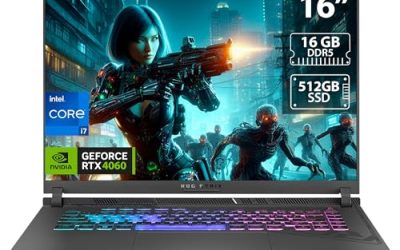
The Strix G16 is built around the fastest display in this roundup: a 16-inch QHD+ (2560 x 1600) ROG Nebula panel at 240Hz with a 3ms response time, G-Sync, 100% DCI-P3 coverage and Pantone validation, according to ASUS’s published specification. For a player who wants the panel to keep up with the highest frame rates Dota 2 can produce, this is the pick.
The processor is Intel’s Core i9-14900HX, which ASUS lists at 24 cores and 32 threads with boost clocks up to 5.8 GHz — the strongest single-core headroom here, and exactly the trait that keeps team-fight frame rates from dipping. The GeForce RTX 4060 Laptop GPU runs at a full-power 140W maximum (115W plus 25W Dynamic Boost, per ASUS), which is far more graphics power than Dota 2 needs, but it means the card is never the bottleneck at 1600p. ASUS cools the chassis with its Tri-Fan design, and the MUX switch with Advanced Optimus routes frames directly to the display.
Upgradeability is confirmed in ASUS’s own specification: two DDR5 SO-DIMM slots (16GB DDR5-5600 fitted, 32GB maximum) and two M.2 PCIe slots, one holding the 1TB PCIe 4.0 SSD. Ports cover wired play and peripherals well: RJ-45 LAN, HDMI 2.1, Thunderbolt 4, a USB-C port with DisplayPort and power delivery, and two USB-A ports. Wi-Fi 6E is built in.
Specs
- Model: ASUS ROG Strix G16 G614JVR-ES94
- CPU: Intel Core i9-14900HX (24 cores, 32 threads, up to 5.8 GHz)
- GPU: NVIDIA GeForce RTX 4060 Laptop GPU, 8GB GDDR6, up to 140W with Dynamic Boost
- Display: 16-inch QHD+ 2560 x 1600 IPS-level, 240Hz, 3ms, G-Sync, 100% DCI-P3
- RAM: 16GB DDR5-5600 (2 SO-DIMM slots, up to 32GB)
- Storage: 1TB PCIe 4.0 NVMe SSD (2 M.2 slots total)
- Ports: RJ-45 LAN, HDMI 2.1, Thunderbolt 4, USB-C (DisplayPort/power delivery), 2x USB-A
- Wireless: Wi-Fi 6E, Bluetooth 5.2
- Battery: 90Wh
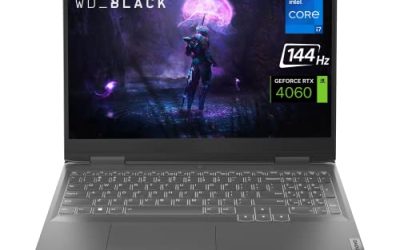
2. Lenovo LOQ 15AHP9 — the balanced all-rounder

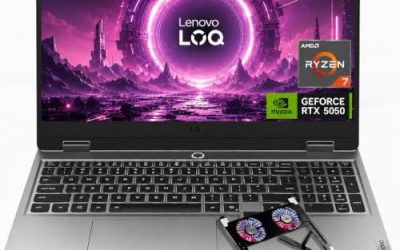
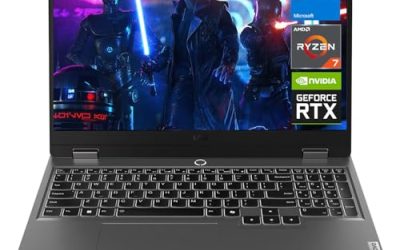
The LOQ 15AHP9 pairs AMD’s Ryzen 7 8845HS with a GeForce RTX 4060, a combination aimed squarely at high frame rates at 1080p. The 8845HS is an eight-core Zen 4 processor with boost clocks up to 5.1 GHz on AMD’s published figures, which is the kind of single-core pace Dota 2 rewards, and the RTX 4060’s 8GB of GDDR6 is comfortably beyond what the game can use at this resolution.
The display is a 15.6-inch Full HD IPS panel at 144Hz — a step down from the Strix’s 240Hz, but still fast enough to show the frame rates this hardware produces in Dota 2, and the natural match for the GPU at native resolution. The listed configuration carries 16GB of DDR5 memory and a 1TB SSD, so neither memory nor storage needs attention out of the box. Lenovo’s listing does not headline a GPU power figure for this configuration, so buyers comparing TGP numbers across brands should treat that as unpublished rather than assume a value. The chassis includes an RJ-45 Ethernet port for wired play.
Specs
- Model: Lenovo LOQ 15AHP9
- CPU: AMD Ryzen 7 8845HS (8 cores, up to 5.1 GHz)
- GPU: NVIDIA GeForce RTX 4060 Laptop GPU, 8GB GDDR6
- Display: 15.6-inch Full HD (1920 x 1080) IPS, 144Hz
- RAM: 16GB DDR5
- Storage: 1TB SSD
- Ports: RJ-45 LAN, HDMI, USB ports (see listing for full layout)
- OS: Windows 11 Home
3. HP Victus 16 — the big-screen pick with the most memory

The Victus 16 is the choice for players who want a larger screen and nothing to upgrade on day one. Its 16.1-inch Full HD IPS display runs at 144Hz with 300 nits of brightness per HP’s listing, and the configuration sold under the ASIN below ships with 32GB of DDR5 memory — double the other picks — alongside a 1TB SSD, plus a bundled 512GB external SSD in the box.
The Intel Core i7-14700HX (20 cores, 28 threads, up to 5.5 GHz on Intel’s figures) gives this machine the strongest multi-core performance in the group and plenty of single-core speed for Dota 2’s fight scenes. The RTX 4060 with 8GB of GDDR6 handles graphics. One honest caveat: HP does not publish a TGP figure for the Victus 16 on its spec sheet, so its graphics power limit cannot be compared on paper the way the ASUS figure can. HP’s own Victus 16 product copy describes two accessible memory slots, and connectivity is complete for a desk setup: three USB-A ports, USB-C, HDMI, and RJ-45 Ethernet, with Wi-Fi 6 for wireless play.
Specs
- Model: HP Victus 16 (TPN-C169 configuration)
- CPU: Intel Core i7-14700HX (20 cores, 28 threads, up to 5.5 GHz)
- GPU: NVIDIA GeForce RTX 4060 Laptop GPU, 8GB GDDR6 (TGP not published by HP)
- Display: 16.1-inch Full HD (1920 x 1080) IPS, 144Hz, 300 nits, anti-glare
- RAM: 32GB DDR5
- Storage: 1TB PCIe M.2 SSD (plus bundled 512GB external SSD)
- Ports: 3x USB-A, USB-C, HDMI, RJ-45 LAN, headphone/microphone combo
- Wireless: Wi-Fi 6, Bluetooth
How to choose among them
All three machines run Dota 2 far beyond its published minimum requirements, so the decision comes down to the display and the processor. Choose the ROG Strix G16 if you play competitively and want the 240Hz panel, the highest single-core boost clocks, and confirmed room to upgrade RAM and storage later. Choose the Lenovo LOQ 15AHP9 if you want the balanced option: a strong Zen 4 processor, a 144Hz screen matched to the GPU, and generous storage in a 15.6-inch chassis. Choose the HP Victus 16 if you prefer a bigger screen and the most memory fitted from the factory.
Whichever model you pick, confirm the exact configuration on the Amazon listing before ordering — brands sell near-identical model names with different processors, memory, and storage — and check the warranty term stated on the listing, since coverage length and accidental-damage options vary by brand and seller.
FAQ
Can a budget gaming laptop run Dota 2 well?
Yes. Valve’s minimum specification is a dual-core processor and 4GB of RAM, so even entry-level gaming laptops with a modern processor and a 144Hz screen run Dota 2 smoothly. Spending more buys refresh rate, steadier frame rates in team fights, and better cooling, not basic playability.
Is a 240Hz display worth it for Dota 2?
Dota 2 can sustain very high frame rates at 1080p and 1440p on the hardware above, so a 240Hz panel does show a real difference in motion clarity for players who compete seriously. For casual play, 144Hz already captures most of the benefit.
Does Dota 2 need a powerful graphics card?
No. The game’s published minimum is a DirectX 11 card from the GeForce 9600GT era. A current RTX 4050 or RTX 4060 laptop GPU is well beyond its needs; the processor and display matter more for this title.