Exoprimal is Capcom’s online, team-based action game: five exofighters in powered suits against waves of dinosaurs, with matches that swing between swarm-clearing PvE sections and direct PvP fights. It is a fast game played entirely online, so the laptop buying decision comes down to three things: a GPU comfortably above the publisher’s recommended line, a high-refresh display that keeps swarms and suit movement readable, and a wired network port for stable matches. Every pick below clears the recommended specification on paper, and they are ordered by the resolution and settings tier they suit.
Disclosure: As an Amazon Associate we earn from qualifying purchases.
What Exoprimal Actually Needs
Capcom’s published PC requirements, as listed on the game’s Steam page, are modest by modern standards:
- Minimum (publisher estimate: 1080p/30fps at minimum settings): Intel Core i5-7500 or AMD Ryzen 3 1200, 8 GB RAM, GeForce GTX 1050 Ti 4GB or Radeon RX 560 4GB, 50 GB storage, DirectX 12.
- Recommended (publisher estimate: 1080p/60fps at medium settings): Intel Core i7-8700K or AMD Ryzen 5 3600X, 16 GB RAM, GeForce GTX 1070 or Radeon RX 590, 50 GB storage, DirectX 12.
- Network: a broadband internet connection is required at both levels — Exoprimal has no offline mode.
Two things follow from those figures. First, the recommended GPU is a desktop GTX 1070, a card every laptop below beats on published specifications, so the real question is not whether a pick runs the game but how much headroom it keeps when a swarm fills the screen — Capcom itself warns that frame rates may drop in graphics-intensive scenes. Second, because the official targets stop at 1080p/60fps on medium, anything above that — high settings, 144Hz play, or 1440p — is a tier you choose deliberately, and the picks are framed that way: published specifications and requirement tiers, not invented frame-rate claims.
The Picks
1. Lenovo LOQ 15ARP9 — the balanced 1080p high-refresh pick

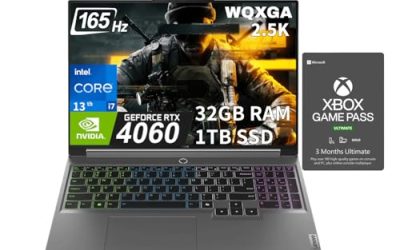
The LOQ 15ARP9 pairs an AMD Ryzen 7 7435HS (8 cores, up to 4.5 GHz per Lenovo’s PSREF datasheet) with an RTX 4060 Laptop GPU that Lenovo’s product data configures at 105W — a full-power implementation rather than a cut-down one. The 15.6-inch FHD IPS panel runs at 144Hz with G-SYNC, 300 nits and 100% sRGB coverage per Lenovo’s datasheet, which is exactly the combination a fast online shooter wants at 1080p. This Amazon listing ships with 32 GB of DDR5-4800 and a 1 TB SSD, double the memory of the base configuration. If you are comparing AMD platforms more broadly, our guide to the best gaming laptop AMD Ryzen models lays out the alternatives.
Specs
- CPU: AMD Ryzen 7 7435HS (8 cores / 16 threads, up to 4.5 GHz)
- GPU: NVIDIA GeForce RTX 4060 Laptop GPU, 8GB GDDR6, 105W per Lenovo datasheet
- Display: 15.6″ FHD (1920×1080) IPS, 144Hz, G-SYNC, 300 nits, 100% sRGB
- Memory: 32 GB DDR5-4800 (this listing)
- Storage: 1 TB PCIe 4.0 NVMe SSD (this listing)
- Ports: 3x USB-A 5Gbps, 1x USB-C 10Gbps with DisplayPort 1.4, HDMI 2.1, RJ-45 Ethernet, audio combo jack
- Upgrades: two DDR5 SO-DIMM slots (up to 32 GB per PSREF) and two M.2 SSD slots, so both memory and storage can grow
- ASIN: B0FG3GDG64
2. MSI Katana A15 AI (B8VF-448US) — 32 GB of memory out of the box
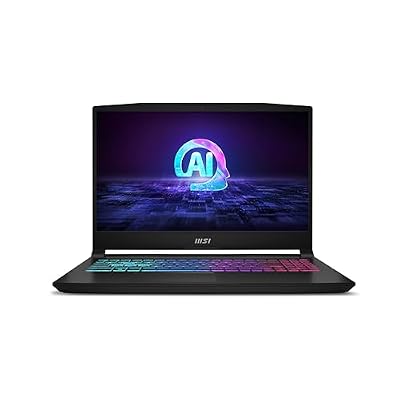
MSI’s Katana A15 AI uses the newer Ryzen 7 8845HS (8 cores, up to 5.1 GHz) and an RTX 4060 that MSI’s own specification sheet rates at up to 105W maximum graphics power with Dynamic Boost. The screen is a 15.6-inch FHD panel at 144Hz — the right target for high-refresh 1080p Exoprimal — and this configuration ships with 32 GB of DDR5-5600 and a 1 TB Gen4 SSD, so nothing needs upgrading on day one. MSI lists a one-year limited warranty on the Amazon listing.
Specs
- CPU: AMD Ryzen 7 8845HS (8 cores / 16 threads, up to 5.1 GHz)
- GPU: NVIDIA GeForce RTX 4060 Laptop GPU, 8GB GDDR6, up to 105W with Dynamic Boost per MSI
- Display: 15.6″ FHD (1920×1080), 144Hz
- Memory: 32 GB DDR5-5600
- Storage: 1 TB NVMe PCIe Gen4 SSD
- Ports: 2x USB-A 3.2 Gen1, 1x USB-A 2.0, 1x USB-C 3.2 Gen1 with DisplayPort 1.4, HDMI 2.1, RJ-45 Ethernet, audio combo jack
- Warranty: 1-year limited (per the Amazon listing)
- Upgrades: two DDR5 slots (up to 64 GB per MSI) and two M.2 Gen4 slots per MSI’s specification sheet
- ASIN: B0CXVGSY2H
3. GIGABYTE G6 KF (G6 KF-H3US853SH) — the 16-inch 165Hz screen option

The G6 KF is the pick for players who want a larger, faster panel: a 16-inch WUXGA (1920×1200) display at 165Hz gives more vertical room and smoother motion than the 15.6-inch 144Hz machines. The trade-off is published in Gigabyte’s own figures — its RTX 4060 is capped at a maximum TGP of 75W with Dynamic Boost, so this is the high-refresh 1080p/1200p pick for medium-to-high settings rather than the strongest GPU here. Treat the refresh rate as the reason to buy it, and the 45% NTSC panel coverage (per Gigabyte) as the compromise.
Specs
- CPU: Intel Core i7-13620H (10 cores, up to 4.9 GHz)
- GPU: NVIDIA GeForce RTX 4060 Laptop GPU, 8GB GDDR6, max TGP 75W with Dynamic Boost per Gigabyte
- Display: 16″ WUXGA (1920×1200), 165Hz, 45% NTSC per Gigabyte
- Memory: 16 GB DDR5-4800 (2x 8 GB)
- Storage: 512 GB PCIe Gen4 M.2 SSD
- Ports: 2x USB-C 3.2 Gen2, 1x USB-A 3.2 Gen1, 1x USB-A 2.0, HDMI 2.1, Mini DP 1.4, RJ-45 Ethernet, microSD reader, audio and microphone jacks
- Warranty: 1-year limited parts and labor (per the model’s retail specification listings)
- Upgrades: two DDR5 slots (up to 64 GB) and two M.2 SSD slots per Gigabyte’s specification
- ASIN: B0CJK3YVB2
4. Acer Nitro 16 (AN16-41-R4CY) — full-power RTX 4060 for high settings

The Nitro 16 is the strongest RTX 4060 configuration here: Notebookcheck’s reporting on this model records the GPU configured at 140W, the highest power limit in this roundup, which is what sustains frame rates when Exoprimal’s swarm scenes get dense. The Ryzen 7 7840HS, 16-inch WUXGA 165Hz IPS display with 100% sRGB coverage and G-SYNC, and 1 TB of Gen4 storage make it the pick for 1080p at high settings with the refresh rate to match, or 1200p with settings adjusted.
Specs
- CPU: AMD Ryzen 7 7840HS (8 cores / 16 threads)
- GPU: NVIDIA GeForce RTX 4060 Laptop GPU, 8GB GDDR6, configured at 140W in this model
- Display: 16″ WUXGA (1920×1200) IPS, 165Hz, 100% sRGB, G-SYNC
- Memory: 16 GB DDR5
- Storage: 1 TB PCIe Gen4 SSD
- Ports: HDMI 2.1, USB4 Type-C, USB-C 3.2, USB-A ports, RJ-45 Ethernet, microSD reader (per Acer’s model specification)
- Upgrades: two DDR5 SO-DIMM slots and two M.2 slots — Acer builds this chassis for memory and storage expansion
- ASIN: B0CY3SS4VL
5. MSI Katana 15 (B13VGK-2000US) — the 1440p tier

For players who want to push past 1080p, the Katana 15 steps up to an RTX 4070 Laptop GPU that MSI rates at up to 105W maximum graphics power with Dynamic Boost, behind a 15.6-inch QHD (2560×1440) 165Hz IPS-level display with 100% DCI-P3 coverage per MSI’s specification sheet. That combination is the 1440p option in this list: the GPU tier and the panel are matched, and DLSS upscaling support in the RTX 40 series gives an additional lever in demanding scenes. The Core i7-13620H and 1 TB SSD round out a configuration that also suits other, heavier shooters.
Specs
- CPU: Intel Core i7-13620H (10 cores, up to 4.9 GHz)
- GPU: NVIDIA GeForce RTX 4070 Laptop GPU, 8GB GDDR6, up to 105W with Dynamic Boost per MSI
- Display: 15.6″ QHD (2560×1440), 165Hz, IPS-level, 100% DCI-P3 per MSI
- Memory: 16 GB DDR5-5200
- Storage: 1 TB NVMe PCIe Gen4 SSD
- Ports: 2x USB-A 3.2 Gen1, 1x USB-A 2.0, 1x USB-C 3.2 Gen1 with DisplayPort, HDMI 2.1, RJ-45 Ethernet, audio combo jack
- Warranty: 1-year limited (per the Amazon listing)
- Upgrades: two DDR5 slots (up to 64 GB) and two M.2 Gen4 slots per MSI’s specification sheet
- ASIN: B0CT4BHS2M
How to Choose a Laptop for Exoprimal
Start from the published tiers. Capcom’s recommended specification targets 1080p/60fps at medium settings with a desktop GTX 1070. Any RTX 4060 laptop above clears that line; the differences that matter are GPU power limit, display refresh rate, and memory.
Check the GPU’s wattage, not just its name. This roundup alone contains RTX 4060 implementations at 75W (Gigabyte G6 KF), 105W (Lenovo LOQ, MSI Katana A15 AI) and 140W (Acer Nitro 16). Higher power limits sustain performance in the swarm-heavy scenes where Capcom warns frame rates can dip, so the wattage figure — always published by the maker — is the honest way to rank same-named GPUs.
Match the screen to the game. Exoprimal is fast and always online. A 144Hz or 165Hz panel makes suit movement and dinosaur swarms easier to track than a 60Hz screen, and every pick here has one. Above 1080p, the Katana 15’s QHD panel only makes sense because its RTX 4070 has the headroom for it.
Take 16 GB of RAM as the floor. That is Capcom’s recommended figure, and the two 32 GB configurations here (LOQ listing, Katana A15 AI) remove memory from the list of things to upgrade later. Storage needs only 50 GB for the game itself, but a 1 TB drive avoids juggling a wider library.
Use the Ethernet port. Every pick includes RJ-45. For an online-only game, a wired connection is the simplest stability upgrade there is, and it costs nothing beyond a cable.
Confirm upgrades and warranty per model. All five machines use slotted DDR5 memory and offer a second M.2 slot per their makers’ specifications, but capacities differ — Lenovo’s PSREF caps the LOQ 15ARP9 at 32 GB while MSI rates its Katana models to 64 GB. Warranty terms likewise vary by brand and seller, so read the listing’s warranty line before ordering.
Verdict
Exoprimal’s published requirements are light enough that the sensible buy is a high-refresh 1080p machine with a full-power GPU: the Lenovo LOQ 15ARP9 and MSI Katana A15 AI cover that tier with 105W RTX 4060 implementations, the Acer Nitro 16 adds the 140W configuration for high settings, and the GIGABYTE G6 KF trades GPU wattage for a bigger 165Hz screen. Players who want 1440p should step up to the MSI Katana 15 and its RTX 4070. Pick by the tier you will actually play at, verify the exact model code on the listing, and plug in the Ethernet cable.