Redfall is Arkane’s open-world co-op shooter, and it is a finished product: the studio has since closed, so the PC requirements Bethesda published at launch are the final word on what the game needs. Those requirements are unusually RAM-hungry — 16GB is the floor, not the ceiling — which makes this a game where the spec sheet matters more than usual when you are choosing a laptop.
Disclosure: As an Amazon Associate we earn from qualifying purchases.
Every laptop below is sold on Amazon US and is matched against the game’s published tiers. Specs are taken from maker listings and published spec sheets, and where a figure comes from the maker rather than an independent source, that is how it is presented.
What Redfall Actually Asks For
Bethesda and Arkane published three tiers of PC requirements for Redfall:
| Tier | CPU | GPU | RAM | Storage |
|---|---|---|---|---|
| Minimum | Intel Core i5-8400 / AMD Ryzen 5 1600 | GTX 1070 / RX 580, 6GB VRAM | 16GB | 100GB SSD |
| Recommended | Intel Core i7-9700K / AMD Ryzen 7 2700X | RTX 2080 / RX 5700, 8GB VRAM | 16GB | 100GB SSD |
| Ultra | Intel Core i7-9700K / AMD Ryzen 7 2700X | RTX 3080 / RX 6800 XT, 10GB VRAM | 32GB | 100GB SSD |
One honest caveat: Arkane never attached resolution or frame-rate targets to these tiers, so the mapping used here — minimum for 1080p at modest settings, recommended for 1080p at high settings, ultra for 1440p and 4K — follows the GPU classes named in each tier rather than an official promise. The picks below are grouped by that mapping.
The Picks
1. Acer Nitro V 15 (ANV15-41-R5N6) — the entry point, with one upgrade to make

The Nitro V 15 clears Redfall’s minimum CPU and GPU bars with room to spare: its Ryzen 5 7535HS is a far newer six-core chip than the Ryzen 5 1600 the minimum spec names, and the RTX 4050 matches the minimum tier’s 6GB of VRAM while adding DLSS support the GTX 1070 never had. The honest catch is memory. This configuration ships with 8GB of RAM, and Redfall’s published minimum is 16GB — so treat the second memory slot as part of the purchase. Acer’s listing for this model states two DDR5 slots supporting up to 32GB, plus two M.2 slots, which makes the fix a single added stick and leaves room for a second SSD later.
Specs
- CPU: AMD Ryzen 5 7535HS (6 cores)
- GPU: NVIDIA GeForce RTX 4050 Laptop GPU, 6GB GDDR6
- RAM: 8GB DDR5 fitted; 2 DDR5 slots, up to 32GB per Acer’s listing
- Storage: 512GB PCIe Gen 4 SSD; 2 M.2 slots per Acer’s listing
- Display: 15.6-inch FHD IPS, 144Hz
- Connectivity: Wi-Fi 6, backlit keyboard
- OS: Windows 11 Home
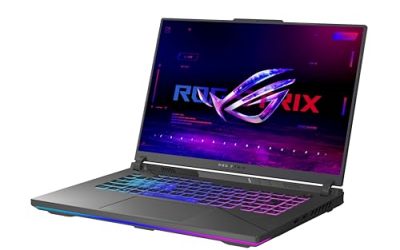
2. ASUS ROG Strix G16 (G614JV-AS74) — the 1080p high-settings pick

The Strix G16 is built around the recommended tier and then some. Its RTX 4060 carries the same 8GB of VRAM as the RTX 2080 in Arkane’s recommended spec, and ASUS’s listing for this model puts the GPU at up to 140W maximum TGP — the full-power version of the chip, not a cut-down variant. The Core i7-13650HX sits well above the recommended i7-9700K, and the 16:10 WUXGA panel runs at 165Hz, so the machine has headroom for higher settings at its native resolution. Memory and storage are both serviceable: ASUS’s spec data for the G614JV lists two SO-DIMM slots (32GB maximum) and two M.2 slots.
Specs
- CPU: Intel Core i7-13650HX (14 cores)
- GPU: NVIDIA GeForce RTX 4060 Laptop GPU, 8GB GDDR6, up to 140W max TGP per ASUS’s listing
- RAM: 16GB DDR5-4800 (2 x 8GB); 2 SO-DIMM slots, up to 32GB
- Storage: 1TB PCIe 4.0 NVMe M.2 SSD; 2 M.2 slots
- Display: 16-inch WUXGA (1920 x 1200) IPS, 165Hz, 100% sRGB per ASUS’s published figures
- Ports: Thunderbolt 4, USB-C 3.2 Gen 2 with DisplayPort and power delivery, 2 x USB-A 3.2 Gen 2, HDMI 2.1, RJ45 Ethernet, combo audio jack
- Connectivity: Wi-Fi 6E
- OS: Windows 11 Home
3. MSI Katana 15 (B13VGK-484US) — a step up in GPU, with a VRAM note

The Katana 15 moves to an RTX 4070, which is where 1080p high settings stop being a negotiation and 1440p — on an external monitor, or with upscaling — comes into reach. MSI’s spec sheet for the Katana 15 B13V line lists the RTX 4070 at up to 105W maximum graphics power with Dynamic Boost, and the memory side is generous: two DDR5 slots supporting up to 64GB, so the jump to the Ultra tier’s 32GB is a straightforward swap. The limit to keep in mind is VRAM: the RTX 4070 still carries 8GB, the same as the recommended tier, so texture settings at 1440p need more care than the raw GPU power suggests.
Specs
- CPU: Intel Core i7-13620H (10 cores)
- GPU: NVIDIA GeForce RTX 4070 Laptop GPU, 8GB GDDR6, up to 105W max graphics power with Dynamic Boost per MSI’s spec sheet
- RAM: 16GB DDR5; 2 slots, up to 64GB per MSI’s spec sheet
- Storage: 1TB NVMe PCIe Gen 4 SSD
- Display: 15.6-inch FHD IPS, 144Hz
- Ports: USB Type-C, USB Type-A; confirm the full port layout on the listing before ordering
- Connectivity: Wi-Fi 6, Cooler Boost 5 cooling
- OS: Windows 11 Home
4. Lenovo Legion Pro 7 (16ARX8) — Ultra tier on an AMD platform

If you prefer an AMD processor, this Legion Pro 7 is the Ultra-tier route. The Ryzen 9 7945HX is a 16-core desktop-class chip, and the RTX 4080’s 12GB of VRAM clears the Ultra spec’s 10GB bar — the threshold that rules out every RTX 4070 laptop for a true Ultra match. Just as important, it ships with 32GB of RAM, meeting the Ultra tier’s memory requirement out of the box with nothing to upgrade. The 2560 x 1600 panel is the natural home for this hardware: 1600p at high settings, with 4K possible on an external display. If you are comparing AMD-based machines more broadly before deciding, our guide to the best gaming laptop AMD Ryzen models is the place to cross-check the alternatives.
Specs
- CPU: AMD Ryzen 9 7945HX
- GPU: NVIDIA GeForce RTX 4080 Laptop GPU, 12GB GDDR6
- RAM: 32GB DDR5
- Storage: 1TB SSD
- Display: 16-inch WQXGA (2560 x 1600)
- OS: Windows 11
5. Lenovo Legion Pro 7i Gen 9 (83DE001SUS) — the no-compromise Ultra pick

The Legion Pro 7i Gen 9 is the fullest match for Redfall’s Ultra tier on this page. Lenovo specifies the RTX 4080 in this platform at up to 175W, the highest power class for the chip, and pairs it with a Core i9-14900HX. The 32GB of DDR5-5600 meets the Ultra memory requirement as shipped, and this configuration spreads 2TB of storage across two SSDs, so the game’s 100GB install is a non-issue. Lenovo’s PSREF documentation for the platform lists two SO-DIMM slots and two M.2 2280 PCIe 4.0 slots, so both memory and storage remain serviceable later. The display is a 2560 x 1600 IPS panel at 240Hz, with Lenovo publishing figures of 500 nits brightness and 100% DCI-P3 coverage; for 4K play, the HDMI 2.1 port drives an external display.
Specs
- CPU: Intel Core i9-14900HX (24 cores)
- GPU: NVIDIA GeForce RTX 4080 Laptop GPU, 12GB GDDR6, up to 175W per Lenovo’s platform specification
- RAM: 32GB DDR5-5600; 2 SO-DIMM slots per Lenovo’s PSREF documentation
- Storage: 2TB NVMe SSD (1TB + 1TB); 2 M.2 slots per Lenovo’s PSREF documentation
- Display: 16-inch QHD+ (2560 x 1600) IPS, 240Hz, 500 nits and 100% DCI-P3 per Lenovo’s published figures
- Ports: Thunderbolt 4, USB-C with DisplayPort, USB-A ports, HDMI 2.1, RJ45 Ethernet, combo audio jack
- OS: Windows 11 Pro
Side by Side
| Model | GPU | VRAM | RAM | Storage | Display | Tier it matches |
|---|---|---|---|---|---|---|
| Acer Nitro V 15 | RTX 4050 | 6GB | 8GB (upgrade to 16GB+) | 512GB | 15.6″ FHD 144Hz | Minimum, once memory is upgraded |
| ASUS ROG Strix G16 | RTX 4060 | 8GB | 16GB | 1TB | 16″ WUXGA 165Hz | Recommended at 1080p/1200p |
| MSI Katana 15 | RTX 4070 | 8GB | 16GB | 1TB | 15.6″ FHD 144Hz | Above recommended; 1440p with upscaling |
| Lenovo Legion Pro 7 | RTX 4080 | 12GB | 32GB | 1TB | 16″ WQXGA | Ultra |
| Lenovo Legion Pro 7i Gen 9 | RTX 4080 | 12GB | 32GB | 2TB | 16″ QHD+ 240Hz | Ultra, with the most headroom |
How to Choose
Start with RAM, not the GPU. Redfall’s 16GB minimum and 32GB Ultra requirement are the strictest of any recent shooter, and they are the specs most likely to catch a buyer out — as the Nitro V 15 shows, a laptop can clear the GPU bar and still fall short on memory as shipped. Whatever you buy, make sure it either ships with the memory your target tier needs or has the slots to get there.
Match VRAM to your resolution. The published tiers step from 6GB to 8GB to 10GB of VRAM for a reason. At 1080p, 8GB is the comfortable figure; for 1440p and above, the 12GB in the two Legion Pro 7 models is what keeps texture settings from becoming the bottleneck.
Check the GPU’s power figure, not just its name. Laptop GPUs vary widely by model: the Strix G16’s RTX 4060 runs at up to 140W per ASUS, the Katana’s RTX 4070 at up to 105W per MSI, and the Legion Pro 7i’s RTX 4080 at up to 175W per Lenovo. Those maker-published figures explain more about real performance than the badge on the lid.
Confirm warranty and seller on the exact listing. Configurations with the same model name can be sold by the maker or by third parties, and warranty coverage follows the exact configuration and seller. Read the warranty line on the listing for the specific machine you are ordering before you buy.
Verdict
For most Redfall players, the ASUS ROG Strix G16 is the balanced choice: it meets the recommended tier in full, at its native resolution, with upgrade room to spare. The MSI Katana 15 adds GPU headroom for players eyeing 1440p, while the two Legion Pro 7 models are the honest Ultra-tier answers — 32GB of RAM and 12GB of VRAM, as the game’s own spec sheet demands. The Acer Nitro V 15 is the way in at the ground floor, provided the memory upgrade is part of the plan from day one.