Disclosure: As an Amazon Associate we earn from qualifying purchases.
Counter-Strike 2 is not a demanding game to simply run, but it is a demanding game to play well. Competitive CS2 is played at 1080p or below, usually with lowered settings, and the frame rate is driven as much by the processor as by the graphics card. A laptop that holds a high, stable frame rate on a fast-refresh screen will feel sharper in a firefight than a more powerful GPU paired with a slow panel and a weaker CPU. This guide picks gaming laptops currently sold on Amazon US that match what CS2 actually rewards: strong single-core CPU performance, a 144Hz or faster display, and enough memory and storage headroom for the game plus voice chat and background apps.
What CS2 Actually Needs
Valve publishes only a minimum specification for Counter-Strike 2 on its Steam store page, and it is modest: Windows 10, a processor with four hardware CPU threads (Intel Core i5 750 or higher), 8 GB of RAM, a DirectX 11 graphics card with 1 GB of video memory and Shader Model 5.0 support, and 85 GB of available storage. There is no official recommended specification, so treat that list as a floor for launching the game, not as a target for competitive play.
For smooth competitive play at 1080p, the practical priorities are:
- CPU single-core speed. CS2’s frame rate at low and medium settings is frequently limited by the processor. Modern HX-series Intel chips and high-clock AMD Ryzen parts are the right starting point.
- Display refresh rate. A 144Hz panel is the sensible minimum; 165Hz is common in this class. The screen can only show the frames the system produces, so refresh rate and frame rate should be matched.
- GPU headroom. A current mid-range laptop GPU is more than enough for high frame rates at 1080p with competitive settings; GPU power limits (TGP) still matter, because the same GPU model can be configured at very different wattages between laptops.
- Memory and storage. 16 GB of RAM is the comfortable baseline, and the game plus its updates need roughly 85 GB, so a 512 GB SSD is workable and 1 TB is more comfortable.
- Connectivity. A wired Ethernet port removes Wi-Fi variability from online matches, and HDMI output lets you connect a faster external monitor later.
The Picks
1. ASUS ROG Strix G16 (2025) — G615JMR-AS74

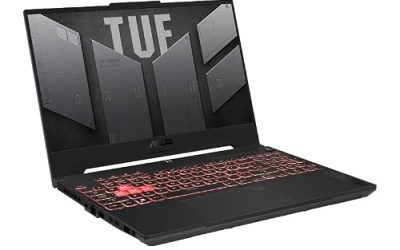
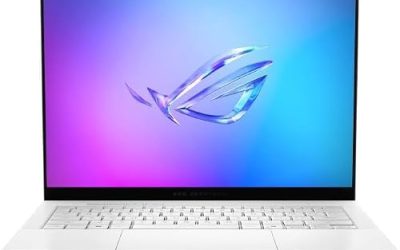
The Strix G16 is built around the two things CS2 values most: a fast processor and a fast screen. Its Intel Core i7-14650HX is a 16-core, 24-thread chip that boosts to 5.2 GHz per the listing, which is exactly the kind of single-core headroom that keeps frame rates high at 1080p. The 16-inch FHD+ (1920 x 1200) panel runs at 165Hz with a 3 ms response time, and the RTX 5060 Laptop GPU with 8 GB of GDDR7 is comfortably beyond what CS2 needs at this resolution, with DLSS 4 support for other titles. This Amazon listing is a configuration with 32 GB of DDR5 memory and a 1 TB Gen 4 SSD, and the listing’s product details note support for up to 64 GB of DDR5 and up to 8 TB of PCIe Gen 4 SSD storage, so the platform has room to grow. Wired play is covered by a 2.5G Ethernet port, alongside Thunderbolt 4, HDMI 2.1 and Wi-Fi 7.
Specs
- CPU: Intel Core i7-14650HX (16 cores, 24 threads, up to 5.2 GHz)
- GPU: NVIDIA GeForce RTX 5060 Laptop GPU, 8 GB GDDR7
- Display: 16″ FHD+ 1920 x 1200, 165Hz, 3 ms, 300 nits
- RAM: 32 GB DDR5
- Storage: 1 TB PCIe Gen 4 SSD
- Ports: Thunderbolt 4, HDMI 2.1, 3x USB-A 3.2, 2.5G Ethernet, audio jack
- Wireless: Wi-Fi 7
- Weight: approx. 5.83 lb
2. Acer Predator Helios Neo 16 — PHN16-71-76H5

Acer’s Helios Neo 16 is a strong fit for CS2 because Acer runs its RTX 4060 Laptop GPU at a maximum graphics power of 140W per the listing — the full-power end of that GPU’s range — and pairs it with an Intel Core i7-13650HX. The 16-inch WUXGA (1920 x 1200) display refreshes at 165Hz with a 3 ms response time and supports NVIDIA G-SYNC and Advanced Optimus, which helps keep frame delivery smooth. Acer’s listing is explicit about upgradeability: the 16 GB of DDR5 dual-channel memory can be expanded to a maximum of 32 GB, and the chassis has two PCIe M.2 slots with one slot available alongside the fitted 512 GB Gen 4 SSD. Networking is a highlight for online play, with Intel Killer Ethernet and Killer Wi-Fi 6E, plus two Thunderbolt 4 ports and HDMI 2.1.
Specs
- CPU: Intel Core i7-13650HX
- GPU: NVIDIA GeForce RTX 4060 Laptop GPU, up to 140W maximum graphics power
- Display: 16″ WUXGA 1920 x 1200, 165Hz, 3 ms, G-SYNC
- RAM: 16 GB DDR5 (2 slots, max 32 GB per Acer’s listing)
- Storage: 512 GB PCIe Gen 4 SSD (second M.2 slot available)
- Ports: 2x Thunderbolt 4, 2x USB 3.2 Gen 2, 1x USB 3.2 Gen 1, HDMI 2.1
- Wireless: Intel Killer Wi-Fi 6E, Killer Ethernet
3. Lenovo Legion 5i

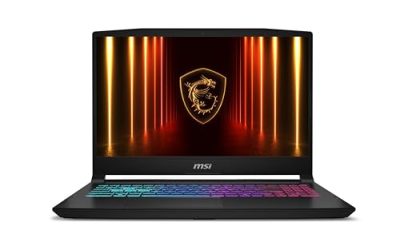
The Legion 5i configuration listed on Amazon pairs the same Intel Core i7-13650HX processor with an RTX 4060 (8 GB GDDR6) that Lenovo lists at a 140W TGP with a 2370 MHz boost clock — again, a full-power implementation of the GPU. Its 16-inch QHD (2560 x 1600) panel runs at 165Hz with G-SYNC. The higher native resolution gives you options: play CS2 at 1080p or a stretched resolution for maximum frame rate, and use the full panel resolution for desktop work and less demanding games. This listing ships with 32 GB of RAM and a 1 TB SSD, so neither memory nor storage needs attention out of the box.
Specs
- CPU: Intel Core i7-13650HX (14 cores)
- GPU: NVIDIA GeForce RTX 4060, 8 GB GDDR6, TGP 140W, boost clock 2370 MHz
- Display: 16″ QHD 2560 x 1600, 165Hz, G-SYNC
- RAM: 32 GB
- Storage: 1 TB SSD
- OS: Windows 11 Home
4. HP Victus 15

The Victus 15 is the lighter-duty option for players who want a genuine high-refresh CS2 setup in a 15.6-inch chassis. This Amazon listing combines an AMD Ryzen 7 7445HS (6 cores, 12 threads, up to 4.7 GHz) with an RTX 4050 Laptop GPU (6 GB GDDR6) and a 15.6-inch Full HD IPS panel at 144Hz — the refresh rate that matters most for this game, at the resolution CS2 is actually played at. It comes with 16 GB of DDR5 memory and a 512 GB SSD, which covers the game’s roughly 85 GB footprint with room to spare. If you are comparing AMD-based machines more broadly, our roundup of the best gaming laptop AMD Ryzen models covers the Ryzen lineup in more depth.
Specs
- CPU: AMD Ryzen 7 7445HS (6 cores, 12 threads, up to 4.7 GHz)
- GPU: NVIDIA GeForce RTX 4050 Laptop GPU, 6 GB GDDR6
- Display: 15.6″ FHD 1920 x 1080 IPS, 144Hz, 300 nits
- RAM: 16 GB DDR5
- Storage: 512 GB SSD
- Wireless: Wi-Fi 6
How to Choose a Laptop for CS2
Put the CPU first. At competitive settings, CS2 is often processor-limited. A recent HX-series Intel chip or a high-clock Ryzen part will do more for your frame rate than stepping up one GPU tier.
Match the screen to the frame rate. There is little point in a system that produces very high frame rates if the panel is 60Hz. Look for 144Hz as a minimum and 165Hz if the budget allows, at 1080p or 1920 x 1200.
Check the GPU’s power limit, not just its name. The same RTX 4060 can be configured anywhere from low-wattage to 140W designs. The listings above state the power figure where the maker publishes it; where a maker does not publish a TGP, treat that as an unknown rather than assuming the maximum.
Plan storage around the install size. CS2 needs about 85 GB. A 512 GB SSD is fine for a CS2-focused machine; 1 TB is the comfortable choice if you keep several large games installed.
Prefer wired networking for matches. An Ethernet port, as on the Strix G16 and Helios Neo 16 above, removes one source of inconsistency from online play. If a laptop lacks one, a USB-C dock or adapter is a workable substitute.
Confirm warranty terms on the exact listing. Coverage varies by seller and region, and some Amazon configurations are seller-upgraded units whose warranty is handled differently from factory configurations. Check the listing’s warranty line for the specific unit you are buying before ordering.
Verdict
For most CS2 players, the Acer Predator Helios Neo 16 is the balanced pick: a full-power RTX 4060, a 165Hz 1920 x 1200 screen, confirmed memory and storage upgrade paths, and wired Killer networking. The ASUS ROG Strix G16 is the step up, with a newer RTX 5060, a faster-boosting processor and 2.5G Ethernet. The Lenovo Legion 5i suits players who also want a sharper 2560 x 1600 panel for everything else, while the HP Victus 15 covers the essentials — Ryzen 7, RTX 4050 and a 144Hz 1080p screen — in a smaller, simpler package. All four clear Valve’s published minimum specification by a wide margin; the differences that matter are CPU speed, refresh rate and GPU power limits, in that order.