Most life sims forgive weak hardware. inZOI does not. The system requirements published on its Steam page set the recommended bar at an Intel i7-12700K or Ryzen 7 7800X3D, 16GB of RAM and an RTX 3070 with 8GB of VRAM, and the developer’s High tier climbs to an RTX 4080 and 32GB. So the real decision is not whether a PC can launch the game, but how much headroom above that recommended line you buy, because VRAM and memory are what keep busy city streets and furnished homes smooth.
This guide is for Sims players whose laptop or old desktop falls short, for first-time prebuilt buyers who want the machine assembled and warrantied, and for creators who plan to record or stream their households. Every pick below was chosen from the product names and specification tables on its Amazon listing, then checked line by line against the requirements inZOI publishes, favouring graphics cards with memory to spare and systems that leave room to grow.
Quick Picks
As an Amazon Associate we earn from qualifying purchases.
| Product | Best for | Key spec from title |
|---|---|---|
| Skytech King 95 (Ryzen 7 7800X3D) | 1440p players who want recommended-spec headroom without going flagship | RTX 5070 Ti 16GB VRAM, 32GB DDR5 RAM |
| Skytech Chronos 3 | 4K players aiming at the game’s published High tier | RTX 5080 16GB, 2TB Gen4 NVMe SSD |
| Skytech Azure 3 Plus | Players who record or stream their households while they play | RTX 5070 Ti 16GB, 32GB DDR5 RAM |
| Skytech O11 Vision | Custom-content collectors who want 16GB of VRAM on a mid-range card | RTX 5060 Ti 16GB, 32GB DDR5 RAM |
| Skytech King 95 (Ryzen 7 7700) | First-time buyers taking the lowest step that still beats the recommended spec | RTX 4070 Super 12GB, 16GB DDR5 RAM |
How to Choose
Start from the requirements inZOI actually publishes
Forget what other life sims ask for and read the game’s own numbers. On Steam, inZOI’s minimum tier lists an i5-10400 or Ryzen 5 3600, 12GB of RAM, an RTX 2060 or RX 5600 XT with 6GB of VRAM, and 40GB of storage. The recommended tier jumps to an i7-12700K or Ryzen 7 7800X3D, 16GB of RAM, an RTX 3070 or RX 6800 XT, and 60GB. A separate High tier published by the developer targets an RTX 4080 or RX 7900 XTX with 32GB of RAM. Every PC in this guide clears the recommended line; the differences are in how far past it each one reaches.
Treat VRAM as the deciding specification
Unreal Engine 5 streams dense textures constantly, and inZOI’s detailed faces, clothing and interiors eat graphics memory faster than its cartoonish rivals. The published recommended floor is 8GB, which matches cards like the RTX 3070, but that leaves little slack for higher resolutions or future updates. A 12GB card is a safer middle step, while 16GB — found on the RTX 5060 Ti 16GB, RTX 5070 Ti and RTX 5080 in this guide — removes VRAM from the list of things you need to think about. When two listings look similar, pick the one with more graphics memory rather than a slightly faster chip with less.
Give RAM and storage room for saves, mods and captures
Sixteen gigabytes is the published recommended figure, and it is enough for the game on its own. It gets tight once a browser, Discord and recording software share the machine, which is why four of these five systems ship with 32GB. Storage needs similar foresight: inZOI wants 40 to 60GB depending on tier, and save files, custom content and video captures accumulate quickly. A 1TB NVMe SSD is a sensible floor for a machine that will hold other games too, and the 2TB drive in the Chronos 3 suits players who keep large capture libraries.
Check upgrade room where cheaper builds quietly cut back
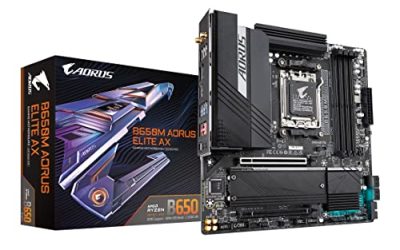
Prebuilts diverge most in the parts listings mention least. Look for a named motherboard chipset, such as the X670 board in the Chronos 3, because it tells you which future CPUs the system can accept. Check power supply wattage and rating: 850W Gold units leave space for a stronger graphics card later, while a 650W unit narrows that path. Ask how the memory is configured, since two sticks behave better than one and free slots make a 64GB upgrade cheap. Finally, note details like the Wi-Fi generation, which varies between otherwise similar models. Our broader advice on picking the best PC for gaming covers these trade-offs in more depth.
The 5 Best Options
Skytech King 95 (Ryzen 7 7800X3D)

This is the balanced pick for most inZOI players. Its Ryzen 7 7800X3D is literally one of the two processors named in the game’s recommended tier, and the RTX 5070 Ti doubles the recommended VRAM at 16GB, so crowded neighbourhoods and large, cluttered homes have memory to spare. The 32GB of DDR5 also doubles the recommended RAM, which keeps the game comfortable alongside a browser and voice chat. An 850W Gold ATX 3 power supply and liquid cooling round out a system that needs no immediate upgrades.
Specs
- Processor: AMD Ryzen 7 7800X3D 4.2GHz
- Graphics: NVIDIA GeForce RTX 5070 Ti 16GB GDDR7 (brand may vary)
- Memory: 32GB DDR5 RAM 6000
- Storage: 1TB Gen4 NVMe SSD
- Power supply: 850W Gold ATX 3
- Cooling: 360 ARGB AIO liquid cooler
- Connectivity: Wi-Fi 5
- Operating system: Windows 11
Best for: 1440p players who want clear headroom over the recommended spec in one purchase.
Watch out for: The listing specifies Wi-Fi 5 rather than Wi-Fi 6, so check your network plans if you will not use Ethernet.
ASIN: B0DXV5F8HJ
Skytech Chronos 3

Buyers targeting the developer’s published High tier should start here. That tier names an RTX 4080-class card and 32GB of RAM, and the Chronos 3 answers with an RTX 5080 carrying 16GB of GDDR7, the same Ryzen 7 7800X3D found in the recommended tier, and 32GB of DDR5. It is also the only pick with a 2TB SSD, which suits 4K players who record a lot of footage, and the only one whose listing names its motherboard chipset, an X670 board, which is useful information if a CPU upgrade is part of your long-term plan.
Specs
- Processor: AMD Ryzen 7 7800X3D 4.2 GHz (5GHz turbo)
- Graphics: NVIDIA GeForce RTX 5080 16GB GDDR7 (brand may vary)
- Motherboard: X670 board
- Memory: 32GB DDR5 RAM 6000 RGB
- Storage: 2TB Gen4 NVMe SSD
- Power supply: 850W Gold ATX 3
- Cooling: 360mm ARGB AIO liquid cooler
- Operating system: Windows 11
Best for: 4K players and anyone setting detail levels against the game’s published High tier.
Watch out for: The listing does not name the graphics card brand, so check which partner card is fitted if cooler design matters to you.
ASIN: B0F165ZK4F
Skytech Azure 3 Plus
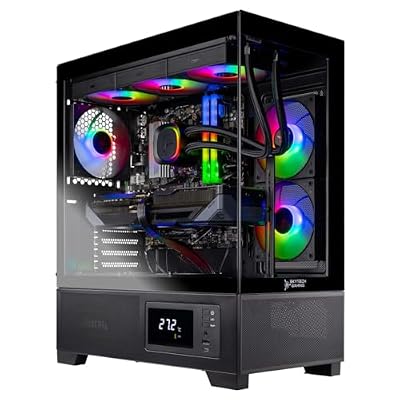
The Azure 3 Plus pairs the same headline components as the King 95 above — a Ryzen 7 7800X3D and an RTX 5070 Ti with 16GB of VRAM — which makes it a strong alternative rather than a step down. That combination matters for inZOI players who record or stream, because the processor’s eight cores and the 32GB of memory leave resources free for capture software while the game simulates a full city. Its DDR5 runs at 5600 rather than 6000, a difference you are unlikely to feel in this game, and the 360mm liquid cooler keeps the tower quiet during long building sessions.
Specs
- Processor: AMD Ryzen 7 7800X3D 4.2 GHz (5GHz turbo)
- Graphics: NVIDIA GeForce RTX 5070 Ti 16GB GDDR7 (brand may vary)
- Memory: 32GB DDR5 RAM 5600 RGB
- Storage: 1TB Gen4 NVMe SSD
- Power supply: 850W Gold ATX 3
- Cooling: 360mm ARGB AIO liquid cooler
- Operating system: Windows 11
Best for: Players who stream or record their households and want CPU and memory headroom to spare.
Watch out for: The listing does not state whether the 32GB is one stick or two, so confirm the layout before planning a memory upgrade.
ASIN: B0F6MVVZSC
Skytech O11 Vision
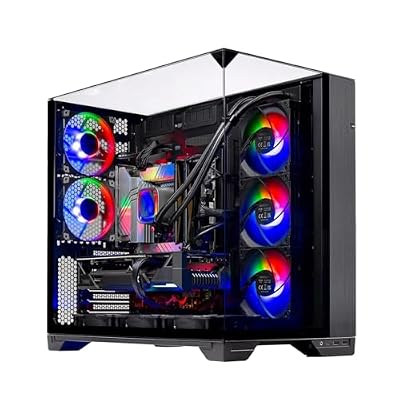
The O11 Vision makes an interesting trade: it keeps the recommended tier’s named processor and doubles both the RAM and the storage speed class, then spends less on the graphics card while keeping its memory high. The RTX 5060 Ti here is the 16GB version, which is the detail that matters for inZOI — texture-heavy homes and downloaded custom content draw on VRAM long before they challenge a modern card’s raw pace at 1080p or 1440p. The panoramic glass case also suits players who want the PC visible in a room rather than hidden under a desk.
Specs
- Processor: AMD Ryzen 7 7800X3D 4.2GHz
- Graphics: NVIDIA GeForce RTX 5060 Ti 16GB GDDR7 (brand may vary)
- Memory: 32GB DDR5 RAM 5600
- Storage: 1TB Gen4 NVMe SSD
- Power supply: 650W Gold
- Cooling: 360 ARGB AIO liquid cooler
- Operating system: Windows 11
Best for: 1080p and 1440p players whose custom-content libraries make VRAM capacity the priority.
Watch out for: The 650W power supply leaves less room for a future high-end graphics card, so check wattage before planning that upgrade.
ASIN: B0G2RH1GSX
Skytech King 95 (Ryzen 7 7700)

This second King 95 configuration is the floor of the guide, and it still clears the recommended tier on every line. The RTX 4070 Super’s 12GB of VRAM sits comfortably above the 8GB recommended figure, the Ryzen 7 7700 is a modern eight-core chip, and the 1TB NVMe SSD doubles the recommended storage. The compromise is memory: 16GB matches the recommended figure exactly rather than exceeding it. For a player coming from The Sims 4 who plays inZOI on its own, that is a reasonable place to save, provided you accept a RAM upgrade as a likely first improvement.
Specs
- Processor: AMD Ryzen 7 7700 3.8GHz (5.3GHz boost)
- Graphics: NVIDIA GeForce RTX 4070 Super 12GB GDDR6X (brand may vary)
- Memory: 16GB DDR5 RAM 6000
- Storage: 1TB NVMe SSD
- Power supply: 750W Gold
- Operating system: Windows 11
Best for: First-time prebuilt buyers who want the lowest step that still beats the recommended spec.
Watch out for: With 16GB fitted, check whether it is a single stick or a pair before buying, since that affects both performance and upgrade cost.
ASIN: B0FR4CLBC2
Which One Fits Your Situation
You play at 1440p and want it to just work
Choose the Skytech King 95 with the Ryzen 7 7800X3D. Its processor is one of the two named in inZOI’s recommended tier, the RTX 5070 Ti doubles the recommended VRAM, and 32GB of RAM doubles the recommended memory. Nothing in the published requirements asks for more than this machine has, which makes it the set-and-forget option for high settings at 1440p.
You want 4K and the highest detail settings
Choose the Skytech Chronos 3. The developer’s published High tier points to an RTX 4080-class graphics card with 32GB of system memory, and the Chronos 3’s RTX 5080 with 16GB of VRAM meets that class while adding a 2TB SSD for the larger installs and recordings that come with playing at 4K. It is the only pick here specced directly against that top tier.
You record or stream your households
Choose the Skytech Azure 3 Plus. Recording software, overlays and a browser compete with the game for processor threads and memory, and this system’s eight-core Ryzen 7 7800X3D plus 32GB of DDR5 leaves room for all of it. The RTX 5070 Ti’s 16GB of VRAM also keeps texture quality high while the encoder works.
This is your first gaming PC after years of The Sims
Choose the Skytech King 95 with the Ryzen 7 7700. inZOI asks far more of hardware than The Sims 4 does, and this configuration clears the recommended tier on graphics, processor and storage while keeping memory at exactly that recommended 16GB. It is the sensible first step, with a straightforward RAM upgrade available when you want more.
Common Mistakes
- Buying a minimum-spec PC with an RTX 2060-class card and 12GB of RAM, then expecting recommended-tier smoothness in busy areas.
- Judging a graphics card by its name alone and missing that some models ship in both 8GB and 16GB versions with very different headroom.
- Assuming 16GB of RAM is generous, then running the game alongside recording software, a browser and a shelf of background apps.
- Choosing a small SSD that fills up once inZOI, its save files and a few other games are installed.
- Ignoring the power supply and motherboard details, which quietly decide whether a future graphics card upgrade is possible at all.
Frequently Asked Questions
Can a PC that only meets the minimum requirements run inZOI well?
It will run, but the published minimum tier — an RTX 2060 with 6GB of VRAM and 12GB of RAM — is a playability floor rather than a smoothness target. Expect lower settings and simpler scenes, and expect crowded areas to strain the graphics memory. The recommended tier exists because the developer considers it the intended experience.
How much VRAM does inZOI actually need?
The published figures are the safest guide: 6GB at minimum, 8GB in the recommended tier, and 16GB-class cards in the developer’s High tier. In practice, 8GB leaves little slack at higher resolutions or texture settings, which is why most PCs in this guide carry 12GB or 16GB. Treat VRAM as the first specification to check on any listing.
Is 16GB of RAM enough, or should I get 32GB?
Sixteen gigabytes matches inZOI’s published recommended tier and is enough for the game by itself. Step up to 32GB if you keep a browser open, use Discord, record footage or install a lot of custom content, since those share the same memory. It is also the figure in the developer’s High tier, so it is the more future-proof choice.
How much storage does inZOI need, and does an SSD matter?
The Steam listing asks for 40GB of available space at minimum and 60GB in the recommended tier, with the developer’s High tier listing more. Every PC here uses an NVMe SSD of at least 1TB, which covers the install plus room for saves, custom content and other games. A nearly full drive is the most common reason a well-specced PC starts to feel sluggish.