The real decision at this budget is not which brand logo sits on the case; it is how much of the money reaches the graphics card. Every system here shares roughly the same ceiling, so builders protect the GPU first and trim elsewhere: a last-generation CPU platform, a single memory kit, a smaller SSD, or a power supply with little headroom. Pick wrong and the savings land exactly where upgrades hurt later. Pick well and the machine plays today’s 1080p titles cleanly while keeping a sensible path to more storage, memory, or a stronger card.
This guide is for first-time buyers replacing an aging laptop, parents shopping for a teenager’s first tower, and casual players who want esports and big releases to run well at 1080p without building anything. Each pick below was chosen from the configuration named on its Amazon product page: the processor, graphics card, memory, and storage printed in the listing title and specification table, not from a configurator’s best-case menu.
Quick Picks
As an Amazon Associate we earn from qualifying purchases.
| Product | Best for | Key spec from title |
|---|---|---|
| iBUYPOWER SlateMesh (Ryzen 5 7600) | The newest AMD platform, with DDR5 headroom for later upgrades | RTX 4060 8GB |
| Skytech Nebula (Core i5-13400F) | A full terabyte of storage and a Gold-rated power supply | NVIDIA RTX 4060 8GB GDDR6X |
| iBUYPOWER Slate MESH (Ryzen 5 5500) | Keyboard and mouse in the box, ready to play on day one | RTX 4060 8GB |
| CyberPowerPC Gamer Xtreme VR (i5-11400F) | The entry point for esports-first players | GeForce RTX 3050 8GB |
| HP Victus 15L (TG02-1020h) | A compact tower for a small desk or shared room | NVIDIA GeForce RTX 3050 Graphics |
How to Choose
Start With the Graphics Card, Not the Processor
At 1080p, the GPU sets your frame rate far more than the CPU does, and this budget splits cleanly into two graphics tiers. RTX 4060 systems handle demanding releases at high settings and leave room for ray tracing with upscaling switched on. RTX 3050 systems cost less and still run esports titles beautifully, but big single-player games will ask for medium settings sooner. A faster processor paired with the weaker card is the classic trap in this class: the spec sheet looks balanced, yet the games feel the GPU shortfall every session.
Check the CPU Platform and Memory Configuration
Two platforms compete here, and they age differently. AM5 boards with DDR5 memory, like the SlateMesh below, accept newer Ryzen generations later; AM4 and Intel DDR4 systems are cheaper today but end at their current socket. Whichever route you take, 16GB of RAM is the comfortable floor for modern releases. Also confirm how that memory ships: two matched sticks run in dual channel and feed the processor properly, while a single stick leaves performance on the table until you add its twin.
Look at Storage Size and the Room Left to Grow
Game installs keep swelling, so drive capacity decides how often you delete something to make space. A 1TB NVMe SSD holds a healthy rotating library; 500GB fills after a handful of large releases plus Windows and launchers. Check whether the board offers a second M.2 slot or the case a spare drive bay, because adding storage beats replacing it. Shoppers working to a much smaller ceiling can step down to the gaming desktops in the lowest budget tier, where these same storage compromises bite even harder.
Inspect the Power Supply, Case, and Cooling Corners
The power supply is where quiet cuts happen. A named wattage with an 80 Plus Gold rating, as on the Skytech below, suggests a unit chosen with some care; an unspecified PSU deserves a closer look at the listing before you plan any GPU upgrade around it. Case airflow matters just as much: mesh fronts and multiple fans keep a compact tower quiet under load, while sealed glass boxes run warmer. Finally, note the warranty term and whether the builder assembles domestically, since support quality varies widely between brands.
The 5 Best Options
iBUYPOWER SlateMesh (SlateMeshA5N4601)

This is the forward-looking pick of the group. The Ryzen 5 7600 puts you on AMD’s current AM5 socket with DDR5 memory, so a processor upgrade years from now does not force a new motherboard and RAM kit at the same time. The RTX 4060 is the strongest card in this roundup for 1080p, and the specification is honest about its one compromise: storage starts at 500GB. Buyers who value a long upgrade runway over day-one capacity will accept that trade happily, especially with a spare slot waiting for a second drive.
Specs
- CPU: AMD Ryzen 5 7600
- GPU: NVIDIA GeForce RTX 4060 8GB
- RAM: 16GB DDR5 5200 MHz
- Storage: 500GB NVMe SSD
- Operating system: Windows 11 Home
- Model: PB-SLATEMESHA5N46-01
Best for: buyers who plan to keep the same tower through a CPU upgrade cycle.
Watch out for: the 500GB SSD fills quickly with large installs, so confirm the free M.2 slot on the listing before counting on an easy storage add.
ASIN: B0CCZYRNHK
Skytech Nebula (Core i5-13400F)

Skytech’s Nebula answers the storage complaint directly: a full 1TB NVMe drive, an RTX 4060, and a 600W Gold power supply in one box. The Core i5-13400F brings a hybrid core layout that games well and handles background apps, streaming software, and school or office work without fuss. Because the build rides on DDR4 memory, it costs less to expand later, even though the platform itself is a dead end for future Intel chips. For a set-it-and-play-it 1080p machine that needs nothing added on arrival, this is the most complete specification here.
Specs
- CPU: Intel Core i5-13400F 2.5 GHz (4.6GHz Max Boost)
- GPU: NVIDIA GeForce RTX 4060 8GB GDDR6X (brand may vary)
- RAM: 16GB DDR4 RAM 3200 with heat spreader
- Storage: 1TB NVMe SSD
- Power supply: 600W Gold PSU
- Wireless: 802.11AC Wi-Fi
- Operating system: Windows 11 Home 64-bit
- Model: ST-NEBULA-0819-B-AM
Best for: players who want 1TB of storage and a Gold-rated PSU without adding parts later.
Watch out for: the listing notes the graphics card brand may vary, so the exact cooler design is not guaranteed; the DDR4 platform also caps future CPU upgrades.
ASIN: B0C9PNZJCF
iBUYPOWER Slate MESH (SMA5N4601)

The second iBUYPOWER here takes the opposite route to the same graphics card. It pairs the RTX 4060 with AMD’s older Ryzen 5 5500 and DDR4 memory, then spends the savings on a 1TB NVMe SSD and a bundled gaming keyboard and mouse. Nothing about the AM4 platform is current-generation, yet at 1080p the 4060 does the heavy lifting and the 5500 keeps it fed in most titles. As a complete starter package for someone who owns no peripherals at all, it removes every extra purchase between checkout and the first match.
Specs
- CPU: AMD Ryzen 5 5500
- GPU: NVIDIA GeForce RTX 4060 8GB
- RAM: 16GB DDR4 3200MHz
- Storage: 1TB NVMe SSD
- Operating system: Windows 11 Home
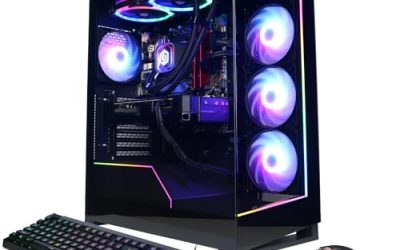
- Included: gamer keyboard and mouse
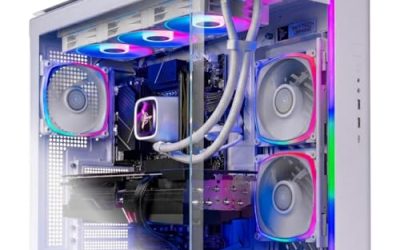
- Cooling: tower air cooler with RGB case fans
- Model: SMA5N4601
Best for: first-time buyers who need the tower and peripherals in a single order.
Watch out for: check on the product page whether the 16GB ships as two sticks for dual-channel operation, and remember AM4 accepts no newer Ryzen generations.
ASIN: B0G4LWD7B5
CyberPowerPC Gamer Xtreme VR (GXiVR8060A12)

CyberPowerPC’s older Xtreme VR configuration is the value play for players whose library leans competitive. The Core i5-11400F and RTX 3050 8GB combination chews through Valorant, Counter-Strike 2, Rocket League, and Fortnite at 1080p, and the 3050’s 8GB of video memory ages better than cut-down cards with less. The compromises are plain: 8GB of system RAM and a 500GB SSD both want attention within the first year. Treat this as a starting chassis with standard parts and a clear first upgrade, not as a finished long-term specification.
Specs
- CPU: Intel Core i5-11400F 2.6GHz 6-core
- Chipset: Intel B560
- GPU: NVIDIA GeForce RTX 3050 8GB (1x HDMI, 1x DisplayPort)
- RAM: 8GB DDR4
- Storage: 500GB PCIe NVMe SSD
- Operating system: Windows 11 Home 64-bit
- Model: GXiVR8060A12
Best for: esports-first players who accept a planned RAM upgrade to keep the entry cost down.
Watch out for: 8GB of RAM sits below the comfort line for newer games, so price a matching second stick into your plans before ordering.
ASIN: B09S5K289L
HP Victus 15L (TG02-1020h)

HP’s Victus 15L suits buyers who want a recognizable brand and a tower that disappears under a desk. Its Core i5-13400F is the newest processor among the RTX 3050 picks, which helps in CPU-sensitive games and everyday multitasking, and the compact case fits spaces a full gaming tower cannot. This HyperX bundle configuration ships with 8GB of RAM and a 512GB SSD, so it shares the CyberPowerPC’s main weakness. The difference is intent: this is the tidy, quiet option for a shared room, provided you accept medium settings in demanding releases.
Specs
- CPU: Intel Core i5-13400F (13th generation)
- GPU: NVIDIA GeForce RTX 3050
- RAM: 8GB
- Storage: 512GB SSD
- Operating system: Windows 11 Home
- Bundle: HyperX bundle, model TG02-1020h (2023)
Best for: small desks and shared rooms where a compact, understated tower matters.
Watch out for: compact cases restrict cooling and card length, so verify the memory configuration and upgrade clearances on the listing before planning changes.
ASIN: B0C4WJJ5B1
Which One Fits Your Situation
You Want This Tower to Last as Long as Possible
Choose the iBUYPOWER SlateMesh with the Ryzen 5 7600. Its AM5 motherboard and DDR5 memory are the only combination here that accepts a future processor generation without replacing the platform underneath it. The 500GB drive is the deliberate trade: storage is the cheapest, easiest upgrade you will ever make, while a socket change is the most expensive.
You Play a Bit of Everything at 1080p
Take the Skytech Nebula. Between its RTX 4060, 1TB SSD, 16GB of memory, and Gold-rated 600W power supply, it is the pick that asks for nothing on day one and covers shooters, RPGs, and strategy titles evenly. The Slate MESH runs it close if you also need a keyboard and mouse, but the Nebula’s PSU and storage make it the calmer long-term buy.
Esports Titles Come First, Budget Comes Second
The CyberPowerPC Gamer Xtreme VR fits a library built around competitive games, where its RTX 3050 8GB holds high frame rates at 1080p and the older i5-11400F stops mattering. Put the money saved toward a second RAM stick and a high-refresh monitor, the two additions an esports player will actually feel. Demanding single-player releases are where this pick shows its limits.
Your Desk Space Is Genuinely Tight
The HP Victus 15L is the one to measure for. Its compact tower suits a dorm desk, a bedroom corner, or a living-room shelf where a glass-sided gaming case would dominate. You give up the RTX 4060’s headroom and start with 8GB of RAM, so go in planning that memory addition; in return you get the newest CPU among the 3050 picks and a machine that blends into the room.
Common Mistakes
- Choosing by processor name alone and accepting a weaker graphics card, when the GPU decides 1080p frame rates.
- Accepting 8GB of RAM as finished, rather than budgeting a matching second stick from the start.
- Ignoring whether memory runs in dual channel, which quietly costs performance on a single-stick configuration.
- Filling a 500GB SSD within months because game sizes were never checked against the library you own.
- Planning a future GPU upgrade without confirming the power supply wattage and case clearance first.
Frequently Asked Questions
Can a PC in This Class Handle Modern Games at 1080p?
Yes, with expectations matched to the graphics card. The RTX 4060 systems run demanding releases at high settings, using upscaling where a game supports it. The RTX 3050 systems target medium settings in those same titles but deliver high frame rates in esports games. Resolution is the friend of this budget: every pick is chosen for 1080p, not 1440p.
Is 8GB of RAM Workable, or Should I Insist on 16GB?
Treat 8GB as a starting point, not a destination. Windows, a browser, and a modern game together can exceed it, causing stutters that look like a graphics problem. Both 8GB picks here use standard memory, so adding a matching stick is straightforward. If you would rather never open the case, choose one of the 16GB configurations instead.
Does the DDR4 Versus DDR5 Choice Matter at This Budget?
For today’s frame rates, barely; the graphics card dominates at 1080p. The difference is about tomorrow. A DDR5 platform like the AM5 SlateMesh keeps a path to newer processors. DDR4 systems cost less now and are cheaper to expand, but their sockets accept no future CPU generations, so the platform ends where it starts.
What Should I Verify Before Planning a GPU Upgrade Later?
Three things: power supply wattage and connectors, physical clearance inside the case, and whether the motherboard is a standard board or a compact proprietary design. The Skytech lists a 600W Gold unit, which gives real headroom. On listings that omit the PSU specification, find it on the product page or choose a different system rather than guessing.