Disclosure: As an Amazon Associate we earn from qualifying purchases.
RM4,000 is a Malaysian ringgit budget cap, and it converts to roughly US$900, which is exactly the tier where proper gaming laptops start on Amazon US. At this cap you are shopping for one graphics chip above all others: the NVIDIA GeForce RTX 4050 Laptop GPU with 6GB of GDDR6 memory. Every pick below is built around it, because it is the strongest GPU that fits this budget with room for a 144Hz display and 16GB of memory. What separates these machines is not the GPU badge but the details around it — the power limit each maker allows that GPU, the quality of the screen, how much memory and storage you get on day one, and whether you can add more later. Each pick below is currently sold on Amazon US, and every figure in the Specs blocks comes from the maker’s published specification or the Amazon listing itself.
What to Check Before You Buy
- GPU power limit (TGP). The RTX 4050 Laptop GPU is sold in configurations from 45W up to 140W. A higher figure, where the maker publishes one, generally means higher sustained frame rates from the same chip. This is the single most important number to compare in this class, and it is why each Specs block below lists it where the maker states it.
- Display. All five picks use a 15.6-inch Full HD panel at 144Hz, which is the right target for this GPU. Colour coverage and sync support vary: two picks below publish 100% sRGB coverage and G-Sync, which matters if you also edit photos or play fast shooters.
- Memory and storage. 16GB of RAM is the comfortable baseline for modern games plus background apps; the one 8GB pick below is only worth it because its memory can be upgraded. A 512GB SSD fills quickly with today’s game installs, so a second M.2 slot or a 1TB drive is worth real money in convenience.
- Ports. HDMI 2.1 lets you drive an external monitor at high refresh rates, USB-C with DisplayPort output is the flexible option, and a wired Ethernet (RJ-45) port still gives the most stable connection for online play.
- Warranty. Machines in this class sold in the US typically carry a one-year limited manufacturer warranty. Check the term on the listing before ordering, and check who honours it — a listing sold and shipped by the maker or Amazon is simpler to claim against than a third-party marketplace bundle.
If your budget is lower than this cap, the compromises change quickly, so it is worth reading our guide to gaming laptops at an even tighter budget before stretching for one of the machines below.
The Picks
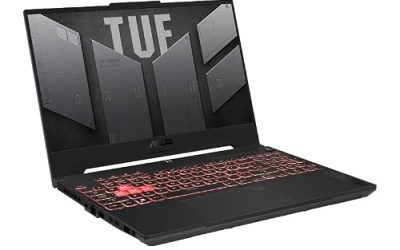
1. ASUS TUF Gaming A15 — FA507NU-DS74

The TUF Gaming A15 is the strongest all-round package under this cap because ASUS runs its RTX 4050 at the top of the chip’s power range: ASUS publishes a maximum TGP of 140W with Dynamic Boost for this model, alongside a MUX Switch with NVIDIA Advanced Optimus, so the GPU can drive the display directly without a performance penalty. The AMD Ryzen 7 7735HS is an eight-core processor, and the 15.6-inch Full HD panel refreshes at 144Hz with 100% sRGB coverage and G-Sync support — the best screen specification in this group. ASUS’s own specification lists two DDR5 SO-DIMM slots (maximum 32GB) and two M.2 PCIe slots, and its marketing material states that all memory and storage slots are fully accessible, so both upgrades are open. The 90Wh battery is also the largest here, which helps away from the desk, and connectivity includes Wi-Fi 6E, HDMI 2.1 and USB-C with DisplayPort output.
Specs
- CPU: AMD Ryzen 7 7735HS
- GPU: NVIDIA GeForce RTX 4050 Laptop GPU, 6GB GDDR6, up to 140W maximum TGP with Dynamic Boost (per ASUS), MUX Switch with Advanced Optimus
- Display: 15.6″ Full HD 1920 x 1080 IPS, 144Hz, 100% sRGB, G-Sync
- RAM: 16GB DDR5-4800 (2 SO-DIMM slots, max 32GB per ASUS)
- Storage: 1TB PCIe SSD (2 M.2 slots per ASUS)
- Ports: HDMI 2.1, USB-C with DisplayPort output
- Wireless: Wi-Fi 6E
- Battery: 90Wh
- OS: Windows 11 Home
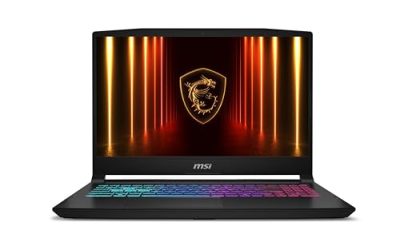
2. MSI Katana 15 — B13VEK-277US

The Katana 15 pairs the RTX 4050 with Intel’s Core i7-13620H, a 10-core processor that suits games that lean on the CPU as well as the GPU. MSI’s US specification for this exact model (B13VEK-277US) publishes up to 2355MHz boost clock and 105W maximum graphics power with Dynamic Boost — not the ceiling of the 4050’s range, but well above the low-power configurations, and it is stated plainly rather than hidden. The configuration on Amazon US comes with 16GB of DDR5 memory and a 1TB NVMe PCIe Gen4 SSD, so storage is not an immediate concern. Upgrade room is generous for the class: MSI lists two memory slots supporting up to 64GB and two M.2 SSD slots (NVMe PCIe Gen4). The display is a 15.6-inch Full HD IPS panel at 144Hz.
Specs
- CPU: Intel Core i7-13620H (10 cores)
- GPU: NVIDIA GeForce RTX 4050 Laptop GPU, 6GB GDDR6, up to 2355MHz boost, 105W maximum graphics power with Dynamic Boost (per MSI)
- Display: 15.6″ Full HD 1920 x 1080 IPS, 144Hz
- RAM: 16GB DDR5 (2 slots, max 64GB per MSI)
- Storage: 1TB NVMe PCIe Gen4 SSD (2 M.2 slots per MSI)
- OS: Windows 11 Home
3. Lenovo LOQ — Ryzen 5 7235HS Configuration

This Lenovo LOQ configuration is the value play in the group: the Amazon listing pairs a Ryzen 5 7235HS with the RTX 4050 and states a TGP of 105W with a 2370MHz boost clock, matching the Katana’s GPU power in a machine that usually sits lower in the range. The display specification is a highlight — the listing describes a 15.6-inch Full HD IPS panel at 144Hz with 100% sRGB coverage and G-SYNC support. Memory is 16GB of DDR5 and storage is a 1TB SSD, so neither needs attention on day one. The port selection is the most complete here: the listing specifies three USB-A ports, one USB-C port, HDMI 2.1, an RJ-45 Ethernet port and an audio jack. The processor is a four-core, eight-thread chip, so this is the pick for GPU-led gaming rather than heavy multitasking or streaming, and the listing ships with Windows 11 Pro rather than Home.
Specs
- CPU: AMD Ryzen 5 7235HS (4 cores, 8 threads, up to 4.2 GHz per the listing)
- GPU: NVIDIA GeForce RTX 4050 Laptop GPU, 6GB GDDR6, 2370MHz boost clock, 105W TGP (per the listing)
- Display: 15.6″ Full HD IPS, 144Hz, 100% sRGB, G-SYNC (per the listing)
- RAM: 16GB DDR5
- Storage: 1TB SSD
- Ports: 3x USB-A, 1x USB-C, HDMI 2.1, RJ-45 Ethernet, audio jack (per the listing)
- Wireless: Wi-Fi 6
- OS: Windows 11 Pro
4. Acer Nitro V 15 — ANV15-51-51H9
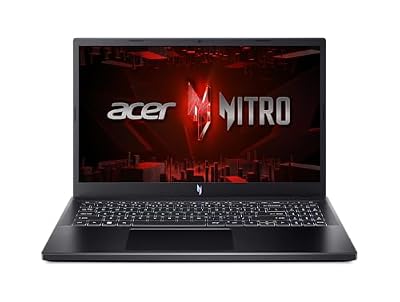
The Nitro V 15 is the entry point of the group and the one to buy with an upgrade plan. Its Intel Core i5-13420H and RTX 4050 are the same core pairing as the rest of this list, and the 15.6-inch Full HD IPS display runs at 144Hz, but this configuration ships with 8GB of DDR5-4800 memory, which is below the comfortable baseline for current games. Acer’s material for the Nitro V 15 family states support for up to 32GB of DDR5 memory, so adding a second stick is a straightforward and worthwhile first upgrade; the 512GB PCIe Gen 4 SSD is the other tight figure. Acer does not publish a graphics power figure for this exact configuration in its listing, so treat its 4050 conservatively and prioritise the TUF or Katana above if sustained GPU performance is your main concern. It does include Wi-Fi 6 and a backlit keyboard.
Specs
- CPU: Intel Core i5-13420H
- GPU: NVIDIA GeForce RTX 4050 Laptop GPU, 6GB GDDR6
- Display: 15.6″ Full HD IPS, 144Hz
- RAM: 8GB DDR5-4800 (family supports up to 32GB per Acer)
- Storage: 512GB PCIe Gen 4 SSD
- Wireless: Wi-Fi 6
- OS: Windows 11 Home
5. MSI Thin 15 — B13VE-2678US

The Thin 15 is the portability pick, and its trade-off is stated openly in MSI’s specification: the RTX 4050 here runs at 45W maximum graphics power with Dynamic Boost, the lowest figure in this group, with a boost clock up to 1605MHz. That makes it best suited to esports titles and older games at 1080p rather than demanding new releases at high settings. In exchange you get a Core i7-13620H, 16GB of DDR4-3200 memory and a 512GB NVMe PCIe Gen4 SSD in MSI’s slim chassis, with a 52.4Wh battery and a 120W adapter. Memory upgrades are supported through two SO-DIMM slots (maximum 64GB per MSI), though storage expansion is limited to the single M.2 slot. The display is a 15.6-inch Full HD panel at 144Hz, and wireless is Wi-Fi 6E.
Specs
- CPU: Intel Core i7-13620H
- GPU: NVIDIA GeForce RTX 4050 Laptop GPU, 6GB GDDR6, up to 1605MHz boost, 45W maximum graphics power with Dynamic Boost (per MSI)
- Display: 15.6″ Full HD, 144Hz
- RAM: 16GB DDR4-3200 (2 slots, max 64GB per MSI)
- Storage: 512GB NVMe PCIe Gen4 SSD (1 M.2 slot per MSI)
- Wireless: Wi-Fi 6E
- Battery: 52.4Wh
- OS: Windows 11 Home
Verdict
Under an RM4,000 cap, the ASUS TUF Gaming A15 is the most complete machine here: the highest published GPU power figure, the best-specified display, a 1TB SSD and open upgrade paths for both memory and storage. The MSI Katana 15 is the closest alternative, with a stronger processor and the same 105W-class GPU power as the Lenovo LOQ, which counters with the best port selection and a colour-accurate screen. The Acer Nitro V 15 makes sense only if you will add memory soon after buying, and the MSI Thin 15 is the choice when a slimmer chassis matters more than graphics power — its 45W GPU limit is the clearest compromise in the group. Whichever you choose, compare the GPU power figure before anything else: in this class, the wattage behind the RTX 4050 badge matters more than the badge itself.