- Top Pick: Yealink Phone Headsets for Office Phones YHS34 QD to RJ9 Wired Headset | Leather ear pads,Compatible with Poly Snom Grandstream Phones Desk Landline Headset with Microphone -Mono/72g/2.1m Cable
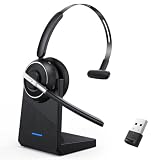
- Best Value: Bluetooth Headset, Wireless Headset with Microphone for PC, V5.2 Computer Headset with Noise Cancelling Mic, USB Dongle, Charging Base & Mute Button for Work, Cell Phones, Computer (Black)
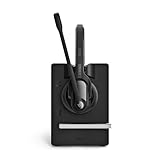
- Premium Choice: Yealink DECT Wireless Headset,Single Ear (Mono) Convertible Office Headset | WH63 E2 UC,Noise Canceling Mic,607Ft Range,3 Wearing Styles,Connects to Desk Phone and Computer/PC/Laptops
Shopping for a headset that works with a desk phone is a compatibility puzzle before it is a sound question. The handset jack on a landline, an IP phone, or a business phone in a small office does not behave like the 3.5mm port on a laptop, so a gaming headset or a Bluetooth earpiece usually will not connect at all. The real decision is which connector your phone uses, and whether you want a cord or a wireless base.
This 2026 guide covers nine headsets listed for desk phones, from simple RJ9 corded models to DECT wireless sets and an all-in-one workstation. The comparisons rely on the details in each title: connector type, mono or dual ear, range, talk time, and the phone brands named. A Bluetooth computer headset in the original lineup was left out because its title describes PC and mobile use rather than desk phones.
Quick Picks
As an Amazon Associate we earn from qualifying purchases at no extra cost to you.




| Product | Best for | Key spec from the title |
|---|---|---|
| Yealink YHS34 | Corded Yealink and Poly phones | QD to RJ9, 72g mono, 2.1m cable |
| Yealink WH63 E2 UC | Phone plus computer | DECT, 607ft range, 3 wearing styles |
| Yealink WH64 | All-in-one workstation | 4″ touch screen, 3x USB hub, 606ft range |
| INNOTALK Wireless | Simple cordless setup | RJ9 adapter, 12H talk time, 300 ft range |
| EAGATON X1 | IP phone users | RJ9, single ear, noise canceling mic |
| Wantek Corded F600S1 | Mixed phone brands | Mono, noise canceling mic, wide brand list |
| EPOS Impact D 30 | Two-ear wireless | DECT, dual ear |
| Plantronics CS540 | Phones without a hook switch | DECT with lifter, 3 wearing styles |
| Wantek Cisco Headset | Cisco desk phones | RJ9, mute switch, Cisco 6851 to 8841 list |
How to Choose
Identify your phone’s headset port
Most business desk phones have an RJ9 headset jack, usually a small socket beside the handset cradle. Some corded headsets use a quick-disconnect plug that needs a separate cable, which is what the QD in a title refers to. Before buying, read the phone model on the label and compare it with the brands or model numbers in the headset title, because a wrong guess means a return.
Corded or DECT wireless
Corded headsets are simple and never need charging, but the cable ties you to the desk. DECT sets advertise ranges from roughly 300 feet to 607 feet in these titles, which covers a warehouse or a floor of cubicles, though walls reduce real distance. Check the stated talk time too: a 12-hour figure suits one shift, while back-to-back call centers want a spare battery or a docking routine.
Mono, dual ear, and noise canceling
A mono headset leaves one ear free to hear the office, while a dual ear set blocks distraction in a loud room. Noise-canceling microphones reduce background chatter, which matters more than speaker quality for call work. A listing with 3 wearing styles lets one headset fit over the head, behind the neck, or on a single ear, which helps when staff share equipment.
What to ignore and where budgets cut corners
Ignore long compatibility lists that name brands without model numbers, and confirm your exact phone. Entry-level headsets often skip an electronic hook switch, so you may have to press the hook button by hand unless a lifter is included. A mute switch and a clear spec line are better signs than a long feature slogan, and a stated cable length beats the word long.
The 9 Best Options
Yealink YHS34
The YHS34 is a wired mono headset with a QD to RJ9 cable, leather ear pads, a 72g body, and a 2.1m cable. The title names Poly, Snom, and Grandstream phones, which makes it a natural match for an office already running Yealink hardware or similar IP phones at every desk.
- Strength: lightweight 72g build with leather ear pads.
- Strength: 2.1m cable gives reasonable reach around a desk.
- Trade-off: corded use only, so no walking away from the desk.
Skip it if you want to move around the office while on a call.
Yealink WH63 E2 UC
This Yealink DECT wireless headset is single ear (mono) and convertible, with a noise-canceling mic, a 607ft range, and 3 wearing styles. It connects to a desk phone and to computers or laptops, so one headset can cover both a landline and a softphone for hybrid workers.
- Strength: 607ft range is the longest stated in this group.
- Strength: connects to both a desk phone and a PC.
- Trade-off: the mono design leaves the other ear open to office noise.
Skip it if you need a dual-ear headset for a noisy room.
Yealink WH64 Workstation
The WH64 goes beyond a headset: a DECT wireless system with a 4-inch touch screen, three noise-canceling mics, a 606ft range, a speaker, and a 3x USB hub. It is listed for a desk phone, a computer, and a cellphone, so it is built around a desk full of devices.
- Strength: touch screen and USB hub turn it into a desk station.
- Strength: handles a desk phone, PC, and cellphone together.
- Trade-off: a larger, more elaborate setup than a simple headset.
Skip it if you only need a basic cord and an ear cup.
INNOTALK Wireless Headset
The INNOTALK pairs a wireless headset with an RJ9 adapter, 12H talk time, handsfree use, and a 300 ft range. It targets small offices that want a cordless set without enterprise features, and the listed adapter simplifies connection to phones that use an RJ9 headset jack.
- Strength: RJ9 adapter is named in the title.
- Strength: 12H talk time covers a standard working shift.
- Trade-off: 300 ft is the shortest wireless range stated here.
Skip it if you want a name you already know from office supply catalogs, or if your phone has no RJ9 headset jack at all.
EAGATON X1
The EAGATON X1 is a single-ear RJ9 headset with a noise-canceling mic, listed for Yealink, Cisco, Polycom, and Avaya IP phones. The title says desk phone only, so there is no computer or mobile connection to configure, which keeps setup short. Teams that run Yealink, Cisco, Polycom, or Avaya phones side by side can stock one model for every desk, and the all-day comfort wording points at long shifts.
- Strength: wide IP phone brand list in the title.
- Strength: all-day comfort is the stated aim.
- Trade-off: desk phone only, with no PC support.
Skip it if you also take calls on a computer.
Wantek Corded F600S1
This Wantek set is a corded mono telephone headset with a noise-canceling mic, listed for a long run of brands including Avaya, Alcatel Lucent, Mitel, and Plantronics. It suits offices with mixed hardware where one spare headset has to fit several desks. Because it is corded, there is nothing to charge or pair, which makes it easy to hand to a temporary employee on the first morning.
- Strength: very broad brand compatibility list.
- Strength: noise-canceling mic on a simple corded design.
- Trade-off: the title does not state cable length or weight.
Skip it if you need a wireless set or a model list rather than brand names.
EPOS Impact D 30 Phone
The EPOS Impact D 30 Phone is a wireless DECT dual-ear headset for connecting to a desk phone. The two-ear design helps in noisy offices, since both ears are covered and the voice on the line stays clearer than with a single cup. For people who spend most of the day on the phone in an open-plan space, covering both ears is the main reason to choose this style.
- Strength: dual-ear wearing style for focus.
- Strength: DECT wireless for movement away from the desk.
- Trade-off: the title gives no range or talk-time figures.
Skip it if you need numbers on range before buying, or if you want to hear colleagues nearby.
Plantronics CS540
The CS540 is a single-ear convertible DECT headset with a lifter, a noise-canceling mic, and 3 wearing styles, connecting to a desk phone. The lifter physically raises the handset, which helps phones that lack an electronic hook switch. Convertible wearing styles also let several staff share a station without discomfort, since each person can pick the fit they prefer.
- Strength: lifter included for phones without hook switch support.
- Strength: 3 wearing styles for different comfort needs.
- Trade-off: no computer connection is named in the title.
Skip it if you use a softphone on a PC and want one headset for both.
Wantek Cisco Headset
This Wantek headset targets Cisco desk phones, with an RJ9 connection, a noise-canceling mic, and a mute switch. The title lists model numbers from the 6851 to the 8841, which removes guesswork for Cisco shops buying several units at once. The listed mute switch also gives a quick way to silence the mic during a noisy moment, without reaching for the phone itself.
- Strength: specific Cisco model numbers are listed.
- Strength: a mute switch is built in.
- Trade-off: it is made for Cisco phones only.
Skip it if your phones are not Cisco, or if you want a wireless design.
Which One Fits Your Situation
You run a Yealink desk phone and want a cord
The Yealink YHS34 pairs with the brands in its title and keeps the setup simple, with a 2.1m cable that reaches a second monitor or filing cabinet.
You want one headset for the desk phone and the computer
Choose the Yealink WH63 E2 UC or WH64. The WH64 adds a screen and a hub for a full workstation, while the WH63 stays light.
Your office uses Cisco phones
The Wantek Cisco headset names exact models, and the EAGATON X1 also lists Cisco among its brands if you manage a mixed fleet.
Your phone has no hook-switch support
The Plantronics CS540 includes a lifter that handles hook control for you, so a plain handset phone can still go wireless.
Common Mistakes
- Buying a headset with a 3.5mm or Bluetooth connection for a phone that has only an RJ9 jack.
- Skipping the phone model check against the compatibility list.
- Trusting wireless range figures without allowing for walls and floors.
- Ignoring the mono versus dual ear choice for a loud office.
- Forgetting that a desk-phone-only headset will not pair with a PC.
Related guides
- Aio Liquid Coolers For High Performance Gaming
- How To Lower Input Delay In Competitive Shooters
- External Hard Drives For Music Production
Frequently Asked Questions
Can a regular gaming headset work on a desk phone?
Usually not. Desk phones expect an RJ9 or similar jack, so you need a headset made for that connection or an adapter that is listed as compatible.
What does DECT mean?
It is a wireless standard used for cordless phones and office headsets. It works through a base station instead of Bluetooth pairing, which is why these sets list a range in feet.
Is mono or dual ear better?
Mono lets you hear the room, while dual ear blocks noise. Pick based on how loud your workspace is and whether you need to talk with people nearby.
Is a lifter necessary?
Only if your phone lacks electronic hook switch support. Otherwise the headset can answer calls through its own button.