As an Amazon Associate we earn from qualifying purchases


A desktop or laptop is now the centre of work, music, video and play, so one good wireless pair makes practical sense. The best bluetooth headphones for PC are not simply the best headphones in general. A PC imposes its own conditions: Windows and macOS handle Bluetooth audio differently from a phone, voice chat matters as much as game sound, and a pair that stays comfortable through a long workday and an evening session earns its place.
There is also an honest limitation to state at the start. Standard Bluetooth audio carries more delay than a wired connection or a dedicated low-latency gaming dongle. For films, strategy titles and most single-player play, that delay is rarely a problem. For fast competitive shooters and rhythm games, Bluetooth can feel a step behind. None of the picks below replaces a dedicated low-latency gaming headset for that kind of play. They are chosen for PC owners who want one versatile pair for mixed use.
Every pick below is a Bluetooth over-ear headphone that pairs with a PC, has a built-in microphone, and offers a wired fallback. Microphone provision is stated plainly for each one, because none has a boom microphone.
How to Choose Bluetooth Headphones for a PC
Connection and Platform
Start with what your computer offers. Most modern Windows laptops and many desktops have Bluetooth built in, but some older desktops do not, in which case a USB Bluetooth adapter is needed before any of these headphones will pair. The connection can only use features both the PC and the headphones support.
Multipoint is the platform feature that matters most day to day. It lets a headphone stay connected to two devices at once, typically the PC and a phone, so a call can be answered without re-pairing. If the PC is your only source, it matters far less.
Codecs and Latency
A codec is the format used to send audio over Bluetooth. SBC is the universal baseline. AAC is common and works well with Apple devices. aptX-family codecs and LDAC can carry more detail and, in the case of aptX Adaptive and LE Audio with the LC3 codec, can reduce delay, but only when the PC supports the same codec. A Windows PC will often fall back to SBC or AAC even with a headphone that supports more, so a codec logo on the box is not a promise. The sections below note codec support only where the listing states it, and no latency figures are quoted.
Voice chat adds a second wrinkle. When a Bluetooth headphone uses its microphone, most PCs switch it into a hands-free mode that lowers playback quality, so game sound can sound thinner while a chat app holds the microphone open. That is a Bluetooth behaviour, not a fault in a particular model. The usual workaround is a separate desk microphone for chat while the headphones handle playback only.
Microphone Provision
All five picks use built-in microphones inside the earcups, with no boom arm to position close to the mouth. These microphones are designed first for calls and meetings, and the listings describe beamforming arrays and background-noise filtering for that purpose. They are serviceable for Discord, Teams and Zoom, but will not match a boom microphone in a noisy room.
Use Case and Comfort
Finally, match the pair to the longest session, not the shortest. Battery life as listed, weight and clamping force decide whether a headphone is still comfortable in hour four. Noise cancelling helps in a shared home and matters little in a quiet room. A wired fallback keeps the headphones usable when the battery is flat, and removes Bluetooth delay entirely. If the same pair will also serve a television, our guide to the best Bluetooth headphones for TV covers the connection points for that screen.
The Picks
Sony WH-1000XM5
Sony’s WH-1000XM5 is the most rounded starting point for a PC that does a bit of everything. The listing describes noise cancelling driven by two processors controlling eight microphones, with an Auto NC Optimizer that adjusts cancellation to wearing conditions and environment, which suits a desk where the surrounding noise changes through the day.
For gaming, this is a strong single-player and casual multiplayer choice rather than a competitive one. Standard Bluetooth delay applies, and the listing makes no low-latency gaming claim. Where the XM5 earns its place is in long, varied sessions: films, open-world games, music and calls. Multipoint is stated in the listing, so it can stay paired to a PC and a phone at once.
Microphone provision is built-in only, with four beamforming microphones described in the listing for hands-free calling and no boom microphone. That suits meetings and casual chat, with the hands-free caveat above.
Specs
- Bluetooth version: 5.2, as listed
- Supported codecs: LDAC, AAC and SBC, as described for this model; the PC must support the same codec
- Battery life: up to 30 hours as listed, with quick charging
- Microphone: built-in beamforming microphones; no boom microphone
- Wired fallback: yes, a headphone cable is included in the box for wired listening
- Platform compatibility: Bluetooth-enabled devices, including Windows and Mac computers, as listed
Bose QuietComfort Ultra Headphones
The Bose QuietComfort Ultra is the pick for PC owners who put noise cancelling and call clarity first. The listing describes Quiet, Aware and Immersion modes, with the immersive mode combining full noise cancellation with Bose spatial audio. At a desk, the quiet mode will see the most use, cutting fan noise and household sound.
The listing states Snapdragon Sound certification and Bluetooth 5.3. Snapdragon Sound matters for PC use only where the computer supports the same technology, which many desktops do not, so treat it as a bonus for a compatible laptop rather than a guaranteed gaming feature. No LE Audio support is claimed in the listing. For competitive play the same delay warning applies.
Microphone provision is built-in only. Bose describes a microphone system that focuses on the voice and filters out background noise, and presents this model as its clearest for calls. There is no boom microphone. For a PC used for meetings all day and games in the evening, that call focus is the main reason to choose this pair.
Specs
- Bluetooth version: 5.3, as listed
- Supported codecs: Snapdragon Sound certification, as stated in the listing
- Battery life: up to 24 hours as listed; up to 18 hours with immersive audio
- Microphone: built-in microphone system for calls; no boom microphone
- Wired fallback: yes, audio cable included; 3.5 mm jack as listed
- Platform compatibility: devices with Bluetooth capability, including laptops and desktops, as listed
Sennheiser Momentum 4 Wireless
The Momentum 4 Wireless stands out on battery life and codec support. The listing gives up to 60 hours of playback, enough for a working week of mixed PC use between charges, so it is less likely to be flat at the start of an evening session.
On codecs, the listing explicitly states aptX Adaptive alongside its 42 mm transducer system. aptX Adaptive is designed to balance audio quality and delay, which makes this the most interesting pick here for PC gaming on paper. The qualification applies in full: the PC must support aptX Adaptive for that benefit to exist, and many built-in adapters do not. With a compatible transmitter or laptop, this model has the clearest route to lower-delay Bluetooth gaming of the five.
Microphone provision is built-in only. The listing describes four digital beamforming microphones for voice pickup with wind-noise suppression. There is no boom microphone.
Specs
- Bluetooth version: 5.2, as listed for this model
- Supported codecs: aptX Adaptive is stated in the listing
- Battery life: up to 60 hours as listed, with fast charging
- Microphone: built-in, four digital beamforming microphones; no boom microphone
- Wired fallback: yes, a 3.5 mm to 2.5 mm audio cable is included in the box
- Platform compatibility: Bluetooth-enabled devices, including Windows and Mac computers, as listed
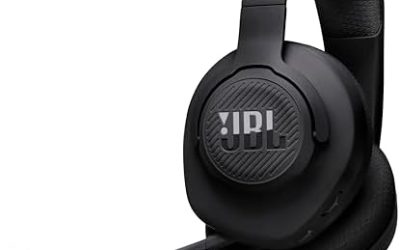
JBL Tour One M2

The JBL Tour One M2 is the call-focused alternative for a PC that doubles as a meeting station. JBL describes True Adaptive Noise Cancelling using four noise-sensing microphones, controlled further through the JBL Headphones app. The listing also describes a Smart Talk feature that pauses the music and enables a talk-through mode when the wearer starts a conversation.
For gaming, the Tour One M2 follows the same pattern as the rest of this list: a Bluetooth headphone for mixed PC use, not a low-latency gaming headset, with no gaming latency claim in the listing. Its strengths are long-session comfort, multipoint switching, which the manufacturer’s comparison information confirms, and a wired option for sessions where delay matters. The listing names laptops and personal computers among its compatible devices.
Microphone provision is built-in only, with a four-microphone call system described in the listing and no boom microphone.
Specs
- Bluetooth version: 5.3, as stated in the manufacturer’s listing information
- Supported codecs: none beyond standard Bluetooth stated in the listing
- Battery life: up to 50 hours as listed
- Microphone: built-in, four-microphone system for calls; no boom microphone
- Wired fallback: yes, a 3.5 mm audio cable is included in the box
- Platform compatibility: laptops, personal computers, smartphones and tablets, as listed
Bose QuietComfort 45

The QuietComfort 45 is the simpler, older Bose option, and that simplicity is its appeal for PC use. The listing describes world-class noise cancelling, lightweight materials and minimal clamping force, aimed at wearers who keep headphones on for most of the working day. It has fewer modes than the Ultra model above, which some PC owners will see as a benefit.
As a gaming companion it covers the same ground as the other picks: comfortable long-session wear for single-player and casual play, Bluetooth delay that rules it out as a competitive-first choice, and a wired path where that delay is unwelcome. Bluetooth 5.1 is listed, older than on the newer picks, but for a single PC connection at desk distance that difference is not decisive.
Microphone provision is built-in only. Bose’s listing material describes six microphones for clearer calls, housed in the earcups, with no boom microphone. Expect meeting-ready voice pickup rather than broadcast clarity.
Specs
- Bluetooth version: 5.1, as listed
- Supported codecs: none beyond standard Bluetooth stated in the listing
- Battery life: 22 hours as listed in the product information
- Microphone: built-in microphones for calls; no boom microphone
- Wired fallback: wired listening via the listed 2.5 mm jack
- Platform compatibility: Bluetooth-enabled devices, including Windows and Mac computers, as listed
Frequently Asked Questions
Are Bluetooth headphones good enough for PC gaming?
For most PC gaming, yes, with one clear exception. Story-driven, open-world, strategy and casual multiplayer games play well over Bluetooth. Fast competitive shooters and rhythm games are the exception, because standard Bluetooth delay can put audio cues slightly behind the action. For those titles, use the wired fallback, or a dedicated low-latency gaming headset.
Why does the sound quality drop when voice chat is open?
Because of how Bluetooth handles two-way audio. When a PC activates a headphone’s built-in microphone, the connection usually switches to a hands-free mode that shares bandwidth between playback and the microphone, and playback quality falls. It happens with all five picks. A separate desk microphone for chat, with the headphones handling playback only, avoids the switch.
Do these headphones work with a desktop PC that has no Bluetooth?
Not until Bluetooth is added. A USB Bluetooth adapter gives a desktop the connection these headphones need, and the adapter’s version and codec support decide which features are available. Alternatively, every pick here can be used wired, which needs no Bluetooth at all and also removes wireless delay.
Which pick is best for calls and meetings on a PC?
All five use built-in earcup microphones rather than a boom microphone, so none matches a gaming headset for voice clarity. Within this list, the Bose QuietComfort Ultra is presented by its listing as the Bose model focused most on call clarity, and the JBL Tour One M2 also centres its listing on a four-microphone call system. The Momentum 4 Wireless and the WH-1000XM5 both describe beamforming microphone arrays for calls. In a quiet room, any of them will handle meetings well.
Conclusion
Choosing the best bluetooth headphones for PC comes down to which compromise matters least to you. Every pair here shares the same two: Bluetooth delay that competitive players should avoid, and built-in microphones that serve meetings and casual chat rather than serious team communication. Within those limits, the WH-1000XM5 is the balanced all-rounder, the QuietComfort Ultra prioritises cancelling and calls, the Momentum 4 Wireless pairs the longest listed battery life with aptX Adaptive support for PCs that can use it, the Tour One M2 suits a desk built around calls, and the QuietComfort 45 keeps things simple and comfortable. Use the wired fallback when timing matters.