Updated November 2026 – Mostly it depends on what you play: AirPods are fine for casual games but weak for competitive shooters, wired IEMs can be excellent for esports if you add a mic, and a JBL Quantum 910 or similar gaming headset is the simplest all-in-one option.
If you are asking whether AirPods, IEMs and JBL headsets are good for gaming, the answer comes down to three things: latency (how late the sound arrives), microphone quality, and comfort over long sessions. This guide sorts each type by how it behaves on a gaming PC, explains the Bluetooth limits that catch people out, and shows when a normal pair of headphones beats a gaming headset.
Are Apple AirPods Good for Gaming?
AirPods are acceptable for relaxed single-player games and video, but they are a poor fit for fast competitive play on a PC. The reason is standard Bluetooth delay, not the brand. Guides report AirPods using only the AAC and SBC codecs, without the aptX Low Latency or LDAC options some other earbuds offer.
Estimates of the delay vary by source, from roughly 120 ms on a PC with AAC to several hundred milliseconds with SBC, against a few tens of milliseconds for gaming headsets on a 2.4 GHz dongle. Even the more optimistic figures are enough to make footsteps and gunshots feel slightly late. Casual players may not mind, while players in tactical shooters will.
The microphone is the larger problem. Bluetooth cannot carry full-quality stereo audio and a live microphone at once. When a game or Discord opens the AirPods microphone, Windows switches to the Hands-Free profile and the sound becomes thin and mono. Guides describe this as the biggest drawback of using any Bluetooth earbuds for PC voice chat.
Can You Connect AirPods to a PC?
Yes, AirPods connect to Windows like any other Bluetooth device, though you do not get Apple-specific features. A PC needs Bluetooth hardware, either built into the motherboard or added with a USB adapter.
- Put the AirPods in their case, open the lid and hold the setup button on the case until the light flashes white.
- On Windows, open Settings, then Bluetooth and devices, and choose to add a device.
- Pick Bluetooth, then select the AirPods from the list.
- In Sound settings, set them as the output device. If a game still plays through the speakers, choose the AirPods in the game’s own audio menu.
Windows 11 supports AAC alongside SBC for Bluetooth playback, but guides note that which codec is used also depends on the adapter and its driver, and Windows gives no simple way to pick one. If the sound lags badly, re-pair them, update the Bluetooth driver, and reduce wireless interference from nearby devices.
Are Bose and Beats Headphones Good for Gaming?
Both are better as general listening headphones than as gaming gear. RTINGS reports that the Bose QuietComfort Ultra Headphones work only over Bluetooth on the first generation and describes the delay with the standard codec as high enough that audio and video will not sync. It does not consider it suitable for wireless gaming, although the microphone recording quality is rated very good.
The second-generation Bose adds lossless playback over USB-C, but RTINGS still calls it not ideal for wireless gaming and only satisfactory wired. The Beats Studio Pro has a high-latency Bluetooth connection, yet over a wired USB-C cable it offers both audio and microphone with low latency, and RTINGS rates its microphone as disappointing. In other words, if you already own either pair, use a cable for games and keep Bluetooth for music and calls.
Are IEMs Good for Gaming?
Yes, wired in-ear monitors can be very good for gaming, especially competitive games, because the cable removes wireless delay and the sealed fit blocks room noise. Guides such as SoundGuys’s 2026 roundup point out that detail and imaging matter more than bass in shooters, and that IEMs can reveal footstep direction well.
The trade-offs are practical. Most audiophile IEMs have no microphone, so you need an inline-mic model, a mic cable, or a separate desk or USB microphone. Some people also find in-ear fit tiring over long sessions, and sealed isolation can make it hard to hear someone speaking in the room.
Best Gaming IEM Headphones
These are reported examples, not a ranked list. SoundGuys and other 2026 roundups describe the following.
Moondrop Chu II DSP – Best for USB-C with an inline mic
Single dynamic driver · USB-C cable with built-in DSP · inline microphone. Guides recommend it for devices that have a USB-C port and no headphone jack. A mic is built into the cable, which is convenient but not a match for a boom or desk mic.
Truthear Gate – Best for a low-cost 3.5 mm inline-mic option
3.5 mm plug · detachable cable · inline mic. One guide calls it the best IEM with a mic for most gamers, based on its mix of simplicity and tuning.
Truthear Hexa – Best for tuning detail without a mic
One dynamic plus three balanced-armature drivers · near-neutral tuning · detachable 0.78 mm 2-pin cable. It ships without a microphone, so a separate mic or a 2-pin mic cable is needed for voice chat.
Moondrop Rays – Best for USB-C with game EQ profiles
Dual drivers · USB-C · app EQ profiles for more than twenty games · cable with a mic, according to coverage at its launch.
Are JBL Gaming Headsets Good?
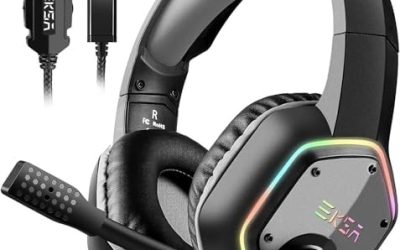
Yes, the JBL Quantum line is a reasonable choice for players who want a complete headset. The JBL Quantum 910 Wireless is the model most reviewers cover in detail. According to JBL and several outlets, it has a 2.4 GHz wireless dongle, Bluetooth 5.2, and a 3.5 mm wired mode. It uses two 50 mm drivers and a flip-up boom microphone, and it includes active noise cancelling and head-tracked spatial audio.
The dongle can carry game audio while Bluetooth handles chat or music at the same time. Battery life is listed at up to about 39 hours without noise cancelling and about 28 hours with it on. Basic Tutorials gave it a gold award, while SoundGuys rated its noise cancelling modestly. JBL also makes cheaper wired Quantum headsets, which reviewers generally treat as entry-level choices. For a PC, a headset that ships with its own dongle avoids the Bluetooth delay problem entirely.
Headphones vs Gaming Headset
| Option | Verdict | What to pair it with |
|---|---|---|
| AirPods or other Bluetooth earbuds | Fine for casual and single-player; weak for competitive shooters | A separate PC or USB mic so audio stays in stereo mode |
| Wired IEMs | Excellent for footstep detail and esports | Inline-mic cable or a desk microphone |
| Open-back headphones | Wide soundstage, great for single-player and music | A desk, USB or clip-on microphone |
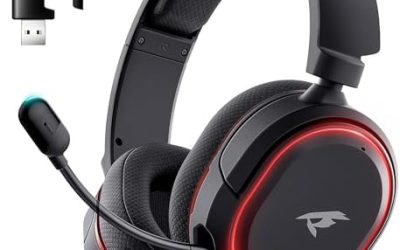
| Gaming headset with 2.4 GHz dongle | Easiest all-in-one for chat and low delay | Check the PC has a free USB port |
| Wired gaming headset | Reliable and delay-free | 3.5 mm combo jack or USB |
| Bluetooth noise-cancelling headphones | Great for music and calls; delay noticeable in action games | Wired USB-C if the model allows |
Open-Back Headphones Plus a Microphone
Many players prefer a pair of good wired headphones and a separate microphone. Open-back designs have a wide, airy soundstage that helps in single-player adventures and some shooters. The downside is that they leak sound, so they suit a quiet room better than a shared one. Pair them with a desk, USB or clip-on mic. This route also lets you replace parts separately, which is harder with an all-in-one headset.
Are Gaming Headphones Good for Music?
They can be, but results vary. Gaming headsets are often tuned with a bass and treble lift to emphasise explosions and footsteps, which some listeners find coloured for music. Many models include an equaliser in their software, which lets you flatten the sound. If music is a major use, a pair of dedicated headphones plus a separate mic usually sounds better than a headset, while a headset wins on convenience.
Practical Tips for Better Wireless Audio on a PC
- Keep the Bluetooth adapter on a front or extension port with a clear line to the headphones, since a rear port behind the case adds interference.
- If you must use Bluetooth earbuds, pair them with a separate USB or desk microphone so Windows does not drop to the hands-free profile.
- Pick a headset with its own USB dongle if you play competitive shooters, because the dongle link avoids most Bluetooth delay.
- Look for a game mode or low-latency mode in the headphone app, if one exists, and read the maker’s notes on which codecs the model supports.
- For long sessions, choose over-ear designs or lighter IEM shells that suit your ears, and take breaks to rest your hearing.
Volume matters for hearing health as well. Sealed IEMs make it easy to listen louder than you realise, so keep the level comfortable and follow the maker’s guidance on safe listening.
Frequently Asked Questions
Are AirPods good for gaming on a PC?
They work for casual games but are not ideal for competitive ones. Bluetooth delay is noticeable, and using the AirPods microphone drops the audio quality in Windows to a thin mono mode.
Are IEMs good for gaming?
Yes, wired IEMs can suit gaming well because there is no wireless delay and the seal blocks noise. Add a mic cable or a separate microphone, since most IEMs have none.
Are JBL gaming headsets good?
The JBL Quantum 910 Wireless is well reviewed for sound and battery life, with a dongle that avoids Bluetooth delay. Other Quantum models are generally positioned as more basic, so read the specific model’s reviews.
Can I use Bluetooth headphones for gaming?
You can, but expect some delay, and expect the microphone to reduce audio quality on many PCs. A model with its own USB dongle or a wired USB-C mode is a safer choice.
Are gaming headphones good for music?
They are usable, though many are tuned for effects rather than neutral music. Use the equaliser in the headset software, or choose separate headphones if music matters most.
Is a wired headset better than wireless for gaming?
Wired connections have no battery limit and the lowest delay. Wireless headsets with a 2.4 GHz dongle come close in responsiveness and add freedom of movement.