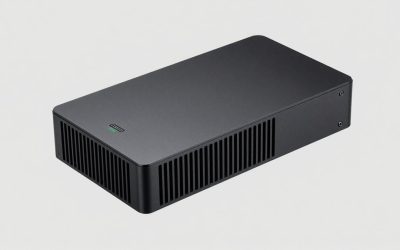
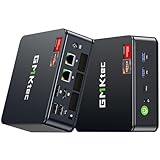
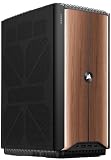
- Top Pick: MINIX NEO Z300-0dB Fanless Mini PC Intel i3-N300, 16GB DDR4 512GB PCIe SSD | 4K@60Hz Dual Display/2.5G LAN/Vesa Mount/HDMI/USB C/ Micro Desktop Computer for Business Home Office Multi-Tasking
- Best Value: KINGDEL Fanless Industrial Computer, Mini PC, core i7 8th Gen. CPU, 16GB RAM 512GB NVMe SSD, 4K: 4096×2304, HD Port, VGA, 4xUSB 3.0, 2xCOM RS232, WiFi+Bluetooth, Metal Case
- Premium Choice: Fanless Mini PC Stick Win 11 Pro, Celeron J4105 8GB RAM 128GB eMMC Desktop Computer Stick, Support 4K HDMI, RJ45 Gigabit Ethernet, WiFi 5 for Industry IoT Media Business Office Digital Signage
Choosing a fanless mini PC is a decision about silence and dust, not raw speed. With no fan, there is no whirring in a bedroom media corner, no clogged intake in a dusty workshop, and one less moving part to fail in a cabinet that nobody opens for years. The cost is thermal headroom: a passively cooled chassis relies on its metal body to shed heat, so processor choice matters more than it does in a fan-cooled box.
This guide is for three kinds of buyers. Home users want a quiet desktop for browsing, streaming, and office work. Small businesses want a reliable point-of-sale or signage player that runs all day. Industrial and lab users need serial ports, multiple network interfaces, and tolerance for harsh rooms. The six models below, taken from product titles only, cover all three groups, and the guide shows what to verify before you buy one in 2026.
Quick Picks
As an Amazon Associate we earn from qualifying purchases at no extra cost to you.


| Product | Best for | Key spec from title |
|---|---|---|
| MINIX NEO Z300-0dB | Silent everyday desktop | Intel i3-N300, 16GB DDR4, 512GB PCIe SSD, 2.5G LAN |
| KINGDEL Core i7 Industrial | Heavier workloads, legacy ports | 8th Gen i7, 16GB, 512GB NVMe, 2xCOM RS232 |
| Fanless Mini PC Stick (J4105) | Compact signage or kiosks | Celeron J4105, 8GB RAM, 128GB eMMC, Win 11 Pro |
| MeLE Quieter 4C N150 | Multi-monitor office use | N150, 16GB, 512GB, triple 4K@60Hz, USB-C PD3.0 |
| MeLE PCG02 Pro Stick | Plug-behind-a-screen computing | N5100, 8GB, 256GB, dual HDMI, gigabit Ethernet |
| KINGDEL i5 Dual-Core Industrial | Serial device control | 8GB, 256GB SSD, 2 NICs, 4xCOM RS232 |
How to Choose
Pick a processor for passive cooling
Entry processors in the Intel N-series and older Celeron families run cool enough for passive designs and handle email, web apps, video playback, and light office tasks. If your title lists a Core i5 or i7, you gain speed for heavier multitasking but depend more on a large finned chassis. Do not expect gaming or video editing from a sealed passive box, and check whether the maker lists any stated temperature range for the environment you plan. A bedroom or living room is forgiving, while a sunlit shop window or a closet with no airflow is a much harder test for any passive design.
Match memory and storage to the job
For Windows 11, 8GB of RAM is the practical floor, and 16GB gives breathing room for browser tabs and background tools. For storage, an NVMe or PCIe SSD loads software noticeably faster than eMMC, which is soldered flash common in sticks. A 128GB eMMC drive fills quickly with updates, so budget for external storage or plan to run lightweight applications only. Check whether the memory is soldered or socketed, since a model that allows upgrades lets you stretch its working life by several years.
Count ports and display outputs
Think about what plugs in. Signage players need HDMI and reliable network connections. Office desks benefit from USB-C power delivery, multiple 4K outputs, and Wi-Fi with Bluetooth. Industrial buyers should look for COM RS232 ports, multiple network interface cards, and plenty of USB 3.0 ports for scanners and peripherals. A 2.5G LAN port is useful on a fast home network, but many sites will never need more than gigabit speeds. Count the cables too: a clean install with one power lead and one network lead is easier to maintain than a tangle of adapters.
Know where cheap fanless boxes cut corners
Budget units may ship with slow eMMC storage, a single memory channel, or older Wi-Fi versions. Sticks also tend to run warm, and some lack proper mounting hardware. Ignore peak boost speeds in the title and focus on memory, storage type, ports, and power input. Confirm that a Windows license is included if you need one, since some listings sell the hardware alone. Also look at the mounting method and power input, because a unit that needs a proprietary brick is harder to replace later.
The 6 Best Options
MINIX NEO Z300-0dB
The name promises silence, and the title backs it with an Intel i3-N300, 16GB DDR4, and a 512GB PCIe SSD. It lists 4K@60Hz dual display support, 2.5G LAN, a VESA mount, HDMI, and USB-C, which makes it the best-rounded general-purpose model here. It reads like a living room or home office computer more than a factory part, so it suits buyers who care about looks and quiet together.
- Strength: 16GB of memory with a PCIe SSD keeps everyday multitasking comfortable.
- Strength: 2.5G LAN and dual 4K output suit a fast home or small office network.
- Trade-off: it offers no industrial serial ports.
Skip it if you only need a small signage player or must connect legacy serial equipment.
KINGDEL Fanless Industrial Core i7
Built for work environments, this KINGDEL model lists an 8th Gen Core i7, 16GB RAM, a 512GB NVMe SSD, 4K output up to 4096×2304, HDMI, VGA, four USB 3.0 ports, two COM RS232 ports, and WiFi. It leans towards factory floors, control rooms, and machine-monitoring cabinets, where legacy peripherals still use serial cables and VGA monitors.
- Strength: a Core i7 gives the most processing headroom in this lineup.
- Strength: COM ports plus VGA support older machinery and displays.
- Trade-off: an eighth-generation CPU is dated, and the industrial case may look bulky on a living room shelf.
Skip it if you want a stylish home desktop or the newest efficiency gains.
Fanless Mini PC Stick, Celeron J4105
A stick format keeps things small. This unit lists Windows 11 Pro, a Celeron J4105, 8GB RAM, 128GB eMMC, 4K HDMI, gigabit Ethernet, and WiFi 5, with the title pointing at industrial use. Because it is a stick, cable runs are short and installation is quick, which helps when you need to roll out several identical screens.
- Strength: the stick shape hides behind a monitor or television without taking desk space.
- Strength: Windows 11 Pro and wired Ethernet suit signage and kiosk deployments.
- Trade-off: 128GB of eMMC storage fills up quickly and loads slower than an SSD.
Skip it if you plan to run many apps at once or store large files locally.
MeLE Quieter 4C N150
This business-grade model lists an N150 processor running up to 3.6GHz, with 16GB RAM and 512GB storage. It adds triple 4K@60Hz output, USB-C PD3.0, and dual-band Wi-Fi, making it a clear fit for a multi-screen office. A single USB-C link with power delivery can also help clean up a shared desk where cables otherwise pile up.
- Strength: triple 4K output covers dashboards, trading screens, or reception displays.
- Strength: 16GB and 512GB give generous room for office software.
- Trade-off: an entry-level N-series chip should not be pushed with heavy creative work.
Skip it if you need serial ports or a processor above entry level.
MeLE Fanless Mini PC Stick PCG02 Pro
A stick design with an N5100 processor, 8GB RAM, and 256GB storage. The title mentions WiFi 5, USB PD3.0, dual HDMI, gigabit Ethernet, and Bluetooth 5.1, which cover most connectivity needs for a plug-in computer. It works as a small standalone PC for a meeting room display or a reception screen.
- Strength: dual HDMI outputs allow two displays from a very small body.
- Strength: 256GB offers more breathing room than many stick-format rivals.
- Trade-off: a stick has less surface for heat, so sustained heavy workloads will be limited.
Skip it if you want a full-size desktop feel or many USB ports.
KINGDEL i5 Dual-Core Industrial PC
This industrial machine lists an i5 dual-core CPU, 8GB RAM, a 256GB SSD, two network interfaces, four USB 3.0 ports, four COM RS232 ports, an HD port, and WiFi. It is aimed at control and monitoring tasks, such as gateways between sensors, scanners, and a local network, rather than everyday browsing.
- Strength: four COM ports and two NICs suit device gateways and network segmentation.
- Strength: an SSD with 8GB keeps lightweight control software responsive.
- Trade-off: a dual-core processor offers limited power for modern multitasking.
Skip it if you simply want a quiet home computer for browsing and streaming.
Which One Fits Your Situation
A silent home or office desktop
The MINIX NEO Z300-0dB is the natural choice, with memory and an SSD for daily work. If you need three displays, step to the MeLE Quieter 4C N150. Both pair 16GB of memory with a roomy SSD, which keeps Windows responsive during long working days.
A digital sign or hidden media player
The MeLE PCG02 Pro stick or the J4105 stick hides behind a screen. Pick the MeLE stick for extra storage and dual HDMI, or the J4105 for a Windows 11 Pro setup. Either stick is easy to swap if a unit fails, because the configuration lives on a single small device.
A workshop or factory control station
The KINGDEL Core i7 suits heavier monitoring software, while the KINGDEL i5 with four COM ports fits simple device gateways and data logging. Both have wired network options, which is the safer path for equipment that must stay connected without Wi-Fi dropouts.
A budget-conscious small business counter
Select the MeLE Quieter 4C N150 for a mix of memory and screen outputs, keeping the stick models as backup units for secondary screens. The extra memory leaves room for a point-of-sale app, a browser, and a messaging tool at the same time.
Common Mistakes
- Expecting gaming performance from a sealed passive chassis.
- Choosing eMMC storage and then filling it with updates within months.
- Enclosing the unit in a tight cabinet with no airflow, which defeats passive cooling.
- Forgetting to confirm that a Windows license is included.
- Overlooking port needs, such as serial or extra network ports, until after delivery.
Related guides
- Battery Operated Smoke And Carbon Monoxide Detectors
- Combination Smoke And Carbon Monoxide Detectors
- Aio Liquid Coolers For High Performance Gaming
Frequently Asked Questions
Are fanless mini PCs really silent?
They have no fan noise, so any sound would come from a spinning hard drive or coil whine. Models with SSD or eMMC storage are effectively silent, so the only thing you may hear is the monitor or a nearby router.
Do fanless PCs overheat?
They are built to dissipate heat through the case, so keep air space around the body. Sustained heavy loads on entry processors can cause the chip to slow itself to stay cool, which shows up as brief slowdowns rather than a shutdown. A little breathing room on every side helps a great deal.
How much RAM do I need?
Eight gigabytes covers basic tasks like a single signage app or a browser with a few tabs, while 16GB is wiser for many browser tabs, spreadsheets, and video calls together. Upgradeability varies, so confirm before buying, because soldered memory cannot be expanded later.
Can I mount one behind a monitor?
Models that list VESA support, such as the MINIX, are designed for that. Sticks plug straight into an HDMI port and tuck out of sight. Check that the HDMI port on the display is not recessed too deeply, or an extender may be needed for a clean fit.