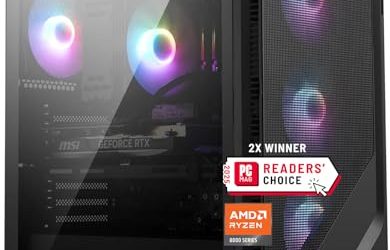
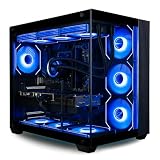
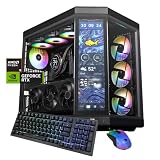
- Top Pick: STORMCRAFT Phantom RTX 5080 Gaming PC Ryzen 7 9800X3D 32GB DDR5 2TB SSD
- Best Value: STORMCRAFT Falcon Prebuilt RTX 5070 Gaming PC,R7 7800X3D,32GB DDR5,1TB SSD
- Premium Choice: CLX Set Creator Workstation – AMD Ryzen 9 9950X3D2 4.3GHz, RTX Pro 6000, 4TB NVMe M.2 SSD, 192GB DDR5 Memory, 360mm AIO, WiFi, Windows 11 Pro, Black, AI-Accelerated
Rendering a complex scene in Blender, Maya, or Cinema 4D is one of the most demanding jobs you can hand a desktop PC. Whether you are baking global illumination, simulating fluids, or pushing millions of polygons through a viewport, the hardware underneath decides how many minutes (or hours) each frame takes. In 2026, the gap between a machine that stalls on a dense scene and one that chews through it comes down to a few key components: a high-core-count CPU, a modern GPU with plenty of VRAM, and enough system memory to keep large assets resident. Get those right and everything from IPR previews to final production renders speeds up dramatically.
The good news is that 2026 offers an unusually strong lineup of prebuilt desktops that suit 3D artists at every budget. AMD’s X3D chips and Ryzen 9 workstation processors handle CPU-based renderers and simulation beautifully, while the latest RTX 50-series and RX 9000-series GPUs make GPU rendering in engines like Cycles, Redshift, and Octane genuinely fast. Below are our top picks, followed by a practical buying guide and answers to the questions we hear most from artists moving up to a serious rendering rig.
As an Amazon Associate we earn from qualifying purchases at no extra cost to you.





⚡ Save on Your Next PC — Amazon Prime
Prime members get fast free shipping on the systems above, plus early access to Prime Day & Black Friday PC deals. New members get a 30-day free trial.
Watch: Best PC for 3D Rendering — Video Review
What to Look for in a 3D Rendering PC
- CPU core count: CPU renderers and physics simulations scale almost linearly with cores, so favor 12-core-plus chips like the Ryzen 9 9950X3D for Arnold, Corona, or heavy Blender simulation work; 8-core X3D parts are fine for GPU-first workflows.
- GPU and VRAM for GPU rendering: Engines like Cycles, Redshift, and Octane live on the graphics card, so prioritize a modern RTX 50-series or RX 9000-series GPU and, crucially, VRAM. Aim for 12GB minimum and 16GB or more for large textured scenes that would otherwise overflow memory.
- 32-64GB+ RAM: Big scenes with high-res textures and dense geometry eat system memory fast. Treat 32GB as the floor, 64GB as comfortable for production, and 128GB-plus only for extreme simulation or CAD-scale assemblies.
- Fast NVMe storage: A Gen4 or Gen5 NVMe SSD slashes scene load times, asset caching, and render-output writes; a 1TB drive is a starting point, but 2TB or more keeps texture libraries and cache files from choking your workflow.
- Cooling and power headroom: Sustained renders push CPU and GPU to full load for long stretches, so look for a quality air tower or 240-360mm AIO liquid cooler plus a generous PSU to avoid thermal throttling and keep clocks stable.
The Best PCs for 3D Rendering
CLX Set Creator Workstation
This is the no-compromise choice for professionals who render for a living. It pairs a 16-core Ryzen 9 9950X3D with an RTX Pro 6000, a massive 192GB of DDR5, and 4TB of NVMe storage, backed by a 360mm AIO. It is priced as a serious tool, but for studio-grade GPU rendering, huge scenes, and simulation, nothing here comes close to its ceiling.
NOVATECH Apex AI Workstation
A more attainable workstation that still means business. The Ryzen 9 9950X3D handles CPU renderers and simulation with ease, while the RTX 5080 and 64GB of RAM make it a strong all-rounder for 3D rendering, video editing, and machine-learning tasks. With 2TB of storage, it is our pick for the artist who wants headroom without stepping into five-figure territory.
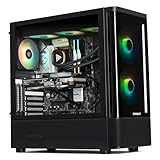
STORMCRAFT Phantom RTX 5080
For GPU-first artists, the Phantom hits a sweet spot. Its RTX 5080 delivers excellent performance in Cycles, Redshift, and Octane, and the Ryzen 7 9800X3D keeps viewport and simulation work snappy. With 32GB DDR5 and a 2TB SSD, it is a well-rounded rig that renders fast while staying quiet under sustained load.
STORMCRAFT Skyhawk PRO
Built around a Ryzen 7 9800X3D and an RX 9070 XT with 32GB of DDR5 and 2TB of storage, the Skyhawk PRO is a compelling value play for artists using engines with strong Radeon support. It handles dense scenes comfortably and offers a big storage buffer for texture-heavy projects, all at a mid-range price.
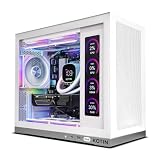
KOTIN Ryzen 7 7800X3D
The budget-friendly entry point. With a Ryzen 7 7800X3D, RTX 5060 Ti, and 32GB of RAM, it is aimed at students and hobbyists learning Blender or C4D who want real rendering capability without overspending. It will not devour the heaviest production scenes, but for smaller projects and viewport work it punches above its price.
Frequently Asked Questions
Is CPU or GPU more important for 3D rendering?
It depends on your renderer. GPU engines like Cycles, Redshift, and Octane lean heavily on the graphics card and VRAM, so invest there first. CPU renderers such as Arnold and Corona, plus most physics simulations, scale with core count, so a high-core Ryzen 9 matters more for those workflows.
How much VRAM do I need for GPU rendering?
For GPU rendering, VRAM caps how large a scene you can load. 12GB works for moderate projects, but 16GB or more is safer for high-resolution textures and dense geometry. If a scene exceeds VRAM, renders slow drastically or fail, so err on the larger side.
Is 32GB of RAM enough for Blender and Maya?
For most artists, 32GB is a solid starting point and handles everyday modeling and rendering well. Once you work with large simulations, high-res textures, or multiple applications open at once, 64GB gives valuable breathing room and prevents slowdowns during heavy scenes.
Do I need a workstation GPU like the RTX Pro series?
Not usually. Consumer RTX 50-series cards render extremely fast and suit the vast majority of freelancers and studios. Workstation GPUs like the RTX Pro 6000 justify their cost mainly through their enormous VRAM and certified drivers, which matter for very large scenes and CAD-heavy pipelines.
Final Thoughts
The right 3D rendering PC in 2026 comes down to matching hardware to your renderer and scene complexity. GPU artists should prioritize a modern card with ample VRAM like the STORMCRAFT Phantom, CPU-heavy workflows benefit from the core count of the NOVATECH Apex or CLX Set Creator, and newcomers can start strong on the KOTIN without overspending. Whichever you choose, pairing a fast NVMe SSD, at least 32GB of RAM, and cooling built for sustained load will keep your renders quick and your workflow frustration-free for years to come.