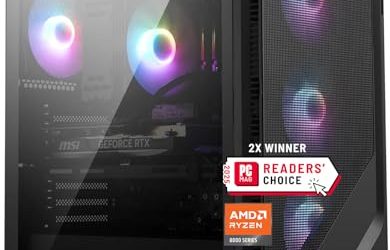
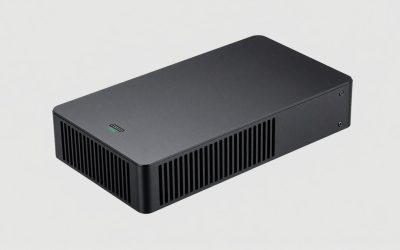
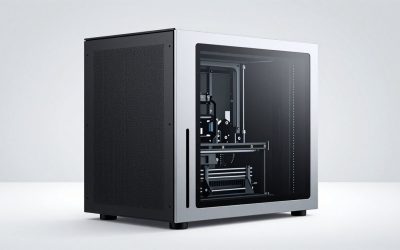
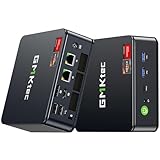
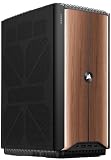
- Top Pick: ROG NUC (2025) Gaming Mini PC with Intel® Core™ Ultra 9 (Series 2) ARL-HX CPU, NVIDIA® GeForce RTX™ 5070 MobileGPU, 32GB DDR5 RAM, 1TB NVMe SSD, Thunderbolt™ 4, Triple-Fan Cooling, and ARGB Lighting
- Best Value: ROG NUC 16 AI Gaming Mini PC with Intel Core Ultra 9 290HX Plus, NVIDIA GeForce RTX 5080 Mobile GPU, 32GB DDR5 RAM, 1TB PCIe Gen4 SSD, Wi-Fi 7, Thunderbolt 4, Triple-Fan Cooling, 3-Year Warranty
- Premium Choice: ROG NUC (2025) Gaming Mini PC with Intel® Core™ Ultra 9 (Series 2) ARL-HX CPU, NVIDIA® GeForce RTX™ 5080 Mobile GPU, 32GB DDR5 RAM, 2TB NVMe SSD, Thunderbolt™ 4, Triple-Fan Cooling, and ARGB Lighting
ASUS ROG has proven that serious gaming no longer requires a full-size tower. The ROG NUC and GR70 mini PCs pack desktop-class RTX 50-series mobile graphics and top-tier Intel and AMD processors into remarkably compact chassis, delivering real performance you can tuck beside a monitor or carry to a LAN. This review examines ROG’s mini gaming PCs to help you decide whether small-form-factor power fits your setup.
Covering the ROG NUC 2025, ROG NUC 16 AI, and ROG GR70 configurations with RTX 5070 and 5080 mobile GPUs, we look at how these tiny machines balance performance, cooling, and expandability. The goal is to match the right ROG mini PC to your gaming ambitions and space.
As an Amazon Associate we earn from qualifying purchases at no extra cost to you.


🎮 Get More From Your Setup — Free
Prime Gaming gives you free PC games every month, in-game loot, and a free Twitch channel sub — plus fast free shipping on all the gear above. New members get a 30-day free trial.
Watch: Mini Pc Rog: Review & Buyer’s Guide — Video Review
Design & Build
ROG’s mini PCs are triumphs of engineering density. The ROG NUC series fits Core Ultra 9 processors and RTX 50-series mobile graphics into a strikingly small enclosure with triple-fan cooling and ARGB lighting, while the larger GR70 offers a bit more room, QuietFlow cooling, and extensive I/O. Build quality is premium throughout, with metal accents and clean cable management. These are showpieces designed to look as good beside a monitor as they perform.
Performance
Despite their size, these machines game seriously. The ROG NUC 2025 and GR70 with RTX 5070 mobile GPUs, 32GB DDR5, and fast SSDs deliver strong 1440p gaming and smooth productivity, while the RTX 5080 configurations in the NUC 16 AI and NUC 2025 push into high-refresh 1440p and demanding titles. Thunderbolt 4, Wi-Fi 7, and generous storage round out the package. The main trade-off versus a tower is thermal headroom, ROG’s cooling is excellent, but sustained loads run warmer than in a full desktop.
Pros & Cons
- Compact power: Desktop-class gaming in a tiny footprint.
- Current-gen hardware: RTX 50-series mobile GPUs and latest CPUs.
- Premium build: Refined chassis with quality cooling and ARGB.
- Rich connectivity: Thunderbolt 4, Wi-Fi 7, and ample I/O.
- Premium pricing: Small-form-factor engineering commands a higher cost.
- Limited upgradability: Compact designs restrict future component swaps.
Alternatives to Consider
If you want maximum performance per dollar and easy upgrades, a full-size tower with a desktop GPU delivers more for less. But if space, aesthetics, and portability matter, ROG’s mini PCs are among the best in class. Choose the GR70 for slightly more cooling and I/O, or the NUC for the smallest possible footprint.
Frequently Asked Questions
Are ROG mini PCs as fast as full towers?
They use mobile GPUs, so a same-tier desktop card is faster. Still, RTX 5070 and 5080 mobile chips deliver excellent real-world gaming performance in a fraction of the space.
Can I upgrade a ROG NUC?
RAM and storage are typically upgradeable, but the GPU is integrated. If long-term component swapping matters, a tower is more flexible.
Do these run hot?
ROG’s triple-fan cooling handles heat well, though compact machines naturally run warmer under sustained load than full desktops. Ensure good ventilation around them.
Which ROG mini PC should I buy?
For most gamers, an RTX 5070 configuration balances performance and value. Choose an RTX 5080 model if you want maximum power, or the GR70 for extra cooling and ports.
Verdict
ROG’s mini PCs prove that small can be mighty. For balanced performance, an RTX 5070 ROG NUC or GR70 is the sweet spot, while the RTX 5080 NUC 16 AI is the pick for maximum power in a tiny box. If space and design matter as much as frame rates, these compact machines are a compelling, premium choice.