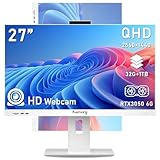
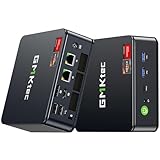
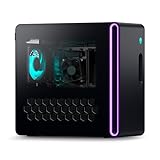
- Top Pick: High-Performance Gaming Desktop PC – Ryzen 7 5700X, GeForce RTX 3050 8GB
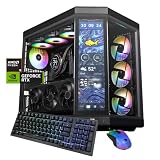
- Best Value: KOTIN Prebuilt Gaming PC RTX 5070 12GB, Ryzen 7 9700X, 32GB DDR5, 1TB SSD
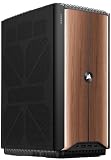
- Premium Choice: msi Codex Z2 Gaming Desktop: AMD R7-8700F, GeForce RTX 5070, 32GB DDR5, 2TB m.2 NVMe SSD, USB Type-C, VR-Ready, Windows 11 Home : A8NVP-436US
Shopping for a gaming PC under $2000 in 2026 is genuinely confusing. Prebuilt listings bury the details that matter — VRAM capacity, PSU quality, RAM speed, whether that “RTX 5070” is paired with a CPU that can actually keep up — and pricing swings week to week as GPU supply fluctuates. It’s easy to overspend on a flashy case and underspend on the parts that determine your frame rate three years from now.
This guide cuts through that. We’ve focused on prebuilt desktops that land comfortably under the $2000 ceiling while delivering real 1440p performance, and we explain exactly what you’re trading off at each price point. Below you’ll find our top picks, a practical buying checklist, and answers to the questions we get asked most.
As an Amazon Associate we earn from qualifying purchases at no extra cost to you.




⚡ Save on Your Next PC — Amazon Prime
Prime members get fast free shipping on the systems above, plus early access to Prime Day & Black Friday PC deals. New members get a 30-day free trial.
Watch: Best Gaming PC Under $2000 — Video Review
How to Choose Gaming PC Under $2000
- Prioritize the GPU: Your graphics card determines frame rate more than anything else. Under $2000, aim for an RTX 5070 or 5060 Ti class card — anything less and you’re paying prebuilt markup for entry-level performance.
- Watch the VRAM: 8GB is workable at 1080p but increasingly tight for 1440p with high textures. A 12GB card gives you meaningfully more headroom for the next few years of releases.
- Don’t overbuy CPU: A Ryzen 7 or Core Ultra 7 is plenty for gaming. Spending more on the processor while settling for a weaker GPU is the most common prebuilt mistake.
- Check RAM and storage honestly: 32GB DDR5 and a 1TB NVMe SSD are the sensible 2026 baseline. 16GB still works fine, but modern game installs will fill 1TB faster than you expect.
- Factor in the power supply and upgrade path: A quality PSU with headroom and a standard ATX layout means you can drop in a better GPU later instead of replacing the whole machine.
The Best Picks Reviewed
KOTIN Prebuilt Gaming PC — RTX 5070, Ryzen 7 9700X
This is the best-balanced configuration on the list: a 12GB RTX 5070 paired with the current-gen Ryzen 7 9700X, 32GB of DDR5, and a 1TB SSD. It handles 1440p high settings across essentially everything in 2026 and leaves nothing obviously bottlenecked.
MSI Codex Z2 — R7-8700F, RTX 5070
MSI’s Codex Z2 matches the RTX 5070 with 32GB DDR5 and a generous 2TB NVMe drive, which is unusual at this price and saves you an upgrade down the line. Build quality and thermals are a step above the boutique brands, and the USB-C front port is a small but welcome touch.
Alienware Aurora — RTX 5070, Core Ultra 7 265F
The Aurora is the premium pick here, offering Dell’s support network, solid cooling, and clean cable management alongside RTX 5070 performance. You pay a modest brand premium, but for buyers who want a warranty and a phone number rather than a parts list, it’s worth it.
KOTIN Gaming PC — Ryzen 7 8700F, RTX 5060 Ti
A strong value option that trades the 5070 for a 5060 Ti and 16GB of RAM to hit a lower price. It’s an excellent 1080p high-refresh machine and perfectly capable at 1440p if you’re comfortable dialing settings back slightly.
YAWYORE Gaming PC — Ryzen 7 5700X, RTX 5060
The budget entry, built around the still-capable Ryzen 7 5700X and an RTX 5060. It’s the right call if your target is 1080p at high frame rates and you’d rather bank the savings toward a better monitor.
Frequently Asked Questions
Is $2000 enough for a 1440p gaming PC in 2026?
Comfortably, yes. An RTX 5070-based system will run the vast majority of 2026 titles at 1440p high settings above 60fps, and considerably higher in competitive esports games.
Should I buy a prebuilt or build my own?
Building your own still saves money and gives you full component control, but prebuilt pricing has narrowed the gap considerably. If you want a warranty on the whole system and don’t enjoy troubleshooting, prebuilt is a reasonable choice.
Is 16GB of RAM still enough for gaming?
For gaming alone, 16GB is generally sufficient in 2026. If you stream, keep dozens of browser tabs open, or run creative software alongside games, 32GB is the safer buy.
Can I upgrade the graphics card later?
Usually yes, provided the case uses a standard ATX layout and the power supply has enough headroom. Check the PSU wattage before you buy — an undersized unit is the most common thing that blocks a future GPU upgrade.
Final Thoughts
For most buyers, the KOTIN RTX 5070 build offers the best overall performance per dollar in this range, while the MSI Codex Z2 is the pick if you value the extra storage and refined build quality. If brand support and warranty matter more to you than squeezing out the last few frames, the Alienware Aurora remains a solid, well-engineered choice under $2000.