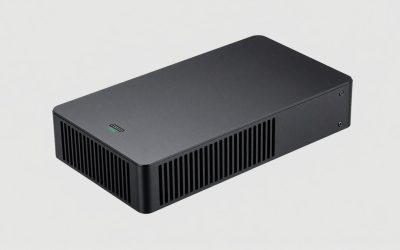
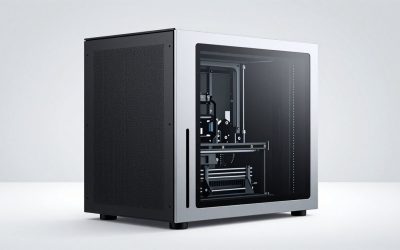
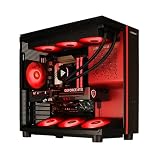
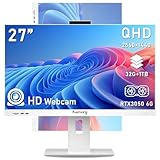
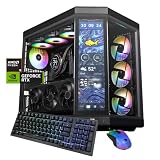
- Top Pick: msi Codex Z2 Gaming Desktop, AMD R7-8700F, RTX 5070, 32GB DDR5, 2TB SSD | NVIDIA GeForce RTX 5070, USB Type-C, VR-Ready, Windows 11 Home. Model A8NVP-436US
- Best Value: KOTIN Gaming PC Desktop, Ryzen 7 8700F, RTX 5060 Ti 8GB, 16GB DDR5, 1TB SSD | Prebuilt Gaming Tower with WiFi 7, Windows 11 Home, DLSS 4, ARGB Cooling, 650W Gold PSU for 1080p/1440p PC Gaming & Streaming
- Premium Choice: KOTIN Gaming PC Desktop Ryzen 7 8700F, RTX 5060 Ti 8G, 32GB DDR5, 1TB SSD | Prebuilt Gaming Tower with WiFi 7, Windows 11 Home, DLSS 4, ARGB Cooling, 650W Gold PSU for 1080p/1440p PC Gaming & Streaming
A 1440p monitor is where a gaming PC stops being forgiving. The picture has roughly 78 percent more pixels than a 1080p screen, so a graphics card that felt generous last year can suddenly run out of video memory or frame rate, and a processor that looked like overkill begins to matter once frame rates climb past 144. Buyers shopping the best gaming PC for 1440p in 2026 are usually stepping up from a 1080p machine, or buying their first desktop and wanting the screen to last several years.
The eight prebuilts below cover three real tiers: RTX 5060 and 5060 Ti machines for solid 1440p at sensible settings, RTX 5070 systems for more headroom, and one Radeon RX 9070 XT system for people who want the strongest graphics in the group. The deciding questions are how much video memory the card carries, whether the processor will bottleneck it, and whether the power supply and cooling are honest about what they promise. Each pick is judged only on what its listing title states.
Quick Picks
As an Amazon Associate we earn from qualifying purchases at no extra cost to you.







| Product | Best for | Key spec from the title |
|---|---|---|
| msi Codex Z2 | Balanced mid-range 1440p with big storage | Ryzen 7 8700F, RTX 5070, 32GB DDR5, 2TB SSD |
| KOTIN Ryzen 7 8700F RTX 5060 Ti | Memory-heavy multitasking at a mid-range tier | RTX 5060 Ti 8GB, 32GB DDR5, 1TB SSD, WiFi 7 |
| CyberPowerPC Gamer Master GMA2900A | Plain, well-known brand build | Ryzen 7 8700F, RTX 5060 Ti 8GB, 16GB DDR5, 1TB PCIe 4.0 SSD |
| KOTIN i5-14400F RTX 5060 Ti | Intel route on a tighter tier | i5-14400F, RTX 5060 Ti 8G, 16GB DDR4, 650W |
| Skytech Archangel 5 RTX 5060 | Entry 1440p with a gold-tier supply | i5 14400F, RTX 5060, 16GB, 750W GOLD PSU |
| KOTIN Ryzen 7 9700X RTX 5070 | Liquid-cooled mid-range with extras | RTX 5070 12GB, 32GB DDR5, 850W 80+ Gold, 360mm cooler |
| Alienware RTX 5060 Ti Core Ultra 7 | Brand-name chassis with fast networking | Ultra 7 265F, RTX 5060 Ti, Wi-Fi 7 BE200, 2.5Gb Ethernet |
| Skytech Ryzen 7 9850X3D RX 9070 XT | Highest graphics power in the group | RX 9070 XT, 32GB, 2TB SSD, 850W GOLD ATX 3, 360 AIO |
The 8 Best Options
A second KOTIN RTX 5060 Ti listing with 16GB of memory was left out because it is a memory-capacity variant of the 32GB model below, and an RTX 3060 Ti system with 512GB of storage was left out because it sits a tier below the rest.
msi Codex Z2 (RTX 5070)
This is the most straightforward mid-range 1440p build in the group. The title lists an AMD Ryzen 7 8700F, an NVIDIA GeForce RTX 5070, 32GB of DDR5 and a 2TB SSD, with a USB Type-C port, VR-Ready labeling and Windows 11 Home. Pairing a 5070-class card with 32GB of memory and a roomy drive means you can install a large game library without a second purchase. The model code A8NVP appears in the title, which helps with support lookups.
The typical buyer here is someone who wants to unbox, plug in and play without choosing a power supply or counting memory sticks. Because the specification is balanced rather than extreme, the machine suits a 1440p monitor at 144Hz or 165Hz and leaves headroom for a later move to a higher-resolution display. If you also edit video or run virtual machines, the 32GB and 2TB combination removes two common reasons to open the case in the first year.
Strengths:
- RTX 5070 graphics give more room above the 5060 Ti tier.
- 2TB of storage is the largest drive among the first six picks.
- 32GB of DDR5 suits gaming while a browser, chat app and recording software run alongside.
Trade-offs:
- The title says nothing about power supply wattage or cooling.
- No Wi-Fi standard is named in the visible text.
Skip it if you want listed power-supply details before buying. Compared with the KOTIN 5060 Ti next, you pay for a stronger card and double the storage, while the KOTIN adds WiFi 7 and lighting.
KOTIN Ryzen 7 8700F RTX 5060 Ti (32GB)
The KOTIN listing pairs a Ryzen 7 8700F with an RTX 5060 Ti 8GB, 32GB of DDR5 and a 1TB SSD. The extras are named in the title: WiFi 7, Windows 11 Home, DLSS 4 and ARGB cooling in a prebuilt tower. The eight gigabytes of video memory is the number to think about at 1440p, since high-resolution textures in newer games can fill it, but the generous system memory keeps the rest of the machine comfortable.
This listing is aimed at the shopper who splits attention between games and everything else: browser tabs, music, a voice chat and perhaps a capture program. Memory capacity is where it separates itself from the CyberPowerPC build below, since the processor and graphics card are the same. Treat the video memory figure as the main limit to plan around, and lower texture quality one notch in the newest releases if frame times get uneven.
Strengths:
- 32GB of DDR5 at this tier leaves room for multitasking.
- WiFi 7 is named for wireless networking.
- DLSS 4 support helps stretch frame rates at 1440p.
Trade-offs:
- 8GB of video memory is the limiting spec for 1440p high-texture play.
- Storage is 1TB, half of the msi listing.
Skip it if you play the newest demanding titles at maximum texture settings. Next to the CyberPowerPC, it matches the processor and graphics card but doubles the system memory.
CyberPowerPC Gamer Master GMA2900A
CyberPowerPC is a familiar prebuilt brand, and the title lists a Ryzen 7 8700F, a GeForce RTX 5060 Ti 8GB, 16GB of DDR5, a 1TB PCIe 4.0 SSD, Wi-Fi readiness and Windows 11 Home, under the Gamer Master name. The processor and graphics card match the KOTIN above, so the difference is in memory, which is 16GB here, and in the brand behind the warranty and support. For buyers who prefer a name they recognize, this is the safe pick.
Prebuilt buyers often care less about the part list than about who answers the phone when something fails. A well-known assembler tends to publish clear warranty terms and keep a support site running for years, which is hard to capture in a spec sheet. If you are comfortable adding a second memory kit yourself, the 16GB baseline is a minor concern, since the platform accepts more DDR5.
Strengths:
- A widely known prebuilt maker stands behind it.
- PCIe 4.0 storage is stated in the title.
- DDR5 memory suits the platform.
Trade-offs:
- 16GB of system memory is the lower end for a 1440p build that multitasks.
- Wi-Fi is described as ready, not as a named standard.
Skip it if you want 32GB out of the box; the memory can be upgraded later on a DDR5 board. It undercuts the next pick on platform age, since the KOTIN i5 build uses DDR4.
KOTIN i5-14400F RTX 5060 Ti (DDR4)
This one swaps to an Intel Core i5-14400F with an RTX 5060 Ti 8G, 16GB of DDR4 and a 1TB NVMe SSD, with Wi-Fi, ARGB cooling, Windows 11 Home and a 650W power supply listed. It is the old-platform route: DDR4 is cheaper to keep upgrading, but the platform has less runway for the future. At this tier the graphics card does most of the work at 1440p, so a mid-range Intel processor is not a poor match.
The choice here is between a lower-cost platform now and a longer path later. An i5-14400F is a six-core, twelve-thread class processor, a workable match for a 5060 Ti at 1440p because the graphics card sets the pace at that resolution. The part to check closely is the 650W supply: it is listed, which is good, but it limits how large a card you could install later without replacing the supply too.
Strengths:
- A 650W supply is named in the title for upfront transparency.
- NVMe storage keeps load times short.
- Intel i5 processors suit gaming without a large cost.
Trade-offs:
- DDR4 memory ends the upgrade path sooner than DDR5.
- 650W leaves less room if you later swap in a bigger graphics card.
Skip it if long-term upgrades matter. Against the Skytech Archangel 5 next, you get the stronger 5060 Ti card but a smaller supply.
Skytech Archangel 5 (RTX 5060)
Skytech’s Archangel 5 series lists an Intel i5 14400F, an RTX 5060, 16GB of RAM and a 1TB SSD, with NVMe storage, DDR5 6000, a 750W GOLD power supply, Wi-Fi 5 and Windows 11. It is the entry point for 1440p in this list. The 750W gold supply is a real strength because it gives a future graphics upgrade some room, and the DDR5 6000 line suggests memory tuned for the platform. Wi-Fi 5 is the older wireless standard.
The listing also names an Archangel 5 series label, so you can look up the chassis and its upgrade options before buying. For a first 1440p machine used mostly for esports and mid-demand titles, the RTX 5060 can hold sensible frame rates when settings are tuned, and the supply wattage means you are not boxed in. Choose it when you want the widest upgrade room per unit of budget rather than the highest frame rate out of the box.
Strengths:
- 750W GOLD supply leaves upgrade headroom.
- DDR5 6000 is named, a good speed for current platforms.
- Entry tier among the 1440p picks.
Trade-offs:
- RTX 5060 sits below the 5060 Ti in this group.
- Wi-Fi 5 is dated compared with WiFi 7 listings.
Skip it if you want the strongest card you can get at 1440p. It is the cheaper alternative to the KOTIN RTX 5070 system next, which jumps to a larger card and a bigger supply.
KOTIN Ryzen 7 9700X RTX 5070 (Smart Display)
This KOTIN is the most feature-rich mid-range listing. The title names an RTX 5070 12GB, Ryzen 7 9700X, 32GB DDR5, a 1TB SSD, an 11.3in smart display, an 850W 80+ Gold power supply, a 360mm liquid cooler and WiFi 7, and the text is cut off right after a 1440 reference, so confirm that claim on the full page. Twelve gigabytes of video memory is a comfortable figure for 1440p, and the 850W supply is generous. The display adds style but not frame rate.
The unusual feature is the 11.3in smart display, which can show system information in the case window. Some builders enjoy that, and others see it as a gimmick that adds cost. The parts that actually shape 1440p performance are the RTX 5070 with 12GB of video memory and the Ryzen 7 9700X, and both are well matched. A 360mm liquid cooler also suggests the processor can sustain boost clocks without constant fan noise, though the title gives no noise figure.
Strengths:
- 12GB of video memory gives better texture headroom than the 8GB cards.
- 850W 80+ Gold power supply and a 360mm liquid cooler are listed.
- WiFi 7 and 32GB of DDR5 are included.
Trade-offs:
- The smart display is cosmetic and adds a part that could fail.
- Storage is only 1TB.
Skip it if you want a plainer, quieter tower. Compared with the Alienware next, it offers more cooling and power-supply information but a less established brand.
Alienware RTX 5060 Ti with Core Ultra 7
Alienware is the brand-name pick. The title lists an RTX 5060 Ti, an Intel Core Ultra 7 265F, Windows 11 Home, a 1TB SSD, 16GB of DDR5, Killer 2.5Gb Ethernet, Wi-Fi 7 BE200 and Bluetooth. The networking is the standout, with a 2.5Gb wired port and Wi-Fi 7 both named. The Core Ultra 7 265F is a current-generation processor with more than enough strength for a 5060 Ti. Unlike the other 5060 Ti listings in this group, this title does not state the video memory capacity, so check it on the full listing.
The appeal is as much about the chassis and support network as about the parts. A brand-name tower often has a distinctive layout and a single service channel, which some buyers prefer to a generic case. The 2.5Gb Ethernet port is useful on a modern home network with fast internet, and Wi-Fi 7 BE200 is the current wireless standard. In return, branded systems can use non-standard parts, which narrows later upgrades.
Strengths:
- Fast wired and wireless networking are both named.
- Current Intel Core Ultra 7 processor.
- A recognizable brand and chassis.
Trade-offs:
- 16GB of memory and 1TB of storage are modest.
- No power-supply wattage appears in the title.
Skip it if you want visible component details. Next to the Skytech 9850X3D, it trades graphics power for brand and networking.
Skytech Ryzen 7 9850X3D RX 9070 XT
The strongest machine here on paper. The title lists a Ryzen 7 9850X3D, a Radeon RX 9070 XT, 32GB of RAM, a 2TB SSD, Gen4 NVMe, DDR5 5600, an 850W GOLD ATX 3 supply and a 360 ARGB AIO. X3D processors are known for strong gaming performance, and the RX 9070 XT is a high-tier card, so this is a build aimed at high frame rates at 1440p and beyond. The ATX 3 power supply is designed for modern graphics cards.
The ATX 3 label on the power supply matters for modern high-end graphics cards, which draw sharp short spikes of power that older supplies handle less gracefully. The 360 ARGB all-in-one cooler also hints that the builder expects sustained loads. This is the machine to look at if you game at high refresh rates, stream while playing, or keep a PC for many years before replacing it.
Strengths:
- RX 9070 XT is the strongest graphics card in the group by tier.
- 2TB of Gen4 storage and 32GB of RAM.
- 850W GOLD ATX 3 supply plus a 360 AIO.
Trade-offs:
- It sits at the premium end of the group.
- DDR5 5600 is a little slower than 6000 kits.
Skip it if you only play at 1080p or lighter titles. It tops the list because every spec in the title points upward.
Who Needs a 1440p Gaming PC
Not everyone needs this tier, and the buyers who do tend to share a few traits.
Monitor upgraders
If you already own a 1440p display, or plan to buy a 165Hz one, a 1080p-class PC will leave it underused. These machines are built to push that panel. The same logic applies to anyone coming from a four- or five-year-old system with an older graphics card or a quad-core processor: the jump to a current-generation card and fast storage shows up immediately, in shorter loading screens and higher frame rates before you touch a single setting.
Players who want longevity
A mid-range graphics card with enough video memory buys several years before settings must come down. Spending a tier above the minimum is the cheapest way to postpone the next upgrade. If the old tower still has a good case and power supply, a graphics-card swap alone may cost less than a full replacement, so weigh that before buying a whole system. Players who stream or record gameplay should also favor the 32GB listings, since capture software competes with the game for memory.
Creators who also game
Editing photos, cutting video and streaming all benefit from more cores and memory. A Ryzen 7 or Core Ultra 7 with 32GB of RAM covers both play and work. A prebuilt also suits people who dislike assembling parts: you receive one configuration from one seller, one warranty path and Windows already installed, and that convenience is a legitimate reason to choose a ready-made tower over a parts list.
How to Choose
Video memory first
Treat 8GB as the floor for 1440p, 12GB as the comfortable target, and 16GB as the long-term figure. Texture quality is the setting that eats video memory quickest, and running out causes stutter that a stronger processor cannot fix. Check the VRAM figure on the full listing, because titles often omit it. As a quick reference, RTX 5060 and 5060 Ti cards in these listings are described as 8GB, an RTX 5070 as 12GB, and Radeon RX 9070 XT cards belong to the 16GB class. A rule that holds up: if a listing names the GPU but not its memory, treat the figure as unknown until you read the full specification.
Processor sizing
At 1440p the graphics card works harder than at 1080p, so the processor matters less than the card. Six cores with 12 threads, as on an i5-14400F class chip, is the working minimum, and eight cores with 16 threads, as on Ryzen 7 parts, suit gamers who also stream. X3D chips add gaming-specific strength through extra cache. Do not pay for a flagship processor with a 5060-class card; the money does more good in the graphics card, memory or storage. Equally, avoid pairing a high-end card with an entry-level processor, since frame rates at lower settings will then be limited by the CPU.
Memory capacity and speed
16GB works but leaves little room for background apps. 32GB is the comfortable level. DDR5 at 5600 to 6000 is the target for current platforms, and DDR4 is acceptable only if you accept a shorter upgrade path. Prefer two sticks for dual channel, because a single stick halves memory bandwidth and can cost frame rates in CPU-heavy games. Speed matters less than capacity at this tier: a DDR5 5600 kit and a DDR5 6000 kit differ by a small margin in games, so do not rule out a system over that one line.
Storage
1TB fills fast with modern games that run well over 100GB each. 2TB is a safer baseline, and an NVMe drive on PCIe 4.0 is plenty. A spare M.2 slot lets you add a second drive later. Also check whether the listed drive is NVMe or a slower SATA type, because load times and large installs both benefit from NVMe. Budget builds sometimes use drives with limited sustained write speed, which shows up when installing a big game or copying a large video project.
Power supply and cooling
Look for a named wattage, an 80+ Bronze certification or better, and a gold tier where possible. 650W is a minimum for 5060-class cards, 750W gives upgrade room, and 850W is comfortable for a 5070 or 9070 XT class card. A 240mm or larger liquid cooler or a good tower air cooler keeps the processor quiet under load. Check that the case has at least two intake fans and one exhaust fan, and that the front panel has mesh or vents rather than solid glass, since airflow decides how long the graphics card can hold its boost clocks.
Ports, networking and warranty
Wi-Fi 6 is the minimum, Wi-Fi 7 is the future-proof choice, and a wired 2.5Gb port helps with big downloads. USB-C on the front is handy. A warranty of at least one year with a phone number to call matters more than a flashy case, and many assemblers offer longer coverage on the case and power supply than on the main components. Budget prebuilts most often cut corners on the power supply, motherboard and memory speed, so read those lines closely. Ignore case lighting claims and display gimmicks when comparing value. One more cut worth spotting: some listings advertise a fast memory speed but run a single stick, which halves bandwidth, so look for a stated 2x configuration or ask the seller. Likewise, a listing that says only that the drive is an SSD without naming NVMe deserves a second look before you pay.
8GB Versus 12GB-Plus Graphics Cards for 1440p
| Factor | 8GB cards (5060, 5060 Ti) | 12GB and above (5070, 9070 XT) |
|---|---|---|
| Fit in this list | Five systems, four of which state 8GB | Three systems |
| Texture headroom at 1440p | Tight in newer titles | Comfortable |
| Typical power supply listed | 650W to 750W | 850W |
| Tier | Entry to mid-range | Mid-range to premium |
| Longevity | Two to three years at high settings | Longer before settings drop |
When 8GB is enough
If you play esports titles, older games or modern games at medium texture settings, an 8GB card is fine. The savings can go into a larger SSD or a better monitor. Many of the most-played competitive titles are lightweight on video memory, so an 8GB card seldom limits them. The tight spot appears with newer large-world games at high texture settings, where lowering one slider usually solves it.
When to step up
If you want high or ultra textures in new releases, plan to keep the machine for four or five years, or play with ray tracing, step up to 12GB or more. The msi Codex Z2, KOTIN 9700X and Skytech 9850X3D are the three that do. These also tend to list larger power supplies, 850W in the case of the last two, which is the other practical reason to step up: the supply you receive with the machine is already sized for future upgrades.
The middle ground is a decision about timing. If you buy an 8GB system now and find a specific game struggles, you can lower texture quality, wait for a graphics-card swap, or sell the machine. If you buy the 12GB-plus tier now, you spend more up front but skip that decision entirely. Neither choice is wrong; it depends on how many demanding new releases you actually play.
Setup, Compatibility and Upgrade Tips
What to check before buying
Confirm the video memory size, the power supply wattage, the number of free memory and M.2 slots, and the warranty terms. Match the monitor’s inputs: a DisplayPort connection is best for high refresh rates. Check case size against your desk, and measure the space for airflow, because towers pushed against a wall or placed in a closed cabinet run hotter and louder. If you plan to use a headset, confirm the front panel has audio and USB ports you can reach.
What to upgrade first
If memory is 16GB, add another 16GB kit that matches. Next, add a second SSD. Leave the graphics card until your needs change, because it is the most expensive swap, and the new card needs a supply with enough connectors and wattage. If the case has a spare drive bay or M.2 slot, adding storage is the cheapest upgrade that improves daily use. Make sure your monitor is set to its full refresh rate in Windows display settings, and install the monitor maker’s driver profile if one exists; a surprising number of owners run at 60Hz by mistake.
Common compatibility traps
Do not mix DDR4 and DDR5. Check that a new graphics card fits the case length and that the supply has the right connectors. Proprietary parts in some brand-name chassis can limit upgrades, so look up the motherboard and power supply form factor before planning changes. Finally, keep the original drivers and Windows license information somewhere safe, and update the graphics driver soon after the first boot, because factory images can be several versions behind. Run Windows Update fully before installing games, and uninstall bundled trial software you do not want, since it can slow the first launch and clutter the boot list.
Which One Fits Your Situation
You want one machine for work, play and a big library
The msi Codex Z2 gives an RTX 5070, 32GB of DDR5 and 2TB of storage in a single listing.
You are on a tighter budget tier but want 1440p
The Skytech Archangel 5 with the RTX 5060 and a 750W GOLD supply is the entry point, with room to upgrade the card later.
You care about cooling and a future card
The KOTIN Ryzen 7 9700X RTX 5070 lists an 850W Gold supply and a 360mm cooler, which suits that goal.
You want maximum frame rates
The Skytech Ryzen 7 9850X3D with the RX 9070 XT is the group’s top graphics system.
Common Mistakes
- Buying on processor name alone while ignoring the graphics card and its video memory.
- Assuming every RTX 5060 Ti has the same memory size and not checking the listing.
- Overlooking a 650W supply in a build you plan to upgrade.
- Paying for lighting and displays instead of storage or memory.
- Plugging the monitor into the motherboard port instead of the graphics card.
- Buying 16GB of DDR4 and expecting years of upgrades on that platform.
Related guides
- Aio Liquid Coolers For High Performance Gaming
- Wireless Gaming Headsets Under 100 For Pc
- Graphics Card For Esports 1080P 240Hz
Frequently Asked Questions
Is an RTX 5060 Ti enough for 1440p?
It is a capable 1440p card for most games at sensible settings. The 8GB of video memory is the limit for high texture settings in the newest titles, so choose a 12GB card if that matters to you.
Is 16GB of RAM enough for a gaming PC?
It works for most games, but 32GB is more comfortable if you keep a browser, chat and recording tools open. Most of these systems can be upgraded later.
Does a prebuilt cost more than building?
Prebuilts charge for assembly and support, so a custom build can be cheaper for the same parts. Prebuilts save time and include a single warranty contact.
Do I need WiFi 7?
No. Wi-Fi 6 is enough for games, and a wired connection is better for stability. WiFi 7 is useful if your router supports it.
AMD or Intel for 1440p?
At this resolution the graphics card matters more. Both brands work well; X3D chips lead for gaming-focused builds.
What power supply do I need?
Look for 650W for 5060-class cards, 750W for headroom, and 850W for 5070 or 9070 XT systems. A gold tier is a good sign.
Final Words
The best gaming PC for 1440p is the one with enough video memory for the games you play, a processor that does not hold the card back, and a power supply you can trust. For most buyers the msi Codex Z2 balances those traits, while the Skytech Archangel 5 serves a tighter tier and leaves room to upgrade the card later. Anyone who wants the most graphics power should look at the Skytech 9850X3D, and brand-conscious buyers can weigh the Alienware. Whichever you pick, confirm the video memory figure and the power supply wattage on the full listing before ordering, because those two lines predict how long the machine stays comfortable at 1440p.