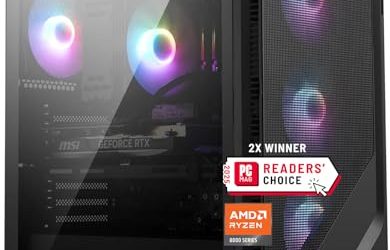
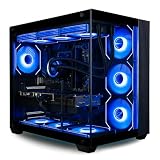
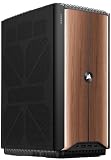
- Top Pick: HP OMEN 45L Gaming Desktop, 32GB RAM, 1TB SSD, Intel Core i7, Liquid Cooled | 12-Core i7-12700KF, up to 4.9GHz, GeForce GTX 1660 Super, WiFi Adapter, 800W Gold PSU, RGB Tempered Glass, Windows 11 Home
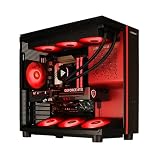
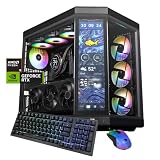
- Best Value: HP OMEN 45L Gaming Desktop, i7-14700F, 32GB DDR5, 1TB PCIE, RTX 3060Ti | Liquid Cooled, 14th Gen 20-core Processor, up to 5.4GHz, 800W Gold PSU, RGB Tempered Glass, WiFi Adapter, Windows 11 Home
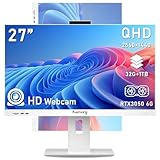
- Premium Choice: HP OMEN 45L Gaming PC, Intel i7, Liquid Cooled, 64GB RAM, 2TB PCIe SSD | GeForce GTX 1660 Super, 800W Gold PSU, RGB Tempered Glass, WiFi Adapter, Windows 11 Home
The best gaming PC for seniors is a quiet, compact prebuilt desktop with a mid-range graphics card such as an NVIDIA GeForce RTX 5060 or AMD Radeon RX 9060 XT, a six-core or better processor, 32GB of memory and a 1TB or larger SSD, paired with a large 1440p monitor and comfortable input devices. That combination runs current games well for years, stays simple to maintain and avoids the noise, glare and tiny text that make many gaming setups frustrating for older players.
As an Amazon Associate we earn from qualifying purchases at no extra cost to you.


What Seniors Actually Need From a Gaming PC
Most buying guides chase maximum frame rates. For older gamers, the priorities usually shift:
- Readability: large text, a big screen at a comfortable distance and good contrast.
- Low noise: fans that stay quiet at idle and in light games, which matters for hearing aids and conversation.
- Simplicity: fewer cables, a front power button within reach, no fiddly RGB software.
- Comfort: mice and controllers that are easy on hands and wrists, especially with arthritis.
- Long useful life: enough performance that the PC does not need upgrades for four to five years.
Recommended Specs by Gaming Style
| Typical games | CPU class | GPU class | RAM | Storage | Typical prebuilt price |
|---|---|---|---|---|---|
| Card games, puzzles, strategy, older titles, emulation | 6-core modern CPU with integrated graphics | Integrated (Radeon 780M-class or similar) | 16GB | 1TB SSD | $500-$800 |
| Flight Simulator, city builders, mainstream AAA at 1080p/1440p | Ryzen 5 9600X or Core Ultra 5 245K class | RTX 5060 / RX 9060 XT class | 32GB | 1-2TB NVMe SSD | $1,000-$1,500 |
| Demanding AAA and flight sims at 1440p high settings | Ryzen 7 9800X3D class | RTX 5070 class | 32GB | 2TB NVMe SSD | $1,600-$2,300 |
Memory prices climbed sharply through 2026, so some budget prebuilts ship with 16GB. That is fine for lighter games, but for Microsoft Flight Simulator 2024 and other large simulations, 32GB avoids stutter and is worth paying for up front rather than upgrading later.
Why a Prebuilt Usually Beats Building
Building a PC saves a little money but requires handling small parts and troubleshooting if something fails. A prebuilt from a major brand or reputable system builder comes with a single warranty, one support phone number and Windows already activated. For seniors who want to play rather than tinker, the warranty and support are worth more than the savings. Look for at least a one-year warranty with mail-in or on-site service, and ask for a model with a standard ATX or micro-ATX power supply so future repairs are simple.
Picking a Quiet Machine
Noise is the complaint seniors raise most often about gaming PCs. Use these checks when comparing models:
- Prefer cases with mesh fronts and 120mm or 140mm fans. Larger fans move the same air at lower speeds, which is quieter.
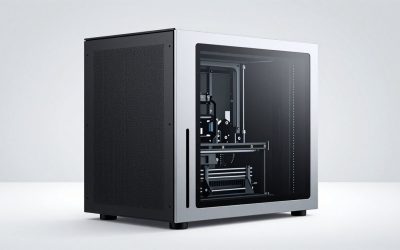
- Avoid tiny cases with high-power GPUs. Very small chassis run fans fast to keep up. A mid-size or compact tower is a better balance than an ultra-small box.
- Choose efficient parts. An RTX 5060-class card draws far less power than high-end cards, so it needs less cooling. AMD’s X3D processors and Intel’s Core Ultra chips run cool in games.
- Cap frame rate. Limiting games to the monitor’s refresh rate (for example 60 or 75fps for relaxed games) cuts heat and fan noise significantly.
Monitor: Bigger and Sharper Helps Readability
| Monitor size | Resolution | Comfortable viewing distance | Text size at 100% scaling | Notes |
|---|---|---|---|---|
| 24 inch | 1080p | 60-80cm | Small | Use 125% scaling |
| 27 inch | 1440p | 70-90cm | Small to medium | Best balance; use 125-150% scaling |
| 32 inch | 1440p | 80-100cm | Medium to large | Very readable at 100-125% |
| 32 inch | 4K | 80-100cm | Tiny without scaling | Sharpest text at 150-175%, needs stronger GPU for games |
A 32-inch 1440p monitor at 144Hz is an excellent senior-friendly choice: large text without heavy scaling, and an RTX 5060-class card can drive it in most games at medium to high settings. Choose a matte screen to reduce glare from windows and lamps.
Input Devices That Are Easy on Hands
- Vertical or ergonomic mouse: models like the Logitech Lift keep the wrist in a handshake position, which many people with arthritis find more comfortable.
- Large-print or backlit keyboard: backlighting helps in dim rooms; a low-profile keyboard reduces finger lift.
- Controller: many games play well with an Xbox Wireless Controller, which works on Windows without extra drivers.
- Adaptive options: the Xbox Adaptive Controller works on Windows PCs and accepts large buttons and switches for players with limited grip or mobility.
Windows Settings to Change on Day One
- Text size: Settings, Accessibility, Text size. Raise it until menu text is easy to read.
- Display scaling: Settings, System, Display, Scale. Use 125-150% on 27-inch 1440p screens.
- Mouse pointer size and color: Accessibility, Mouse pointer and touch. A larger, high-contrast pointer is easier to track.
- Magnifier shortcut: Windows key and plus sign zooms in anywhere, useful for small game menus.
- Automatic updates during off-hours: set active hours so updates do not interrupt a session.
- One launcher on the desktop: pin Steam or the Xbox app and remove clutter so games are one click away.
Alternatives Worth Considering
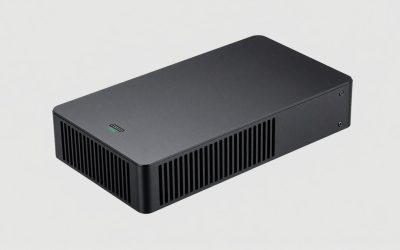
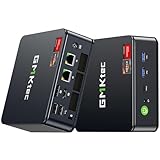
If the main goal is couch gaming with a controller, a console may be simpler. If the goal is mostly older or lighter games, a mini PC with strong integrated graphics is small, quiet and inexpensive. A full gaming PC makes most sense when flight simulators, strategy games with mouse control or PC-only titles are involved.
FAQ
Is a gaming laptop better for seniors?
Laptops are portable but have smaller screens, louder fans under load and cramped keyboards. A desktop with a large monitor is more comfortable for regular play.
How long will a mid-range gaming PC last?
An RTX 5060 or RX 9060 XT class system with 32GB of RAM should handle most new games at reduced settings for four to five years.